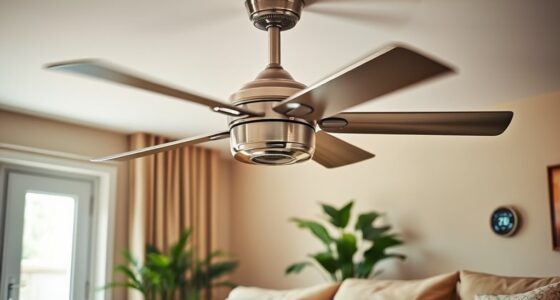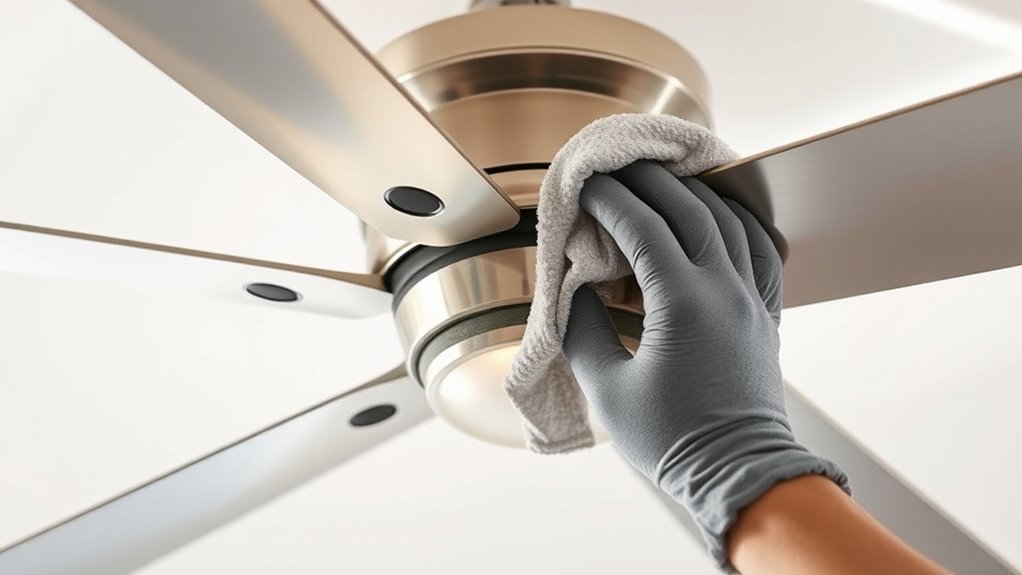

To keep your ceiling fan running smoothly, start by turning it off and unplugging it. Use a soft cloth or gentle vacuum to remove dust from the blades, checking for warping or damage. Confirm the blades are properly aligned and level using screws or brackets. Regular cleaning and balancing help prevent wobbling, noise, and wear. If you’d like tips on maintaining and optimizing your fan’s performance, keep exploring for more helpful guidance.
Key Takeaways
- Turn off and unplug the fan before cleaning or adjusting blades to ensure safety.
- Use a soft cloth or gentle vacuum to remove dust and debris from blades regularly.
- Inspect blades for warping or damage, replacing any that are bent or broken.
- Check blade alignment and levelness, adjusting brackets or screws to reduce wobbling.
- Ensure blades are at the correct angle for optimal airflow and efficiency.

Regular ceiling fan maintenance is essential to keep your fan running smoothly and efficiently. Over time, dust and debris can accumulate on the blades, and misaligned blades or a lack of proper motor lubrication can cause wobbling, noise, and decreased performance. Addressing these issues promptly guarantees your fan operates quietly and effectively, saving energy and prolonging its lifespan.
Start by inspecting the blades for proper blade alignment. When blades are uneven or bent, your fan will wobble and produce unnecessary noise. Turn off the fan and gently check each blade to see if they are at the same angle and level. If any blades are out of alignment, carefully adjust them so they are parallel to each other and perpendicular to the ceiling. Some fans have blade brackets or screws that can be tightened or loosened to achieve proper alignment. Be cautious not to overtighten, as this could lead to damage. Proper blade alignment reduces wobbling, prevents undue stress on the motor, and ensures balanced airflow throughout the room.
Inspect and adjust blades for proper alignment to reduce wobbling and noise.
Next, focus on motor lubrication. A well-lubricated motor runs more smoothly and consumes less energy. Most ceiling fans require occasional lubrication of the motor bearings, especially in older models. Turn off and unplug the fan before proceeding. Remove the fan cover or housing to access the motor. Check your fan’s manual to see if lubrication points are accessible, and use the recommended type of lubricant—usually a lightweight machine oil. Apply a few drops to the motor’s bearings or oil ports, being careful not to over-lubricate, which can attract dust or cause leaks. Once lubricated, reassemble the housing and turn the fan on to test its operation. You should notice a quieter, more balanced performance.
Additionally, choosing an appropriate general ledger coding method can streamline your maintenance records, making it easier to track and schedule regular upkeep. Regularly cleaning the blades also helps maintain proper blade alignment and prevents dust buildup that can cause imbalance. Use a soft cloth or a gentle vacuum attachment to remove dust and dirt from the blades’ surfaces. When cleaning, check for any warping or damage that might affect blade alignment, and replace damaged blades as needed. Maintaining the correct blade angle and ensuring the motor is properly lubricated will keep your ceiling fan operating at peak efficiency. It reduces wear and tear, minimizes noise, and ensures you enjoy a comfortable, energy-efficient environment. Consistent, simple maintenance goes a long way in extending the life of your ceiling fan and keeping it running smoothly for years to come.
Frequently Asked Questions
How Often Should I Replace My Ceiling Fan’s Remote Control Batteries?
You should replace your ceiling fan’s remote control batteries about once every 6 to 12 months, depending on usage. The remote control lifespan varies, but frequent use can drain batteries quicker. Keep an eye out for signs like unresponsive buttons or reduced range. Regularly checking and replacing batteries guarantees smooth operation and avoids inconvenience. Don’t wait until the remote stops working—timely battery replacements keep your fan functioning properly.
Can Ceiling Fans Be Safely Cleaned With Water-Based Solutions?
Yes, you can safely use water-based cleaning solutions on your ceiling fan, but with caution. To guarantee fan blade safety, avoid soaking the blades and use a damp cloth rather than drenching them. Gentle cleaning with water-based solutions helps remove dust and grime without damaging the finish. Always turn off the fan and wait until blades are dry before turning it back on to prevent any safety hazards.
What Are Signs That My Ceiling Fan Motor Needs Repair?
If your ceiling fan motor needs repair, you’ll notice signs like the motor overheating, which causes it to become unusually hot or smell burning. Strange noises such as grinding, squealing, or rattling also indicate issues. If the fan slows down despite regular cleaning or wobbles excessively, it’s time to check the motor. Ignoring these signs can lead to further damage, so address them promptly to keep your fan running smoothly.
How Do I Prevent Wobbling During High-Speed Operation?
To prevent wobbling at high speeds, start by checking the blade alignment and ensuring all blades are level. Use a level tool if needed. Next, add balancing weights to the blades that are causing the imbalance. These weights help distribute the weight evenly, reducing wobbling. Regularly clean the blades to remove dust and debris, which can also contribute to instability. Proper maintenance keeps your fan running smoothly.
Is It Necessary to Lubricate Ceiling Fan Bearings Regularly?
You should lubricate ceiling fan bearings regularly to guarantee smooth operation and prevent wear. Proper bearing lubrication is a key part of fan maintenance, helping to reduce noise and wobbling. Check your fan’s manufacturer instructions for the recommended lubricant type and frequency. Regular maintenance, including bearing lubrication, keeps your ceiling fan running efficiently and quietly, extending its lifespan and maintaining ideal airflow in your space.
Conclusion
Regularly cleaning and balancing your ceiling fan can extend its lifespan and improve air circulation. Did you know that a dusty fan can reduce efficiency by up to 30%? By taking just a few minutes to maintain your fan, you guarantee it runs smoothly and saves you energy. Keep blades clean and balanced, and you’ll enjoy a cooler, quieter room all year round. Proper maintenance truly makes a difference in your home’s comfort and your energy bills.