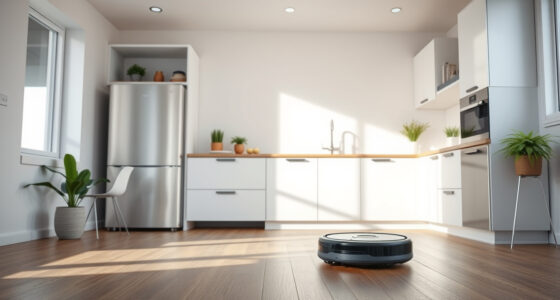
Roborock robot vacuums are renowned for their advanced navigation, powerful suction, and user-friendly app control. However, like any sophisticated device, they can encounter issues over time. Proper maintenance and troubleshooting are essential to ensure your Roborock continues to clean efficiently and reliably. This guide provides practical, safe, and easy-to-follow steps to diagnose common problems and maintain your Roborock Q7 M5+ for optimal performance in 2026.

Get home appliances delivered free with Prime
- Fast, free delivery on millions of items
- Prime Video, Amazon Music and more included
- Member-only deals all year
Whether your device isn’t starting, losing suction, or experiencing navigation issues, the following detailed instructions will help you identify and resolve these problems quickly, saving you time and avoiding costly repairs.
Key Takeaways
| Routine Maintenance | Regular cleaning of brushes and filters extends device lifespan. |
| Troubleshooting Basics | Most issues stem from dirty sensors, blocked pathways, or worn parts. |
| Battery & Power | Ensure proper charging and check for battery degradation over time. |
| Navigation & Sensors | Keep LiDAR and sensors clean for accurate mapping. |
| Replacement Parts | Use recommended filters and mop pads for best results. |
Checking and Cleaning the Main Components
- Power Off & Unplug: Before maintenance, turn off your Roborock and unplug it from the charging dock.
- Clean the Main Brush: Remove the main brush and clear any hair, string, or debris wrapped around it. Use scissors if necessary to trim tangled hair.
- Inspect & Clean Side Brushes: Remove side brushes and wash thoroughly with water. Ensure they spin freely and are not bent or damaged.
- Clean Sensors & LiDAR: Wipe all sensors, including the PreciSense LiDAR, with a soft, dry cloth to remove dust and dirt that can impair navigation.
- Check for Blockages: Examine the vacuum’s air pathways, including the dustbin area and suction inlet, for obstructions.
Performing these routine cleaning steps every 2-4 weeks helps maintain strong suction and accurate navigation.
Replacing & Maintaining Filters and Mop Pads
The Roborock Q7 M5+ features a 2.7L sealed dust bag and washable filters that need regular attention. Replacing filters and mop pads ensures optimal cleaning performance.
- Replace HEPA Filters: Remove the washable filters and clean them according to the manufacturer’s instructions (preferably every 1-3 months). When they show signs of wear or damage, replace them with compatible filters such as the 4 Pack Washable Filter (ASIN: B0DK99HTQ7).
- Change Mop Pads: Reusable microfiber mop pads should be washed after each use and replaced every 1-3 months for consistent cleaning. Check for wear and tear, especially on the microfiber surface.
Proper filter care improves suction and air quality, while fresh mop pads ensure effective floor cleaning without streaks or residue.
Troubleshooting Suction and Cleaning Performance
- Check Suction Power: Ensure the vacuum is set to maximum suction (up to 10,000Pa). If performance drops, clean the suction inlet and dustbin area thoroughly.
- Inspect the Dust Bag & Dock: Empty the 2.7L dust bag if full and verify the dock’s connections are secure. Replace the dust bag if it shows signs of wear.
- Test the Brushes: Manually rotate the main and side brushes to verify they spin freely. Replace if damaged or excessively worn.
- Run a Cleaning Test: After cleaning components, run a short cleaning cycle to observe if the suction and movement improve.
If suction remains weak, consider replacing filters or inspecting for internal obstructions. Regular maintenance prevents performance decline.
Addressing Navigation & Connectivity Issues
- Clean Sensors & LiDAR: Dust and debris on sensors or LiDAR can disrupt navigation. Use a soft cloth to wipe all relevant surfaces.
- Update Firmware: Check the Roborock app for firmware updates, which can fix bugs and improve stability.
- Reboot Device: Power off the vacuum, wait 10 seconds, then turn it back on. Reconnect via the app if disconnected.
- Reset Navigation Map: If the robot struggles with mapping, reset the map in the app and run a new mapping cycle.
Maintaining sensor cleanliness and keeping software up-to-date helps your Roborock navigate smoothly and avoid obstacles.
Battery & Power Troubleshooting
- Ensure Proper Charging: Place the vacuum on its dock, ensuring the charging contacts are clean and aligned properly.
- Check the Battery Status: In the app, verify the battery level. If it drains quickly, the battery may need replacement.
- Perform a Battery Reset: Fully charge the device, then run a cleaning cycle to see if performance improves.
- Replace Battery if Necessary: If the vacuum’s runtime significantly decreases, consider replacing the battery with a compatible one.
Maintaining battery health ensures longer cleaning cycles and reliable operation.
The Products in This Guide

roborock Q7 M5+ Robot Vacuum and Mop
- ✔ Weight: 9.8 kg
- ✔ Charging Time: 4 hours
- ✔ Run Time: up to 150 minutes

4 Pack Washable Filter
- ✔ Filter Size: Approx 5cm x 5cm
- ✔ Material: HEPA-grade
- ✔ Washable: Yes
roborock Q7 M5+ Robot Vacuum and Mop
The Roborock Q7 M5+ offers powerful suction, advanced navigation, and a large self-emptying dust bag, making it a top choice for busy households. Proper care extends its lifespan and performance.
Pros:
- Strong 10000Pa suction
- Up to 7-9 weeks self-emptying
- Dual anti-tangle system
- Precise LiDAR navigation
Cons:
- Requires regular filter cleaning
- Can be heavy to lift for maintenance
- Navigation may falter with dust on sensors
Best for: Homes with pets and high-traffic areas demanding deep cleaning
Not ideal for: Users seeking ultra-lightweight or minimal maintenance robot
Bottom line: A powerful, long-lasting robot vacuum ideal for pet owners and busy households.
4 Pack Washable Filter
Replacing or upgrading your filters with the 4 Pack Washable Filter set ensures your Roborock maintains optimal suction and air quality. Easy to install and clean, these filters are a cost-effective solution to prolong your device’s life.
Pros:
- Compatible with multiple models
- Washable and reusable
- Matches OEM performance
- Easy to install
Cons:
- Requires regular cleaning
- Not OEM but highly effective
- Replacement needed every few months
Best for: Maintaining high suction power and air quality in your Roborock
Not ideal for: If you’re looking for OEM filters only
Bottom line: A reliable, washable filter set that keeps your Roborock performing at its best.
Frequently Asked Questions
How often should I clean my Roborock’s sensors?
Clean the sensors and LiDAR every 2-4 weeks with a soft dry cloth to ensure accurate navigation and obstacle detection.
What should I do if my Roborock’s suction is weak?
First, clean the dustbin, filters, and suction inlet. If the problem persists, replace the filters and check for obstructions in the suction pathway.
How do I reset my Roborock’s map?
Open the app, navigate to map management, and select the option to reset or delete the current map. Run a new mapping cycle afterward.
Can I use third-party mop pads and filters?
Yes, provided they are compatible with your model. Use certified third-party accessories like the VIEWALL mop pads or B0DK99HTQ7 filters for best results.
What’s the best way to prolong battery life?
Ensure your Roborock is fully charged before use, avoid frequent deep discharges, and keep the battery contacts clean. Replacing the battery after signs of capacity loss helps maintain runtime.
Keep Your Roborock Running Smoothly with Simple Care
Regular maintenance and troubleshooting are key to ensuring your Roborock Q7 M5+ continues to deliver powerful, reliable cleaning. By following the steps outlined in this guide — from cleaning brushes and sensors to replacing filters and mop pads — you can extend the lifespan of your device and keep your home spotless. Staying proactive with routine care will help you enjoy the full benefits of this advanced cleaning companion for years to come.
Affiliate disclosure: As an Amazon Associate we earn from qualifying purchases. Prices and availability are accurate as of the time of publishing.