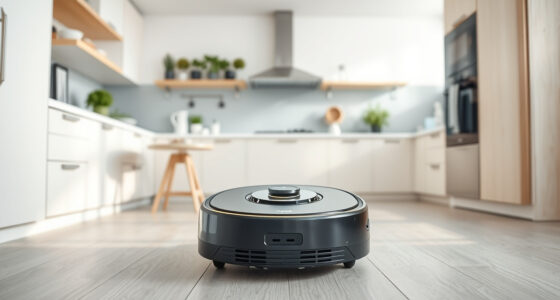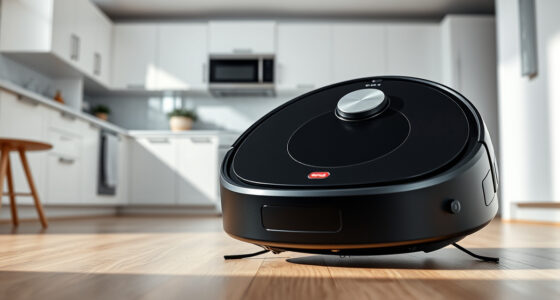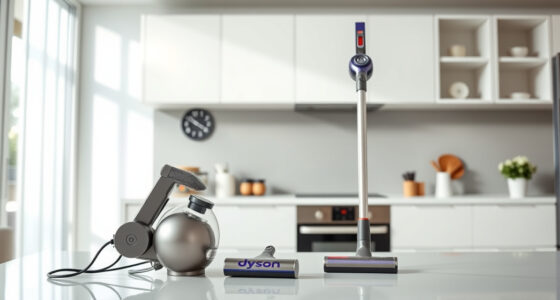
The Dyson V15 Detect™ Origin Cordless Vacuum is a powerful and intelligent cleaning tool designed for whole-home deep cleaning. To keep it running efficiently, regular maintenance and troubleshooting are essential. This guide provides practical, safe, step-by-step instructions to help you troubleshoot common issues, perform routine care, and maximize your vacuum’s lifespan.

Get home appliances delivered free with Prime
- Fast, free delivery on millions of items
- Prime Video, Amazon Music and more included
- Member-only deals all year
Whether you’re experiencing reduced suction, battery issues, or filter concerns, you’ll find clear instructions and helpful tips to resolve problems quickly and safely. Proper care not only preserves the performance of your Dyson but also ensures safer operation and longer-lasting results.
Key Takeaways
| Regular Filter Maintenance | Clean and replace filters as recommended to maintain suction. |
| Battery Care | Monitor battery health and follow safe charging practices. |
| Troubleshooting Suction Loss | Check for blockages, filter issues, or debris buildup. |
| Brush and Cleaner Head Care | Clear hair and debris to prevent motor strain. |
| Routine Inspection | Regularly inspect for damage or loose parts. |
Checking and Replacing Filters
- Turn off and unplug your Dyson V15 Detect™ before beginning any maintenance.
- Remove the cleaner head and locate the pre-filters at the top of the dustbin.
- Gently twist and lift the filters out. Rinse them under cold water without using soap.
- Wring out excess water and allow filters to air dry completely for at least 24 hours before reinstalling.
- Replace filters every 2-3 months or more often if you notice reduced suction.
Troubleshooting Battery and Power Issues
- Ensure the vacuum is fully charged using the original charger. Avoid overcharging or charging in extreme temperatures.
- If the vacuum doesn’t power on, check for any visible damage to the battery or charging port.
- Try resetting the vacuum by turning it off, removing the battery (if removable), waiting a minute, then reinserting it.
- For persistent issues, contact Dyson support for battery replacement options.
Maintaining the Cleaner Heads and Attachments
- Remove the cleaner heads and detach any attached tools.
- Clear hair, string, or debris tangled around brushes or in the nozzles using scissors or your fingers.
- Wash the Fluffy Optic head and Digital Motorbar head with water if applicable, and dry thoroughly.
- Inspect for any cracks or damage, replacing parts as needed.
Clearing Blockages and Restoring Suction
- Check the wand, cleaner head, and dustbin for obstructions or debris buildup.
- Use a long, thin tool or the crevice tool (recommended below) to dislodge any blockages.
- Empty the dustbin regularly to prevent suction loss.
- Ensure the filters are clean and properly seated for optimal airflow.
Routine Inspection and Safe Operation
Inspect your vacuum regularly for loose screws, cracks, or worn parts. Keep the battery contacts clean and dry. Always use the Dyson-recommended charger and avoid exposing the vacuum to water or extreme heat. Store in a cool, dry place when not in use.
The Products in This Guide

Dyson V15 Detect™ Origin Cordless Vacuum
- ✔ Battery Life: Up to 60 mins
- ✔ Weight: 6.8 lbs
- ✔ Filter Replacements: Every 2-3 months

LANMU Crevice Tool Vacuum Attachments Compatible
- ✔ Material: Plastic
- ✔ Compatibility: Multiple Dyson models
- ✔ Length: 12 inches
Dyson V15 Detect™ Origin Cordless Vacuum
The Dyson V15 Detect™ Origin Cordless Vacuum offers powerful cleaning with intelligent features like particle detection and real-time data display. Regular maintenance ensures it delivers optimal performance for years to come.
Pros:
- Powerful 100% more suction
- Intelligent dust detection
- Long 60-minute runtime
- Multiple cleaning heads for versatile use
Cons:
- Filter cleaning is necessary every few months
- Battery replacement may be needed over time
- Can be heavy for prolonged use
Best for: Whole-home deep cleaning, pet hair, and hard-to-reach spots
Not ideal for: For users seeking ultra-lightweight or corded vacuums
Bottom line: Regular maintenance keeps your Dyson V15 performing at its best.
LANMU Crevice Tool Vacuum Attachments Compatible
The LANMU Crevice Tool Vacuum Attachments are compatible with Dyson V15 and other models, making it easier to reach into tight corners, gaps, and car interiors. Its slim, flexible design helps you clean places that are otherwise hard to access.
Pros:
- Narrow nozzle for tight spaces
- Easy to attach and use
- Versatile for home and car cleaning
- Durable and flexible design
Cons:
- Attachment only, no additional cleaning features
- Requires proper storage when not in use
- Compatibility limited to certain Dyson models
Best for: Cleaning narrow crevices, keyboards, car interiors
Not ideal for: For general large-area cleaning
Bottom line: Great for detailed cleaning in tight spots.
Frequently Asked Questions
How often should I replace the filters on my Dyson V15?
It’s recommended to replace or clean the pre-filters every 2-3 months, depending on usage and debris accumulation. Regular cleaning maintains optimal suction.
What should I do if my Dyson V15 has reduced suction?
Check and clean the filters, clear any blockages in the wand or cleaner head, and ensure the dustbin is emptied. Maintenance of filters and attachments often restores suction.
Can I wash the filters?
Yes, most pre-filters can be rinsed with cold water. Make sure they are completely dry before reinserting to prevent damage or mold growth.
How do I troubleshoot battery problems?
Ensure the vacuum is fully charged, check for visible damage, and reset the device if possible. Battery replacements should be performed by professionals if needed.
Is it safe to use water to clean the cleaner heads?
Yes, but only for compatible heads like the Fluffy Optic and Motorbar heads. Always dry thoroughly before reattaching to avoid damage to the motor or electronics.
Keep Your Dyson V15 Detect™ Origin in Peak Condition
Proper maintenance and troubleshooting are key to ensuring your Dyson V15 Detect™ Origin continues to deliver powerful, intelligent cleaning. Regularly cleaning filters, inspecting attachments, and addressing minor issues promptly will extend the life of your vacuum and keep your home spotless. Follow these practical steps, and you’ll enjoy optimal performance and peace of mind for years to come.
Affiliate disclosure: As an Amazon Associate we earn from qualifying purchases. Prices and availability are accurate as of the time of publishing.
Cold & flu season Picks
humidifiers
As an affiliate, we earn on qualifying purchases.