
TL;DR
Building your own AI workstation used to be cheaper, but component shortages and market shifts mean prebuilt systems often cost the same or less. Your decision now hinges on support, customization, and how fast you need to get started.
Imagine this: you’re ready to dive into AI training or inference, but the machine you build might cost as much as, or more than, a prebuilt. The game has changed. The old rule—build cheap, buy quick—no longer holds. Market shortages, rising component prices, and bulk buying by manufacturers tilt the scales.
If you’re weighing whether to assemble your own AI rig or buy one ready to roll, this article will cut through the noise. Expect a clear comparison of costs, performance, and support — with real-world scenarios you can relate to. Let’s get into it.
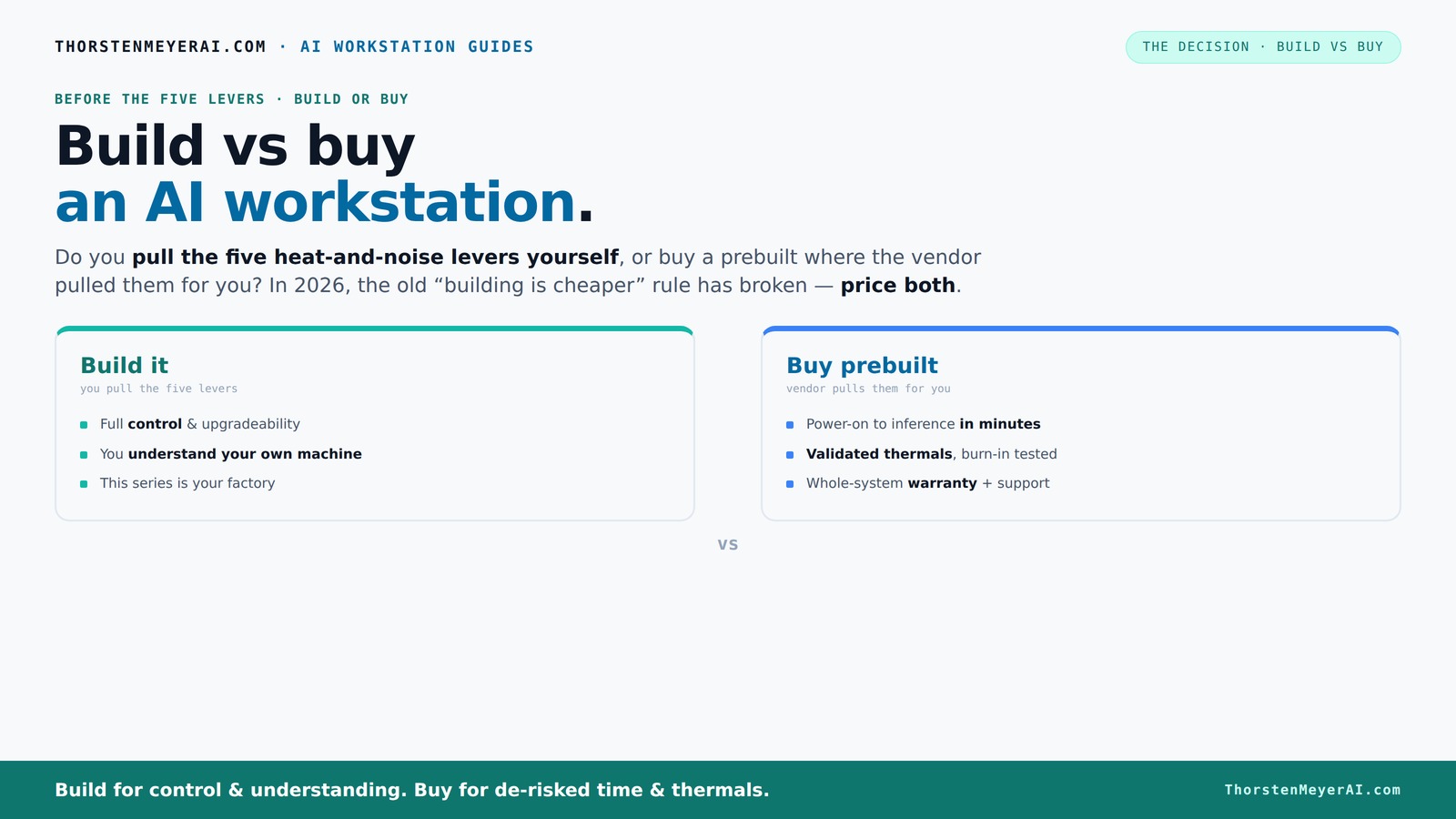
Build vs buy
an AI workstation.
The real question behind this whole series: do you pull the five heat-and-noise levers yourself, or buy a prebuilt where the vendor pulled them for you? And in 2026, the old “building is cheaper” rule has broken. Match your situation in Part 3.
Key Takeaways
- Component shortages and market shifts in 2026 mean prebuilt AI workstations often cost as much or less than DIY builds, especially for multi-GPU setups.
- Prebuilts save time and reduce risk with validated thermals, warranty, and support, making them ideal for production environments.
- Building your own offers maximum control and customization, but requires thermal engineering skills, time, and patience.
- Always compare prices for your specific configuration today — the build vs buy gap can swing either way depending on market conditions.
- Choose based on your workload, timeline, budget, and comfort with hardware tuning; there’s no one-size-fits-all answer.
high performance AI workstation prebuilt
As an affiliate, we earn on qualifying purchases.
As an affiliate, we earn on qualifying purchases.
Why 2026 flips the script on building vs buying AI workstations
Building a high-end AI machine used to be a no-brainer for saving money. Learn more about build vs buy options. Now, with component shortages and soaring prices, that’s not always true. A recent survey shows that GPU prices have doubled since 2024, and DDR5 RAM is up 40% in some markets. A DIY build that cost $1,000 now easily hits $1,250+ before even adding Windows or software.
Meanwhile, big vendors like Lambda and Puget bought parts in bulk before prices spiked. They can offer systems at prices that are tough for you to match, especially if you want multi-GPU setups or custom cooling. So, the old "build cheaper" rule is now a gamble. You need to compare prices for your exact setup today.
Beyond just costs, consider the implications: prebuilt vendors often have optimized thermal management and quality control processes that are difficult to replicate at home. This means your system will likely run cooler, quieter, and more reliably, which directly impacts performance and uptime — critical factors in AI workloads. The tradeoff is that you might pay a premium for these benefits, but in many cases, the value of reliability and time saved outweighs the initial savings of DIY.
customizable AI GPU workstation
As an affiliate, we earn on qualifying purchases.
As an affiliate, we earn on qualifying purchases.
The five levers that make or break your AI workstation’s heat and noise
High-power AI workstations are like furnaces. Managing heat and noise involves balancing multiple factors: undervolting GPUs, selecting effective cooling solutions, optimizing airflow, tuning fan curves, and strategic placement.
When you buy a prebuilt, the vendor handles these levers. Explore smart home technology insights. They test, tune, and often water-cool for quieter, cooler operation — with a warranty backing it up. For example, BIZON claims systems with 30% lower noise and temperature, validated through extensive testing.
If you build your own, you take charge of these levers. You choose a quiet GPU, undervolt it ([see how here](https://thorstenmeyerai.com/undervolt-gpu-local-inference/)), pick a cooler and case designed for optimal airflow ([check options here](https://thorstenmeyerai.com/quiet-cpu-coolers-ai-workstation/)), and set up the fans ([see setup tips](https://thorstenmeyerai.com/quiet-case-fans-airflow-setup/)).
This control over thermal management is crucial because inadequate cooling can lead to thermal throttling, which reduces GPU performance, increases wear and tear, and shortens component lifespan. Conversely, overcooling or excessive noise reduction can add cost and complexity. Both approaches—prebuilt and custom—aim to strike a balance, but the implications for reliability, noise levels, and operational efficiency are significant. Understanding these tradeoffs helps you choose a system aligned with your workload and environment.
professional AI training PC build
As an affiliate, we earn on qualifying purchases.
As an affiliate, we earn on qualifying purchases.
When a prebuilt system makes your life easier (and saves time)
If you need your AI workstation up and running yesterday, prebuilt systems are gold. They come with OS, drivers, and frameworks like CUDA and TensorFlow preinstalled. Just power on and start training or inference.
For example, a professional data scientist at a startup might buy a system from Lambda, which validates thermals and runs a 48-hour stress test before shipping. Support and warranty cover hardware failures, so downtime costs less.
Multi-GPU setups? Vendors like Puget tune these for you, reducing the risk of throttling or cooling failures. If your time is more valuable than the extra cash, prebuilts make perfect sense.
This convenience isn’t just about saving time; it also reduces the risk of configuration errors, compatibility issues, and setup mistakes that can lead to costly downtime or underperformance. For busy professionals, startups, or teams with tight deadlines, the ability to deploy a reliable, tested system instantly means more productivity and less troubleshooting.
quiet AI inference computer
As an affiliate, we earn on qualifying purchases.
As an affiliate, we earn on qualifying purchases.
Building your own: control, customization, and learning the ropes
Building your own AI workstation gives you total control. Compare build vs buy options. You pick the GPU — maybe a quiet RTX 4090 or a more affordable card. You choose the cooling — air or water — and tweak everything for noise and heat.
For instance, a hobbyist who loves tuning might undervolt their GPU ([see how here](https://thorstenmeyerai.com/undervolt-gpu-local-inference/)), select a case with optimal airflow ([see options here](https://thorstenmeyerai.com/low-noise-pc-cases-airflow/)), and use quiet fans ([see recommendations](https://thorstenmeyerai.com/quiet-case-fans-airflow-setup/)).
This approach is flexible. You can upgrade memory, swap GPUs, or improve cooling over time. But it requires time, patience, and some thermal engineering skill. The tradeoff here is that you gain a deep understanding of your system’s performance characteristics, allowing you to fine-tune for maximum efficiency and future expandability. However, this also means investing significant time in research, troubleshooting, and iterative adjustments, which can be a barrier for those seeking quick deployment.
Cost comparison: building vs buying in 2026 — the numbers tell a story. See home improvement and tech upgrade ideas.
| Factor | Build Your Own | Buy Prebuilt |
|---|---|---|
| Price (average high-end setup) | $1,250+ (components + OS) | $1,300–$1,500 (including validation & warranty) |
| Time to deploy | Several hours to days (ordering, assembly, testing) | Minutes to hours (plug and play) | Support & warranty | Variable — depends on parts, DIY troubleshooting | Single vendor support, 3–5 years warranty | Upgrade flexibility | High — swap GPUs, add RAM, customize cooling | Limited — depends on vendor offerings |
Market prices fluctuate, but recent data shows prebuilt systems often match or beat DIY costs, especially for multi-GPU rigs. This is partly because vendors leverage economies of scale, optimized thermal solutions, and bulk discounts, which are difficult for individual builders to match. Additionally, the time saved and the reduced risk of compatibility issues often offset the marginal price difference, making prebuilts a compelling choice for many users who prioritize reliability and quick deployment.
Who should build, and who should buy?
Build if you love hardware, want maximum control, or need a custom setup. Hobbyists, students, and those with time for tinkering find value here.
Buy if you need quick deployment, reliable thermal management, and support. Professionals, startups, or anyone who can’t afford downtime should consider prebuilt options.
For example, a research team working on tight deadlines might prefer a prebuilt to avoid delays. A hobbyist experimenting with coolers might build for fun.
Common mistakes when choosing GPUs, PSUs, and cooling
Avoid mismatched components. The most common error? Overestimating GPU power needs or underestimating PSU capacity. For example, choosing a 4090 with a 650W PSU can lead to stability issues.
Another trap: ignoring airflow. A powerful GPU in a poorly ventilated case will throttle. Use quality fans and proper case design ([see tips here](https://thorstenmeyerai.com/quiet-case-fans-airflow-setup/)).
In DIY builds, verifying compatibility and thermal design upfront saves headaches down the road. Manufacturers often test these for you in prebuilts. Ignoring these details can lead to thermal throttling, reduced lifespan, or even hardware failure—costly mistakes that undermine your investment and productivity.
Decision checklist for your AI workstation needs
- What workload? Inference, training, or both?
- How fast do you need to start? Immediate or flexible?
- Budget? Is price or support more critical?
- Comfort with hardware tuning? Yes or no?
- Future plans? Upgrades or fixed setup?
This quick checklist helps you weigh whether a prebuilt or a DIY makes more sense for your specific case. Considering factors like workload complexity, timeline constraints, and support needs ensures your choice aligns with your operational goals and resource availability. A misaligned decision here can lead to delays, unexpected costs, or suboptimal performance, so take the time to evaluate each point carefully.
Frequently Asked Questions
Is it cheaper to build or buy a prebuilt AI workstation?
Recently, component shortages and bulk buying have made prebuilt workstations often match or beat DIY costs, especially for multi-GPU systems. Always compare prices for your exact specs today, as market conditions fluctuate.How much performance do I lose by buying prebuilt instead of building?
Reputable prebuilts are highly optimized, often running with tailored cooling and BIOS tuning. For most users, performance difference is minimal—mainly in thermal headroom and noise levels, which prebuilts manage well.What GPU should I choose for AI workloads?
A high-end RTX 4090 or A100, depending on your budget and workload, offers excellent performance. For inference, quieter GPUs with lower power draw can be beneficial ([see quiet GPU options](https://thorstenmeyerai.com/quiet-gpus-local-ai/)).Is a single-GPU workstation enough, or do I need multi-GPU support?
It depends on your workload. For training large models, multiple GPUs accelerate progress but complicate cooling and power. For inference or small projects, a single powerful GPU often suffices.Can I upgrade a prebuilt workstation later?
Some prebuilts allow upgrades—like adding RAM or swapping GPUs—but many are fixed. Check vendor upgrade policies before buying if future expansion is important.Conclusion
In 2026, the choice between building and buying your AI workstation hinges less on price and more on your priorities: speed, support, and control. If you need to deploy fast, a prebuilt system with validated thermals and support is a no-brainer. But if you love the tinkering, control, and future upgrades, building remains a rewarding challenge.
Remember, market shifts mean always price both options for your specific setup today. The best machine is the one that fits your needs and keeps you focused on your AI work, not your hardware.