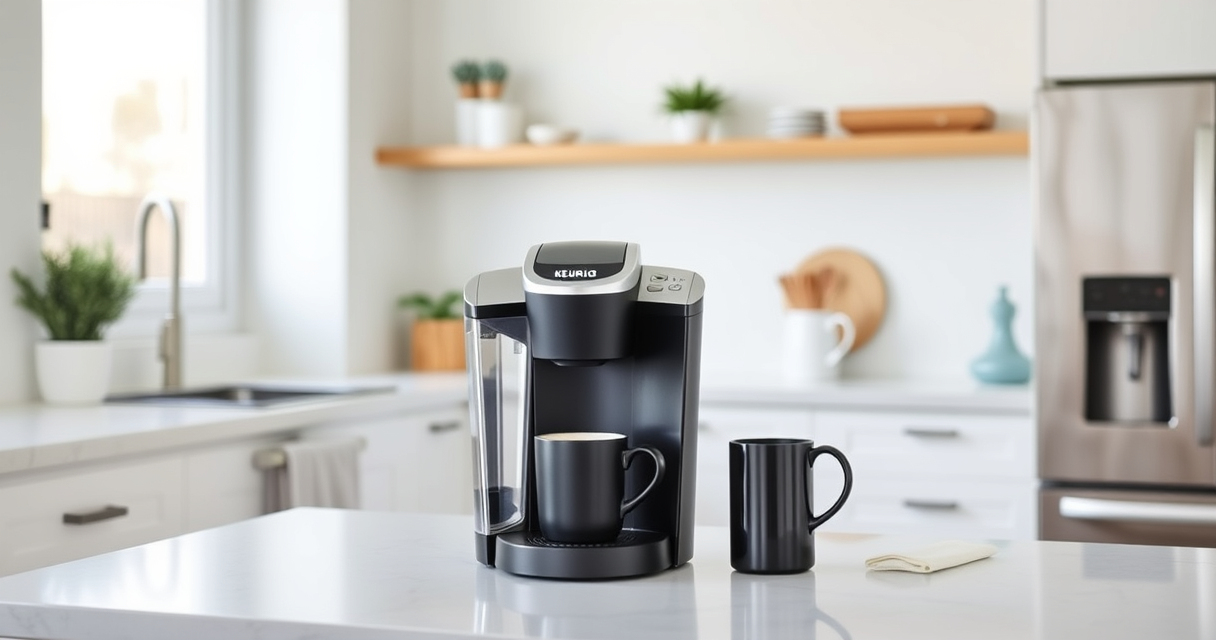

Maintaining your Keurig K-Mini Single Serve Coffee Maker ensures consistent performance and extends its lifespan. Regular cleaning and troubleshooting common issues are straightforward when you follow the right steps. This guide provides practical, safe, and easy-to-follow instructions to keep your coffee maker in top shape.

Get home appliances delivered free with Prime
- Fast, free delivery on millions of items
- Prime Video, Amazon Music and more included
- Member-only deals all year
Whether you’re dealing with mineral buildup, clogged nozzles, or simple cleaning routines, this comprehensive guide will help you troubleshoot and maintain your Keurig effectively.
Key Takeaways
| Regular Cleaning is Key | Keeps your coffee tasting fresh and prevents buildup. |
| Descaling Extends Lifespan | Removes mineral deposits that can clog the machine. |
| Use Proper Tools | Recommends descaling kits and reusable filters. |
| Troubleshoot Common Issues | Steps for resolving brewing problems. |
Preparing for Maintenance
Before starting any maintenance, gather necessary supplies: descaling solution, rinse pods, a soft cloth, and a reusable filter if desired. Ensure your machine is unplugged for safety. Remove any used K-Cups and empty the water reservoir.
Check the machine for visible debris or mineral buildup. Having everything ready makes the process smoother and safer.
Cleaning the Exterior and Drip Tray
- Unplug the machine and wipe the exterior with a damp cloth to remove dust and coffee stains.
- Remove the drip tray and wash it with warm, soapy water. Dry thoroughly before reinserting.
- Check the water reservoir for mold or mineral deposits and clean with a soft cloth or sponge.
Descaling Your Keurig K-Mini
- Fill the water reservoir with a descaling solution or a mixture of equal parts water and white vinegar.
- Place a large mug on the drip tray and run a brew cycle without a K-Cup, allowing the solution to flow through.
- Repeat until the reservoir is empty, then fill with clean water and run multiple cycles to rinse out any residual descaling solution or vinegar.
Cleaning the Brew Nozzle and Internal Parts
Use a damp cloth or a soft brush to gently clean the brew nozzle to remove any mineral buildup or coffee residue. For stubborn clogs, a toothpick or a small brush can help dislodge debris.
Run a rinse cycle with clean water to clear out any remaining debris or descaling solution from internal parts.
Using Reusable Filters and Troubleshooting Common Issues
Consider using a reusable filter like the My K-Cup® Reusable Coffee Filter to prevent waste and improve flavor control. Regularly check for clogs or leaks. If the machine isn’t brewing, ensure the water reservoir is full and properly seated.
If your coffee is weak or inconsistent, clean the needle and check for blockages. For persistent issues, repeat descaling or consult troubleshooting tips.
The Products in This Guide

Keurig K-Mini Single Serve K-Cup Pod Coffee Maker
- ✔ Weight: 5.1 lbs
- ✔ Water Reservoir: Less than 10 oz
- ✔ Power Cord Storage: Yes

My K-Cup® Reusable Coffee Filter
- ✔ Size: Fits all Keurig models
- ✔ Material: BPA-free plastic
- ✔ Color: Black
Keurig K-Mini Single Serve K-Cup Pod Coffee Maker
The Keurig K-Mini is a sleek, space-saving single-serve coffee maker that fits perfectly in small kitchens or offices. Its simple design and efficient brewing make it a popular choice for daily use.
Pros:
- Fits small spaces
- Brews 6-12oz cups
- Removable drip tray
- Auto off feature
Cons:
- Limited water reservoir
- No temperature control
- No brew strength settings
Best for: Small spaces and quick, convenient coffee brewing
Not ideal for: Users needing large capacity or advanced features
Bottom line: A compact, efficient coffee maker ideal for small spaces and quick brewing.
My K-Cup® Reusable Coffee Filter
The My K-Cup® Reusable Coffee Filter allows you to brew with your favorite ground coffee, and when combined with proper descaling, it helps maintain optimal flavor and performance.
Pros:
- Reusable and eco-friendly
- Brews with ground coffee
- Compatible with Keurig models
- Easy to clean
Cons:
- Requires separate purchase of ground coffee
- Needs regular cleaning
- Limited to ground coffee brewing
Best for: Coffee lovers who prefer ground coffee and want to extend their machine’s life
Not ideal for: Users who only brew K-Cup pods or need large capacity
Bottom line: A versatile reusable filter that enhances your coffee experience.
Frequently Asked Questions
How often should I descale my Keurig K-Mini?
It is recommended to descale every 3 months or more frequently if you have hard water to prevent mineral buildup.
Can I use ground coffee with my Keurig K-Mini?
Yes, with a reusable filter like the My K-Cup®, you can brew your own ground coffee instead of using K-Cup pods.
Why isn’t my coffee brewing properly?
Check for clogs in the needle or brew head, ensure the water reservoir is full and seated correctly, and consider descaling if mineral buildup is suspected.
How do I clean the water reservoir?
Remove the reservoir, wash it with warm, soapy water, rinse thoroughly, and dry before reattaching.
Is descaling safe for my machine?
Yes, using approved descaling solutions or vinegar is safe when used according to instructions. Always rinse thoroughly afterward.
Keep Your Keurig Brew Fresh and Reliable
Regular maintenance of your Keurig K-Mini ensures it continues to brew delicious coffee every time. Follow these simple cleaning and descaling steps, and troubleshoot common issues promptly to extend your machine’s lifespan. Proper upkeep not only maintains flavor quality but also prevents costly repairs, making your coffee experience consistently enjoyable.
Affiliate disclosure: As an Amazon Associate we earn from qualifying purchases. Prices and availability are accurate as of the time of publishing.
Fall Picks
fall essentials
As an affiliate, we earn on qualifying purchases.