
TL;DR

Get home appliances delivered free with Prime
- Fast, free delivery on millions of items
- Prime Video, Amazon Music and more included
- Member-only deals all year
The best Ring security camera depends on where you will install it and how you want to power it: the Floodlight Cam 2K Wired suits a lit driveway, the Outdoor Cam 2K (2nd Gen) suits flexible battery-powered coverage, and the Floodlight Cam 4K Pro offers higher resolution with hardwired power. If you were considering the Spotlight Cam 2K Battery, compare those current alternatives and verify product availability, regional specifications, and subscription terms before buying.
A camera with sharper video can still miss the moment you care about if it faces the wrong way, loses Wi-Fi, or alerts you every time a branch moves. The best Ring security camera is the one that fits your exact doorway, driveway, or yard—and the power and recording setup you can live with.
This guide compares Ring’s featured 2K and 4K options, including alternatives to the Spotlight Cam 2K Battery, which may be discontinued or unavailable in some places. You’ll see what each model does well, where it asks you to compromise, and what to check about subscriptions, privacy, and installation before choosing.
Ring’s lineup changes over time, and models, features, and availability can vary by country. Treat the model details here as a starting point, then confirm current specifications and service terms for your region. The small print matters most when a camera will protect a real entrance, not just decorate a product comparison.
Choose by camera location and job: front door, broad yard, and dark driveway need different views.
The Floodlight Cam 2K Wired is the closest listed 2K and 6x zoom match to the Spotlight Cam 2K Battery, but it requires hardwired power.
The Outdoor Cam 2K (2nd Gen) offers rechargeable battery placement flexibility; charging frequency depends on activity, settings, temperature, and Wi-Fi.
Higher resolution cannot repair a poor angle, weak connection, blocked view, or unsuitable night lighting.
Check current subscription terms for saved video, and protect your setup with two-step verification, individual shared access, and privacy-aware framing.
Match the camera to the place you need to watch
The best Ring security cameras are picked by location and job, not by resolution alone. A doorbell should show visitors and packages; a driveway camera should cover vehicles and approach paths; a floodlight model should add light where darkness hides activity. Start with the view you need, then choose power, detection, and recording features around it.
Walk to the proposed mounting spot and look at it from the camera’s point of view. Can it see faces clearly, or will a porch post cut the frame in half? Will headlights wash out the image? A camera mounted high on a garage may see a whole driveway but capture the top of a visitor’s hat rather than their face. That tradeoff matters more than a resolution label.
For a quick front-door view of visitors, the Battery Doorbell 2K Plus offers Retinal 2K video and up to 6x enhanced zoom, according to the supplied specifications. For an open yard, the Outdoor Cam 2K (2nd Gen) gives you battery-powered placement flexibility. A dark driveway with an existing light circuit points more naturally toward a wired floodlight camera.
Use this short decision path before comparing models:
- Name the target: visitor, package, driveway, side gate, or room.
- Check the mounting spot: sightline, height, weather exposure, and Wi-Fi strength.
- Choose power: battery for flexible placement, or wired power when you want to avoid routine charging.
- Set your recording expectation: confirm what live view, alerts, saved clips, and history require.
For example, a renter who needs a view of a side gate may prefer a battery camera that can move with them, while a homeowner wanting a brighter driveway scene may accept professional wiring. Those are different problems. The model that solves one may simply be inconvenient for the other.
Products Worth Considering
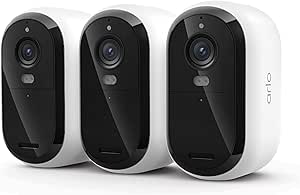
Arlo Essential Wireless Security Camera 2K (3rd Gen), 3-Camera Set with Yard Sign

Arlo Pro Wireless Security Camera, 2K HDR, 6th Generation, 4-Camera System

Google Nest Learning Thermostat (4th Gen) with Nest Temperature Sensor (2nd Gen), Silver
As an affiliate, we earn on qualifying purchases.
Compare the closest Ring alternatives side by side
For a replacement shortlist, compare power and placement before fine-print features. The Ring Floodlight Cam 2K Wired is the closest listed match to the Spotlight Cam 2K Battery for 2K video and up to 6x enhanced zoom, but it needs hardwired power. The Outdoor Cam 2K (2nd Gen) keeps battery convenience, while the Floodlight Cam 4K Pro steps up resolution and connectivity with a wired installation.
| Model | Video and zoom | Power and connectivity | Best fit | Main tradeoff |
|---|---|---|---|---|
| Spotlight Cam 2K Battery | 2K; up to 6x enhanced zoom | Rechargeable Quick Release Battery Pack; Wi-Fi 4, 2.4 GHz | Battery-powered spotlight coverage | May be discontinued or unavailable; verify current status |
| Floodlight Cam 2K Wired | 2K; up to 6x enhanced zoom | Hardwired; Wi-Fi 4, 2.4 GHz | Driveway or yard where light and wiring are available | Requires a suitable wired installation |
| Outdoor Cam 2K (2nd Gen) | 2K; up to 6x enhanced zoom | Rechargeable Quick Release Battery Pack; Wi-Fi 4, 2.4 GHz | Flexible outdoor placement | Battery upkeep and single-band Wi-Fi |
| Floodlight Cam 4K Pro | 4K; up to 10x enhanced zoom | Hardwired; Wi-Fi 6, dual-band 2.4 and 5 GHz | Detailed coverage and active lighting | Wiring required; check the exact weather rating and installation conditions |
| Battery Doorbell 2K Plus | Retinal 2K; 6x enhanced zoom listed | Quick Release Battery Pack; Wi-Fi 4, 2.4 GHz | Visitors and packages at an entrance | Doorway framing is not a substitute for broad yard coverage |
The table shows why a simple “newer is better” ranking can mislead. The 4K Pro lists higher resolution and up to 10x zoom, but it is hardwired; a battery model can be the better practical fit if you cannot safely or legally add wiring. Similarly, the Battery Doorbell 2K Plus is a strong door-focused option, not a direct replacement for a camera watching a wide side yard.
These differences affect more than convenience. Hardwiring can keep a camera powered through frequent motion activity, but it limits placement to spots with a suitable circuit and may add installation cost. A battery camera can go where the view is best, but charging becomes part of ownership; a camera that is hard to reach may be flexible on paper and frustrating in practice. Likewise, a wider field of view can show more of a driveway while making distant people appear smaller, so the best match depends on whether broad awareness or close detail matters more.
The Spotlight Cam 2K Battery’s status is not certain from the product brief, so don’t treat it as universally gone—or assume it is available. Check the official product listing in your country and compare the exact model number. Ring’s product names and lineup changes can make older reviews poor guides to what you can buy today.
Pick the best Ring camera for each real-world job
The best model depends on the scene: choose the Battery Doorbell 2K Plus for a front-door view, the Outdoor Cam 2K (2nd Gen) for flexible battery-powered coverage, and a wired Floodlight Cam when your priority is illuminating a larger outdoor area. The Floodlight Cam 4K Pro is the higher-resolution wired option in this shortlist.
- Best fit for a driveway with existing wiring: Floodlight Cam 2K Wired. It pairs 2K video with a floodlight and up to 6x enhanced zoom. Imagine a car pulling into a dark driveway: illumination can help make the scene more usable than a high-resolution camera staring into blackness. The compromise is installation—hardwired equipment may need a qualified electrician and local approvals.
- Best fit for adaptable outdoor placement: Outdoor Cam 2K (2nd Gen). Its rechargeable Quick Release Battery Pack lets you mount it where an outlet or lighting circuit is not convenient. That helps when you want a view of a side gate or detached shed. You still need to plan for charging, suitable weather exposure, and a reliable 2.4 GHz Wi-Fi signal.
- Best fit for higher listed resolution: Floodlight Cam 4K Pro. It lists 4K video, up to 10x enhanced zoom, Wi-Fi 6, and two-way talk with Audio+ and advanced noise cancellation. Those features may suit a broad, detail-sensitive area, but the camera is hardwired. Higher resolution also cannot fix a blocked view or poor placement.
- Best fit for visitors and packages: Battery Doorbell 2K Plus. Its doorbell form and Retinal 2K video target the entrance itself. For a package dropped beside the door, a correctly framed doorbell view may tell you more than a distant yard camera. It is not designed to replace an outdoor camera covering a driveway.
These are role-based picks, not a universal ranking. If your main concern is a dark path, prioritize lighting and angle; if it is identifying a visitor at the porch, prioritize a clean face-level view. A camera’s job description should fit in one sentence before you choose it. For a broad driveway, consider whether you need to recognize a person at the far edge or simply know that someone entered the area. Those goals demand different placement and may change whether extra resolution is worth the cost.
Ring’s lineup is not identical in every market, so model names, specifications, subscriptions, and availability can vary by country. Confirm your exact product and feature list where you live. That final check is especially useful when a listing uses a familiar name but describes a different generation.
Decide whether battery or wired power suits your home
Battery power gives you placement freedom; wired power avoids routine charging. The Outdoor Cam 2K (2nd Gen) and Battery Doorbell 2K Plus use Quick Release Battery Packs, while both featured Floodlight Cams require hardwiring. Choose based on what your home can support and what kind of upkeep you will tolerate.
A battery camera can go on a detached garage or side gate without a nearby power connection, which is handy when drilling into a wall for an electrical feed would be impractical. But batteries do not last for a fixed, guaranteed period. Cold weather, frequent motion events, repeated live views, settings, and Wi-Fi conditions can all affect how often you need to recharge. A busy sidewalk can trigger far more activity than a quiet backyard.
The practical tradeoff is between installation constraints and ongoing attention. A battery camera is easier to reposition if your first angle proves poor, but it must be reachable for charging and may be unavailable while its battery is being changed. A wired model takes more planning up front and usually restricts placement to an existing or newly installed circuit; in return, it avoids that charging cycle. For a high, difficult-to-access mount, the inconvenience of periodic battery service may outweigh the freedom to put the camera in the ideal spot.
A wired floodlight camera can stay powered without the same charging routine, and its lights can make a dark approach easier to see. The price of that convenience is installation complexity. The supplied Floodlight Cam 2K specifications list 100–240 V hardwired power, and the 4K Pro lists 110–240 V. Electrical work must follow local codes and permit rules; hire a licensed electrician when you are adding or changing wiring.
Safety note: Never work on live wiring. A qualified professional should isolate power at the breaker, verify the circuit is de-energized, and use suitable PPE and tools. A camera upgrade is not worth an electric shock or an installation that fails inspection.
Before choosing, sketch a simple upkeep plan. If you install a battery camera above a garage door, can you reach it safely to swap the pack? If a wired camera sits over a driveway, does the location have a suitable circuit and mounting surface? These practical questions can settle the decision faster than comparing a dozen small specification differences.
“Wireless” can mean different things. A battery camera may be wireless for power but still depend on Wi-Fi for app access, notifications, and cloud services. Check both connections: how the camera gets electricity and how it sends video.
Make resolution, zoom, and motion alerts work in practice
Resolution helps preserve detail, but placement, lighting, and detection settings decide whether a clip is useful. The featured outdoor models list 2K video and up to 6x enhanced zoom; the Floodlight Cam 4K Pro lists 4K and up to 10x enhanced zoom. Those numbers describe capability, not a promise that every distant face or license plate will be clear.
Think of resolution like a larger canvas: it gives you more room to see detail, but it cannot paint a subject hidden behind a tree. If a camera sits too far from a gate, a person may remain a small shape even in a high-resolution image. Mount it with a clear view of the approach, then test a daytime and nighttime scene from the Ring app before relying on it.
Resolution and zoom are useful only when the camera captures enough light and the subject occupies enough of the frame. Digital zoom can enlarge a portion of an image, but enlarging does not create detail that the sensor never captured. If identifying a face matters, a closer, well-aimed camera may outperform a higher-resolution unit mounted far away. Conversely, a broad overview camera can help establish where someone went, even if it cannot show fine facial detail.
Motion zones let you tell the camera which parts of the frame matter. A homeowner whose camera sees a busy pavement can exclude the sidewalk and focus on the front path, reducing alerts from every passing cyclist. Too narrow a zone can create the opposite problem: a person approaching from the driveway edge may slip outside the detection area.
Start with a measured setup rather than maximum sensitivity:
- Mark the useful area: include doors, gates, and likely paths, not every moving tree branch.
- Set the angle: aim toward faces and movement, avoiding direct views into neighbors’ windows.
- Test real activity: walk through the frame at normal speed and check the alert and recorded view.
- Adjust one setting at a time: change zone boundaries or sensitivity, then observe whether nuisance alerts fall without missing arrivals.
Motion settings involve a real tradeoff: broad coverage may catch more approaches but can also create more irrelevant notifications, while restrictive zones reduce noise at the risk of overlooking movement at the edge. Test at different times and with ordinary activity, not just a single walk-through. If alerts are ignored because they are frequent, the camera may be technically detecting motion but failing its practical purpose.
Two-way talk can help you answer a delivery person or speak to someone at a gate, but it is not a substitute for emergency services. Floodlight illumination and an audible alert may draw attention; they do not guarantee that a visitor will leave or that help will arrive. Treat deterrence as an added tool, not a security plan by itself.
Check recording, subscriptions, and Wi-Fi before you buy
Live viewing and motion alerts are not the same as saved video history. Ring cameras generally rely on an internet connection for app access, alerts, and cloud services, while saved recordings and some added features may require a paid subscription. Check the current plan terms for your region and the specific camera before you buy.
This distinction matters during a real incident. A homeowner may receive an alert about a package, open live view, and see the courier leave; later, they may want to review the saved clip. Whether that clip is stored, how long it remains available, and which features are included depend on current service terms. Do not assume every camera records continuously or that live access automatically means you can replay older footage.
The choice is not merely whether a subscription costs extra; it is whether the recording arrangement matches the reason you bought the camera. If you need evidence to review after an event, confirm that the plan includes the right camera, storage period, and access to clips. If live checks and immediate alerts are enough, you may value those functions differently. Include recurring service costs in the comparison, because a lower camera price can become less attractive once the features you rely on require an ongoing plan.
Most consumer Ring cameras are designed around motion events and live viewing rather than continuous 24/7 recording, according to the supplied research brief. If you need uninterrupted recording, check whether the exact model and service meet that requirement—or compare a system designed for continuous local recording. A camera’s advertised resolution does not answer how video is stored.
Wi-Fi deserves the same attention. The listed 2K battery models use single-band 2.4 GHz Wi-Fi 4, while the Floodlight Cam 4K Pro lists Wi-Fi 6 with both 2.4 and 5 GHz bands. Stand at the planned mount and test the signal there; a strong connection in your kitchen does not guarantee a stable link at the far end of the garage.
A weak or inconsistent connection can delay alerts, interrupt live viewing, or prevent clips from reaching cloud services when you need them. The 4K Pro’s dual-band capability offers more connection options, but it does not make a distant camera immune to walls, interference, or a weak router. Test the actual mounting spot and consider whether moving the router or improving coverage would solve a bigger problem than changing camera models.
Ring has its strongest smart-home integration with Amazon Alexa, including viewing compatible camera feeds on certain Alexa-enabled displays. Features vary by device and region, while Google Home and Apple Home support may be limited, indirect, or model-specific. If your household uses another platform, confirm compatibility before you build your setup around it.
Subscription names, prices, history limits, and included features can change. Because these details affect ongoing costs and access to recordings, review the current official plan page rather than relying on an older blog article or a retailer’s short product blurb.
Protect privacy while keeping useful coverage
A secure camera setup needs careful framing, account protection, and sensible sharing. No internet-connected camera is risk-free, but you can reduce exposure by using a unique password, enabling available two-step verification, checking shared users, and aiming the lens away from private spaces. Good security starts before the first alert arrives.
For example, a camera above a front door can usually cover the porch and approach without staring through a neighbor’s bedroom window. Re-aiming it a few degrees or adjusting motion zones may keep useful coverage while reducing unnecessary capture. Tell household members where cameras are installed, especially indoors, and review the manufacturer’s privacy controls before turning on features you do not need.
Privacy controls also affect how useful a camera is. A camera aimed too broadly may capture neighbors or public areas and generate irrelevant activity; one aimed too narrowly may miss the approach you meant to monitor. Use the smallest useful view, then check that privacy or motion settings do not exclude the entrance itself. Rules about recording audio and video differ by location, so check local requirements before recording shared or neighboring spaces.
Use individual accounts and appropriate shared-access permissions rather than passing one password around a household. If a former housemate still has access, remove that person when circumstances change. Review access after a move, a new family member, or any account security concern.
- Use a unique account password that you do not reuse on email or shopping accounts.
- Turn on available two-step verification and keep account recovery details current.
- Review shared users and device permissions every few months and after household changes.
- Point cameras at your own property and avoid recording private neighboring spaces where possible.
- Check privacy and data-sharing settings when you add a device or software update.
Security is not just a digital question. A camera mounted low enough to reach may be easier to adjust or tamper with; one mounted too high may show only the tops of heads. Balance a useful face view with a sensible mounting position, then test the actual image from the app. The best angle is one that protects your view without turning a neighbor’s window into part of your security system.
Use a simple checklist to make your final choice
A five-minute pre-purchase checklist can prevent the most common Ring camera mismatch: buying a model with the wrong power source, field of view, connectivity, or recording arrangement. Write down what you need to see and how you will install the camera before comparing product pages.
- Pick one main job. “See packages at the porch” points to a doorbell; “light and watch the driveway” points to a floodlight; “cover the side gate without new wiring” points toward a battery outdoor camera.
- Check the mounting location. Confirm the camera has a clear angle, suitable weather exposure, and dependable Wi-Fi. A short walk with your phone can expose a weak signal before you climb a ladder.
- Confirm power and installation. Ask whether battery charging is practical or whether a suitable wired connection already exists. Bring in a licensed electrician for electrical work, and check permits or local code requirements where applicable.
- Read the recording terms. Decide whether live view and alerts are enough or whether you need saved clips and video history. Verify which features require a current Ring subscription.
- Check compatibility and privacy. Confirm Alexa or other smart-home functions on the exact model, then set account protections, shared access, and camera zones.
This checklist helps expose dependencies that a product comparison can hide. For example, choosing a wired floodlight camera also means confirming a circuit and installation budget; choosing a battery camera means planning safe access for charging and accepting that activity levels affect battery life. Similarly, selecting higher resolution is only useful if your Wi-Fi can support reliable access and the camera can be placed close enough to the scene you want to inspect.
Try the checklist on a typical case: a household wants to see deliveries, but the porch has no convenient wiring and the router signal is strong. A battery doorbell may fit better than a floodlight camera, even if the latter has more elaborate lighting. If that same household also wants to watch a dark garage entrance, it may need a second camera for a different job.
When you compare listings, verify the exact product name and generation. Older pages can mix specifications across models, and Ring’s lineup changes over time. Check current model details, service requirements, and regional availability directly before making a decision; manufacturer specifications are useful, but your installation needs still decide the fit.
Frequently Asked Questions
Which Ring security camera is best overall?
There is no single best Ring camera for every home. The Outdoor Cam 2K (2nd Gen) suits flexible battery-powered outdoor coverage, while a wired Floodlight Cam may suit a dark driveway and the Battery Doorbell 2K Plus suits visitors and packages. Match the camera to the view, power source, Wi-Fi, and recording features you need.
What can replace the Ring Spotlight Cam 2K Battery?
The Floodlight Cam 2K Wired is the closest listed match for 2K video and up to 6x enhanced zoom, but it changes the power setup from rechargeable batteries to hardwiring and adds floodlight-style coverage. The Outdoor Cam 2K (2nd Gen) is the closer choice if battery power and flexible placement matter more. The Spotlight model’s current status may differ by region, so verify its listing rather than assuming it is unavailable everywhere.
Do Ring cameras need a subscription?
Not every basic function necessarily requires a paid plan, but saved recordings and some additional features may require a subscription. Live viewing, alerts, video history, and storage are different things. Check the current Ring plan terms and the exact camera’s feature list in your country before buying.
Can I use a Ring camera without Wi-Fi?
Ring cameras generally rely on an internet connection for app access, alerts, and cloud services, so they are not typically a full offline security system. A battery-powered camera still needs Wi-Fi for those connected functions. Check the exact model’s requirements if you need local recording or operation during an internet outage.
Do Ring cameras record continuously?
Most consumer Ring cameras are designed around live viewing and motion events, not continuous 24/7 recording. Recording options and video history depend on the model and current service terms. If uninterrupted footage is a requirement, verify that the specific Ring setup supports it before purchase.
Are Ring cameras wireless?
Some Ring cameras use rechargeable batteries, while others require plug-in or hardwired power. “Wireless” can describe power, network connection, or both: a battery camera still generally needs Wi-Fi for app features and cloud services. Check both the power method and connectivity specifications.
Are Ring cameras compatible with Alexa, Google Home, and Apple Home?
Ring’s strongest smart-home integration is generally with Amazon Alexa, including compatible camera views on some Alexa-enabled displays. Support for Google Home and Apple Home may be limited, indirect, or model-specific. Confirm the current compatibility for your exact camera, account, and region instead of assuming every feature works across platforms.
Conclusion
Choose the Ring camera that matches the scene and the power you can provide—not the biggest number on the box. For a battery-powered outdoor replacement, compare the Outdoor Cam 2K (2nd Gen); for a wired, illuminated driveway, compare the Floodlight Cam 2K Wired or 4K Pro. Then confirm current recording terms, regional specifications, Wi-Fi, and installation requirements.
A well-placed camera sees the path people actually take, not just the wall it was easiest to mount on. Before you buy, stand where the lens will sit and ask: what do I need this camera to see clearly?