To protect your privacy with smart home cameras, make certain you use strong encryption for video streams and stored footage, and enable two-factor authentication for access. Keep your device firmware updated and change default passwords right after setup. Segment your Wi-Fi network to isolate cameras from your main devices, and regularly review access logs for suspicious activity. Following these best practices keeps your footage secure and your privacy intact—continue for more tips to enhance your security.
Key Takeaways
- Enable end-to-end encryption to protect video streams and stored footage from unauthorized access.
- Use strong, unique passwords and two-factor authentication for all camera accounts.
- Regularly update firmware and change default credentials to patch security vulnerabilities.
- Segment your smart devices on a separate Wi-Fi network to prevent lateral attacks.
- Monitor access logs routinely to detect suspicious activity and ensure privacy is maintained.
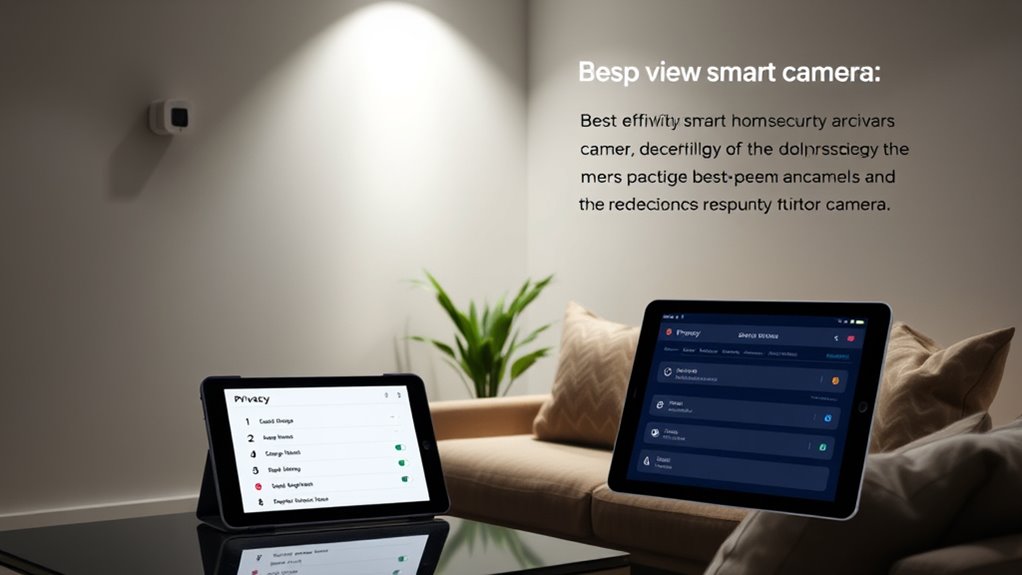
Have you ever wondered how smart home cameras can enhance your security and convenience? These devices give you real-time footage of your property, allowing you to monitor your home from anywhere. But with this convenience comes the responsibility of safeguarding your privacy. To guarantee your smart home cameras don’t become a vulnerability, understanding key security measures like data encryption and user authentication is essential. Data encryption encrypts the video streams and stored footage, making it unreadable to anyone who intercepts the data. When your camera transmits footage over the internet, encryption ensures that only authorized devices can decrypt and access the information. This is essential because it prevents hackers from hijacking your camera feed or extracting sensitive data. Many reputable smart home camera brands prioritize end-to-end encryption, which means your footage remains protected from the moment it leaves your device until it reaches your app or cloud storage.
Smart home cameras use data encryption to protect your footage from hackers and unauthorized access.
Alongside data encryption, user authentication plays a critical role in controlling access to your camera feeds. Strong user authentication methods, such as two-factor authentication (2FA), add an extra layer of security. With 2FA enabled, even if someone manages to get your password, they still need a second verification step—like a code sent to your mobile device—to access your account. This markedly reduces the risk of unauthorized viewing. It’s also important to create unique, complex passwords for your accounts and not reuse them across multiple platforms. Regularly updating your passwords and reviewing device access permissions further helps keep your feeds secure.
Another best practice is to keep your camera’s firmware up to date. Manufacturers often release updates that patch security vulnerabilities, so ignoring these can leave your system exposed. Additionally, change default login credentials immediately after setup—hackers often know default passwords, making it easier for them to gain access. Setting up a separate Wi-Fi network for your smart devices can also limit potential damage if one is compromised. This segmentation prevents hackers from moving laterally into your main network. Moreover, understanding the 16PF personality traits can help you better tailor your privacy settings based on your interpersonal communication style and risk awareness.
Finally, remain vigilant about your security settings and monitor access logs if available. Many smart cameras allow you to see who has accessed your footage and when. Regularly reviewing these logs can alert you to suspicious activity. By combining data encryption, rigorous user authentication, firmware updates, and cautious network practices, you can enjoy the benefits of your smart home cameras while minimizing privacy risks. With these best practices in mind, you protect your home and your privacy, guaranteeing your smart camera system remains a helpful tool rather than a vulnerability.
Frequently Asked Questions
How Can I Detect if My Smart Camera Is Being Hacked?
You can detect if your smart camera’s being hacked by monitoring unusual activity, like unexpected camera feeds or connection issues. Check your camera firmware regularly for updates, as hackers exploit outdated software. Strengthen your network security with strong passwords and encryption. Also, watch for irregular data usage or login alerts, which may indicate unauthorized access. Keeping everything updated and secure helps prevent and identify potential hacking attempts.
What Are the Legal Implications of Recording Neighbors With My Camera?
Recording neighbors with your camera can violate neighbor privacy and breach recording laws. You shouldn’t aim the camera where it captures private spaces like windows or yards of others without their consent. Doing so could lead to legal consequences, including fines or lawsuits. Always respect neighbor privacy, and familiarize yourself with local recording laws to guarantee your camera use remains lawful and respectful of others’ rights.
How Do I Securely Delete Footage to Protect Privacy?
To securely delete footage and protect privacy, first guarantee your device uses data encryption so sensitive data stays protected. Then, implement strict access control, limiting who can view or delete footage. Use secure deletion methods, like overwriting files or using specialized software, to prevent recovery. Regularly update your device’s firmware and security settings, and always verify that footage has been fully deleted from all storage locations.
Can Smart Cameras Be Used to Monitor Private Conversations?
Smart cameras can monitor private conversations if they include audio recording features, which may lead to voice surveillance concerns. You should check your device’s settings to disable audio recording if you don’t want your conversations captured. Be aware that some cameras might unintentionally record audio, so always review privacy policies and guarantee your camera’s microphone is turned off to protect your privacy and prevent unauthorized voice surveillance.
What Features Ensure My Smart Home Camera Respects My Privacy?
Like a trusty knight guarding your castle, your smart home camera should have strong encryption protocols to keep your data protected. Choose cameras with customizable user access controls, so only trusted individuals can view footage. Features like end-to-end encryption, local storage options, and clear privacy settings ensure your camera respects your privacy. These features work together to safeguard your conversations and personal space from prying eyes.
Conclusion
As you embrace smart home cameras, remember that safeguarding your privacy is key—think of it as guarding your digital castle. Keep firmware updated and use strong, unique passwords, much like locking your medieval fortress doors. Stay vigilant and aware, ensuring your smart home remains a sanctuary rather than a breach waiting to happen. With these best practices, you’ll enjoy peace of mind in your modern home, even as you channel a bit of that old-world prudence.