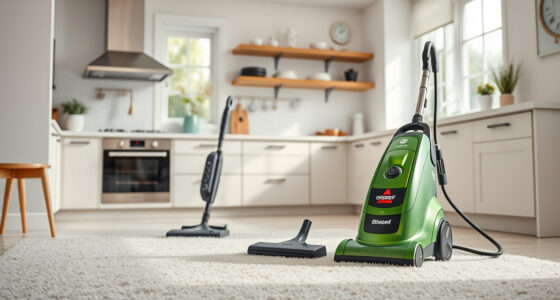
Maintaining your Bissell carpet cleaner, especially the ProHeat 2X Revolution Pet Turbo, is essential for ensuring it performs efficiently and lasts longer. Regular upkeep not only keeps your carpets looking fresh but also prevents common issues like clogging or loss of suction. This guide provides clear, step-by-step instructions on how to clean, troubleshoot, and optimize your Bissell cleaner safely and effectively.

Get home appliances delivered free with Prime
- Fast, free delivery on millions of items
- Prime Video, Amazon Music and more included
- Member-only deals all year
Whether you’re a first-time user or a seasoned pro, understanding the key maintenance routines will help you get the most out of your machine. From cleaning the brushes to replacing filters, each step is designed to keep your carpet cleaner operating at peak performance.
Key Takeaways
| Regular cleaning extends lifespan | Consistent maintenance prevents clogs and ensures optimal suction. |
| Use genuine parts and solutions | Only use recommended filters and cleaning solutions to avoid damage. |
| Deep clean brushes and filters | Regularly removing hair, debris, and dirt buildup maintains cleaning power. |
| Troubleshoot common issues early | Identify problems like poor suction or leaks quickly to fix them. |
| Safety first | Always unplug the machine before maintenance to avoid electrical hazards. |
Preparing Your Bissell for Maintenance
Before starting any maintenance routine, ensure your Bissell ProHeat 2X Revolution Pet Turbo is unplugged from the power source. Remove the water tank and empty any remaining dirty water. Check for any visible debris or hair that may have accumulated on the brushes or inside the tank. Having a clean workspace and gathering necessary tools—such as a soft brush, microfiber cloth, and replacement filters—makes the process smoother. Always wear gloves if handling chemicals or cleaning solutions.
Cleaning the Brushes and Brush Roll
- Remove the brush roll assembly from the cleaner, following the manufacturer’s instructions.
- Use a soft brush or a microfiber cloth to clear hair, threads, and debris from the bristles and around the brush area.
- If the brushes are removable, wash them with warm water and mild soap, then let them dry thoroughly before reinstalling.
- Inspect the brush bearings and axles for wear or damage, replacing if necessary.
- Reassemble the brush roll and ensure it clicks securely into place.
Cleaning or Replacing Filters
Filters play a crucial role in maintaining suction power and preventing dirt from clogging internal parts. Remove the filter assembly from the machine, and wash the filters with warm water if they are washable. Allow them to dry completely before reinstalling. If the filters are worn out or damaged, replace them with compatible JORAIR filters (asin=B08ZS3PSD6). Regular filter maintenance ensures your cleaner remains effective and prolongs its lifespan.
Emptying and Cleaning the Water Tanks
After each use, empty the dirty water tank and rinse it with warm water and a mild detergent. Wipe down the tank and the surrounding areas with a damp cloth to remove residue. For the clean water tank, refill with fresh water and a small amount of Bissell Multi-Surface Solution for ongoing cleaning. Keeping tanks clean prevents mold and bacteria buildup, ensuring hygienic operation and fresh-smelling carpets.
Troubleshooting Common Issues
- Loss of suction: Check for clogged filters and debris in the brush area. Replace filters if needed.
- Brush not rotating: Inspect the drive belt and remove any obstructions. Replace the belt if damaged.
- Leakage: Ensure all tanks and hoses are securely connected. Check for cracks or damage and replace parts as necessary.
- Excess noise: Clean the brush roll and check for entangled hair or debris that may cause imbalance.
- Machine not turning on: Verify the power cord and outlet. Reset the circuit breaker if applicable.
Safety Tips and Warnings
Always unplug your Bissell cleaner before performing any maintenance tasks to avoid electrical shock. Use only recommended cleaning solutions, such as Bissell Multi-Surface Solution, to prevent damage. Avoid submerging electrical components in water or other liquids. When replacing filters or brushes, handle parts carefully to avoid damage. Keep the machine out of reach of children during maintenance. Regularly inspect power cords for wear and replace if frayed or damaged.
The Products in This Guide

BISSELL ProHeat 2X Revolution Pet Turbo Upright Carpet C
- ✔ Suction Power: 40% more with TurboStrength motor
- ✔ Noise Level: Reduced by 50%
- ✔ Cleaning Modes: MAX and Express

JORAIR Brush Replacement Compatible
- ✔ Pack Includes: 3 brushes, 3 filters, 1 brush
- ✔ Compatibility: Specific Bissell CrossWave models
- ✔ Ease of Use: Simple snap-in installation
BISSELL ProHeat 2X Revolution Pet Turbo Upright Carpet C
The BISSELL ProHeat 2X Revolution Pet Turbo offers powerful suction, advanced cleaning modes, and heatwave technology, making it a reliable choice for pet owners and heavy-duty cleaning.
Pros:
- Powerful 40% increased suction
- Quiet operation with noise reduction
- Effective pet stain removal
- Multiple cleaning modes
Cons:
- Requires regular filter cleaning
- Can be heavy for extended use
- Replaceable parts may incur costs
Best for: Deep cleaning of carpets and pet stain removal
Not ideal for: Lightweight or handheld cleaning tasks
Bottom line: A powerful, versatile carpet cleaner ideal for pet owners and heavy-duty cleaning needs.
JORAIR Brush Replacement Compatible
The JORAIR Brush Replacement kit is a cost-effective way to maintain your Bissell CrossWave, ensuring optimal performance with compatible brushes and filters.
Pros:
- Affordable multi-surface brush rolls
- Includes filters and cleaning brush
- Easy to install
Cons:
- Compatibility limited to specific models
- May require additional tools for replacement
- Not a direct part of the Bissell core system
Best for: Replacing worn brushes and filters in CrossWave models
Not ideal for: Use with non-compatible Bissell models
Bottom line: A practical set to keep your CrossWave cleaning effectively and affordably.
Frequently Asked Questions
How often should I clean the filters on my Bissell ProHeat 2X?
It is recommended to clean the filters after every 3-5 uses or whenever you notice a decrease in suction power. Wash washable filters with warm water and let them dry completely before reinstalling.
Can I use regular soap instead of Bissell cleaning solutions?
For best results and to prevent damage, always use Bissell Multi-Surface Solution or other recommended cleaning formulas. Regular soap may leave residues or cause clogging.
What should I do if my cleaner is leaking water?
Check that all tanks are securely fitted and that hoses or seals are not cracked or damaged. Replace any faulty parts and ensure proper assembly.
How do I prevent foul odors in my carpet cleaner?
Regularly empty and rinse water tanks, clean filters, and wipe down the interior components. Using a mild disinfectant solution periodically can also help.
Is it safe to leave the machine unused for a long time?
It’s best to store the cleaner in a dry, cool place, and ensure tanks are dry to prevent mold. Run the machine with clean water occasionally to keep internal parts from seizing.
Keep Your Bissell Cleaner in Top Shape for Long-Lasting Performance
Proper maintenance of your Bissell ProHeat 2X Revolution Pet Turbo ensures it continues to deliver professional-grade cleaning power. Regularly cleaning brushes, replacing filters, and troubleshooting issues early will extend its lifespan and keep your carpets looking their best. Remember to always follow safety guidelines and use recommended products for optimal results. With these simple steps, your machine will stay efficient, quiet, and ready whenever you need a deep clean.
Affiliate disclosure: As an Amazon Associate we earn from qualifying purchases. Prices and availability are accurate as of the time of publishing.
Fall Picks

eufy Security Essential Alarm System, 7-Piece, No Monthly Fee
As an affiliate, we earn on qualifying purchases.