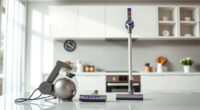
Keeping your Roborock Saros 10 in top condition ensures it performs efficiently and lasts longer. Proper cleaning involves more than just emptying the dustbin; it includes cleaning the mop pads, filters, sensors, and brushes regularly. This guide provides practical, step-by-step instructions to help you maintain your robot vacuum safely and effectively.

Get home appliances delivered free with Prime
- Fast, free delivery on millions of items
- Prime Video, Amazon Music and more included
- Member-only deals all year
Before starting, gather necessary supplies such as microfiber cloths, replacement filters, and cleaning tools. Always follow safety precautions to avoid damage or injury during cleaning.
Key Takeaways
| Regular maintenance improves performance | Consistent cleaning of filters, brushes, and pads keeps the vacuum operating at peak efficiency. |
| Safety first | Always power off the device before cleaning to prevent accidental activation or damage. |
| Use proper tools | Utilize recommended cleaning tools and gentle cleaning agents to avoid harming delicate parts. |
| Check for wear and tear | Inspect brushes and filters regularly for damage and replace as needed. |
Power Off and Prepare
- Ensure the Roborock Saros 10 is turned off and unplugged if connected to a charging dock.
- Gather necessary cleaning supplies: microfiber cloths, filters, and brushes.
- Place the vacuum on a clean, flat surface to begin cleaning.
Clean the Dustbin and Filters
- Remove the dustbin from the robot by pressing the release button or latch, depending on your model.
- Empty the dustbin content into a trash bag, then rinse it with water if washable—ensure it is completely dry before reinserting.
- Detach the filter (if compatible with washable filters, see recommended products), and wash it gently with water. Let it air dry thoroughly before reinstalling.
Clean the Mop Pads and Brushes
- Remove the mop pads and wash them with warm water and mild detergent. For best results, use microfiber mop pads compatible with your model.
- Inspect the main brush and side brushes for hair and debris. Remove tangled hair carefully with your fingers or a cleaning tool.
- Wash or replace the mop pads and brushes as needed to prevent clogging and ensure thorough cleaning.
Check and Clean Sensors and Charging Contacts
- Use a soft, dry cloth to gently wipe the sensors and charging contacts on the robot to ensure proper navigation and charging.
- Avoid using harsh chemicals or water on sensors to prevent damage.
Reassemble and Test
Once all components are dry and cleaned, reassemble the dustbin, filters, and mop pads. Turn on the device and run a short cleaning cycle to ensure everything is functioning correctly.
The Products in This Guide

roborock Q7 M5+ Robot Vacuum and Mop
- ✔ Battery Life: 7-9 weeks
- ✔ Max Suction: 10000Pa
- ✔ Dust Capacity: 2.7L

4 Pack Washable Filter
- ✔ Filter Life: 3 months
- ✔ Material: HEPA
- ✔ Washable: Yes
roborock Q7 M5+ Robot Vacuum and Mop
The Roborock Q7 M5+ Robot Vacuum and Mop is a high-performance device with a self-emptying feature, 10000Pa suction, and dual anti-tangle system. Regular cleaning of its components ensures optimal operation and longevity.
Pros:
- Powerful suction
- Self-emptying dust bag
- Anti-tangle design
- App control
Cons:
- Requires periodic filter and mop pad replacement
- Can be complex to disassemble for new users
Best for: Maintaining a high-efficiency robotic vacuum for pet households and busy homes
Not ideal for: If you prefer a simple, manual cleaning device or infrequent maintenance
Bottom line: A top-tier vacuum that benefits from regular, careful cleaning for lasting performance.
4 Pack Washable Filter
These washable filters are compatible with multiple Roborock models, including the Q7 and Q5 series, ensuring your vacuum stays efficient and your air clean.
Pros:
- Easy to install
- Reusable and washable
- Effective HEPA filtration
- Cost-effective
Cons:
- Must be washed regularly
- Not OEM, but performs similarly
Best for: Prolonging filter life and maintaining clean air in your home
Not ideal for: If looking for original OEM filters or specific model filters only
Bottom line: A cost-effective way to keep your vacuum’s filtration system clean and effective.
Frequently Asked Questions
Can I wash the dustbin and filters in water?
Yes, the dustbin is washable, but ensure it is completely dry before reassembling. Filters, if washable, should be rinsed gently and air-dried thoroughly.
How often should I clean the brushes?
Inspect and clean the brushes every 1-2 weeks, especially if you have pets or high debris levels, to prevent tangling and maintain suction.
Is it safe to clean sensors with water?
No, sensors should only be wiped with a dry or slightly damp soft cloth. Avoid using water or harsh chemicals to prevent damage.
How do I troubleshoot if the vacuum isn’t cleaning properly?
Check for obstructions in brushes and wheels, clean filters and sensors, and ensure the dustbin is properly seated. Restart the device and run a test cycle.
Maintaining Your Roborock for Optimal Performance
Regular cleaning and maintenance of your Roborock Saros 10 ensure it continues to operate efficiently and effectively. Follow these steps periodically to keep your vacuum in top shape, prolong its lifespan, and enjoy a cleaner home with less hassle.
Always handle components gently and use recommended cleaning supplies. Proper care not only improves cleaning results but also helps avoid costly repairs or replacements down the line.
Affiliate disclosure: As an Amazon Associate we earn from qualifying purchases. Prices and availability are accurate as of the time of publishing.
Fall Picks
fall essentials
As an affiliate, we earn on qualifying purchases.