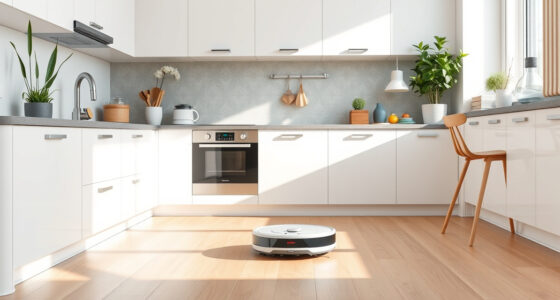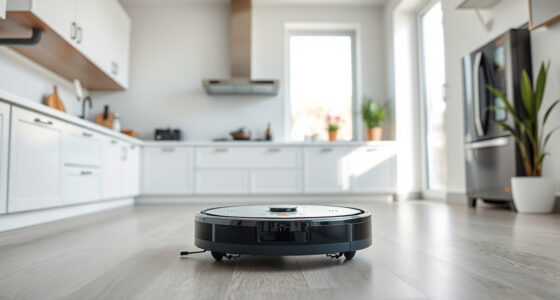
Getting your new Roborock Q7 M5+ robot vacuum ready for action is straightforward if you follow a clear setup process. This guide walks you through the essential steps, from unboxing to initial configuration, ensuring your device performs at its best. With advanced features like PreciseSense LiDAR navigation and a self-emptying dust system, proper setup is key to maximizing its efficiency and longevity.

Get home appliances delivered free with Prime
- Fast, free delivery on millions of items
- Prime Video, Amazon Music and more included
- Member-only deals all year
Whether you’re a first-time robot vacuum user or upgrading from an earlier model, this comprehensive walkthrough offers practical, safe, and accurate instructions. We’ll cover everything you need, including preparing your home, installing accessories, connecting to the app, and troubleshooting common issues.
Key Takeaways
| Ease of setup | Follow simple steps for quick installation |
| Compatibility check | Ensure your home layout suits the device |
| Optimize performance | Proper accessory installation enhances cleaning |
| App control | Set up via the Roborock app for full features |
| Safety first | Avoid hazards and ensure secure placement |
Unboxing and Inspecting Your Roborock Q7 M5+
- Carefully remove the robot vacuum and all accessories from the packaging. Verify that all components listed in the manual are present: the main unit, charging dock, power cable, and any additional accessories such as mop pads or filters.
- Inspect the device for any visible damage or missing parts. Ensure the dust bag is securely in place if already installed, and check that the brushes and sensors are clean and undamaged.
- Familiarize yourself with the main features, including the self-emptying dust system, 10000Pa suction, dual anti-tangle system, and PreciseSense LiDAR navigation. Reading the manual at this stage helps prevent setup errors later.
Preparing Your Home for Roborock Setup
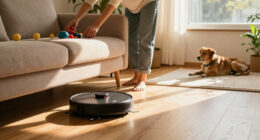
- Clear the floors of small objects, clutter, and cords that might obstruct navigation or get tangled in brushes. Pay special attention to pet toys, loose wires, and lightweight items.
- Ensure the charging station is placed on a flat, stable surface against a wall, with at least 1.5 meters of free space on each side and 2 meters in front. Avoid placing it near stairs or slippery surfaces.
- Check your Wi-Fi connection—Roborock models typically require a 2.4 GHz network for initial setup—ensure it’s stable and password-protected.
Charging and Initial Power-Up
- Plug in the charging dock and place it in the designated area. Confirm it’s on a flat surface, with no obstructions around the charging contacts.
- Place the Roborock Q7 M5+ onto the dock, aligning the charging contacts. Wait for the device to power on automatically or press the power button if available.
- Allow the vacuum to fully charge—this may take several hours. The device’s indicator lights will confirm when it’s ready for use.
Connecting to the Roborock App
- Download the Roborock app from your device’s app store. Open the app and create or log into your account.
- Follow the in-app instructions to add a new device. Ensure your phone is connected to the 2.4 GHz Wi-Fi network.
- Select the Q7 M5+ from the list of compatible devices. The app will guide you through connecting the vacuum to your Wi-Fi network.
- Once connected, customize your cleaning preferences, set schedules, and activate features like the self-emptying system for hands-free operation.
Installing Accessories and Final Checks
- Attach the mop pads, filters, or brushes as needed, following the device-specific instructions. For the Q7 M5+, ensure the 2.7L sealed dust bag is properly installed in the self-empty dock.
- Double-check that all accessories are securely attached and that the device’s sensors are clean for optimal navigation.
- Test the device by initiating a cleaning cycle from the app, observing its startup behavior and navigation to ensure proper functioning.
Troubleshooting Common Setup Issues
If your Roborock Q7 M5+ isn’t connecting, check your Wi-Fi signal strength and restart your router. Ensure your app version is up to date, and try removing and re-adding the device. For navigation or cleaning issues, clean the sensors and brushes, and verify that the device is on a flat surface with no obstructions.
Remember, avoid placing the charging dock near metal objects or thick carpets that might interfere with charging. Always follow safety warnings related to electrical connections and handling the device.
The Products in This Guide

roborock Q7 M5+ Robot Vacuum and Mop
- ✔ Model: Q7 M5+
- ✔ Battery: Long-lasting, up to 9 weeks
- ✔ Navigation: PreciseSense LiDAR

4 Pack Washable Filter
- ✔ Compatibility: Multiple Roborock models
- ✔ Pack: 4 filters
- ✔ Washable: Yes
roborock Q7 M5+ Robot Vacuum and Mop
The Roborock Q7 M5+ offers powerful suction, a large self-emptying dust bag, and advanced navigation, making it a top-tier robot vacuum and mop. Its features are designed for pet owners and busy households seeking minimal maintenance and maximum cleaning performance.
Pros:
- Powerful 10000Pa suction
- Self-emptying 2.7L dust bag
- LiDAR navigation for precise mapping
- Dual anti-tangle system
- Long-lasting battery life
Cons:
- Higher price point
- Requires Wi-Fi setup
- Mop pads not included in basic package
Best for: Pet owners, busy households, homes with pets and carpets
Not ideal for: Users seeking a budget-friendly model or wired operation
Bottom line: A high-performance robot vacuum ideal for pet households and demanding cleaning needs.
4 Pack Washable Filter
This 4-pack of washable filters is compatible with the Roborock Q7 M5+ and other models. They offer reliable filtration to keep your home’s air clean and your vacuum performing at its best.
Pros:
- Effective HEPA filtration
- Reusable and washable
- Easy to install
- Long-term cost savings
Cons:
- Requires regular cleaning
- Not OEM but compatible
- Replacement every few months
Best for: Maintaining air quality, extending vacuum lifespan
Not ideal for: Users seeking OEM filters only
Bottom line: A cost-effective way to maintain optimal air quality and vacuum performance.
Frequently Asked Questions
How often should I empty the dust bag in the self-empty dock?
The self-empty dock with a 2.7L sealed dust bag is designed for up to 7-9 weeks of use, depending on your household’s debris levels. Check periodically to ensure it doesn’t overflow.
Can I use the Roborock app to customize cleaning schedules?
Yes, connecting your Q7 M5+ to the Roborock app allows you to set schedules, choose cleaning modes, and customize maps for different rooms.
What should I do if the vacuum isn’t navigating properly?
Ensure the sensors are clean, the home layout is clear of obstructions, and the device is on a flat surface. Recalibrating or restarting the device can also help.
Are mop pads included with the device?
Mop pads are typically sold separately. You can purchase compatible reusable mop pads, such as the VIEWALL 6 Pack, designed for Roborock Q-series models.
Is the device safe to use on all floor types?
Yes, the Roborock Q7 M5+ is suitable for sealed floors like tiles, hardwood, and stone. Avoid using on unsealed or uneven surfaces to prevent damage.
Getting Your Roborock Q7 M5+ Ready for Daily Cleaning
Setting up your Roborock Q7 M5+ properly ensures it delivers optimal cleaning performance with minimal fuss. By following the steps outlined—from unboxing to app setup—you’ll have a reliable cleaning companion that handles pet hair, debris, and dust efficiently. Remember to keep sensors clean and accessories updated for the best results. With a few simple preparations, your home will stay cleaner, healthier, and more comfortable with less effort.
Affiliate disclosure: As an Amazon Associate we earn from qualifying purchases. Prices and availability are accurate as of the time of publishing.
Halloween Picks
halloween
As an affiliate, we earn on qualifying purchases.