To program your robot vacuum for pet-specific cleaning, focus on setting customized schedules during shedding seasons and creating zones in high-traffic areas. Enable pet modes to boost suction power and select obstacle avoidance features to navigate around furniture and toys safely. Use app controls to restrict access to pet rest areas and schedule frequent runs during active times. Keep sensors and filters clean for peak performance—continue exploring for more tips to maximize your pet-friendly cleaning routine.
Key Takeaways
- Set the vacuum to pet hair priority mode and schedule frequent cleanings during shedding seasons.
- Use obstacle avoidance sensors to protect pet areas and prevent interference with toys or resting pets.
- Customize cleaning zones and virtual barriers to focus on high-traffic pet hair accumulation areas.
- Enable pet-specific suction settings and boost power during pet grooming or shedding times.
- Integrate with smart home apps for remote control, scheduling, and monitoring pet hair buildup.
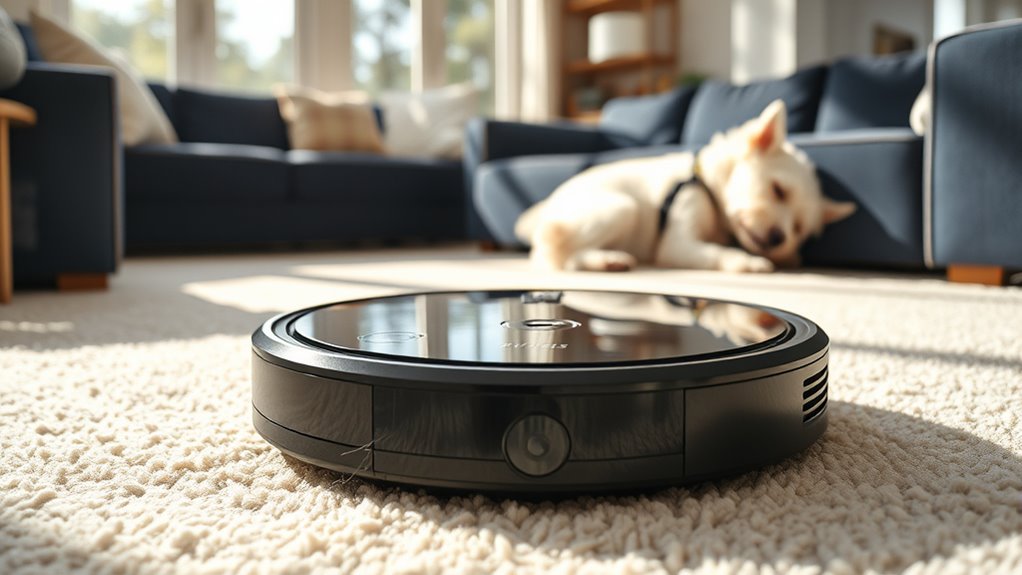
If you have pets, keeping your home clean can be a constant challenge, but programming your robot vacuum for pet-specific cleaning makes the task easier. One of the main concerns is pet hair management, which requires your robot to be thorough and efficient. To tackle this, you should start by setting your vacuum to focus on high-traffic areas where pet hair tends to accumulate the most. Many robot vacuums allow you to customize cleaning schedules or zones, so you can target living rooms, bedrooms, or designated pet spaces during peak shedding times. Additionally, make certain that the vacuum’s brushes and filters are optimized for pet hair; some models come with specialized brushes that prevent hair from tangling, making maintenance easier and the cleaning more effective.
Optimize your robot vacuum for pet hair by targeting high-traffic areas and using specialized brushes and filters.
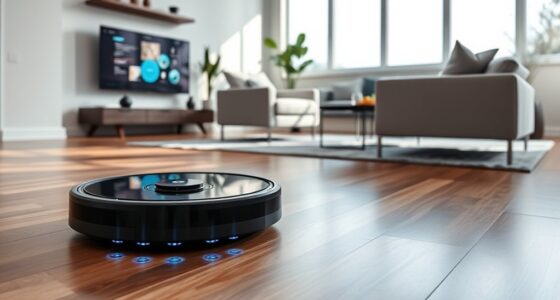
Another essential aspect is obstacle avoidance techniques. Pets tend to move unpredictably, so your robot needs to navigate safely around furniture, toys, and your pet itself. Modern robot vacuums use a combination of sensors—such as infrared, ultrasonic, or camera-based systems—to detect obstacles in real-time. You should program your robot to operate during times when your pet is less active, reducing the risk of collisions or disturbances. Many models also include boundary markers or virtual walls, which you can set up to restrict the vacuum from entering certain areas where pets rest or play. This prevents unnecessary interference with your pet and keeps the cleaning process smooth.
To maximize pet hair management, consider programming your vacuum for frequent cleanings, especially during shedding seasons. The more often it runs, the less pet hair gets a chance to accumulate and spread throughout your home. Some advanced robots even feature pet-specific modes that automatically increase suction power or focus on problem areas once they detect higher hair densities. When setting up obstacle avoidance, make sure the sensors are clean and unobstructed, so the robot can detect obstacles accurately. Regularly updating the firmware can also improve obstacle recognition, guaranteeing your robot adapts to your home’s changing environment.
Additionally, understanding the horsepower of electric dirt bikes can help you appreciate the power and efficiency that modern robotic vacuums incorporate to handle challenging pet hair removal tasks. Finally, pairing your robot vacuum with a smart home app allows you to control and customize its cleaning routes, schedules, and obstacle zones remotely. This way, you can proactively manage pet hair buildup and navigate tricky areas, giving your home a cleaner, pet-friendlier environment. With proper programming and thoughtful setup, your robot vacuum becomes an invaluable tool in maintaining a tidy space, even with furry friends around.
Frequently Asked Questions
How Do I Update My Robot Vacuum’s Firmware?
To update your robot vacuum’s firmware, first open the app connected to your device. Check for firmware updates in the settings menu—these updates often improve features like pet hair sensors and overall performance. If an update is available, follow the prompts to download and install it. Regular firmware updates guarantee your vacuum stays optimized for pet-specific cleaning, making it more effective at handling pet hair and maintaining its sensors.
Can I Schedule Cleaning for Specific Rooms?
Did you know that 75% of robot vacuum users prefer room-specific scheduling? You can definitely set your robot vacuum to clean specific rooms, especially if it has pet hair sensors. These sensors detect pet hair accumulation and help target cleaning. Use your app’s scheduling feature to assign different times for each room, ensuring your space stays spotless without wasting time on areas that don’t need it.
What Sensors Help the Robot Detect Pet Hair?
Your robot vacuum uses pet hair detection sensors to spot and focus on areas with more pet hair. These sensors, often integrated with dirt detection technology, help the robot identify where pet hair is most concentrated. As it moves, the sensors actively scan the floor, allowing the vacuum to adjust its cleaning pattern for maximum pet hair removal. This sensor integration guarantees thorough cleaning tailored to your pet’s shedding habits.
How Do I Troubleshoot Connectivity Issues?
If you’re having connectivity issues, first check your Wi Fi stability to make certain your robot stays connected. Restart your router and reconnect the vacuum to see if that helps. Also, verify the app permissions—make sure the app has access to your network and location. Updating your firmware and reinstalling the app can resolve lingering issues. Keeping these in mind helps improve your robot’s connectivity and overall performance.
Is There a Way to Limit Cleaning Areas?
Imagine your home as a canvas, and virtual boundaries are your brushstrokes. You can limit cleaning areas by setting virtual boundaries or designated cleaning zones, guiding your robot vacuum like a gentle hand. Use the app to draw invisible lines or select specific rooms, ensuring it focuses only where you want. This way, your vacuum artfully avoids pet zones or delicate spaces, giving you peace of mind and a cleaner home.
Conclusion
By programming your robot vacuum for pet-specific cleaning, you guarantee your home stays spotless and your furry friend stays comfortable. Imagine setting it to focus on high-traffic pet areas every day—you’ll never have to worry about pet hair piling up. Even if you’re worried about complex settings, most vacuums offer simple schedules you can customize easily. With just a few clicks, you’ll enjoy a cleaner, pet-friendly home without the hassle.