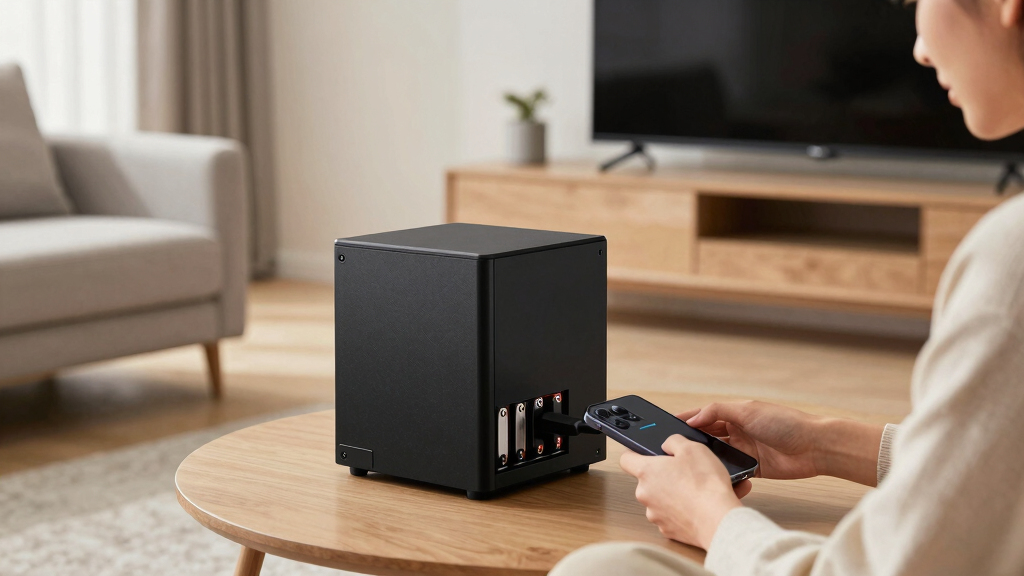

Finding the best home NAS devices depends on your specific needs—whether it’s for media streaming, data backup, or running a private cloud. The Synology DS225+ stands out as the overall top pick thanks to its balance of features and affordability, making it ideal for most home users. For those prioritizing raw performance, the Synology DS1825+ offers enterprise-level storage with high reliability. Creators and power users might lean toward options like the UGREEN NAS DXP4800 GT with its advanced hardware. Keep in mind, the main tradeoffs involve balancing capacity, speed, and ease of setup. Continue reading for a detailed breakdown of each choice and what makes them right for different users.

Get home appliances delivered free with Prime
- Fast, free delivery on millions of items
- Prime Video, Amazon Music and more included
- Member-only deals all year
Complete the kit


Key Takeaways
- The top models balance ease of use with advanced features, but high-end options come with a higher price tag.
- Capacity and scalability vary significantly; consider your current needs and future expansion plans.
- Performance features like 2.5GbE or 10GbE ports are vital for media workflows or large backups.
- Pre-configured bundles with drives offer convenience but at a premium, whereas diskless models are more flexible but require setup.
- User experience and software ecosystem heavily influence long-term satisfaction, especially for beginners.






More Details on Our Top Picks
Synology DS225+ Private Cloud Media Server – 2-Bay NAS with Hardware Transcoding
The Synology DS225+ earns its spot as the best overall for those seeking a balanced home NAS with strong media capabilities and security features. Compared to the DS223, it supports hardware transcoding, making it better suited for streaming 4K content seamlessly. Its robust data protection options, including RAID, snapshots, and backups, add peace of mind, especially for small households or small offices. However, setting up the DS225+ can be intimidating for non-technical users, and its limited two-drive bays restrict expansion without additional hardware. The absence of included drives means additional costs upfront. This NAS is ideal for users who want a reliable, media-focused device with surveillance support, willing to handle some initial configuration.
Pros:- Supports 4K media streaming with hardware transcoding
- Multi-layered data protection with RAID, snapshots, and backups
- Supports up to 30 IP cameras for surveillance
Cons:- Requires technical skills for setup and management
- Limited to 2 drive bays, restricting storage expansion
- No included drives, adding to initial cost
Best for: Home users and small business owners who want reliable media streaming, backup, and surveillance in one device.
Not ideal for: Beginners with minimal technical experience or those needing large storage capacity without expansion options.
- Brand:Synology
- Model Number:DS225+
- Warranty:3 years
- Maximum Camera Support:30 IP cameras
- Transfer Speed:282 MB/s
- Drive Bays:2
- Supports Hardware Transcoding:Yes
Our verdict“This NAS works best for users seeking a versatile media and surveillance hub who are comfortable with some setup complexity.”
Synology DS225+ 2-Bay DiskStation NAS with 16TB Bundle (2x 8TB Seagate IronWolf)
The Synology DS225+ 16TB bundle delivers a solid balance of affordability and performance for users who need dependable storage without breaking the bank. Compared to the UGREEN NAS DXP2800, it offers a more user-friendly interface and better integration within a home or small office environment. Its expandable memory up to 6GB allows for better multitasking, but the initial 2GB RAM may hinder performance during heavy workloads unless upgraded. The included 16TB capacity with Seagate IronWolf drives provides immediate storage, yet the device itself does not include advanced features like encryption or remote access, which might matter for security-conscious users. Setup requires some technical knowledge, especially for optimal performance. This pick makes the most sense for users wanting a reliable, expandable NAS that fits a modest budget.
Pros:- Expandable memory up to 6GB for multitasking
- Supports third-party drives with DSM 7.3 compatibility
- Flexible RAID and snapshot options for data security
Cons:- Initial RAM limited to 2GB, may slow down heavy tasks
- Lacks built-in encryption and remote access features
- Requires some technical setup and management
Best for: Small business owners or tech-savvy home users needing expandable storage and reliable data protection at a reasonable price.
Not ideal for: Complete beginners or users requiring plug-and-play simplicity without upgrades or configurations.
- Processor:Intel Celeron J4125
- Memory:2 GB DDR4 (expandable to 6 GB)
- Drive Bays:2
- Included Storage:16TB (2x 8TB Seagate IronWolf)
- Network Ports:1 x 2.5 GbE, 1 x 1 GbE
- Supports Third-Party Drives:Yes
Our verdict“This NAS offers good value for users comfortable with some configuration who want expandable storage and flexible data management.”
UGREEN NAS DXP2800 2-Bay Network Attached Storage for Content Creators
The UGREEN DXP2800 is tailored for content creators who need a high-capacity, easy-to-use NAS with multimedia features. Its impressive 80TB capacity, combined with a fast Intel N100 quad-core processor and 8GB DDR5 RAM, makes it ideal for managing large media files and workflows. Comparing it to the Synology DS223, it offers more advanced AI-powered photo organization and duplicate removal, streamlining creative projects. The built-in HDMI port and 4K output support enhance multimedia use directly from the NAS. However, it’s a diskless solution, so users must invest in drives separately, and initial network setup can be complex for those unfamiliar with network configuration. This device makes the most sense for pros and enthusiasts needing hefty storage and multimedia features in one package.
Pros:- Massive 80TB storage capacity for large media libraries
- Fast CPU and 8GB DDR5 RAM for smooth performance
- AI-powered photo organization and duplicate removal
Cons:- Requires initial network and system setup
- No included drives, additional purchase needed
- Limited to 2-bay hardware, not suitable for very high redundancy
Best for: Content creators and media enthusiasts needing large storage, AI features, and multimedia capabilities.
Not ideal for: Users seeking a plug-and-play device or with limited networking experience, since setup is more involved.
- CPU:Intel N100 Quad-Core
- RAM:8GB DDR5
- Storage Capacity:Up to 80TB
- Network:2.5GbE
- M.2 NVMe Slots:2
- Video Output:4K HDMI
Our verdict“This NAS suits media professionals who value high capacity, AI features, and multimedia flexibility, despite more complex setup requirements.”
Synology DS223 2-Bay DiskStation NAS with 8TB Bundle (2 x 4TB Seagate IronWolf HDDs)
The Synology DS223 8TB bundle offers a straightforward solution for home users starting with NAS storage. Its Realtek RTD1619B quad-core processor and 2GB DDR4 RAM provide reliable performance for basic backups and media streaming. Compared with the DS225+, it lacks hardware transcoding and advanced surveillance features, focusing instead on simplicity. The included 8TB drives make initial setup quick and easy, ideal for those new to NAS devices. The device’s basic LAN port and limited RAM mean it’s best suited for light workloads and small households. For users who want a simple, reliable, and affordable solution with minimal fuss, this NAS is a good starting point.
Pros:- Simple setup with included drives
- Reliable realtek processor for basic tasks
- Suitable for home backups and media streaming
Cons:- Limited RAM for multitasking or heavy workloads
- No advanced features like hardware transcoding or surveillance
- Basic LAN port without dual Ethernet
Best for: Home users or beginners seeking reliable backup and media storage without complexity.
Not ideal for: Power users or small businesses needing advanced features, high performance, or expandability.
- Processor:Realtek RTD1619B
- Memory:2 GB DDR4
- HDD Capacity:8TB (2 x 4TB)
- LAN Port:1 x 1GbE
- Supports:Home backups, media streaming
- Form Factor:Diskless (bundled)
Our verdict“This NAS is ideal for beginners who want a straightforward, plug-and-play storage device for everyday use.”
Synology DS425+ 4-Bay Diskless NAS Private Cloud Media Server
The Synology DS425+ stands out for those requiring a more robust, multi-user NAS with enterprise features. Its four bays and high transfer speeds support multiple simultaneous users, ideal for small offices or media-heavy environments. Compared to the 2-bay options like the DS223, it offers increased capacity and performance, especially with RAID configurations. The device’s support for up to 30 IP cameras and surveillance integration makes it suitable for small business security needs. However, being diskless, it demands additional drives, and its more complex setup may challenge less experienced users. This model makes sense for those needing higher capacity and multi-user performance, despite the higher initial investment and configuration effort.
Pros:- High-speed data transfer for efficient sharing
- Supports multiple users and concurrent access
- Advanced data protection with RAID, snapshots, and backups
Cons:- Requires additional disks for storage
- More complex setup and management
- Potentially higher cost for enterprise features
Best for: Small businesses, media professionals, or power users needing high throughput and multi-user access.
Not ideal for: Home users with basic backup needs or those who prefer plug-and-play simplicity.
- Storage Bays:4
- Data Transfer Speed:278 MB/s
- Supported Users:10+
- Surveillance Support:30 IP cameras
- Warranty:3 years
Our verdict“This NAS suits professional environments requiring high capacity, speed, and multi-user performance, with some setup effort.”
Synology DS925+ 4-Bay NAS with 2.5GbE Ports and 4GB RAM Bundle with 4x 8TB Seagate Ironwolf HDDs
The Synology DS925+ stands out for its powerful AMD Ryzen V1500B processor, delivering high performance for demanding tasks like virtualization, backup, and media serving. Its expandable memory up to 32GB and support for up to nine drives with an expansion unit make it highly adaptable for growing needs. Compared with the DS1825+ for enterprise workloads, the DS925+ offers a more approachable setup for small to medium businesses, though it sacrifices some raw capacity and high-end features. The 2.5GbE ports provide faster network speeds than typical gigabit connections, benefiting multi-user environments. However, its setup can be complex for beginners, and additional costs for expansion units mean higher total investment. This model is best suited for small-to-medium business users who need a balance of performance, expandability, and ease of use, provided they are comfortable with some technical setup.
Pros:- Powerful AMD Ryzen processor for demanding workloads
- Expandable RAM up to 32GB for future-proofing
- Supports hot-swappable drives and expansion up to nine drives
- High-speed 2.5GbE network ports for faster data transfer
Cons:- Setup can be complex for users unfamiliar with NAS configurations
- Requires additional expansion unit for more than four drives
- Higher price point may be prohibitive for small-scale users
Best for: Small to medium-sized businesses needing high performance and flexible storage options
Not ideal for: Home users or small-scale users who prioritize simplicity and lower cost over expandability
- Processor:AMD Ryzen V1500B quad-core
- Memory:4 GB DDR4 ECC (expandable to 32 GB)
- Drive Bays:4 hot-swappable 2.5″/3.5″
- Maximum Drives:Up to 9 with DX525 expansion
- Network Ports:2 x 2.5 GbE LAN
- M.2 Slots:2 NVMe for cache or storage
- USB Ports:2 x USB 3.2 Gen1
Our verdict“This NAS is ideal for SMBs seeking high performance and expandability, with some technical overhead.”
Synology DS1525+ 5-Bay Diskless NAS Server for Video Editing and Production
The Synology DS1525+ is tailored for content creators and media professionals, supporting 4K and 8K editing over networks with impressive transfer speeds of over 1,180 MB/s. Its scalable capacity starting at 100TB and up to 300TB with expansion units makes it suitable for large media libraries. Compared to the DS925+, this model emphasizes high-speed network connectivity and massive storage, but it comes with a steeper price tag and requires additional hardware for maximum capacity. It supports multiple users editing simultaneously, which is essential for collaborative workflows. However, the setup can be complex for those unfamiliar with enterprise-grade NAS configurations. This pick makes the most sense for media teams or professionals working with large files who need fast, scalable storage, and are prepared for a more technical deployment.
Pros:- High transfer speeds suitable for 4K/8K editing
- Supports scalable storage up to 300TB
- Multi-user support for collaborative editing
- 10GbE networking for fast data transfer
Cons:- Requires additional hardware for maximum storage capacity
- Complex setup may be challenging for non-technical users
- Higher cost for enterprise-grade features
Best for: Video production teams and media professionals handling large-scale editing projects
Not ideal for: Home users or casual users who do not require extensive storage or high-speed networking
- Storage Capacity:Starting at 100TB, expandable to 300TB
- Number of Bays:5
- Network:10GbE Ready
- Performance:1,181 MB/s transfer speeds
- Warranty:3 years
Our verdict“This NAS caters to media professionals needing scalable, high-speed editing and storage solutions at a premium price.”
Synology DS1825+ Enterprise NAS – 8-Bay Diskless Storage, 360TB Capacity, 25GbE Speed, High Reliability
The Synology DS1825+ is designed for demanding enterprise workflows, supporting over 50 concurrent users with high-speed data transfer via 25GbE networking. Its extensive 8-bay configuration and expansion support up to 360TB make it suitable for large-scale video production, data archiving, and mission-critical applications. Compared with the smaller DS925+ or DS1525+, this model emphasizes maximum capacity and high-availability clustering, though it demands a level of technical expertise for setup and maintenance. It includes robust data protection features like automated failover, making it ideal for organizations with stringent uptime requirements. However, its higher cost and complexity mean it’s unsuitable for small offices or casual users. This is a choice for enterprise IT environments that need reliable, scalable, and high-performance storage at a large scale.
Pros:- Supports over 50 concurrent users with high-speed transfer
- Expandable up to 360TB with expansion units
- Includes high-availability clustering and automated failover
- Flexible networking with 25GbE support
Cons:- Requires advanced technical knowledge to configure
- High purchase and maintenance costs
- Overkill for small-scale or casual use
Best for: Large organizations and data centers requiring high-capacity, reliable, multi-user storage
Not ideal for: Small businesses or home users who don’t have the technical resources or need such extensive capacity
- Number of Bays:8
- Maximum Storage Capacity:360TB
- Network Speed:25GbE
- Expansion Support:Yes
- Warranty:3 years
Our verdict“Ideal for large-scale enterprise environments needing maximum capacity, reliability, and high-speed networking.”
Synology BeeDrive 2TB
The Synology BeeDrive 2TB offers a simple, private backup solution that integrates seamlessly with PCs, Macs, and mobile devices. Its automatic backup and AI-powered search make it easy to organize and find files, especially for individual users or small households. Compared to larger NAS systems, the BeeDrive emphasizes ease of use and data privacy without the complexity of network setup; however, its limited 2TB capacity restricts use to personal backups or small data sets. Wireless access via mobile apps enhances convenience, but it relies on a Wi-Fi connection, which can limit performance and accessibility in some environments. This device is best suited for individuals or small families prioritizing straightforward, private backups and file access without needing large storage or advanced features.
Pros:- Automatic backup from multiple devices
- Wireless access and file sharing via mobile app
- AI-based file discovery for quick retrieval
- Focus on data privacy with local processing
Cons:- Limited to 2TB storage capacity
- Dependent on Wi-Fi network for wireless features
- Not suitable for large or complex data needs
Best for: Individuals or small households seeking easy, private backup and file access
Not ideal for: Power users or professionals needing large-scale storage or advanced NAS features
- Storage Capacity:2TB
- Compatibility:Windows, iOS, Android
- Features:Automatic backup, wireless access, AI file discovery
Our verdict“This device is perfect for individuals or small families wanting simple, private backups with easy access and AI search features.”
UGREEN NAS DXP4800 GT 4-Bay Desktop NAS with AMD R2514 CPU, 8GB DDR4 RAM, Dual 10GbE, M.2 NVMe Slots, 4K HDMI, Diskless
The UGREEN NAS DXP4800 GT combines high-end hardware with extensive multitasking and media capabilities, powered by an AMD Ryzen R2514 CPU and 8GB of DDR4 RAM. Its dual 10GbE ports enable rapid data transfers, ideal for media workflows involving 4K or even 8K content. With support for multiple SSDs, including M.2 NVMe, it offers versatile storage options for caching or high-speed data access. Its built-in HDMI port allows direct 4K video output, making it suitable for media editing or surveillance. Compared to the Synology models, this device emphasizes raw power and flexibility, but it’s complex to set up and not included with drives. This makes it a strong choice for tech-savvy users, content creators, or media labs with demanding performance needs who are comfortable with detailed configurations.
Pros:- Powerful AMD Ryzen CPU with 8 threads for multitasking
- Dual 10GbE ports for ultra-fast data transfer
- Supports multiple SSD configurations, including M.2 NVMe
- Built-in 4K HDMI output for direct media playback
Cons:- Drives are not included; additional purchase required
- Setup complexity for Docker, VMs, and security features
- Pre-installed RAM is non-ECC, ECC upgrade needs compatible modules
Best for: Content creators, media professionals, and power users needing high-performance multitasking and media output
Not ideal for: Casual home users or those seeking a plug-and-play NAS experience
- CPU:AMD Ryzen R2514
- Cores:4 cores
- Threads:8 threads
- Max Turbo Frequency:3.70GHz
- RAM:8GB DDR4 (expandable to 64GB)
- Drive Bays:4 SATA, 2 U.2 NVMe, 2 M.2 SSD
- Network Ports:2 x 10GbE
- Video Output:4K HDMI
Our verdict“This NAS is tailored for advanced users and media professionals demanding raw power, extensive customization, and high-speed connectivity.”
Synology DS223 2-Bay Diskless NAS for Home & Office Backup
The Synology DS223 stands out for its straightforward approach to consolidating files from multiple devices, making it ideal for small households or home offices. Unlike the more powerful DS723+, it doesn’t include pre-installed drives or advanced hardware, which means you’ll need to budget for hard drives separately. Its surveillance capabilities, turning IP cameras into a security system, add extra value—though this feature might be overkill for users only interested in simple backups. Its user interface could pose a learning curve for newcomers, but once set up, it offers reliable, centralized storage. This model is perfect for those who want a plug-and-play device with essential backup features without the complexity of high-end hardware.
Pros:- Centralizes data for easy access across multiple devices
- Supports automated backups for Windows, Mac, and mobile devices
- Transforms IP cameras into a surveillance system
Cons:- Requires purchasing hard drives separately, adding to initial cost
- May have a learning curve for users unfamiliar with NAS setup
Best for: Home users or small office owners seeking easy file sharing and basic surveillance features
Not ideal for: Power users needing high-performance multitasking or virtual machine support, as it lacks advanced specs
- Model:DS223
- Type:2-Bay NAS
- Diskless:Yes
- Warranty:2 years
Our verdict“An accessible, budget-friendly choice for users needing reliable data storage and basic surveillance, but not for demanding enterprise setups.”
Synology DiskStation DS723+ NAS Server with Ryzen 2.6GHz CPU, 32GB Memory, 8TB SSD Storage, 1TB M.2 NVMe SSD, 2 x 1GbE LAN Ports, DSM Operating System
The DS723+ makes a compelling case for users who need serious processing power alongside flexible storage options, surpassing the basic capabilities of the DS223. Its Ryzen R1600 CPU with Turbo boost and 32GB ECC RAM are designed for multitasking, heavy backups, and even multimedia editing. While the setup might be complex for beginners, this NAS excels in demanding environments where performance matters most. The inclusion of dual network ports with link aggregation offers high-speed connectivity, ideal for data-heavy applications or surveillance systems. However, it does not include drives or memory, requiring additional investment and technical know-how. This model is best suited for tech-savvy professionals or small teams handling large files or running virtual environments.
Pros:- High-performance Ryzen CPU with Turbo boost for demanding tasks
- Large 32GB ECC RAM supports virtualization and intensive workloads
- Flexible storage with SSD and NVMe support, plus multiple network ports
Cons:- Requires purchasing hard drives and potentially additional memory separately
- Setup and configuration can be complex for inexperienced users
Best for: Tech-savvy users needing high-performance multitasking, virtualization, or intensive backups
Not ideal for: Beginners or users seeking simple plug-and-play storage solutions, due to setup complexity
- Processor:Ryzen R1600 2.6GHz (up to 3.1GHz Turbo)
- Memory:32GB DDR4 ECC SODIMM
- Storage:8TB (2 x 4TB) SATA SSDs, 1TB M.2 NVMe SSD
- Ports:2 x RJ-45 1GbE LAN, 1 x USB 3.2, 1 x eSATA
- Operating System:Synology DSM
- Form Factor:NAS Tower
Our verdict“A high-end NAS best suited for professionals who require robust performance and expandability, but not for those seeking simplicity.”
UGREEN NAS DXP4800 Plus 4-Bay NAS with Intel Pentium Gold 8505, 8GB DDR5 RAM, 128GB SSD, 10GbE, 4K HDMI, Diskless
The UGREEN DXP4800 Plus targets users who want a versatile, high-speed NAS with advanced features like Docker and 4K HDMI output, making it suitable for media professionals or small office environments. Its Intel Pentium Gold 8505 processor ensures smooth multitasking, while 8GB DDR5 RAM provides ample memory for virtual machines and heavy workloads. The inclusion of 10GbE and USB 3.2 ports delivers rapid data transfer—comparable to the DS723+, but at a lower price point. However, it lacks pre-installed drives and only supports wired Ethernet, which may limit flexibility for some users. This NAS is ideal for those who want performance and expandability without the complexity of enterprise-level hardware.
Pros:- Powerful Intel Pentium Gold processor for multitasking
- Supports Docker, virtual machines, and 4K HDMI output
- High-speed 10GbE connectivity and USB 3.2 ports
Cons:- Hard drives and drives’ installation cost extra, adding to initial expense
- No Wi-Fi support, limited to wired Ethernet connections
Best for: Small business owners or media creators needing fast data access and virtualization capabilities
Not ideal for: Home users or those looking for an easy, pre-configured storage solution, as it requires setup and separate drive purchase
- Processor:Intel Pentium Gold 8505 5-Core
- RAM:8GB DDR5
- SSD:128GB built-in
- Network:1x 10GbE, 1x 2.5GbE
- Drive Bays:4 (diskless)
- Video Output:4K HDMI
Our verdict“A high-performance NAS ideal for users who need speed, virtualization, and media output, but less suitable for plug-and-play users.”
UGREEN NAS DH4300 Plus 4-Bay Network Attached Storage (Diskless) with 8GB RAM and 2.5GbE
The UGREEN DH4300 Plus is designed for users who prioritize a budget-friendly yet capable NAS with modern features like 2.5GbE networking, AI photo recognition, and support for Docker. Its 8GB RAM and 4-bay configuration provide ample capacity for home media libraries or personal backups, with the ability to expand up to 128TB. Compared to the DS223, it offers higher network speeds and more flexibility with virtual machines, though it doesn’t support Wi-Fi, limiting placement options. The device is straightforward to set up, making it a solid choice for those seeking a private cloud without enterprise complexity. However, its wired-only connectivity could be a drawback for users without Ethernet access at the desired location.
Pros:- Supports up to 128TB storage capacity
- Easy to set up and access remotely across devices
- Includes AI photo recognition and automatic backup features
Cons:- Supports only wired Ethernet, no Wi-Fi option
- No support for virtual machines, only Docker
Best for: Home users or small offices seeking affordable, high-capacity storage with remote access and media features
Not ideal for: Users requiring wireless connectivity or virtual machine support, as it only supports Docker and wired Ethernet
- Support Capacity:up to 128TB
- RAM:8GB LPDDR4X
- Network:2.5GbE
- Video Output:4K HDMI
- Drive Bays:4
- Supports Virtual Machines:No
Our verdict“A cost-effective, high-capacity NAS suitable for users wanting private cloud and media features without enterprise-level complexity.”
How We Picked
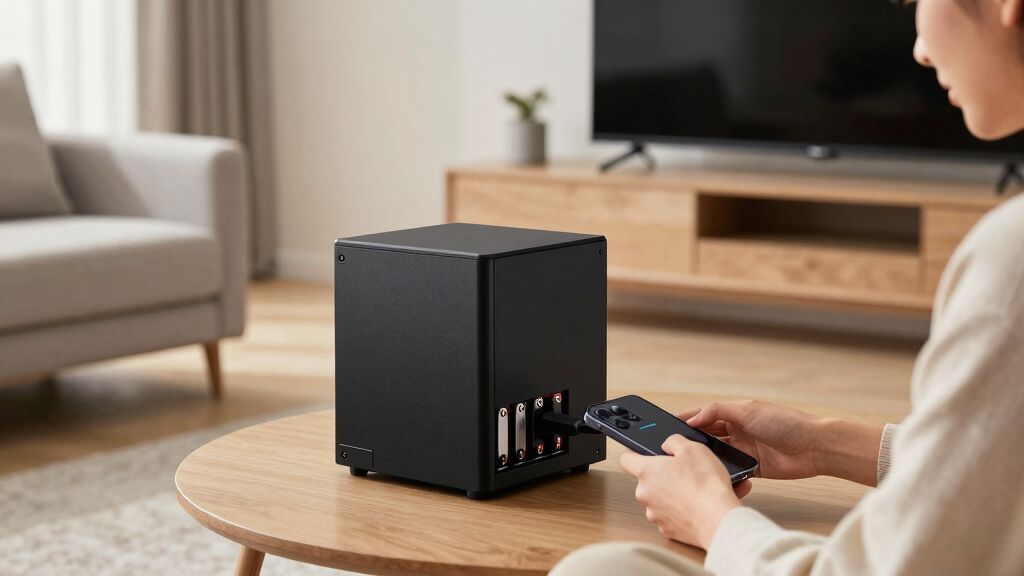
I evaluated these NAS devices based on a mix of performance, build quality, ease of setup, and value. Priority was given to models that balance user-friendly features with robust hardware, suitable for home environments. I also considered expandability, software features, and the reputation of the brands for reliability. Devices were ranked according to how well they meet typical home user needs—whether for media, backup, or small-scale enterprise use—while factoring in cost and future-proofing. This approach ensures that each recommended device offers a clear advantage for specific user profiles, avoiding models that are either too basic or overly complex for everyday home use.Factors to Consider When Choosing Best Home NAS Devices
Choosing the right home NAS device requires balancing several key factors. Beyond raw specs, consider how the device fits your current needs and future plans, especially regarding capacity, speed, and user experience. A well-chosen NAS should simplify data management while offering enough flexibility for growth. Avoid common pitfalls like underestimating storage needs or overpaying for features you won’t use. The following sections highlight the most important factors to keep in mind to make an informed decision.Performance and Network Speed
Performance is often determined by network connectivity options and processor power. Look for models with at least Gigabit Ethernet, though 2.5GbE or 10GbE ports are better for media editing or large backups. The CPU and RAM also influence multitasking and data transfer speeds. Choosing a device with sufficient processing power prevents bottlenecks, especially if multiple users or heavy data workloads are involved. Remember, higher speeds generally come with a higher price tag, so balance your needs accordingly.
Storage Capacity and Scalability
Assess your current storage needs and potential growth. Two-bay NAS units are suitable for basic backups and media streaming, but they lack expansion options. Four- or five-bay models provide more room and often support drives of different sizes, allowing for flexible upgrades. Diskless units offer maximum customization but require you to purchase drives separately. Consider whether the device supports RAID configurations for redundancy, which is essential for protecting your data against drive failure. Future-proofing your setup can save money and hassle down the line.
Ease of Use and Software Ecosystem
The user interface and app ecosystem significantly impact long-term satisfaction. Devices from brands like Synology typically offer intuitive interfaces and reliable apps for media, backups, and remote access. For less tech-savvy users, simplicity and straightforward setup are key. On the other hand, more advanced users may want greater control over configurations and third-party integrations. Keep in mind that software updates and community support also matter, especially for troubleshooting and security patches.
Build Quality and Reliability
Durability and build quality influence the device’s longevity and reliability. Look for reputable brands with good track records for hardware durability and responsive customer support. Enterprise-grade models tend to be more robust but are often overkill for typical home use, adding unnecessary cost. Ensure the device has adequate ventilation and quiet operation, particularly if it will sit in shared spaces. Investing in a well-made device can prevent frustration caused by hardware failures or overheating.
Price and Value
Cost varies widely, from budget-friendly diskless units to premium enterprise options. Budget models may lack features like multiple LAN ports or hardware transcoding, limiting their versatility. Pre-packed bundles with drives cost more upfront but save time and effort, whereas buying drives separately can be more economical but requires additional setup. Consider what features are essential for your use case and avoid paying extra for bells and whistles that won’t benefit your setup. Striking the right balance between price and features ensures you get the most value for your investment.
Frequently Asked Questions
Can I upgrade the drives in my home NAS later?
Most modern NAS devices are designed with upgradability in mind, allowing you to replace or add drives as needed. This flexibility means you can start with smaller capacities and expand over time, provided the device supports the number of bays and drive types you plan to use. Before purchasing, check the manufacturer’s specifications for drive compatibility and maximum supported capacities. Upgrading drives can be a cost-effective way to extend the device’s lifespan without replacing the entire unit, but it’s important to back up data before swapping drives to avoid accidental data loss.
Is a more expensive NAS worth the investment for home use?
Higher-priced NAS units often include faster processors, more RAM, better build quality, and additional features like multiple LAN ports or hardware transcoding. For serious media editing, large media libraries, or multiple users, investing in a premium model can significantly improve performance and reliability. However, for basic backup or media streaming, a mid-range or budget model might suffice. Carefully assess your current and future needs to determine if the added features justify the extra cost, ensuring your investment aligns with your intended use.
How important is hardware transcoding in a home NAS?
Hardware transcoding can be vital if you plan to stream high-resolution videos to multiple devices, especially if they have limited decoding capabilities. It allows real-time conversion of media formats, reducing buffering and improving playback quality. Devices like the Synology DS225+ excel in this area, making them ideal for media-heavy households. However, if your use case involves simple backups or low-resolution streaming, hardware transcoding may not justify the additional cost. Consider your media consumption habits before prioritizing this feature.
Should I buy a diskless NAS or one with drives included?
Choosing between a diskless NAS and one with pre-installed drives depends on your budget and customization preferences. Diskless models are generally more affordable and allow you to select drives that match your capacity and performance needs, but they require additional setup time. Pre-packed bundles are more convenient, especially for beginners, as they come ready to use but at a higher price. If you already own drives or want to tailor your storage configuration, a diskless NAS offers greater flexibility and potential savings.
What features should I prioritize if I’m new to NAS devices?
If you’re new to NAS devices, prioritize models with straightforward setup, intuitive interfaces, and reliable customer support. Features like automatic backups, remote access, and media streaming apps are helpful for beginners. Devices from trusted brands like Synology often provide user-friendly software and comprehensive documentation, reducing the learning curve. Avoid overly complex configurations or enterprise-grade features that might be overwhelming initially. Starting with a simple, well-supported device ensures a smoother experience and helps you grow into more advanced features later.
Conclusion
For most home users, the Synology DS225+ offers the best balance of ease of use, performance, and value, making it the ideal overall choice. If you want maximum capacity and scalability for a home office or media server, the Synology DS1825+ is a solid premium option. Budget-conscious buyers seeking reliable backups will find the Synology DS223 or Ugreen DXP4800 great choices. Beginners should lean toward models with pre-installed drives and simple interfaces, such as the Synology DS223 bundle, while power users and creators may prioritize models with advanced hardware like the UGREEN DXP4800 GT. Ultimately, your decision should reflect your current needs and future plans, ensuring your NAS setup remains a valuable asset for years to come.