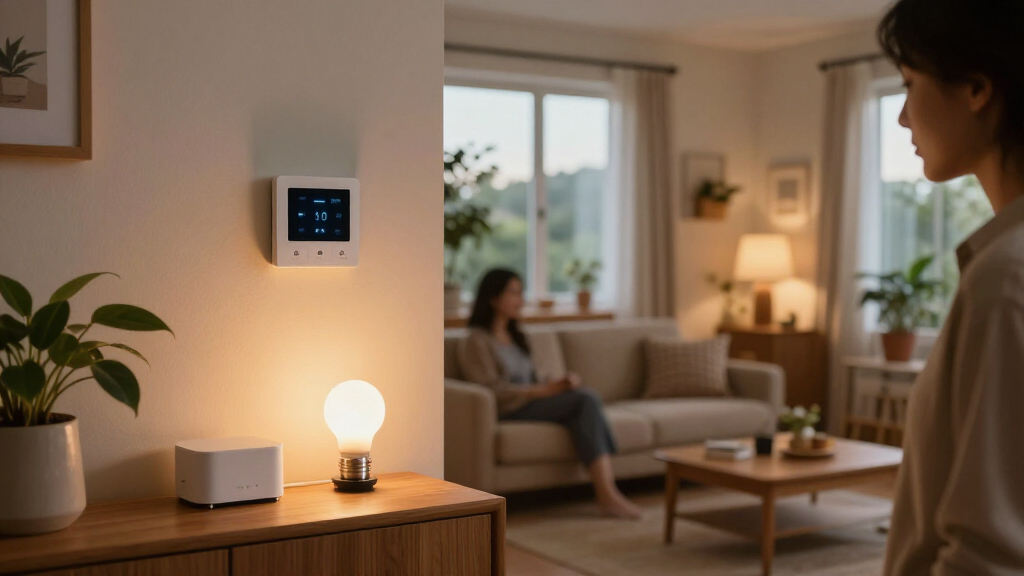

The best Matter and Thread smart home devices make it easier to connect products across platforms, but the right choice depends on your home’s controller, network, and needs. I’d put the Aqara Smart Home Hub M3 first for shoppers who want a capable Matter controller with room to build out an Aqara system. For a simple plug setup, the TP-Link Tapo P125M 3-Pack offers a practical multi-outlet starting point, while the Onvis Outdoor Smart Plug is the standout for exterior control and energy monitoring. The main tradeoffs are whether a device uses Thread or Wi-Fi, which ecosystems it supports, and whether you need a hub or Thread border router. Read on for the full comparison, buying advice, and picks by use case.

Get home appliances delivered free with Prime
- Fast, free delivery on millions of items
- Prime Video, Amazon Music and more included
- Member-only deals all year
Complete the kit



Key Takeaways
The Aqara Hub M3 is the strongest hub-first pick in this group, while the Homey Pro mini is a better fit for buyers seeking a broader multi-protocol hub with Ethernet, Zigbee, Matter, and Thread.
Plugs dominate this roundup, but they serve different jobs: Tapo’s three-pack suits a multi-room start, Onvis offers several Thread choices, and Eve Energy adds energy monitoring for buyers who want usage data.
Thread support alone does not remove the need for compatible home infrastructure. Buyers should check for a Thread border router and Matter controller in their chosen ecosystem before buying Thread accessories.
The Aqara Door and Window Sensor P2 and THIRDREALITY night light add capabilities plugs cannot. They are better suited to contact sensing and motion- or light-triggered routines than expanding outlet control.
There is no single best device for every home. The best fit depends on whether the priority is a hub, outdoor switching, energy tracking, low-cost outlet coverage, or a focused sensor setup.
| Eve Energy Outlet (Matter) Smart Outlet and Power Meter |  | Best for Energy Monitoring | Connectivity: Matter over Thread | Outlets: 2 (Individually Controlled) | Power Monitoring: Yes | VIEW LATEST PRICE | See Our Full Breakdown |
| TP-Link Tapo P125M Matter Smart Plug Mini, 15A, 1800W, 3-Pack |  | Best Value Multi-Pack | Connectivity: Matter over Wi-Fi | Pack Size: 3 Plugs | Max Current: 15 A | VIEW LATEST PRICE | See Our Full Breakdown |
| Onvis Matter over Thread Smart Plug, 15A/1800W, 1 Pack |  | Best for Apple Home Users | Connectivity: Matter over Thread | Max Current: 15 A | Max Power: 1800 W | VIEW LATEST PRICE | See Our Full Breakdown |
| Airversa QliQ AC1 HomeKit Button Controller, White |  | Best Physical Controller | Connectivity: Thread | Buttons: 3 | Battery Life: Up to 2 Months | VIEW LATEST PRICE | See Our Full Breakdown |
| Linkind Matter Smart Plug, 4-Pack |  | Best for Large-Scale Automation | Connectivity: Matter over Wi-Fi | Pack Size: 4 Plugs | Max Current: 15 A | VIEW LATEST PRICE | See Our Full Breakdown |
| Onvis Outdoor Smart Plug with Matter over Thread and Energy Monitoring |  | Best for Outdoor Energy Tracking | Connectivity: Matter over Thread | Weather Resistance: IP65 | Maximum Power: 1800 W | VIEW LATEST PRICE | See Our Full Breakdown |
| Aqara Smart Home Hub M3 Matter Controller |  | Best Premium Hub for Mixed Ecosystems | Connectivity: Zigbee, Thread, Bluetooth, Wi-Fi, Ethernet (PoE) | Device Capacity: Up to 127 Zigbee and 127 Thread devices | Infrared Blaster: 360° with status feedback | VIEW LATEST PRICE | See Our Full Breakdown |
| Aqara Smart Hub M100 Matter Controller |  | Best Entry-Level Matter Bridge | Supported Protocols: Aqara Zigbee and Thread | Device Capacity: Up to 20 Zigbee and 20 Thread devices | Wi-Fi: 2.4 GHz Wi-Fi 6 (802.11ax) | VIEW LATEST PRICE | See Our Full Breakdown |
| Aqara T2 Smart LED Bulb, E26, Zigbee and Thread, 1 Pack |  | Best Dual-Protocol Smart Bulb | Socket: E26 | Connectivity: Zigbee and Thread | Brightness: 1100 lm | VIEW LATEST PRICE | See Our Full Breakdown |
| Eve Energy Matter Smart Plug with App and Voice Control |  | Best for Privacy and Apple Home Users | Wireless Technologies: Matter over Thread | Compatibility: Apple Home, Alexa, Google Home, SmartThings | Certification: UL | VIEW LATEST PRICE | See Our Full Breakdown |
| Homey Pro mini Smart Home Hub with Zigbee, Ethernet, Matter, and Thread |  | Best Multi-Protocol Hub | Protocols: Zigbee, Matter, Thread, Ethernet | Voice assistant compatibility: Amazon Alexa, Google Assistant, Siri | Device compatibility: More than 1,000 brands | VIEW LATEST PRICE | See Our Full Breakdown |
| Aqara Door and Window Sensor P2 |  | Best Matter-over-Thread Contact Sensor | Connectivity: Matter over Thread | Sensor type: Hall sensor | Compatible platforms: Aqara Home, Apple Home, Google Home, Amazon Alexa, Samsung SmartThings | VIEW LATEST PRICE | See Our Full Breakdown |
| Onvis Matter Over Thread Smart Plug, 2-Pack |  | Best Two-Pack for Thread Coverage | Connectivity: Matter over Thread | Pack count: 2 | Compatible platforms: Apple Home, Amazon Alexa, Google Home, Samsung SmartThings | VIEW LATEST PRICE | See Our Full Breakdown |
| Onvis Matter over Thread Smart Plug with Energy Monitoring |  | Best Matter Plug for Energy Tracking | Connectivity: Matter over Thread | Model: T20-S4AM | Voltage: 110 V | VIEW LATEST PRICE | See Our Full Breakdown |
| THIRDREALITY Smart RGB Night Light with Motion and Illuminance Sensors |  | Best Night Light with Built-In Sensors | Connectivity: Matter over Thread | Functions: RGB night light, motion sensor, illuminance sensor | Brightness: Adjustable from 1% to 100% | VIEW LATEST PRICE | See Our Full Breakdown |
| Matter and Thread smart home device | Connectivity |
|---|---|
| Eve Energy Outlet | Matter over Thread |
| TP-Link Tapo P125M Matter Smar | Matter over Wi-Fi |
| Onvis Matter over Thread Smart | Matter over Thread |
| Airversa QliQ AC1 HomeKit Butt | Thread |
| Linkind Matter Smart Plug | Matter over Wi-Fi |
| Onvis Outdoor Smart Plug with | Matter over Thread |
| Aqara Smart Home Hub M3 Matter | Zigbee, Thread, Bluetooth, Wi-Fi, Ethernet (PoE) |
| Aqara Smart Hub M100 Matter Co | — |
| Aqara T2 Smart LED Bulb | Zigbee and Thread |
| Eve Energy Matter Smart Plug w | — |
| Homey Pro mini Smart Home Hub | — |
| Aqara Door and Window Sensor P | Matter over Thread |
| Onvis Matter Over Thread Smart | Matter over Thread |
| Onvis Matter over Thread Smart | Matter over Thread |
| THIRDREALITY Smart RGB Night L | Matter over Thread |
More Details on Our Top Picks
Eve Energy Outlet (Matter) Smart Outlet and Power Meter
This dual-outlet smart plug stands out for its local-first architecture and built-in power monitoring, making it ideal for users who prioritize privacy and data insight. Unlike the TP-Link Tapo P125M, which relies on cloud connectivity for many features, the Eve Energy Outlet operates entirely on your local network via Thread, eliminating the need for an Eve account or third-party server registration. The ability to control two outlets independently is a significant advantage over single-plug competitors like the Onvis Matter over Thread Smart Plug, allowing you to manage separate devices without occupying two wall sockets. However, this premium local control comes with a higher barrier to entry: it strictly requires a compatible Thread border router, such as an Apple TV 4K or HomePod, and specific iOS or Android versions, which may frustrate beginners without existing Matter infrastructure.
Pros:- Operates locally without cloud dependency or user tracking
- Built-in power monitoring provides real-time energy usage data
- Controls two outlets individually from a single plug
- Matter and Thread support ensures broad platform compatibility
Cons:- Requires a compatible Thread border router to function
- Strict OS version requirements for initial setup
- Higher price point compared to basic Wi-Fi smart plugs
Best for: Privacy-conscious users with existing Thread border routers who want detailed energy usage data and local-only control.
Not ideal for: Beginners without a Thread border router or those who prefer simple Wi-Fi setup without app registration hurdles.
- Connectivity:Matter over Thread
- Outlets:2 (Individually Controlled)
- Power Monitoring:Yes
- Operating Voltage:120 V AC
- Max Power:1800 W
- Cloud Requirement:None (Local Only)
- Dimensions:1.7 x 2.93 x 4.7 in
Our verdict“A premium choice for users who value local control and energy analytics over simple plug-and-play convenience.”
TP-Link Tapo P125M Matter Smart Plug Mini, 15A, 1800W, 3-Pack
The TP-Link Tapo P125M offers an accessible entry into Matter-compatible smart homes through its compact design and Bluetooth onboarding, which simplifies initial setup compared to the stricter requirements of the Eve Energy Outlet. While it lacks the local-only privacy guarantees of Thread-based devices like the Onvis Matter over Thread Smart Plug, its Wi-Fi connectivity makes it far easier to deploy in homes without a Thread border router. The 3-pack provides significant value for users looking to automate multiple standard loads, such as lamps or fans. However, reliance on 2.4 GHz Wi-Fi means it is susceptible to network congestion, and it does not offer the granular energy monitoring found in premium competitors, making it better suited for simple on/off tasks rather than detailed power analysis.
Pros:- Bluetooth onboarding simplifies the setup process
- Compact form factor avoids blocking adjacent outlets
- Matter support allows compatibility across major ecosystems
- Affordable multi-pack reduces cost per plug
Cons:- Relies on 2.4 GHz Wi-Fi, which can be congested
- No built-in energy monitoring capabilities
- Requires cloud connectivity for remote access features
Best for: Users without a Thread border router who need multiple smart plugs for simple device automation.
Not ideal for: Those requiring local-only control or detailed energy monitoring features.
- Connectivity:Matter over Wi-Fi
- Pack Size:3 Plugs
- Max Current:15 A
- Max Power:1800 W
- Wi-Fi Band:2.4 GHz
- Setup Method:Bluetooth
- Warranty:2-Year Limited
Our verdict“A practical, easy-to-set-up option for automating multiple devices without the need for advanced Matter infrastructure.”
Onvis Matter over Thread Smart Plug, 15A/1800W, 1 Pack
This plug is tailored for Apple Home enthusiasts who want the benefits of Thread without the premium price tag of the Eve Energy Outlet. It supports local control and does not require cloud registration, aligning with Apple’s privacy standards. Compared to the TP-Link Tapo P125M, which uses Wi-Fi, the Onvis plug leverages Thread for lower latency and better network efficiency, provided you already own an Apple TV 4K or HomePod. Its compact size allows two units to fit side-by-side on a duplex outlet, a design advantage over bulkier competitors. However, the remote control dependency on an Apple hub means it is less flexible for mixed-platform households, and the single-pack format offers less initial value than multi-packs like the Linkind Matter Smart Plug.
Pros:- Supports local control without cloud registration
- Compact design fits two plugs on one outlet
- Thread protocol offers low-latency performance
- Compatible with Apple Home, Alexa, and Google Home
Cons:- Remote control requires an Apple TV or HomePod
- Sold as a single unit, limiting initial coverage
- Lacks energy monitoring features
Best for: Apple Home users with a Thread border router seeking a privacy-focused, compact smart plug.
Not ideal for: Users without an Apple TV or HomePod, or those needing immediate multi-pack value.
- Connectivity:Matter over Thread
- Max Current:15 A
- Max Power:1800 W
- Cloud Requirement:None (Local Control)
- Hub Requirement:Apple TV 4K or HomePod
- Pack Size:1 Plug
- Weight:2.82 ounces
Our verdict“A streamlined, privacy-first option for Apple users ready to leverage Thread technology.”
Airversa QliQ AC1 HomeKit Button Controller, White
The Airversa QliQ AC1 serves a different purpose than standard smart plugs, acting as a physical scene controller rather than a power switch. It allows users to trigger up to nine automations via single, double, or long presses, offering a tactile alternative to voice commands or app taps. Unlike the Eve Energy Outlet or Onvis Smart Plug, which control individual devices, this button orchestrates complex scenes across the entire home. Its rechargeable battery and magnetic mounting provide flexible placement options, though it is exclusively compatible with Apple Home. This limitation makes it less versatile than Matter devices like the TP-Link Tapo P125M for mixed-ecosystem homes, but it excels as a dedicated, clutter-free control panel for Apple-centric setups.
Pros:- Triggers up to nine automations with one device
- Rechargeable battery lasts up to two months
- Magnetic mounting and wall plate included
- Provides haptic and audible feedback
Cons:- Exclusive to Apple Home ecosystem
- Requires a Thread-enabled Apple Home hub nearby
- Does not control power directly to a device
Best for: Apple Home users who want a tangible, battery-operated button to trigger complex scenes.
Not ideal for: Users with mixed smart home ecosystems or those who prefer app-based control.
- Connectivity:Thread
- Buttons:3
- Battery Life:Up to 2 Months
- Mounting:Magnetic and Wall Plate
- Ecosystem:Apple Home Only
- Hub Requirement:Thread-enabled Apple Home Hub
- Dimensions:2.99 x 1.26 x 0.57 inches
Our verdict“A specialized controller for Apple users seeking tactile scene activation without wiring.”
Linkind Matter Smart Plug, 4-Pack
The Linkind Matter Smart Plug distinguishes itself with its 4-pack configuration and robust local network control during internet outages. This feature provides a level of reliability that cloud-dependent Wi-Fi plugs like the TP-Link Tapo P125M cannot match, ensuring your lights still function even if your ISP goes down. While it requires a compatible Matter hub for full ecosystem integration, similar to the Onvis Matter over Thread Smart Plug, its support for IPv6 and local control makes it a resilient choice for critical automations. However, the strict requirement for a Matter hub adds complexity for beginners, and the 2.4 GHz Wi-Fi limitation remains a potential bottleneck in dense residential areas, unlike the Thread-based alternatives which mesh more efficiently.
Pros:- Local network control works during internet outages
- 4-pack offers extensive coverage for multiple devices
- Built-in short-circuit and overload protection
- Compatible with major Matter platforms via hub
Cons:- Requires a compatible Matter hub for full functionality
- Limited to 2.4 GHz Wi-Fi band
- No energy monitoring capabilities
Best for: Users automating multiple devices who need local control reliability during internet outages.
Not ideal for: Beginners without a Matter hub or those in areas with congested 2.4 GHz Wi-Fi networks.
- Connectivity:Matter over Wi-Fi
- Pack Size:4 Plugs
- Max Current:15 A
- Max Power:1800 W
- Wi-Fi Band:2.4 GHz
- Local Control:Yes (During Outages)
- Safety Features:Overload and Short-Circuit Protection
Our verdict“A reliable, high-volume solution for users who prioritize local control and extensive coverage.”
Onvis Outdoor Smart Plug with Matter over Thread and Energy Monitoring
This plug stands out for its IP65 weather resistance, making it one of the few Matter-compatible options safe for garden lights or holiday displays. Unlike the indoor-focused Eve Energy, this model is built to withstand rain and dust, expanding the utility of Matter beyond the living room. The integrated energy monitoring is a significant advantage for users wanting to track power consumption of heavy outdoor loads like pumps or heaters. However, it demands a compatible Thread border router to function, adding a layer of complexity for new users. While robust, the plastic housing may feel less premium than metal-cased alternatives, and the need for a Thread controller means it is not a standalone solution for those without an existing smart home ecosystem.Pros:- IP65 rating ensures durability against rain and dust for outdoor installations
- Real-time energy monitoring helps track power usage of specific appliances
- Broad compatibility with Apple Home, Alexa, Google Home, and SmartThings
- Supports Matter over Thread for low-latency, local control
Cons:- Requires a separate, compatible Thread border router to operate
- Plastic construction may lack the premium feel of metal alternatives
- Limited to 15A/1800W, which may be insufficient for heavy-duty machinery
Best for: Homeowners with existing Thread networks who need to monitor energy usage of outdoor lights, fans, or pumps.
Not ideal for: Users without a Thread border router or those seeking a simple, plug-and-play indoor solution.
- Connectivity:Matter over Thread
- Weather Resistance:IP65
- Maximum Power:1800 W
- Amperage:15 A
- Compatibility:Apple Home, Alexa, Google Home, SmartThings
- Certification:ETL listed
- Dimensions:1.5 x 2.75 x 4.5 in
Our verdict“This is the ideal choice for outdoor smart home setups where weatherproofing and energy tracking are priorities, provided you already have a Thread network in place.”
Aqara Smart Home Hub M3 Matter Controller
The Aqara M3 is a powerhouse for users with existing Aqara Zigbee devices who want to bridge them into the Matter ecosystem without replacing their hardware. Compared to the simpler Aqara M100, the M3 offers significantly higher capacity, supporting up to 127 devices, and includes a versatile 360° infrared blaster for controlling legacy appliances. Its support for PoE (Power over Ethernet) is a standout feature, allowing for clean, single-cable installations in hard-to-reach areas. However, this flexibility comes at a cost: the unit does not include a power adapter, and some cloud features still rely on an internet connection. It is overkill for beginners but indispensable for advanced users seeking local automation and extensive device support.Pros:- Bridges up to 127 Zigbee and 127 Thread devices to Matter ecosystems
- Includes a 360° infrared blaster for controlling non-smart appliances
- Supports Power over Ethernet (PoE) for flexible and clean installation
- Executes automations locally for faster response and better privacy
Cons:- Power adapter is not included in the box
- Some cloud notifications require an active internet connection
- Higher price point and complexity may intimidate new smart home users
Best for: Advanced users with large Zigbee networks who need Matter bridging, infrared control, and PoE connectivity.
Not ideal for: Beginners with no existing Aqara devices or those who prefer a simple, all-in-one plug-and-play hub.
- Connectivity:Zigbee, Thread, Bluetooth, Wi-Fi, Ethernet (PoE)
- Device Capacity:Up to 127 Zigbee and 127 Thread devices
- Infrared Blaster:360° with status feedback
- Local Storage:8 GB encrypted
- Compatibility:Matter, HomeKit, Alexa, SmartThings, Home Assistant
- Power:USB-C (adapter not included)
- Warranty:12 months
Our verdict“The M3 is the definitive choice for power users needing to unify Zigbee and Matter devices with advanced features like IR control and PoE support.”
Aqara Smart Hub M100 Matter Controller
The Aqara M100 serves as a streamlined bridge for users who already own Aqara Zigbee sensors and want to connect them to Matter platforms like Apple Home or Alexa. Unlike the feature-heavy Aqara M3, the M100 focuses on core functionality with a lower device limit of 20 units, making it more affordable and compact. It supports Wi-Fi 6 and WPA3 security, ensuring modern connectivity standards, though it lacks the infrared blaster and PoE support of its larger sibling. The adjustable shaft allows for optimal antenna positioning, which is helpful in dense Wi-Fi environments. However, it strictly supports only Aqara-brand Zigbee devices, excluding third-party Zigbee products, which limits its versatility for mixed-brand setups.Pros:- Affordable entry point for bridging Aqara Zigbee devices to Matter
- Supports Wi-Fi 6 and WPA3 for secure, modern connectivity
- Compact design with an adjustable shaft for optimal signal placement
- Executes automations locally for reduced latency
Cons:- Only supports Aqara-brand Zigbee devices, not third-party ones
- Limited to 20 devices total, which may fill up quickly
- Power adapter is not included
Best for: Existing Aqara Zigbee users who want a simple, affordable way to add Matter support to their current devices.
Not ideal for: Users with mixed-brand Zigbee devices or those needing infrared control and high device capacity.
- Supported Protocols:Aqara Zigbee and Thread
- Device Capacity:Up to 20 Zigbee and 20 Thread devices
- Wi-Fi:2.4 GHz Wi-Fi 6 (802.11ax)
- Security:WPA3
- Power:USB-A (5V, 0.5A adapter not included)
- Adjustable Shaft:210-degree range
- LAN Port Bandwidth:100 Mbps
Our verdict“This hub is the most cost-effective way to bring existing Aqara Zigbee sensors into the Matter ecosystem, though its device limits restrict it to smaller setups.”
Aqara T2 Smart LED Bulb, E26, Zigbee and Thread, 1 Pack
The Aqara T2 offers rare flexibility by supporting both Zigbee and Thread, allowing it to integrate with a wider range of hubs than single-protocol bulbs like the standard Eve Energy ecosystem products. It delivers a bright 1100 lumens with a high CRI of 90+, ensuring accurate color representation for tasks and ambiance. The tunable white range of 2700K to 6500K covers everything from warm relaxation to cool focus lighting. However, advanced features like circadian lighting are restricted to Zigbee mode with a compatible Aqara hub, meaning Thread users miss out on this automation benefit. Additionally, being a single-pack item makes it less economical than multi-packs for whole-home lighting upgrades, and it requires specific hardware for Matter integration.Pros:- Dual-protocol support (Zigbee and Thread) offers exceptional ecosystem flexibility
- High brightness (1100 lm) and excellent color accuracy (CRI 90+)
- Tunable white light allows precise control from warm to cool temperatures
- Power-off memory ensures bulbs return to their last state after outages
Cons:- Circadian lighting features are only available in Zigbee mode with an Aqara hub
- Sold as a single pack, making large-scale deployment more expensive
- Matter integration requires a compatible hub and Thread border router
Best for: Users wanting a high-quality tunable white bulb that can switch between Zigbee and Thread ecosystems.
Not ideal for: Those needing color-changing capabilities or multi-packs for whole-home lighting on a budget.
- Socket:E26
- Connectivity:Zigbee and Thread
- Brightness:1100 lm
- Color Temperature:2700K–6500K
- Color Rendering Index:CRI 90+
- Circadian Lighting:Zigbee mode only with Aqara hub
- Pack Size:1
Our verdict“The T2 is a top-tier tunable white bulb for users who value high color accuracy and protocol flexibility, though its single-pack format limits its value for whole-home projects.”
Eve Energy Matter Smart Plug with App and Voice Control
The Eve Energy is a compact, UL-certified plug that prioritizes privacy by operating locally without requiring a cloud account or registration. This contrasts sharply with many competitors that rely on proprietary cloud services for core functionality. It works seamlessly with Apple Home, Alexa, and Google Home via Matter over Thread, offering a clean, ad-free experience. While it lacks the energy monitoring features found in the Onvis Outdoor Smart Plug, its simplicity and small form factor make it ideal for crowded power strips. The requirement for a Thread border router is a barrier for non-Apple users without a compatible hub, but for those already in the Apple ecosystem, it provides a reliable, privacy-focused smart home entry point.Pros:- Operates locally without cloud accounts, registration, or data tracking
- Compact design fits easily into crowded power strips and outlets
- Seamless integration with Apple Home, Alexa, Google Home, and SmartThings
- UL certification ensures safety and reliability standards
Cons:- Does not include energy monitoring features
- Requires a Thread border router for setup and operation
- Limited to basic on/off control without advanced scheduling granularity
Best for: Privacy-conscious users, especially those in the Apple Home ecosystem, who want a simple, reliable smart plug.
Not ideal for: Users who need detailed energy monitoring or do not have a Thread border router available.
- Wireless Technologies:Matter over Thread
- Compatibility:Apple Home, Alexa, Google Home, SmartThings
- Certification:UL
- Dimensions:2.36 × 2.76 × 1.52 in
- Weight:85 g
- Minimum OS:iOS 16.4 / Android 8.1
- Warranty:2 years
Our verdict“This plug is the best choice for privacy-focused users, particularly Apple HomeKit owners, who prefer a simple, local-first smart home experience over feature bloat.”
Homey Pro mini Smart Home Hub with Zigbee, Ethernet, Matter, and Thread
The Homey Pro mini is the most useful pick here for buyers building a mixed-brand system rather than adding one device. It brings Matter, Thread, and Zigbee together, with local processing that can keep automations running through an internet outage. Compared with the Aqara Smart Home Hub M3 and Aqara Smart Hub M100 in this roundup, its appeal is broad device support across more than 1,000 brands, plus routines, alerts, backups, and energy monitoring without a subscription. The tradeoff is that this mini hub does not include every radio: Z-Wave, Bluetooth, and infrared require a separately sold Homey Bridge. It also needs a wired Ethernet connection, so it suits a central home network setup better than a wireless, plug-anywhere hub.
Pros:- Supports Zigbee, Matter, Thread, and Ethernet in one hub
- Local processing can keep automations working during internet outages
- Compatible with devices from more than 1,000 brands
- Includes energy monitoring, alerts, routines, and backups without a subscription
Cons:- Z-Wave, Bluetooth, and infrared require a separately sold Homey Bridge
- Ethernet connection limits placement to locations with a wired network connection
Best for: Smart home owners combining Zigbee and Matter devices from multiple brands who want local automations and no required subscription
Not ideal for: Buyers who need built-in Z-Wave, Bluetooth, or infrared support, or who want a hub that connects over Wi-Fi
- Protocols:Zigbee, Matter, Thread, Ethernet
- Voice assistant compatibility:Amazon Alexa, Google Assistant, Siri
- Device compatibility:More than 1,000 brands
- Local processing:Yes
- Energy monitoring:Included
- Subscription required:No
- Color:Black
- Model:HOMEY-PRO-MINI-US-01
Our verdict“Choose the Homey Pro mini if you want one locally processing hub for a varied Zigbee, Thread, and Matter setup and can live without some radios unless you add a Bridge.”
Aqara Door and Window Sensor P2
The Aqara Door and Window Sensor P2 is a straightforward way to make a door, window, or drawer part of a Matter-over-Thread setup. Its open-and-closed status can trigger local automations or phone alerts, so it can do more than notify you when a window is left open. Compared with the Onvis Matter over Thread Smart Plug, the P2 adds a sensor rather than controlling power, making it the more relevant choice for entry alerts and contact-based routines. Its adhesive mounting and compact body simplify installation, though the CR123A battery is replaceable rather than rechargeable. This sensor also depends on a separate Matter controller and Thread border router; it is a poor standalone purchase if that network foundation is not already in place.
Pros:- Matter over Thread support works with several major smart home platforms
- Contact status can trigger local automations as well as smartphone alerts
- Adhesive backing and compact dimensions suit doors, windows, and drawers
- Maximum sensor gap is 22 mm
Cons:- Requires a separately sold Matter controller and Thread border router
- Battery life varies with the hub and app, so runtime can differ by setup
- Uses a CR123A battery rather than a rechargeable power source
Best for: Matter users who want to monitor doors, windows, or drawers and trigger local routines from their open-or-closed status
Not ideal for: Shoppers without a Matter controller and Thread border router, or anyone seeking a sensor that works as a complete standalone alert system
- Connectivity:Matter over Thread
- Sensor type:Hall sensor
- Compatible platforms:Aqara Home, Apple Home, Google Home, Amazon Alexa, Samsung SmartThings
- Battery:CR123A
- Mounting:Door mount with adhesive backing
- Maximum sensor gap:22 mm
- Dimensions:3.03 × 1.32 × 0.87 inches
- Weight:0.04 kg
- Setup requirement:Matter controller and Thread border router, sold separately
Our verdict“Pick the Aqara P2 for compact, cross-platform door and window monitoring if your home already has a Matter controller and Thread border router.”
Onvis Matter Over Thread Smart Plug, 2-Pack
This Onvis two-pack suits buyers who want to add two Matter-controlled outlets without tying them to a cloud account. The plugs support local control, schedules, timers, and voice or app commands, and their compact shape is designed to let both occupy one outlet. That makes this pack more useful for outfitting multiple lamps or small appliances than the single Onvis Matter over Thread Smart Plug with Energy Monitoring, which adds usage tracking but is sold as one plug. These plugs do not provide energy monitoring, so choose the other Onvis model if measuring consumption matters more than getting two outlets. There is also an Apple-specific remote-control caveat: remote access requires a HomePod mini or Apple TV. Their 15 A, 1800 W limit rules out loads beyond the stated rating.
Pros:- Two Matter-over-Thread plugs are included
- Works with Apple Home, Amazon Alexa, Google Home, and Samsung SmartThings
- Compact design allows two plugs to fit in one outlet
- Supports local control without cloud registration or data tracking
Cons:- Does not include energy monitoring, unlike the single-plug Onvis model with monitoring
- Apple remote control requires a HomePod mini or Apple TV
- Rated for a maximum of 15 A and 1800 W
Best for: Households adding two lamps or other compatible appliances to Matter platforms and wanting local control without cloud registration
Not ideal for: Buyers who need energy-use tracking, lack a compatible Thread setup, or want Apple remote control without a HomePod mini or Apple TV
- Connectivity:Matter over Thread
- Pack count:2
- Compatible platforms:Apple Home, Amazon Alexa, Google Home, Samsung SmartThings
- Plug type:Type A
- Maximum amperage:15 A
- Maximum power:1800 W
- Dimensions:1.94 × 2.55 × 1.94 inches (D × W × H)
- Safety certification:ETL
Our verdict“Choose this Onvis pack when two compact, locally controlled Matter plugs matter more than energy tracking or unrestricted Apple remote access.”
Onvis Matter over Thread Smart Plug with Energy Monitoring
If knowing how much an appliance draws is part of your smart-home plan, this Onvis Matter-over-Thread plug fills a gap the two-pack version does not: it reports real-time and historical energy use. That makes it a better fit for tracking a single appliance or spotting usage patterns, while the Onvis Matter Over Thread Smart Plug, 2-Pack is the more practical choice for adding two controlled outlets at once. Scheduling, timers, and automations add hands-off control, and the compact body leaves the neighboring outlet accessible. The tradeoff is a firm 15 A, 1800 W ceiling, along with the need for a compatible Thread border router. Buyers seeking a broader outlet bundle or straightforward multi-outlet control may prefer the two-pack instead.
Pros:- Provides real-time and historical energy-use data
- Supports schedules, timers, and automations
- Compact design helps keep the neighboring outlet accessible
- Matter over Thread supports integration with compatible smart home ecosystems
Cons:- Requires a compatible Thread border router
- Maximum load is limited to 15 A and 1800 W
Best for: Matter users who want to monitor an appliance’s energy use and automate its power on a compatible Thread network
Not ideal for: Buyers outfitting several outlets at once, or anyone without a Thread border router or with a load above 15 A or 1800 W
- Connectivity:Matter over Thread
- Model:T20-S4AM
- Voltage:110 V
- Maximum amperage:15 A
- Maximum power:1800 W
- Plug type:Type B
- Energy monitoring:Real-time and historical usage data
- Safety certification:FCC
- Setup requirement:Compatible Thread border router
Our verdict“Choose this single Onvis plug if energy tracking is a priority; pick the two-pack model instead when covering more outlets matters more.”
THIRDREALITY Smart RGB Night Light with Motion and Illuminance Sensors
The THIRDREALITY Smart RGB Night Light combines three jobs in one wall-mounted device: a dimmable light, a motion sensor, and an illuminance sensor. Its Matter-over-Thread support lets compatible platforms use those sensors in automations, while adjustable brightness from 1% to 100% gives more control over nighttime lighting than a simple sensor-triggered lamp. Compared with the Aqara Door and Window Sensor P2, this is a better match for hallway or room lighting routines, not entry monitoring; it senses motion and light rather than whether a door is open. The integrated design saves separate devices, but it only makes sense for buyers with a compatible Matter-over-Thread setup. Settings and over-the-air updates use the 3R-Installer app, adding another app to the setup.
Pros:- Combines RGB night lighting with motion and illuminance sensors
- Brightness adjusts from 1% to 100%
- Matter over Thread supports local control and smart home automations
- Includes a remote control and supports over-the-air updates
Cons:- Smart home connectivity requires a compatible Matter-over-Thread setup
- Settings and updates are managed through the 3R-Installer app
- Wall-mounted format is less flexible than a standalone sensor paired with a separate light
Best for: Smart-home owners who want a wall night light that can also feed motion- and brightness-based automations
Not ideal for: Buyers who only need a contact sensor, want a night light without app setup, or lack compatible Matter-over-Thread equipment
- Connectivity:Matter over Thread
- Functions:RGB night light, motion sensor, illuminance sensor
- Brightness:Adjustable from 1% to 100%
- Compatible platforms:Home Assistant, Apple Home, Alexa, Google Home, Homey
- Mounting type:Wall mount
- Light source:LED
- Included components:Remote control, user manual
- Warranty:1 year
Our verdict“Choose the THIRDREALITY night light if you want one Thread-connected wall device for low-level lighting and motion- or brightness-based routines.”
How We Picked
I compared the 15 devices by how well they address distinct Matter and Thread needs: outlet control, energy monitoring, outdoor use, sensing, lighting, and hub management. I gave weight to protocol clarity, the role a device plays in a complete setup, ease of use, and practical flexibility across supported ecosystems. A Matter label can make cross-platform setup easier, but it does not mean every feature works identically in every app, so I treated device purpose and infrastructure requirements as part of the buying decision.
The order favors devices with broad usefulness and a clear reason to choose them, not simply the most feature-packed hardware. Hub and controller options rank ahead when they can anchor a wider setup; versatile plugs and multi-packs follow for everyday expansion; more specialized sensors, lighting, and buttons suit buyers with a defined use case. I also accounted for tradeoffs such as needing a Thread border router, relying on a specific ecosystem, or having fewer useful features than a competing pick.
| Matter and Thread smart home device | Connectivity |
|---|---|
| Eve Energy Outlet | Matter over Thread |
| TP-Link Tapo P125M Matter Smar | Matter over Wi-Fi |
| Onvis Matter over Thread Smart | Matter over Thread |
| Airversa QliQ AC1 HomeKit Butt | Thread |
| Linkind Matter Smart Plug | Matter over Wi-Fi |
| Onvis Outdoor Smart Plug with | Matter over Thread |
| Aqara Smart Home Hub M3 Matter | Zigbee, Thread, Bluetooth, Wi-Fi, Ethernet (PoE) |
| Aqara Smart Hub M100 Matter Co | — |
| Aqara T2 Smart LED Bulb | Zigbee and Thread |
| Eve Energy Matter Smart Plug w | — |
| Homey Pro mini Smart Home Hub | — |
| Aqara Door and Window Sensor P | Matter over Thread |
| Onvis Matter Over Thread Smart | Matter over Thread |
| Onvis Matter over Thread Smart | Matter over Thread |
| THIRDREALITY Smart RGB Night L | Matter over Thread |
Factors to Consider When Choosing Best Matter And Thread Smart Home Devices
Before choosing from this list, I’d match the device to the job it needs to do and check that your existing smart home can support its protocol. Matter and Thread are related but not interchangeable: Matter is a compatibility standard, while Thread is a low-power networking technology. These broader factors can help prevent buying a device that connects but cannot deliver the routines, controls, or coverage you expected.
Check Your Matter Controller and Thread Border Router
Start by checking what your current smart home platform already provides. Matter devices need a compatible Matter controller, while Thread devices also need access to a Thread border router; some hubs can fill both roles, but not every hub does. A device may pair over Wi-Fi or Thread, so do not assume that Matter on the box means it uses Thread. If you are adding several Thread accessories, a compatible border router can help them join the same network rather than depending on a separate connection for every device. Confirm support in the platform and device specifications before buying, especially if you want to control everything from one app. This check matters more than adding another accessory to a setup that lacks the right infrastructure.
Choose Wi-Fi or Thread Based on the Job
Wi-Fi plugs can be a straightforward choice when your router has reliable coverage and you want to avoid adding another network component. Thread is designed for low-power devices and can suit sensors and accessories that benefit from a mesh network, but it depends on compatible Thread infrastructure. Neither protocol automatically guarantees better performance in every home. Consider the number and location of your devices, how stable your Wi-Fi is, and whether your Thread network already reaches the rooms you need. A common mistake is buying a Thread accessory for a distant room before checking whether the mesh has a suitable path there. Pick the protocol that fits your existing setup, not just the one that sounds newer.
Separate Core Matter Control From Brand-Specific Features
Matter can provide shared control across platforms, but a manufacturer’s app may offer settings that a third-party app does not expose. Before buying, decide which functions you need in your everyday app and which you can manage in a secondary app. This is especially relevant for devices with energy data, advanced hub features, or configurable sensor behavior. Check whether the feature you care about is available through Matter itself or only through the maker’s ecosystem. If cross-platform simplicity matters more than advanced tuning, a basic plug may be a better fit than a more specialized device. If you depend on a particular feature, verify that your controller supports it rather than relying on the Matter name alone.
Match Plugs to Their Electrical and Physical Use
Smart plugs vary by rated load, form factor, monitoring features, and whether they are designed for indoor or outdoor use. Check the device’s electrical rating against the appliance you plan to connect, and do not treat an outdoor-rated plug as a substitute for safe placement and weather protection. A compact plug can preserve a neighboring outlet, while a multi-pack can make it easier to automate several lamps or small appliances at once. Energy monitoring is useful when you want to track consumption, but it may add little value if you only need scheduled switching. Also check whether the plug’s shape blocks adjacent sockets or fits behind furniture. The best plug is the one that matches the appliance and outlet location, not simply the one with the most listed features.
Decide Whether a Hub Is Worth Adding
A hub can bring several protocols and device types together, but it also adds setup steps and another piece of equipment to maintain. It makes more sense when you plan to connect sensors, switches, and accessories across a wider system than when you only want to automate one lamp. Compare the hub’s supported protocols with the devices you already own and the ones you expect to add. Ethernet can be useful where a wired network connection is preferred, while a compact hub may suit a smaller installation. Avoid buying a hub based only on a broad compatibility list; check that it supports the specific integrations and automations you want. If your existing platform already controls your devices reliably, a second hub may add complexity without enough benefit.
Plan Automations Around Sensors and Placement
Door, window, motion, and illuminance sensors can trigger useful routines, but their value depends on where they are installed and what action follows. A contact sensor is suited to open-or-closed states, while motion and light sensing can support occupancy-based lighting. Consider whether the sensor’s readings and automations are available in your preferred control app before planning a routine. Placement affects reliability: doors and windows need a suitable mounting surface, and motion sensors need a clear view of the area they should detect. Think through what should happen when a sensor triggers and how the system should behave if a device loses connectivity. Buying sensors before deciding on the routine often leads to accessories that add little to daily use.
Frequently Asked Questions
Can I use a Matter over Thread device without a Thread border router?
Usually, a Thread device needs a Thread border router to join your home network, even when it also supports Matter. Your Matter controller and Thread border router may be built into the same product, but that depends on the hub or platform you use. Check your existing setup’s exact capabilities rather than assuming a voice assistant or smart speaker supports Thread. If you do not have a border router, a Wi-Fi Matter device may be simpler to add. Confirm compatibility before choosing Thread accessories so you do not end up with a device you cannot pair.
Should I choose a Wi-Fi Matter plug or a Thread Matter plug?
Choose based on the network and setup you already have, rather than assuming one protocol is always better. Wi-Fi can be convenient for a small number of plugs when coverage is strong, while Thread can fit a home already using a compatible Thread network. Thread requires a border router, which may add equipment if your setup does not have one. Wi-Fi devices can add more clients to a busy router, so the number of connected devices may matter in a larger home. Check the plug’s supported control features as well as its protocol, since the Matter label does not make every model identical.
Will Matter let me control every feature from any smart home app?
No. Matter supports shared control for compatible functions, but advanced settings and manufacturer-specific features may remain in the device maker’s app. Energy information, hub configuration, and specialized sensor options are examples worth checking before purchase. The experience can also vary by controller and app, even when a device pairs successfully. Decide which features need to appear in your main app and verify that the platform supports them. If you only need basic switching, cross-platform Matter control may be enough; buyers who need detailed settings should check the specific integration.
Do I need energy monitoring in a smart plug?
Energy monitoring is most useful when you plan to review an appliance’s consumption or use that information to change how it runs. It can help distinguish a simple on-and-off automation from one where tracking energy is part of the goal. If you only want to schedule a lamp or switch a device remotely, monitoring may not change your routine. Check where the readings appear, since the data may be easier to access in one app than another. Also match the plug’s electrical rating to the connected appliance; monitoring does not make an unsuitable load safe.
Is it better to buy a smart home hub before accessories?
It depends on the devices and ecosystem you already have. If your current platform includes a Matter controller and Thread border router, you may be able to start with an accessory and avoid adding another hub. If you want to combine several protocols or build a larger system, choosing a hub first can clarify which devices are compatible. Write down the routines and device types you want, then compare those needs with your existing controller’s support. Avoid buying a hub just for a compatibility label; check the integrations, network roles, and app features you will actually use. For a simple plug-only setup, an extra hub may be unnecessary.
Conclusion
For a hub-centered setup, I’d choose the Aqara Smart Home Hub M3 as the best overall pick in this lineup. The TP-Link Tapo P125M 3-Pack is my best value-style choice for covering several indoor outlets, while the Homey Pro mini is the best premium-style option for buyers who want a multi-protocol hub and have a reason to use its broader capabilities. Beginners who already own a compatible Matter controller should start with a straightforward plug such as the Tapo or Linkind pack; if they do not, they should check their hub and border-router needs first. For a specific job, choose the Onvis Outdoor Smart Plug for exterior control, Eve Energy for plug-based energy monitoring, or the Aqara Door and Window Sensor P2 for contact sensing. The right pick is the one that fits your infrastructure and intended routine, not simply the one with the longest feature list.
Columbus Day / Indigenous Peoples' Day Picks
long weekend sales
As an affiliate, we earn on qualifying purchases.