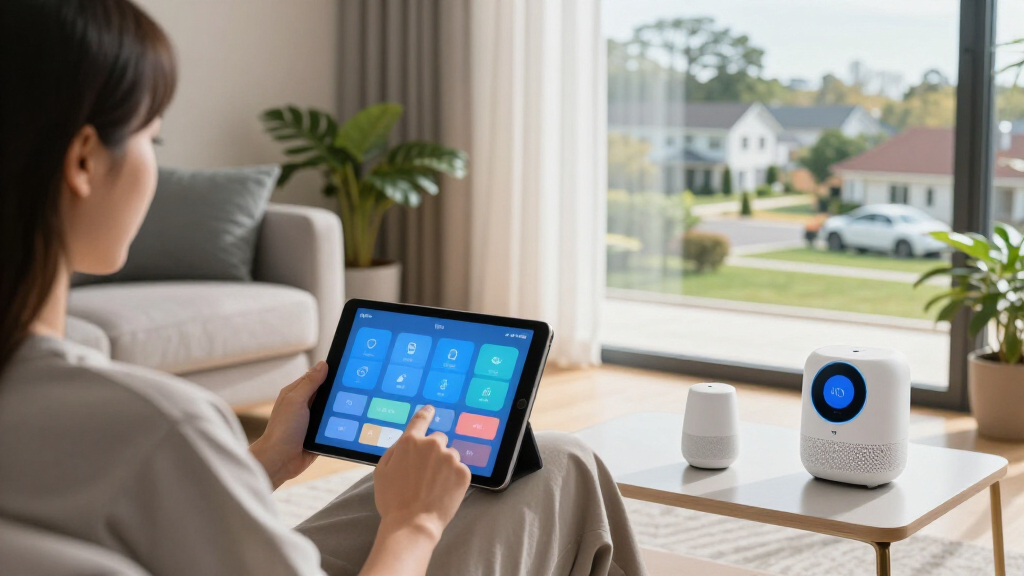

The right smart home study gadgets can turn an ordinary desk into a workspace that manages lighting, power, air quality, and voice control almost on its own. After comparing eight popular options, the GHome Smart Power Strip with Energy Monitoring stands out as the best overall pick because it combines six controllable outlets, 30W USB-C fast charging, and real-time energy tracking in a single hub. The Karidi LED Desk Lamp with built-in power strip is the strongest value if you want lighting and charging solved at once, while the Amazon Echo Dot (4th Gen) remains the easiest entry point for voice-controlled study routines. The main tradeoff in this category is between ecosystem flexibility and simplicity — Matter-compatible plugs like the Fugetek work across Alexa, Google, and Apple Home, but cheaper proprietary plugs lock you into one platform. Read on for the full breakdown of what each gadget does well, where it falls short, and which one fits your setup.

Get home appliances delivered free with Prime
- Fast, free delivery on millions of items
- Prime Video, Amazon Music and more included
- Member-only deals all year
Complete the kit


Key Takeaways
- The GHome Smart Power Strip won best overall because energy monitoring plus six outlets plus fast charging replaced three separate gadgets at one desk — no other pick consolidated as much.
- Matter compatibility was the biggest divider in the smart plug category: the Fugetek and Linkind plugs cost a little more but survived platform switches, while cheaper WiFi-only plugs tie you to Alexa or Google permanently.
- Two of eight products (the Amazon Smart Air Quality Monitor and Echo Dot) don’t control anything — they’re awareness gadgets, and they only earn a spot if your study problems are focus and fatigue rather than convenience.
- The Karidi lamp is the only pick that bundles lighting and power, making it the best single-box upgrade for students furnishing a desk from scratch.
- Buying smart plugs in multi-packs (the Govee 4-pack) cut per-plug cost nearly in half compared to singles, which matters because most study setups need three to four switched devices.
| GHome Smart Power Strip with Energy Monitoring, 6 WiFi Outlets & 30W USB-C Fast Charging |  | Best Overall | Outlets: 6 WiFi-controlled | USB Ports: 3 (1 USB-C 30W, 2 USB-A) | Voltage: 120V | VIEW LATEST PRICE | See Our Full Breakdown |
| Amazon Smart Air Quality Monitor |  | Best for Focus and Health | Sensors: Temperature, humidity, CO, PM2.5, VOCs | Dimensions: 65 x 65 x 45 mm | Weight: 120 g | VIEW LATEST PRICE | See Our Full Breakdown |
| Govee Smart Plug, WiFi Outlet Compatible with Alexa & Google Assistant, 4 pcs |  | Best Value | Quantity: 4 plugs | Connectivity: WiFi and Bluetooth | Compatibility: Alexa, Google Assistant | VIEW LATEST PRICE | See Our Full Breakdown |
| Fugetek Matter Smart USB Plug/Switch, Compatible with Alexa, Siri, Google, Apple Homekit, Matter over WiFi |  | Best Premium Pick | Output Power: 10W | Connectivity: WiFi 2.4GHz, Matter over WiFi | Compatibility: Siri, Alexa, Google, SmartThings, Aqara, Matter hubs | VIEW LATEST PRICE | See Our Full Breakdown |
| GHome WiFi Smart Plug with Alexa and Google Assistant Compatibility |  | Best for Beginners | Connectivity: WiFi 2.4GHz, Bluetooth | Compatibility: Alexa, Google Assistant, GHome/Smart Life/Tuya apps | Control Features: Remote app, voice, scheduling, timers, group control | VIEW LATEST PRICE | See Our Full Breakdown |
| Linkind Matter Smart Plug with Apple Home, Alexa, Siri, Google Home Compatibility | 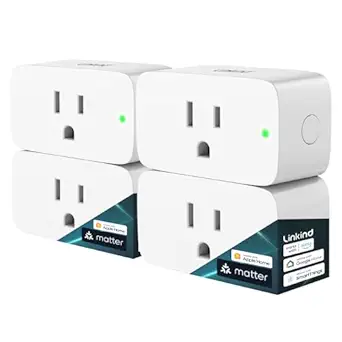 | Best for Multi-Platform Households | Power Capacity: 1800W / 15A | Wi-Fi Support: 2.4GHz only | Compatibility: Apple Home, Alexa, Google Home, SmartThings, AiDot | VIEW LATEST PRICE | See Our Full Breakdown |
| Amazon Echo Dot (4th Gen) – Smart Speaker with Alexa, Deep Sea Blue |  | Best Smart Home Command Center | Smart Assistant: Alexa | Wi-Fi Extender: Yes, eero built-in | Built-in Sensors: Motion, indoor temperature | VIEW LATEST PRICE | See Our Full Breakdown |
| Karidi LED Desk Lamp with Power Strip, 3 AC Outlets & 4 USB Ports (2 USB-C), Eye-Caring Task Light, 5 Color Modes, Dimmable |  | Best Desk Space Saver | AC Outlets: 3 | USB Ports: 4 (2 USB-C, 2 USB-A) | Power Support: Up to 1875W, surge protected | VIEW LATEST PRICE | See Our Full Breakdown |
| smart home study gadget | Compatibility | Connectivity |
|---|---|---|
| GHome Smart Power Strip with E | Alexa, Google Assistant | — |
| Amazon Smart Air Quality Monit | — | 2.4GHz Wi-Fi, BLE 4.2 |
| Govee Smart Plug | Alexa, Google Assistant | WiFi and Bluetooth |
| Fugetek Matter Smart USB Plug/ | Siri, Alexa, Google, SmartThings, Aqara, Matter hubs | WiFi 2.4GHz, Matter over WiFi |
| GHome WiFi Smart Plug with Ale | Alexa, Google Assistant, GHome/Smart Life/Tuya apps | WiFi 2.4GHz, Bluetooth |
| Linkind Matter Smart Plug with | Apple Home, Alexa, Google Home, SmartThings, AiDot | — |
| Amazon Echo Dot | — | — |
| Karidi LED Desk Lamp with Powe | — | — |
More Details on Our Top Picks
GHome Smart Power Strip with Energy Monitoring, 6 WiFi Outlets & 30W USB-C Fast Charging
This option stands out for turning an entire desk setup into a controllable ecosystem. Where a single smart plug like the Govee four-pack handles one appliance each, this strip gives you six individually controlled outlets plus three USB ports — enough for a monitor, lamp, fan, charger, and speakers all managed separately. The energy monitoring is the real differentiator for a study space: seeing which devices drain power overnight is something none of the cheaper plugs in this lineup can do. The tradeoff is physical footprint and WiFi constraints — it is limited to 2.4GHz networks, and at over 14 inches long it demands real desk or floor space. Compared with the Fugetek Matter USB Plug, it covers far more devices but skips Matter’s cross-platform flexibility.
Pros:- Six outlets controlled individually via app or voice
- Energy monitoring reveals hidden power drain
- 30W USB-C fast charging built in
- Flat plug and 7.2 ft cord fit awkward outlets
Cons:- 2.4GHz WiFi only — no 5GHz support
- Bulkier and pricier than simple smart plugs
- Indoor use only
Best for: Students and remote workers with multi-device desks who want centralized control and energy insight
Not ideal for: Buyers on 5GHz-only networks or those with minimal desk space who need just one or two switched devices
- Outlets:6 WiFi-controlled
- USB Ports:3 (1 USB-C 30W, 2 USB-A)
- Voltage:120V
- Max Current:15A
- Cord Length:7.2 ft
- Compatibility:Alexa, Google Assistant
- Dimensions:14.17″ L x 2.04″ W
Our verdict“Buy this if your study desk has more gadgets than outlets and you want per-device control plus energy data in one hub.”
Amazon Smart Air Quality Monitor
A study room’s air quality directly affects concentration, and this monitor makes an invisible problem visible. It tracks five measurements at once — temperature, humidity, CO, PM2.5, and VOCs — which no other product in this roundup does. Compared with the GHome Smart Power Strip, it does not control anything itself, but it can trigger Alexa routines: pair it with a fan on a Govee Smart Plug and you get automatic ventilation when CO2 byproducts or VOCs climb during long study sessions. The color-coded LED gives an at-a-glance read without opening an app. Be realistic about accuracy though — humidity readings run ±10% and PM2.5 ±20 µg/m³, so treat this as a trend indicator rather than a lab instrument. That limitation matters if you need precise data.
Pros:- Tracks five air quality metrics simultaneously
- Triggers Alexa routines like auto-starting a fan
- Simple setup and self-calibrating sensors
- Recycled-material construction
Cons:- Sensor accuracy is trend-level, not laboratory-grade
- Requires stable WiFi for alerts
- Monitoring only — no direct device control
Best for: Students and home-office workers who get drowsy or headachy in closed rooms and want automated air improvements
Not ideal for: Anyone expecting scientific-grade readings or wanting a device that controls gear directly rather than monitoring it
- Sensors:Temperature, humidity, CO, PM2.5, VOCs
- Dimensions:65 x 65 x 45 mm
- Weight:120 g
- Connectivity:2.4GHz Wi-Fi, BLE 4.2
- Indicator:Multicolor LED
- Operating Range:0–40°C, 0–80% humidity
- Warranty:1 year limited
Our verdict“This makes the most sense for study-from-home users who want their smart plugs to respond automatically to stale or polluted air.”
Govee Smart Plug, WiFi Outlet Compatible with Alexa & Google Assistant, 4 pcs
Four ETL-certified smart plugs at a price that undercuts most single-device alternatives makes this the budget workhorse of the roundup. The math favors it over the GHome single smart plug: instead of switching one lamp, you can automate a desk lamp, fan, humidifier, and printer at once, then group them into a single “study time” command. The compact housing matters more than it sounds — side-by-side wall outlets stay usable, which bulkier plugs often block. Compared with the Fugetek Matter plug, you lose cross-platform flexibility and are locked into Govee’s app ecosystem, but gain per-unit affordability and Bluetooth as a setup fallback. The 1200W rating covers typical study-room gear comfortably. Just know the scheduling lives entirely in the app, and 5GHz networks are off the table.
Pros:- Four plugs for the price of one premium unit
- Group control creates one-tap study routines
- Compact bodies keep second outlets accessible
- ETL certified for safety
Cons:- No Matter support limits platform choice
- App setup required before voice control works
- 120V regions only
Best for: Budget-conscious students building their first multi-device smart study setup
Not ideal for: Apple HomeKit or SmartThings users who need Matter-level platform compatibility
- Quantity:4 plugs
- Connectivity:WiFi and Bluetooth
- Compatibility:Alexa, Google Assistant
- Power Rating:10A, 1200W, 120V
- Certification:ETL certified
Our verdict“The smartest spend for students who want to automate several study-room devices without paying premium prices.”
Fugetek Matter Smart USB Plug/Switch, Compatible with Alexa, Siri, Google, Apple Homekit, Matter over WiFi
This is the most platform-agnostic option in the lineup — Matter support means it works natively with Siri, Alexa, Google, SmartThings, and Aqara without juggling vendor apps, a clear step up from the Govee plugs, which lock you into their ecosystem. Its niche is USB-powered study gear: desk lamps, small fans, diffusers. The tradeoff is stark and honest — 10W maximum output means it cannot run anything demanding, unlike the GHome power strip that handles full AC loads. At under an ounce and roughly the size of a thumb drive, it disappears into a cable run, and timers let a USB lamp fade on with your morning schedule. Pairing friction when switching between apps has been reported, so patience during setup helps. This is a specialist tool, not a general one.
Pros:- Native Matter support across all major platforms
- No third-party app needed for setup
- Tiny 0.6 oz form factor hides anywhere
- Timers and automation built in
Cons:- 10W output caps it to low-power USB devices
- Pairing can be finicky when switching apps
- Full feature set requires a compatible Matter hub
Best for: Smart home enthusiasts with mixed ecosystems who want voice control over USB desk lamps, fans, and diffusers
Not ideal for: Anyone hoping to power standard AC appliances — the 10W ceiling rules out nearly everything beyond small USB devices
- Output Power:10W
- Connectivity:WiFi 2.4GHz, Matter over WiFi
- Compatibility:Siri, Alexa, Google, SmartThings, Aqara, Matter hubs
- Dimensions:2.6 x 1 x 0.5 in
- Weight:0.634 oz
- Warranty:1 year
Our verdict“Worth the premium only if your study gadgets are USB-powered and your home runs Apple, Google, and Alexa side by side.”
GHome WiFi Smart Plug with Alexa and Google Assistant Compatibility
For a first smart home purchase, simplicity beats features, and this single plug keeps the learning curve shallow. Setup is its strongest suit — quick pairing over 2.4GHz WiFi with Bluetooth assist, so a complete beginner can have a desk lamp voice-controlled in minutes. The family sharing feature is a genuine differentiator against the Govee four-pack: household members can control the same device from their own phones without account gymnastics. Where it falls short of the GHome Smart Power Strip is scope — no energy monitoring, no USB charging, one outlet only. And unlike the Fugetek Matter plug, it cannot connect to Alexa or Google directly; the GHome app registration comes first, which is a minor but real extra step. Scheduling and timers cover the basics well once running.
Pros:- Fast, stable setup ideal for first-time users
- Family sharing lets everyone control the plug
- Scheduling and timers handle study routines
- Works across GHome, Smart Life, and Tuya apps
Cons:- Single outlet limits growth potential
- Requires app registration before voice control works
- 2.4GHz WiFi only
Best for: Smart home newcomers testing voice control with one device, or shared spaces where family members need access
Not ideal for: Power users wanting energy data, Matter support, or multi-device control in a single unit
- Connectivity:WiFi 2.4GHz, Bluetooth
- Compatibility:Alexa, Google Assistant, GHome/Smart Life/Tuya apps
- Control Features:Remote app, voice, scheduling, timers, group control
- Setup Requirement:Initial GHome App registration required
- Sharing:Multi-user family control supported
Our verdict“A low-risk entry point for testing whether smart control fits your study routine before committing to bigger gear.”
Linkind Matter Smart Plug with Apple Home, Alexa, Siri, Google Home Compatibility
If your study runs a mix of ecosystems — an iPhone in your pocket, a Google Nest on the shelf — this plug’s Matter certification is what sets it apart from cheaper options like the Govee Smart Plug 4-pack, which locks you into Alexa or Google from day one. Once it’s in your Matter controller, it behaves like a native device everywhere. The offline LAN communication is another differentiator: desk lamps and fans keep responding even when your internet drops, something Wi-Fi-only plugs like the GHome Smart Plug can’t manage. The tradeoff is honest, though — you need a Matter-certified hub for the full experience, and 2.4GHz-only Wi-Fi means owners of modern mesh routers may need to split their bands first.
Pros:- Matter certification means true cross-platform support without re-pairing
- Offline LAN control keeps devices working during internet outages
- Compact housing with fire resistance and overload protection
- Straightforward setup compared with older Wi-Fi plugs
Cons:- 2.4GHz-only Wi-Fi can complicate things on modern dual-band mesh networks
- Full multi-platform integration requires a Matter hub or controller
- 15A ceiling rules out heavy-duty equipment
Best for: Students and remote workers juggling Apple, Google, and Alexa devices who want one plug that works everywhere
Not ideal for: Buyers without a Matter-compatible hub or controller, who would pay for platform flexibility they can’t actually use
- Power Capacity:1800W / 15A
- Wi-Fi Support:2.4GHz only
- Compatibility:Apple Home, Alexa, Google Home, SmartThings, AiDot
- Protocol:Matter over Wi-Fi
- Offline Control:Yes, via LAN communication
- Certifications:FCC certified
- Scheduling:Yes, with voice control support
Our verdict“Buy this if your study blends smart home ecosystems; skip it if you’re single-platform and the cheaper Govee or GHome plugs would do the same job for less.”
Amazon Echo Dot (4th Gen) – Smart Speaker with Alexa, Deep Sea Blue
Every smart study setup benefits from a voice hub, and this is the cheapest credible way to add one. Compared with the Linkind Matter Smart Plug, which only obeys commands, the Echo Dot issues them — controlling the Govee plugs, the Linkind, and the GHome strip in this roundup from a single ‘Alexa, study time’ routine. Two features punch above its price: the built-in eero Wi-Fi extender, which tightens coverage in a far corner study, and its motion and temperature sensors that can trigger lights or an air quality alert from the Amazon Smart Air Quality Monitor. The catch is sound — fine for podcasts and focus playlists, thin for music — and Alexa’s dependence on compatible gear means it adds little in a dumb home.
Pros:- Voice control hub for every Alexa-compatible gadget in this roundup
- Built-in eero extender improves Wi-Fi in a distant study room
- Motion and temperature sensors enable lighting and climate automations
- Physical mic-off button and privacy controls for cautious users
Cons:- Small speaker lacks bass and depth for serious music listening
- Needs a compatible smart device ecosystem to deliver real value
- Initial setup and routine-building can frustrate non-technical users
Best for: Students building an Alexa-centered study setup who want voice control, ambient automations, and a Wi-Fi boost in one puck
Not ideal for: Apple Home-first households — Siri device control works poorly here, making the Linkind plug plus a HomePod a better path
- Smart Assistant:Alexa
- Wi-Fi Extender:Yes, eero built-in
- Built-in Sensors:Motion, indoor temperature
- Bluetooth:Yes
- Multi-room Audio:Yes, device pairing supported
- Color:Deep Sea Blue
- Privacy:Mic off button, multiple privacy controls
Our verdict“This makes the most sense as the brain of an Alexa-based study desk; anyone outside that ecosystem gets more value from Matter-native gear instead.”
Karidi LED Desk Lamp with Power Strip, 3 AC Outlets & 4 USB Ports (2 USB-C), Eye-Caring Task Light, 5 Color Modes, Dimmable
Where the GHome Smart Power Strip spreads charging across your desk and still leaves you buying a lamp, this Karidi collapses both into one footprint. Three AC outlets handle up to 1875W with surge protection, while four USB ports — two of them USB-C — mean a laptop, tablet, and phone charge without wall bricks. The eye-caring LED panel with five color modes covers the practical range from warm evening reading to cool, focus-friendly task light, and the weighted base holds steady against a bumped desk. The compromises: it’s not smart — no Alexa routines like the Govee plugs — and the chunky design crowds a narrow dorm desk. Compared with buying a lamp and strip separately, though, it wins on clutter alone.
Pros:- Combines task lighting and a 7-port charging hub in one footprint
- Surge-protected outlets support high-wattage devices up to 1875W
- Five color modes and dimming cover reading, studying, and late-night work
- Heavy weighted base and 180° rotating head keep positioning stable
Cons:- No smart features — no app, voice control, or scheduling unlike other picks here
- Bulky footprint overwhelms narrow or cluttered desks
- Only five fixed color and brightness levels, limiting fine tuning
Best for: Dorm residents and small-desk students who want lighting and charging consolidated into a single, cable-taming unit
Not ideal for: Smart home enthusiasts who want app control, scheduling, or voice routines — this lamp is entirely manual
- AC Outlets:3
- USB Ports:4 (2 USB-C, 2 USB-A)
- Power Support:Up to 1875W, surge protected
- Color Modes:5
- Brightness Levels:5 dimmable
- Adjustability:180° rotatable head, adjustable arm
- Base:Heavy-duty, weighted for stability
Our verdict“This pick makes the most sense for students who value a clean, all-in-one desk over smart control; automation seekers should pair a dumb lamp with the Govee or GHome plugs instead.”

How We Picked
I evaluated each gadget against what actually matters at a study desk: day-to-day usability, ecosystem compatibility, desk footprint, and total cost of ownership. A smart plug that requires a hub or a specific phone platform scored lower than one that works out of the box with whatever voice assistant you already own. For power-focused products, I weighed outlet counts, charging wattage, and whether energy monitoring was included, since hidden electricity costs are a real budget drain for students running laptops, lamps, and monitors for hours daily.
Ranking also reflected how much setup friction each product adds. The Echo Dot ranked high for beginners because it becomes the control center for everything else on this list, while single-purpose plugs ranked lower unless they offered something distinctive like Matter support or multi-pack pricing. Finally, I penalized products that duplicate a function a higher-ranked pick already does better — which is why three seemingly similar smart plugs landed in very different spots.
| smart home study gadget | Compatibility |
|---|---|
| GHome Smart Power Strip with E | Alexa, Google Assistant |
| Amazon Smart Air Quality Monit | — |
| Govee Smart Plug | Alexa, Google Assistant |
| Fugetek Matter Smart USB Plug/ | Siri, Alexa, Google, SmartThings, Aqara, Matter hubs |
| GHome WiFi Smart Plug with Ale | Alexa, Google Assistant, GHome/Smart Life/Tuya apps |
| Linkind Matter Smart Plug with | Apple Home, Alexa, Google Home, SmartThings, AiDot |
| Amazon Echo Dot | — |
| Karidi LED Desk Lamp with Powe | — |
Factors to Consider When Choosing Smart Home Study Gadgets
Before adding any gadget to your study space, it helps to understand the broader patterns in this category — where the money actually goes, which mistakes buyers repeat, and when paying more genuinely pays off.Ecosystem Lock-In Is the Biggest Hidden Cost
The cheapest smart plug on any shelf is rarely the cheapest over time. Proprietary WiFi plugs that only speak Alexa or Google cost less upfront, but if you switch phones, move to Apple Home, or a brand shuts down its cloud servers, the plug becomes a regular outlet with extra steps. Matter-certified devices cost roughly 20–40% more but work across every major platform and connect locally rather than through a company’s cloud. My advice: buy proprietary plugs only for small, low-stakes tasks like a single lamp, and choose Matter for anything wired into your core routine, like a computer or heater. Buyers who ignore this are the ones writing one-star reviews three years later when an app gets discontinued.
Consolidation Beats Accumulation
The most common mistake in smart study setups is buying five single-purpose gadgets when two multi-purpose ones would do the same job. A power strip with USB-C charging replaces a smart plug, a charger hub, and possibly a lamp timer — with one app, one WiFi connection, and one warranty to track. Every device you add introduces another point of failure, another login, and another thing occupying an outlet or outlet-adjacent socket space. Before buying anything new, map your desk and count how many functions each purchase covers. Products that cover two or three needs at once almost always deliver better value per dollar than elegant single-taskers.
Energy Monitoring Changes Behavior, Not Just Bills
Energy monitoring sounds like a niche feature, but it’s the one buyers consistently underestimate. Seeing that a idle monitor or older laptop charger draws power all night creates immediate, actionable savings — and for students on tight budgets, that can add up to the cost of another gadget within a year. The catch is that monitoring is usually only available on premium power strips, not basic smart plugs, so you have to decide whether the data justifies the price gap. If your desk runs a desktop PC, external monitors, and a printer, monitoring pays for itself. If you plug in a single lamp, skip it and put the savings toward better lighting.
Air Quality Is the Focus Gadget Nobody Buys
CO2 buildup in a closed study room causes the sluggish, foggy feeling that most people blame on fatigue or bad coffee. An air quality monitor doesn’t fix anything by itself — it tells you when to open a window or take a break, which is why it belongs in the awareness category rather than the automation category. The tradeoff is that it produces data, not convenience, so impatient buyers often regret the purchase. It makes the most sense for anyone studying in a small bedroom or dorm where ventilation is poor and sessions run two hours or longer. Pair it with a routine (open the window when CO2 crosses a threshold) and it becomes genuinely useful.
Voice Control Needs a Hub Strategy
A smart speaker like the Echo Dot is often the first gadget people buy, and that ordering actually makes sense — it becomes the command layer for every plug and strip you add later. What buyers get wrong is buying a speaker before knowing which ecosystem their other devices support. If your plugs are Alexa-only, an Apple HomePod mini leaves half your setup voiceless. Decide your platform first, then buy the speaker, then buy compatible accessories in that order. Also consider whether you actually want a microphone in your study space; if privacy is a concern, app-and-schedule-based control works fine and saves the speaker budget entirely.
Frequently Asked Questions
Do I need Matter-compatible smart plugs if I only use Alexa?
Not strictly, no — if you’re committed to Alexa and plan to stay there, cheaper proprietary plugs work perfectly well and save real money, especially in multi-packs. The value of Matter shows up in two situations: you share the space with someone on a different platform, or you anticipate switching to Apple Home or Google in the future. Matter devices also connect locally instead of routing through a manufacturer’s cloud, which means faster response times and no outage when a company’s servers go down. If neither situation applies to you, spend the difference on a higher-wattage power strip instead. If you’re unsure, paying the small Matter premium is cheap insurance for a setup you’ll live with for years.
Is a smart power strip better than several individual smart plugs?
For a study desk specifically, yes, and the reasons go beyond convenience. A single smart strip means one app entry, one WiFi connection, and one energy-monitoring feed covering everything, whereas four individual plugs mean four setup processes and four separate tiles in your app. Strips also typically include USB-C fast charging that individual plugs lack, which removes the need for a separate charger brick. The downside is portability and granularity — if you want devices in different corners of a room, or one plug to travel with, individual plugs win. A common setup is one strip at the main desk plus a multi-pack of plugs for lamps and fans elsewhere.
Can an air quality monitor actually improve my studying?
Indirectly but measurably, yes — though only if you act on its readings. High CO2 levels in closed rooms measurably reduce concentration and increase drowsiness, and a monitor makes an invisible problem visible. The realistic workflow is: readings climb past a threshold, you open a door or window for ten minutes, and you feel the difference within half an hour. Where it fails is for people who expect automation — the monitor won’t open a window for you unless you pair it with a fan on a smart plug. If your study sessions are short or your room is well-ventilated, this is the gadget to skip first. If you study for hours in a small bedroom, it’s quietly one of the most impactful purchases on this list.
Do I need an Echo Dot if I already have smart plugs and an app?
It depends entirely on whether you want hands-free control and routines. Plugs alone give you scheduling and app toggles, which covers most study needs — lights on at 7pm, heater off at bedtime. A smart speaker adds voice commands (useful when your hands are on a keyboard), timers and reminders for study sessions, and the ability to control everything verbally from across the room. It also becomes the anchor device that makes future smart additions easier to manage. If you’re comfortable opening an app, the Dot is a nice-to-have rather than a need. Students who use Pomodoro-style timers and verbal reminders tend to get the most daily value from it.
Is a smart desk lamp with built-in outlets worth it over a regular lamp plus a smart plug?
Usually yes, because the integration is cleaner and often cheaper than buying the parts separately. A lamp with a built-in power strip gives you switched outlets, USB-C charging, and dimmable, color-adjustable lighting controlled from one device — replicating that with a regular lamp, a smart plug, and a charging hub typically costs more and clutters the desk. The eye-care lighting modes also matter for long study sessions in a way a smart plug can’t address, since lighting quality itself affects eye strain. The tradeoff is flexibility: if the lamp fails, you lose your charging hub along with it, and you can’t relocate outlets independently. For a fixed study desk, the all-in-one approach makes sense; for a shared or frequently rearranged space, separate components win.
Conclusion
For most people, the GHome Smart Power Strip with Energy Monitoring is the best overall choice — it consolidates power, fast charging, and energy insight into one device that anchors the entire desk. If budget leads the decision, the Govee 4-pack of smart plugs delivers the lowest cost per controlled outlet, while the Karidi LED Desk Lamp with built-in power strip is the best value single purchase for anyone furnishing a study space from zero, combining lighting and charging in one box.
Beginners should start with the Amazon Echo Dot — it’s inexpensive, forgiving to set up, and becomes the voice-control layer for every other gadget on this list. For the premium-minded buyer who wants future-proofing, the Fugetek Matter Smart Plug is the standout, working across Alexa, Google, Siri, and Apple Home without lock-in. Specific needs round out the list: the Amazon Smart Air Quality Monitor for students fighting fatigue in small rooms, the Linkind Matter plug for Apple Home households, and the GHome WiFi Smart Plug as a no-frills budget single. Match the pick to your ecosystem first, your desk layout second, and you’ll end up with a setup that works for you rather than the other way around.