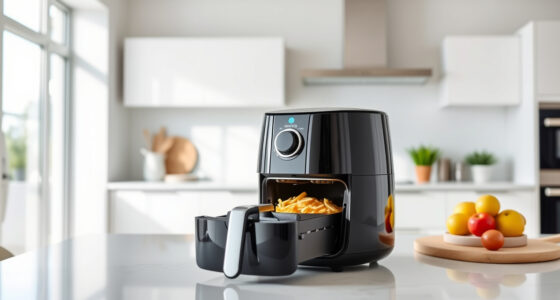

If your COSORI air fryer is showing error codes, it can be frustrating and disrupt your cooking plans. Fortunately, most errors are fixable with simple troubleshooting steps. This guide provides detailed, safe, and practical solutions for common error codes on the COSORI 9-in-1 TurboBlaze Air Fryer 6 Qt. Whether it’s an overheating warning, sensor issue, or control error, you’ll learn how to identify causes and apply effective fixes to get back to cooking delicious meals in no time.

Get home appliances delivered free with Prime
- Fast, free delivery on millions of items
- Prime Video, Amazon Music and more included
- Member-only deals all year
Understanding what each error code indicates will help you resolve issues quickly and prevent future problems. Keep reading for clear, step-by-step instructions and helpful tips to maintain your air fryer’s optimal performance.
Key Takeaways
| Common errors | Most error codes are related to overheating, sensor malfunctions, or power issues. |
| Safety first | Always unplug the fryer before troubleshooting to avoid electrical hazards. |
| Regular maintenance | Cleaning and inspecting the sensor and heating elements can prevent errors. |
| Resetting the unit | Many errors resolve after a simple reset or power cycle. |
| When to seek help | Persistent errors may require professional repair or replacement parts. |
Understanding COSORI Error Codes
The COSORI 9-in-1 TurboBlaze Air Fryer uses error codes to indicate specific issues. These codes typically appear on the display or as blinking lights, guiding you toward the problem area. Common error codes include overheating alerts, sensor errors, or power faults. Recognizing what each code means is the first step toward an effective fix.
Refer to your user manual for specific code definitions, or contact COSORI customer support if your code isn’t listed. Identifying the correct error code allows you to follow targeted troubleshooting steps, saving time and preventing further damage.
Step-by-Step Troubleshooting Guide
- Unplug and Cool Down: Always disconnect the air fryer from power and let it cool for at least 15 minutes to prevent burns or electrical issues.
- Inspect for Blockages or Dirt: Check the sensor, heating element, and interior for debris, grease, or food residue. Clean gently with a damp cloth if needed.
- Reset the Unit: Plug the fryer back in, press the reset button if available, or unplug and replug after a minute. Many errors clear after a reset.
- Check the Power Supply: Ensure the outlet is working properly by testing with another device. Avoid using extension cords or power strips.
- Test the Sensor and Heating Elements: If error persists, inspect the temperature sensor and heating element for damage or misalignment. Replace if necessary.
- Update Firmware: If your model supports app control, check for firmware updates through the app, as updates can fix bugs causing errors.
Follow these steps carefully and in order. If the error remains after these checks, proceed to the advanced troubleshooting or contact support.
Tips for Preventing Future Errors
- Regular Cleaning: Keep the interior, sensor, and heating elements clean to prevent false error readings.
- Avoid Overloading: Do not overload the basket, as this can cause overheating or sensor errors.
- Use Proper Accessories: Use manufacturer-approved accessories, like the recommended ALJ 3PCS Mesh Rack, to ensure airflow and safety.
- Monitor Cooking Times: Avoid excessively long cook cycles that may trigger overheating errors.
- Stay Updated: Keep your firmware updated via the app for optimal performance and bug fixes.
Implementing these practices can extend the life of your air fryer and reduce the likelihood of encountering error codes.
When to Contact Support or Replace Parts
If troubleshooting steps do not resolve the error, or if you notice physical damage to components such as the sensor, heating element, or wiring, it’s time to seek professional help. Contact COSORI customer support with your model details and error code. They can guide you through advanced diagnostics or recommend replacement parts.
For persistent or severe issues, consider replacing worn or damaged parts, such as the sensor or heating element, to restore your air fryer’s functionality. Always use genuine replacement parts to ensure safety and performance.
The Products in This Guide

Cosori 9-in-1 TurboBlaze Air Fryer 6 Qt
- ✔ Color: Cream
- ✔ Fan Speed: 90°–450°F
- ✔ Connectivity: Smart app control

ALJ 3PCS Air Fryer Oven Mesh Rack
- ✔ Durability: High
- ✔ Ease of Use: Simple
- ✔ Cleaning: Dishwasher safe
Cosori 9-in-1 TurboBlaze Air Fryer 6 Qt
The COSORI 9-in-1 TurboBlaze Air Fryer 6 Qt offers advanced features like smart control, precise heating, and TurboBlaze technology for crispy, even results. Its robust construction and multiple cooking functions make it a top choice for busy households.
Pros:
- Powerful TurboBlaze technology for even cooking
- Smart control via app for convenience
- Multiple cooking functions in one unit
- Precise temperature control up to 450°F
Cons:
- Complex error codes may require support
- Learning curve for new users
- Slightly larger footprint
Best for: Families seeking versatile, high-performance air frying
Not ideal for: Users preferring simple, manual operation without app control
Bottom line: A top-tier air fryer combining power, control, and versatility for everyday cooking.
ALJ 3PCS Air Fryer Oven Mesh Rack
The ALJ 3PCS Air Fryer Oven Mesh Rack is a perfect addition for your COSORI air fryer. It improves air circulation, ensuring even cooking and easier cleaning while expanding your cooking options.
Pros:
- Fits COSORI 10QT and 13QT models
- Made of food-grade stainless steel
- Dishwasher safe for easy cleaning
- Enhances airflow for crispier results
Cons:
- Requires extra space in the basket
- Only compatible with specific models
- Slightly more cleaning after use
Best for: Expanding cooking options and making cleanup easier
Not ideal for: If you prefer minimal accessories or smaller baskets
Bottom line: A practical upgrade to improve cooking results and ease cleaning.
Frequently Asked Questions
What does an error code on my COSORI air fryer mean?
Error codes indicate specific issues like overheating, sensor malfunctions, or electrical faults. Refer to your manual or support for exact meanings.
How can I reset my COSORI air fryer after an error?
Unplug the unit, wait 15 minutes, then plug it back in. Some models also have a reset button. This often clears temporary errors.
Is cleaning the sensor part of troubleshooting?
Yes, gently cleaning the temperature sensor and interior can prevent false error readings and improve performance.
When should I contact customer support?
If errors persist after troubleshooting or if you notice physical damage, contact COSORI support for professional assistance or replacement parts.
Can I use accessories to prevent errors?
Yes, using manufacturer-approved accessories like mesh racks can improve airflow and reduce the risk of overheating or sensor errors.
Keep Your COSORI Air Fryer Running Smoothly
Regular maintenance, careful troubleshooting, and using the right accessories can keep your COSORI air fryer functioning perfectly for years to come. Remember, many error codes are simple to resolve with a reset or cleaning. When in doubt, support is just a call away, ensuring your kitchen stays efficient and your meals delicious.
Affiliate disclosure: As an Amazon Associate we earn from qualifying purchases. Prices and availability are accurate as of the time of publishing.
NFL season / tailgating Picks
team gear
As an affiliate, we earn on qualifying purchases.