To choose the best lighting for your game room, focus on a mix of ambient, task, and accent lights to create a balanced and immersive environment. Use LED strip lights, adjustable spotlights, and bias lighting behind screens to reduce glare and eye strain while highlighting decorations. Incorporate warm color temperatures for comfort and consider RGB or smart lighting for customization. Keep an eye on placement and balance to ensure your space looks great and feels comfortable—there’s more to discover to perfect your setup.
Key Takeaways
- Use ambient lighting for overall brightness and avoid glare on screens.
- Incorporate task lighting at gaming desks for focused illumination and reduced eye strain.
- Add accent lighting with LED strips or backlit logos to enhance ambiance and highlight decor.
- Choose warm color temperatures (2700-3500K) for comfort and to prevent eye fatigue.
- Consider RGB or smart lighting for customizable, dynamic effects that match your gaming mood.
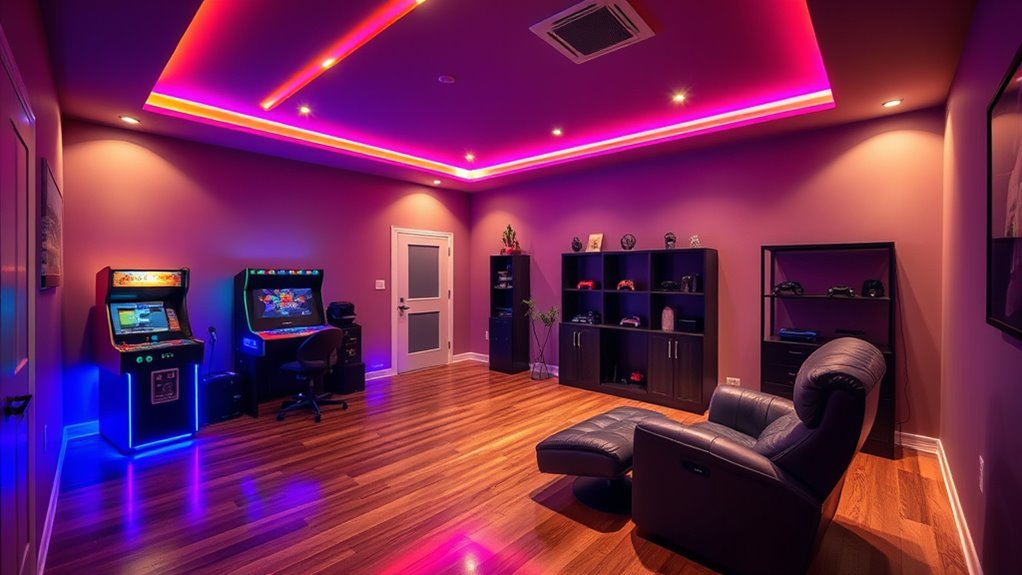
Creating the perfect game room starts with choosing the right lighting. The quality and placement of your lighting can make a huge difference in how immersive and comfortable your space feels. Start by considering ambient lighting, which provides overall illumination. Overhead lights or floor lamps work well here, giving your room a balanced brightness without creating harsh shadows. Next, think about task lighting, which focuses on specific areas like your gaming desks. Adjustable desk lamps or directional spotlights can help you see your controls and screens clearly, reducing eye strain during long gaming sessions.
Start with ambient lighting for balanced brightness, then add task lights to reduce eye strain during long gaming sessions.
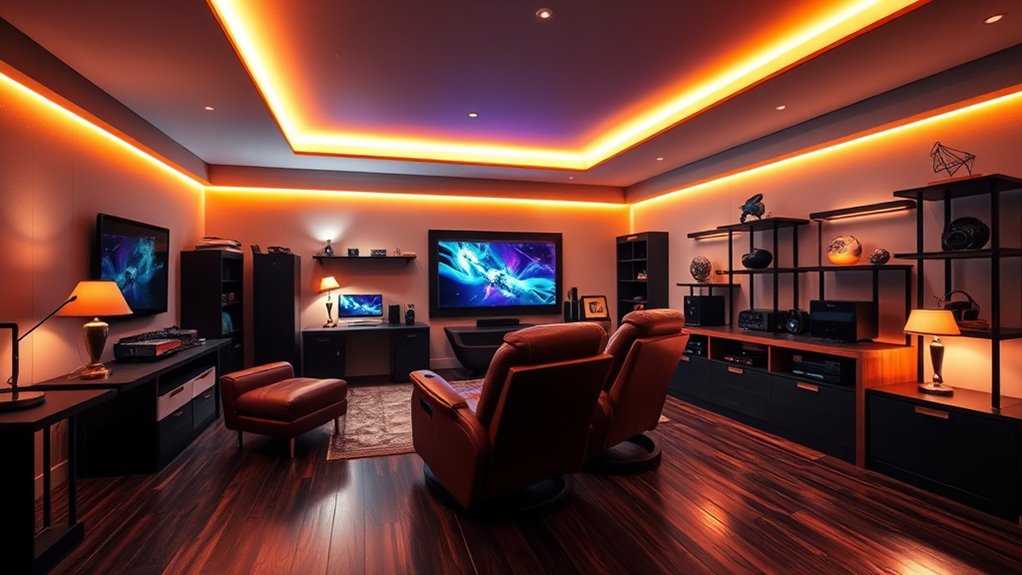
Accent lighting is another key element. It highlights features or zones in your game room, such as display shelves, collectibles, or themed decorations. LED strip lights are especially popular for this purpose because they’re flexible, bright, and easy to install. You can place them under shelves or along walls to add depth and visual interest. Bias lighting, which sits behind your screens, reduces glare and enhances contrast, making your visuals pop without causing eye fatigue. It’s a subtle but powerful way to improve your gaming experience.
When selecting fixtures, consider LED strip lights for their versatility and brightness. Adjustable directional spotlights can help you highlight specific areas or create dramatic effects. Floor lamps add both ambient light and style, while neon light alternatives can give your space a retro or arcade vibe. Sign lighting or backlit logos personalize your setup and reinforce your theme. Position your lighting thoughtfully: bias lights behind screens, accent lights under shelves or in corners, and ceiling mounts for overall brightness. Proper placement not only enhances aesthetics but also minimizes glare and reflections on your screens.
To elevate your game room’s ambiance, use lighting to emphasize themed decorations or create immersive effects like infinity mirror illusions. Sound-reactive lights can sync with your music or game sounds, adding a dynamic dimension to your setup. Custom backlit logos or emblems give your room a personal touch, while neon colors evoke a classic arcade feel. Balance is essential—ensure your lighting isn’t too bright or dim, and avoid glare by positioning lights carefully. Warm color temperatures (around 2700-3500K) create cozy atmospheres and help prevent eye strain, especially during extended play. Match your lighting’s color temperature with your displays for visual harmony.
Technology integration, such as RGB lighting, adds flexibility and fun. These lights can change colors, be dimmed, or synchronized with your gameplay, enhancing immersion. Smart lighting systems allow you to adjust settings effortlessly, creating the perfect mood at any time. Overall, the goal is to combine functionality with style, ensuring your game room is inviting, comfortable, and tailored to your gaming preferences. Proper lighting has been shown to significantly reduce eye fatigue and improve overall visual comfort during extended gaming sessions, making your space not only more attractive but also healthier to spend time in. Thoughtful lighting can also help you maximize your space‘s potential by highlighting key features and creating a cohesive look.
LED strip lights for gaming room
As an affiliate, we earn on qualifying purchases.
As an affiliate, we earn on qualifying purchases.
Frequently Asked Questions
How Does Lighting Affect Gaming Performance and Focus?
Lighting impacts your gaming performance and focus by shaping your emotional state and reducing eye strain. Proper ambient lighting keeps you alert, improves mood, and enhances concentration, while poor lighting can cause fatigue and distraction. Dynamic lighting cues can guide your exploration and immersion, making gameplay more engaging. By balancing brightness, color temperature, and contrast, you optimize your environment for longer, more focused gaming sessions, boosting your overall experience.
What Are Energy-Efficient Lighting Options for Long Gaming Sessions?
For long gaming sessions, you want energy-efficient lighting options that keep your room comfortable and reduce power use. LED fixtures are ideal—they use up to 80% less energy, emit less heat, and last longer. Dimmable LEDs let you adjust brightness, saving energy when full light isn’t needed. Incorporate smart controls and zone lighting to turn off unnecessary fixtures, ensuring your gaming remains bright, efficient, and cool during extended play.
How Can Lighting Be Customized for Different Game Types?
You can customize your lighting by adjusting brightness and color to match each game type. For immersive horror, dim the lights and add flickering effects. For fast-paced action, opt for brighter, dynamic colors that energize the space. Use themed LED colors—blue for sci-fi or red for action—and segment zones with different lighting setups. Incorporate smart controls to switch scenes easily, enhancing each gaming experience seamlessly.
What Safety Considerations Should Be Taken Into Account?
Think of your game room as a fortress—safety is your shield. You should use LED lights for energy efficiency and less heat, avoiding dark corners that strain your eyes. Make sure fixtures are UL or Energy Star certified, and never overload outlets. Regularly inspect wiring and bulbs to prevent hazards. Position lights to avoid glare and reflections, and consider smart controls for safe, adaptable lighting that keeps your gaming haven secure.
How Does Lighting Impact the Ambiance and Overall Room Design?
Lighting greatly influences your game room’s ambiance and design by setting the mood and highlighting key features. Soft ambient light creates a cozy atmosphere, while focused task lighting improves visibility for gameplay. Accent lighting adds visual interest and personalization, making the space more engaging. Incorporating smart lighting offers customizable options, allowing you to adapt the environment to your preferences, enhancing both style and functionality for an immersive gaming experience.
adjustable desk lamp for gaming
As an affiliate, we earn on qualifying purchases.
As an affiliate, we earn on qualifying purchases.
Conclusion
Now that you’ve got the essentials down, remember that the right lighting can make or break your game room experience. Don’t be afraid to experiment until you find what works best for you—after all, it’s all about creating a space where you can truly shine. When you strike the perfect balance, your game room will be a bright spot in your home, proving that good lighting is the key to making every gaming session a winning one.
bias lighting for monitors
As an affiliate, we earn on qualifying purchases.
As an affiliate, we earn on qualifying purchases.
RGB smart lighting for game room
As an affiliate, we earn on qualifying purchases.
As an affiliate, we earn on qualifying purchases.