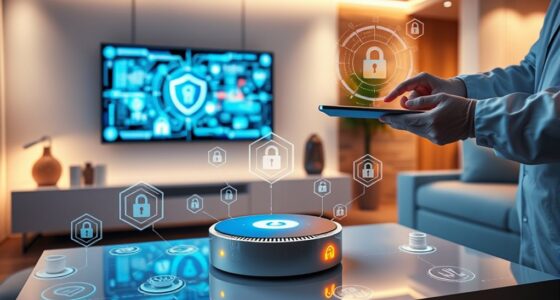
Smart locks can be more secure than traditional locks because they use advanced encryption, allow remote control, and log activity to prevent unauthorized access. They eliminate risks associated with lost or stolen keys and let you manage who enters and when from anywhere. However, their security relies on proper cybersecurity practices and keeping firmware updated. To understand how to maximize your smart lock’s safety, explore further for helpful tips and considerations.
Key Takeaways
- Smart locks offer advanced encryption and security protocols, potentially making them more secure than traditional mechanical locks.
- They enable remote management and activity logging, allowing better monitoring and control over access.
- Proper cybersecurity practices and firmware updates are essential to prevent hacking and protect smart lock systems.
- Traditional locks are less vulnerable to cyber threats but lack the digital security features of smart locks.
- Overall security depends on user practices, device quality, and network security, not just the lock type.

Have you ever wondered how technology can make your home more secure? Smart locks are increasingly popular options that offer a modern twist on traditional security measures. Unlike standard locks that rely solely on physical keys, smart locks provide keyless entry, allowing you to unfasten your door with a code, smartphone app, or even biometric data. This not only simplifies access but also enhances security by reducing the risk of lost or stolen keys. With keyless entry, you no longer need to worry about hiding spare keys or managing multiple copies. Instead, you can control who enters your home and when, all from your smartphone. Many smart locks also enable remote access, meaning you can grant temporary or permanent access to friends, family, or service providers from anywhere. Whether you’re at work, on vacation, or just forgot to leave the keys out, remote access puts you in control and gives you peace of mind.
Smart locks are designed with advanced encryption and security protocols to prevent hacking and unauthorized access. These digital systems often include features like automatic locking after a certain period or when you leave the vicinity, adding an extra layer of protection. Many models also log entry and exit times, so you can keep track of who’s coming and going—useful for monitoring household staff or visitors. The ability to change access credentials remotely means you can easily revoke entry if needed, unlike traditional locks where changing the lock might be necessary. Additionally, proper cybersecurity practices are essential to ensure your smart lock remains secure from potential cyber threats. These features make smart locks seem more secure at first glance, but they also come with potential vulnerabilities if not properly managed. Cybersecurity is a concern; a hacker could potentially gain control over your lock if your Wi-Fi network isn’t secure. That’s why choosing a reputable brand and keeping your firmware updated is essential.
smart lock with keypad
As an affiliate, we earn on qualifying purchases.
As an affiliate, we earn on qualifying purchases.
Frequently Asked Questions
Can Smart Locks Be Hacked Remotely?
Yes, smart locks can be hacked remotely. Wireless vulnerabilities like weak security protocols or outdated firmware may expose them to cyberattacks. Hackers often exploit these weaknesses through methods like brute-force attacks or intercepting signals. However, strong encryption standards and regular updates considerably reduce risks. To stay secure, you should keep your lock’s software current and choose models with robust security features, minimizing the chances of remote hacking.
What Are the Backup Options if the Smart Lock Fails?
If your smart lock fails, you have backup options like using a manual override or backup keys. Manual override allows you to open your door with a physical key, ensuring access even if the electronic system malfunctions. Keep your backup keys in a secure, accessible location. This way, you won’t be locked out and can regain entry quickly, no matter what technical issues occur.
Do Smart Locks Require Professional Installation?
You might wonder if you need a professional for installing smart locks. Usually, installation concerns are minimal, especially if you’re comfortable with DIY projects, but some models or door types may require professional help. Cost considerations also come into play, as professional installation can add to the overall expense. In most cases, smart locks come with clear instructions, making installation straightforward, but consulting an expert guarantees proper setup and security.
Are Smart Locks Compatible With All Smartphone Models?
Ever wonder if your smartphone can open your door? Smart locks often depend on Bluetooth compatibility and operating system requirements, so not all models work with every phone. Before buying, check if your device supports Bluetooth and if the lock’s app is compatible with your OS. You might need an upgrade or a different lock, but many modern smartphones do work seamlessly with smart locks, ensuring easy access.
How Often Do Smart Locks Need Software Updates?
You should check your smart lock’s software update frequency regularly, typically every few months. Manufacturers release security patch updates to fix vulnerabilities and improve performance. Staying current with these updates guarantees your device remains secure and functions properly. Many smart locks notify you when updates are available, so it’s a good idea to install them promptly to benefit from the latest security enhancements and features, providing you peace of mind.
biometric smart lock
As an affiliate, we earn on qualifying purchases.
As an affiliate, we earn on qualifying purchases.
Conclusion
While smart locks offer convenience and modern security features, they’re not foolproof. Remember, don’t put all your eggs in one basket—technology can have flaws, and vulnerabilities could be exploited. Weigh the pros and cons carefully, and consider your own lifestyle and security needs. Whether you stick with traditional locks or embrace smart technology, staying vigilant is key. After all, it’s better to be safe than sorry—don’t let a false sense of security be your downfall.
remote access smart lock
As an affiliate, we earn on qualifying purchases.
As an affiliate, we earn on qualifying purchases.
smart lock security system
As an affiliate, we earn on qualifying purchases.
As an affiliate, we earn on qualifying purchases.