To protect your privacy with a voice assistant, regularly review and adjust privacy settings, such as disabling voice recording when not needed. Use strong authentication methods like voice recognition, PINs, or biometrics to prevent unauthorized access. Keep your device’s software updated to maintain security. Managing your voice data—by deleting recordings or opting out of data collection—gives you better control. If you want to learn more about safeguarding your voice assistant, keep exploring the options available to you.
Key Takeaways
- Regularly review and update privacy settings to control voice data collection and storage.
- Enable multi-factor authentication to secure access to voice assistant features.
- Delete or manage stored voice recordings through device or account settings.
- Disable voice recording when not in use to minimize data exposure.
- Keep device firmware updated to ensure security patches and privacy features are current.
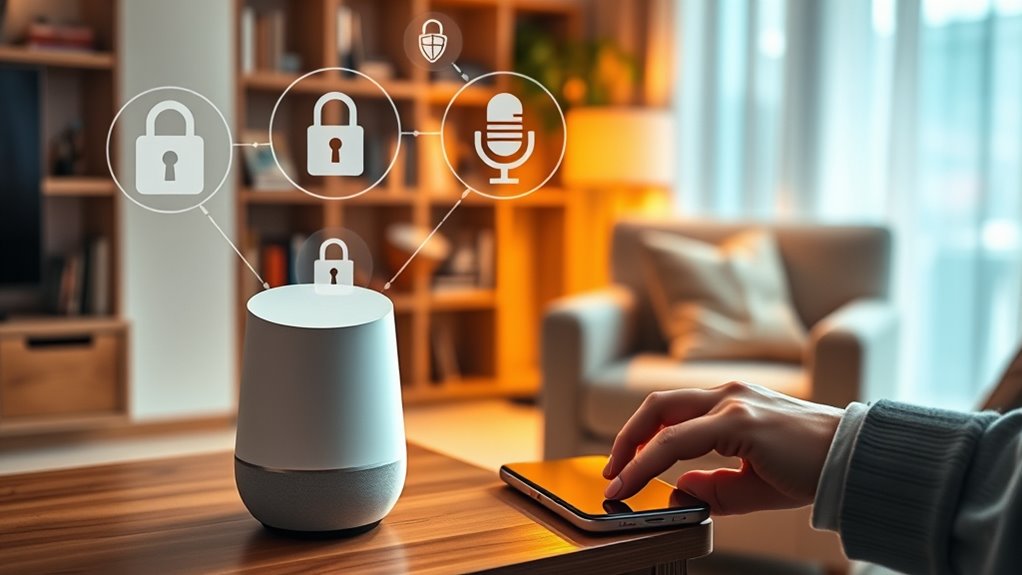
Have you ever wondered what happens to the voice commands you give to your smart speaker or virtual assistant? When you speak to your device, your words are captured, processed, and stored. This process is part of voice data management, which involves collecting, organizing, and protecting your voice recordings. Companies often store these recordings to improve their services, but that also raises questions about privacy and security. To keep your information safe, many devices use user authentication methods. These are ways to verify that only you can access certain features or data, preventing unauthorized users from manipulating or viewing sensitive information. Understanding how voice data management works and the role of user authentication can help you take control of your privacy.
When you activate your voice assistant, your device begins recording your commands. These recordings are then uploaded to the company’s servers, where they are analyzed to understand your requests better. This process helps improve speech recognition algorithms, making the assistant more accurate over time. However, it also means your voice data leaves your device and enters the company’s infrastructure. To mitigate privacy risks, many companies give users the option to manage their voice data—such as deleting recordings or opting out of data collection altogether. Being aware of these options empowers you to control how much of your voice data is stored and used.
User authentication plays an essential role in securing your voice assistant. Many devices rely on voice recognition, PIN codes, or biometric methods like fingerprint or facial recognition to verify your identity. This guarantees that only authorized users can access personal information or execute commands that could affect your privacy or security. For example, if someone else tries to give commands or access sensitive data, authentication measures can block or flag those attempts. These security features are fundamental because they prevent unauthorized access and help protect your data from potential breaches or misuse. Additionally, implementing multi-factor authentication can further enhance your device’s security by requiring more than one verification method.
Additionally, it’s important to be mindful of the settings available on your device. Regularly reviewing privacy options, such as enabling voice activity controls or disabling voice recording when not needed, can considerably reduce your exposure. Keep your device’s firmware up to date, as updates often include security patches that strengthen voice data management and user authentication mechanisms. Ultimately, taking active steps to understand and configure these privacy features ensures you maintain control over your voice data and prevent unwanted access.
As an affiliate, we earn on qualifying purchases.
Frequently Asked Questions
Can Voice Assistants Share Data With Third-Party Apps?
Yes, voice assistants can share data with third-party apps, but it depends on your settings. When you grant third-party access, your data might be shared for specific functions or integrations. Always review app permissions carefully and adjust privacy settings to control data sharing. You have the power to limit third-party access, ensuring your personal information stays protected while still enjoying the benefits of your voice assistant.
How Do I Delete My Voice Assistant’s Recorded Data?
An ounce of prevention is worth a pound of cure. To delete your voice assistant’s recorded data, open your device’s privacy controls or settings menu. Look for options like “Voice data deletion” or “Manage voice recordings,” then follow the prompts to remove your recordings. Regularly reviewing these settings helps you stay in control of your privacy, ensuring your voice data deletion aligns with your comfort level.
Are Voice Assistants Vulnerable to Hacking?
Voice assistants can be vulnerable to hacking if not properly protected. To enhance voice command security, guarantee your device uses voice assistant encryption and keep software updated. Avoid sharing sensitive information through voice commands and disable features when not in use. Regularly review connected apps and permissions, and consider changing passwords. Taking these steps helps protect your device from hacking and keeps your voice assistant more secure.
What Privacy Settings Are Available for Smart Speakers?
Your smart speaker’s privacy settings are a game-changer, giving you full control over voice recognition and privacy controls. You can disable voice recognition when you’re not using it, mute the microphone instantly, or delete voice recordings with a tap. These features mean you’re the boss of your data, not the device. Protect your privacy fiercely—because your voice shouldn’t be an open book for everyone to read.
Can Voice Assistants Identify Multiple Users Accurately?
Yes, voice assistants can identify multiple users accurately through voice recognition technology. They use user differentiation features to distinguish between different voices, allowing personalized responses and access control. This technology improves over time with machine learning, making it easier for you to enjoy tailored interactions. Keep in mind, however, that accuracy can vary depending on the device and environment, so it’s good to review your privacy settings regularly.
voice assistant privacy screen protector
As an affiliate, we earn on qualifying purchases.
As an affiliate, we earn on qualifying purchases.
Conclusion
By taking control of your voice assistant’s settings, you become the gatekeeper of your privacy. Remember, each command you grant is a key—choose wisely. Stay vigilant, adjust permissions regularly, and don’t let convenience overshadow security. After all, your personal information is the treasure; guard it fiercely. In the dance of technology and trust, you hold the rhythm—protect your privacy before it slips away like whispers in the wind.
multi-factor authentication for smart devices
As an affiliate, we earn on qualifying purchases.
As an affiliate, we earn on qualifying purchases.
voice recognition security device
As an affiliate, we earn on qualifying purchases.
As an affiliate, we earn on qualifying purchases.