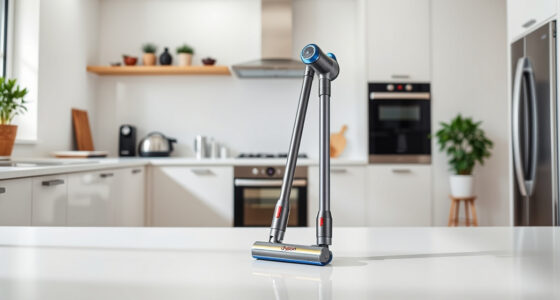
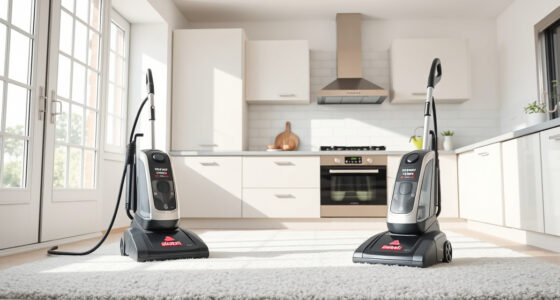
Unboxing a new Dyson V15 Detect™ Origin Cordless Vacuum is exciting, but proper setup ensures you get the best performance and longevity from your investment. This guide provides clear, practical steps to set up your Dyson vacuum safely, troubleshoot common issues, and optimize its features for whole-home cleaning.

Get home appliances delivered free with Prime
- Fast, free delivery on millions of items
- Prime Video, Amazon Music and more included
- Member-only deals all year
Whether you’re a first-time Dyson user or upgrading to the V15 Detect™, following these instructions will help you get started quickly and confidently, making your cleaning routine more efficient and effective.
Key Takeaways
| Powerful cleaning with intelligent features | The V15 Detect™ adapts power based on debris and displays real-time data. |
| Easy initial setup | Follow simple steps to assemble, charge, and prepare your vacuum. |
| Maintenance tips | Regular filter cleaning and filter replacement are essential for peak performance. |
| Troubleshooting common issues | Identify and resolve setup or operational problems easily. |
| Optional accessories | Use compatible attachments like crevice tools for hard-to-reach spots. |
Unboxing and Initial Inspection
- Carefully remove the Dyson V15 Detect™ Origin vacuum and all accessories from the packaging. Verify that all parts are present: the main vacuum unit, cleaner heads, crevice tool, charger, and any additional attachments.
- Inspect each component for any damage during transit. If anything appears broken or missing, contact Dyson customer support before proceeding.
- Read the quick-start guide included in the box for specific safety warnings and assembly tips.
Assembling Your Dyson V15 Detect™
- Attach the selected cleaner head (Digital Motorbar or Fluffy Optic) to the main body by aligning the connection points and pushing until it clicks securely.
- If using the crevice tool or other attachments, connect them to the wand or directly to the main unit as needed.
- Ensure the power trigger is not engaged during assembly to prevent accidental activation.
Charging Your Dyson V15 Detect™
- Plug the charger into a standard electrical outlet and connect it to the port on the vacuum.
- Charge for at least 3.5 hours until the LCD screen indicates a full charge or the indicator light turns green.
- During charging, avoid covering the vacuum or charger to prevent overheating.
Powering On and Using Your Vacuum
- Press the power trigger to turn on the vacuum. The LCD screen will display real-time data such as debris detected and battery status.
- Choose the appropriate power mode based on your cleaning needs, using the on-screen options—power modes adapt automatically based on debris and floor type.
- Begin cleaning, guiding the vacuum over floors, carpets, or upholstery. Use the crevice tool for corners and tight spaces.
Maintenance and Troubleshooting
- Regularly check and clean the pre-filters—simply rinse with water and air dry thoroughly before reinstalling, approximately every 2-3 months.
- If the vacuum loses suction, inspect the filters and empty the bin. Ensure the cleaner heads are free of hair and debris.
- In case of error messages on the LCD, consult the user manual or Dyson support for guidance.
Using Attachments Effectively
Attach accessories like the crevice tool for detailed cleaning in tight spots or car interiors. Connect the LANMU Crevice Tool (asin=B099RHWXJK) for narrow spaces, ensuring compatibility with your model. These tools extend your vacuum’s versatility and reach, making cleaning more thorough and less time-consuming.
The Products in This Guide

Dyson V15 Detect™ Origin Cordless Vacuum
- ✔ Battery Life: Up to 60 minutes
- ✔ Filter Type: Pre-filter and post-motor filter
- ✔ Weight: 7.8 pounds

LANMU Crevice Tool Vacuum Attachments Compatible
- ✔ Nozzle Width: 1.2 inches
- ✔ Material: Polymer plastic
- ✔ Compatibility: Multiple Dyson cordless models
Dyson V15 Detect™ Origin Cordless Vacuum
The Dyson V15 Detect™ Origin offers exceptional performance with 100% more power and intelligent debris detection. Its LCD screen provides real-time updates, helping you optimize cleaning sessions. Easy to assemble and maintain, it’s a top choice for comprehensive home cleaning.
Pros:
- Powerful suction and deep cleaning
- Intelligent debris detection
- Long 60-minute battery life
- Multiple attachments included
Cons:
- Price may be high for some
- Requires regular filter maintenance
- Heavy for extended handheld use
Best for: Whole-home cleaning, pet hair removal, hard-to-reach spots
Not ideal for: Light or quick cleans, small apartments with minimal storage
Bottom line: The Dyson V15 Detect™ Origin is a powerful, intelligent vacuum ideal for comprehensive, deep cleaning across all floor types.
LANMU Crevice Tool Vacuum Attachments Compatible
The LANMU Crevice Tool is compatible with Dyson V15 models and offers a narrow, flexible nozzle that reaches into small corners and hard-to-access areas. Its slim profile makes it an excellent addition for detailed cleaning around furniture, car interiors, and baseboards.
Pros:
- Narrow, flexible design
- Compatible with multiple Dyson models
- Eases access to tight spots
- Durable construction
Cons:
- Requires attachment swapping
- Dependent on existing Dyson compatibility
- No additional features
Best for: Cleaning narrow gaps, car interiors, baseboards
Not ideal for: General cleaning or large surface areas
Bottom line: A versatile, slim crevice tool that enhances your Dyson’s reach and precision cleaning.
Frequently Asked Questions
How long does it take to fully charge the Dyson V15 Detect™?
It takes approximately 3.5 hours to fully charge the vacuum from empty.
Can I use the vacuum while it’s charging?
No, for safety reasons, you should not operate the vacuum while it is plugged in and charging.
How often should I replace the filters?
Replace the pre-filter every 2-3 months, and clean or replace the post-motor filter as needed based on performance.
What should I do if the vacuum loses suction?
Check and clean the filters, empty the bin, and ensure no debris is blocking the cleaner heads or attachments.
Are accessories like crevice tools compatible with all Dyson models?
Not all accessories are universal. Make sure to select attachments compatible with your specific Dyson model, such as the LANMU Crevice Tool for V15 models.
Getting the Most from Your Dyson V15 Detect™
Setting up your Dyson V15 Detect™ Origin cordless vacuum correctly ensures you enjoy optimal performance and longevity. Follow these steps for assembly, charging, and maintenance, and utilize compatible attachments for specialized cleaning. With regular upkeep and proper use, your Dyson will deliver powerful, intelligent cleaning for years to come—making your home cleaner and your life easier.
Affiliate disclosure: As an Amazon Associate we earn from qualifying purchases. Prices and availability are accurate as of the time of publishing.
NFL season / tailgating Picks
team gear
As an affiliate, we earn on qualifying purchases.