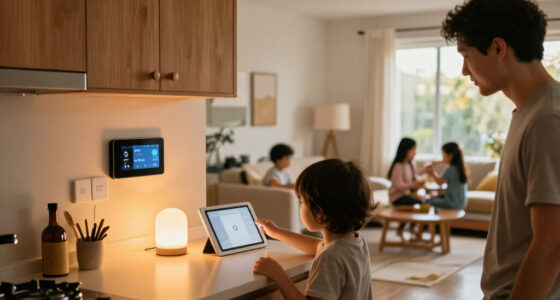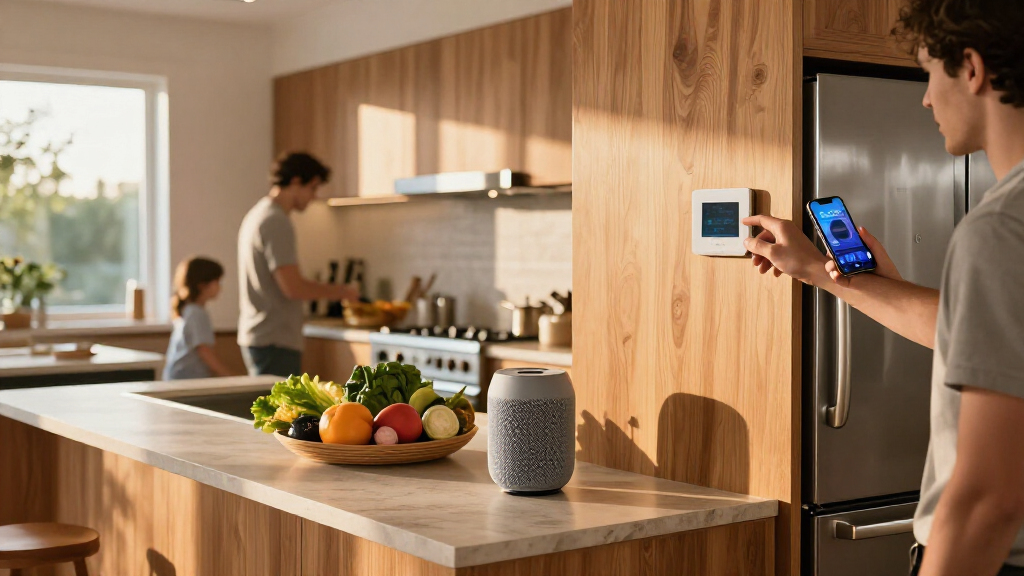
The best Apple smart home products make everyday controls simpler while fitting the Apple Home app and your existing setup. I’d put the Apple HomePod (2nd Generation) first for its combination of Siri control, audio, and smart home hub features; the Kasa HomeKit Outdoor Smart Plug is a standout for outdoor devices, while the Tapo Matter Power Strip suits desks and entertainment areas that need several controllable outlets. The main tradeoffs are HomeKit compatibility versus Matter flexibility, the number of devices you need to control, and whether a product calls for extra wiring or a hub. Read on for how the 13 picks differ, who each one suits, and what to check before choosing.

Get home appliances delivered free with Prime
- Fast, free delivery on millions of items
- Prime Video, Amazon Music and more included
- Member-only deals all year
Complete the kit



Key Takeaways
- The HomePod is the broadest single-device pick: it combines a Siri-controlled speaker with smart home hub capabilities, while the other products focus on a narrower job.
- Matter plugs cover different needs, not just different pack sizes: the Linkind six-pack suits multiple rooms, the Linkind night-light version adds a bedside use, and the Tapo three-pack offers a smaller starting set.
- Outdoor control calls for outdoor-rated hardware: the Kasa EP40A is the dedicated choice for two outdoor devices; an indoor plug is not a substitute.
- Installation requirements can outweigh smart features: the Tapo switches require a neutral wire and single-pole wiring, so checking the electrical box comes before comparing controls.
- Apple Home compatibility does not make every product interchangeable: the lineup spans Matter, HomeKit support, lighting, security, and garage access, each with different setup and use requirements.
| meross Smart LED Strip Lights, 16.4 ft, Apple HomeKit Compatible |  | Best for Accent Lighting | Length: 16.4 ft | LED count: 150 | Light color: RGB | VIEW LATEST PRICE | See Our Full Breakdown |
| Linkind Matter Smart Plug with Night Light, 4-Pack |  | Best Smart Plug with a Night Light | Pack quantity: 4 | Plug type: Type B | Voltage: 120 V | VIEW LATEST PRICE | See Our Full Breakdown |
| Kasa Smart Plug Mini 15A with Energy Monitoring, Apple HomeKit Support, 4-Pack |  | Best for Energy Monitoring | Model: EP25P4 | Pack size: 4 | Maximum current: 15 A | VIEW LATEST PRICE | See Our Full Breakdown |
| Apple HomePod (2nd Generation) Smart Speaker, Midnight |  | Best Premium Apple Home Hub | Model: MDEW4LL/A | Color: Midnight | Audio components: 1 x 4-inch woofer and 5 x beamforming tweeters | VIEW LATEST PRICE | See Our Full Breakdown |
| Linkind Matter Smart Plug, 6-Pack, 15A/1800W |  | Best Value for Multi-Room Automation | Pack size: 6 smart plugs | Maximum power: 1800 W | Amperage: 15 A | VIEW LATEST PRICE | See Our Full Breakdown |
| TP-Link Tapo Matter Smart Light Switch (2-Pack) | 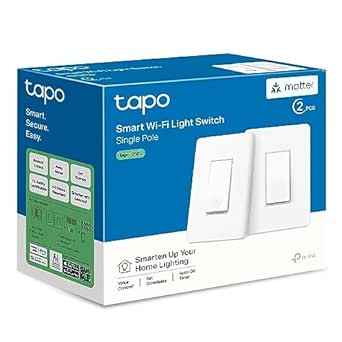 | Best for Replacing Standard Wall Switches | Pack quantity: 2 switches | Connectivity: Matter; 2.4 GHz Wi-Fi | Compatible platforms: Apple Home, Amazon Alexa, Google Assistant, Samsung SmartThings | VIEW LATEST PRICE | See Our Full Breakdown |
| Kasa Apple HomeKit Outdoor Smart Plug EP40A |  | Best Outdoor Pick | Outlets: 2 independently controlled AC outlets | Wi-Fi: 2.4 GHz 802.11 b/g/n | Compatible platforms: Apple Home, Amazon Alexa, Google Assistant | VIEW LATEST PRICE | See Our Full Breakdown |
| Linkind Matter Smart Light Bulbs, 6-Pack |  | Best for Colorful Whole-Home Lighting | Pack quantity: 6 bulbs | Bulb shape and base: A19, E26 | Power: 9 W per bulb | VIEW LATEST PRICE | See Our Full Breakdown |
| meross MSG100HK Smart Garage Door Opener Remote |  | Best for Garage Door Automation | Model: MSG100HK | Connectivity: 2.4 GHz Wi-Fi | Compatible platforms: Apple HomeKit, Siri, CarPlay, Amazon Alexa, Google Assistant, SmartThings | VIEW LATEST PRICE | See Our Full Breakdown |
| Tapo P316M Matter Smart Wi-Fi Power Strip with Energy Monitoring |  | Best for Energy Monitoring and Multi-Device Control | AC outlets: 6 individually controlled | USB ports: 3 always-on ports, 5 V / 2.4 A | Total device capacity: 9 devices | VIEW LATEST PRICE | See Our Full Breakdown |
| Linkind Matter Smart Plug, 4-Pack |  | Best for Cross-Platform Plug Control | Model: LC09003256 | Pack size: 4 plugs | Plug type: Type A | VIEW LATEST PRICE | See Our Full Breakdown |
| TP-Link Tapo P125M Matter Smart Plug Mini, 3-Pack |  | Best Compact Pick | Pack size: 3 plugs | Maximum current: 15 A | Maximum power: 1800 W | VIEW LATEST PRICE | See Our Full Breakdown |
| Aqara G100 2K Indoor/Outdoor Security Camera – White |  | Best Apple Home Security Camera | Resolution: 2K (2304 × 1296); limited to 1080p in HomeKit | Field of view: 140° | Night vision: Spotlight color and 940 nm infrared | VIEW LATEST PRICE | See Our Full Breakdown |
| Apple smart home product | Connectivity |
|---|---|
| meross Smart LED Strip Lights | 2.4 GHz Wi-Fi |
| Linkind Matter Smart Plug with | — |
| Kasa Smart Plug Mini 15A with | 2.4 GHz Wi-Fi |
| Apple HomePod | — |
| Linkind Matter Smart Plug | — |
| TP-Link Tapo Matter Smart Ligh | Matter; 2.4 GHz Wi-Fi |
| Kasa Apple HomeKit Outdoor Sma | — |
| Linkind Matter Smart Light Bul | Matter; 2.4 GHz Wi-Fi |
| meross MSG100HK Smart Garage D | 2.4 GHz Wi-Fi |
| Tapo P316M Matter Smart Wi-Fi | Matter; 2.4 GHz Wi-Fi |
| Linkind Matter Smart Plug | — |
| TP-Link Tapo P125M Matter Smar | 2.4 GHz Wi-Fi, Bluetooth, Matter |
| Aqara G100 2K Indoor/Outdoor S | — |
More Details on Our Top Picks
meross Smart LED Strip Lights, 16.4 ft, Apple HomeKit Compatible
I’d choose this 16.4-foot RGB strip when the goal is colorful accent lighting that can also join an Apple Home setup. It supports HomeKit alongside Alexa, Google Home, and SmartThings, giving it broader platform flexibility than the Kasa Smart Plug Mini, which controls devices at an outlet rather than changing a room’s lighting. Schedules and sunrise or sunset modes make the strip useful for recurring ambient light, while local control can keep it responsive when internet access is down. The tradeoff is that it connects over 2.4 GHz Wi-Fi only, and Home app remote access needs an Apple TV or HomePod configured as a home hub. It is indoor-only; cut-off sections cannot be reattached, so measure the installation carefully.
Pros:- Works with Apple HomeKit and several other major smart home platforms
- Schedules and sunrise and sunset modes support hands-off lighting routines
- Local control is available when the internet is unavailable
- Can be cut to fit the intended space
Cons:- Home app remote control requires an Apple TV or HomePod home hub
- Only connects to 2.4 GHz Wi-Fi
- Not water resistant, and cut-off sections cannot be reattached
Best for: Apple Home users who want cut-to-fit indoor accent lighting behind furniture, along shelves, or around a desk.
Not ideal for: Buyers lighting patios or damp areas, or anyone who needs a strip that can be rejoined after cutting.
- Length:16.4 ft
- LED count:150
- Light color:RGB
- Color options:16 million
- Voltage:12 V
- Wattage:36 W
- Connectivity:2.4 GHz Wi-Fi
- Use and water resistance:Indoor; not water resistant
Our verdict“Choose the meross strip for adaptable indoor color lighting, but skip it if you need outdoor use or a reconfigurable cut-and-rejoin design.”
Linkind Matter Smart Plug with Night Light, 4-Pack
This Linkind set suits buyers who want a smart outlet and a low-level path light in the same spot. Its adjustable 30-lumen night light can follow a dusk-to-dawn schedule, a feature the Linkind Matter Smart Plug, 6-Pack does not offer. That makes this four-pack a more tailored choice for bedrooms, hallways, or guest spaces, while the six-pack is a better fit when the priority is adding outlet control around the home. The plugs support Apple Home through Matter, along with Alexa, Google Home, and SmartThings, but those integrations need a compatible Matter hub. The network also needs 2.4 GHz Wi-Fi and IPv6. Buyers who already have a suitable hub get flexible automation; those seeking a simple, hub-free Apple Home setup should look elsewhere.
Pros:- Combines a controllable outlet with an adjustable night light
- Night light supports dusk-to-dawn operation
- Supports scheduling and remote control through the AiDot app
- Works with Apple Home and other major platforms through Matter
Cons:- Apple Home and other listed platform integrations require a compatible Matter hub
- Requires 2.4 GHz Wi-Fi and IPv6
- The night light adds little value for buyers who only need outlet control
Best for: Households with a Matter-compatible hub that want scheduled outlet control and gentle nighttime lighting in hallways or bedrooms.
Not ideal for: People without a compatible Matter hub, or buyers who only need smart outlets and would not use the built-in night light.
- Pack quantity:4
- Plug type:Type B
- Voltage:120 V
- Maximum current:15 A
- Maximum power:1800 W
- Night light output:30 lm, adjustable from 1% to 100%
- Network requirements:2.4 GHz Wi-Fi and IPv6
- Compatible platforms:Apple Home, Alexa, Google Home, SmartThings
Our verdict“Pick this four-pack when built-in night lights are useful; choose the Linkind six-pack instead when you want more smart outlets without the lighting feature.”
Kasa Smart Plug Mini 15A with Energy Monitoring, Apple HomeKit Support, 4-Pack
I’d put the Kasa four-pack ahead of basic smart plugs for buyers who want to see how much power connected devices use. Its real-time and historical energy monitoring adds insight that the Linkind Matter Smart Plug, 6-Pack does not list, while a 15 A, 1800 W capacity covers many common household devices within the stated limits. It also supports Siri and Apple HomeKit without a separate hub, plus scheduling, timers, and control through the Kasa app. That makes it a more direct fit for someone building around Apple Home than the Matter plugs, which require a compatible hub for their listed platform integrations. The tradeoff is a 2.4 GHz-only connection; remote HomeKit access also depends on a networked Apple device at home. Choose it for monitoring, not if you need 5 GHz Wi-Fi.
Pros:- Tracks real-time and historical energy usage
- Supports Apple HomeKit and Siri without a separate hub
- Offers scheduling, timers, and remote app control
- Four-pack supports control of multiple devices
Cons:- Connects only to 2.4 GHz Wi-Fi
- Remote HomeKit control requires a networked Apple device at home
Best for: Apple Home households that want to automate several plug-in devices and track their energy use over time.
Not ideal for: Buyers whose Wi-Fi network lacks 2.4 GHz, or who need remote HomeKit control without a networked Apple device at home.
- Model:EP25P4
- Pack size:4
- Maximum current:15 A
- Maximum load:1800 W
- Operating voltage:120 V AC
- Connectivity:2.4 GHz Wi-Fi
- Energy monitoring:Real-time and historical usage
- Voice assistants:Siri, Amazon Alexa, Google Assistant, SmartThings
Our verdict“Choose the Kasa four-pack if energy data and straightforward HomeKit control matter more than Matter-based setup or 5 GHz Wi-Fi.”
Apple HomePod (2nd Generation) Smart Speaker, Midnight
The HomePod is the most complete Apple-first choice in this group: it combines Siri voice control, room-filling speaker hardware, and smart-home connectivity in one tabletop device. Its Matter and Thread support makes it a more capable central control point than the Kasa Smart Plug Mini, which automates individual outlets but does not provide a speaker or the same smart-home role. Temperature and humidity sensors add another layer, letting it report room conditions as well as respond to voice requests. This is a premium fit for households already invested in Apple devices and compatible smart-home accessories. The tradeoff is that it is more than a plug or light: buyers seeking a low-cost way to automate one appliance may not need its audio features. The supplied data also lists an unusual nonstandard battery and a 90-day limited warranty, details worth confirming before purchase.
Pros:- Woofer and five beamforming tweeters provide a substantial audio setup
- Built-in Siri supports voice control
- Matter and Thread support expands compatibility with smart-home devices
- Temperature and humidity sensors report room conditions
Cons:- The product data describes its power source as a nonstandard battery, which is unclear for a speaker
- Listed limited warranty is 90 days
- May be more device than needed for buyers seeking only basic outlet automation
Best for: Apple-focused households seeking a high-quality Siri speaker with Matter and Thread support for compatible smart-home devices.
Not ideal for: Buyers who only need to automate a lamp or appliance, or who want clearly specified battery and warranty details.
- Model:MDEW4LL/A
- Color:Midnight
- Audio components:1 x 4-inch woofer and 5 x beamforming tweeters
- Maximum output power:38 W
- Microphones:4
- Smart-home compatibility:Matter and Thread
- Sensors:Temperature and humidity
- Listed limited warranty:90 days
Our verdict“Choose the HomePod if you want an Apple-centric speaker that can also anchor compatible smart-home control, not just a simple automation accessory.”
Linkind Matter Smart Plug, 6-Pack, 15A/1800W
For buyers outfitting several rooms, this six-pack puts the emphasis on quantity and straightforward outlet automation. It supports schedules, timers, app control, and voice commands, with local control available over the home network during internet outages. Compared with the Linkind Matter Smart Plug with Night Light, 4-Pack, it supplies two more plugs and skips the built-in night light, making it a better match for automating lamps and other compatible devices throughout the home. Each plug supports up to 15 A and 1800 W, but Apple Home integration requires a Matter-certified hub or controller. The AiDot app can be used without one. Check your network before buying: these plugs need 2.4 GHz Wi-Fi and IPv6, and the listed platform integrations depend on a hub.
Pros:- Six plugs make it suitable for automating several locations
- Supports schedules, timers, app control, and voice commands
- Local network control can continue during internet outages
- ETL and FCC certification, with short-circuit and overload protection
Cons:- Apple Home and other listed platform integrations require a Matter-certified hub or controller
- Requires 2.4 GHz Wi-Fi and IPv6
- Does not include the night-light feature found in the Linkind four-pack
Best for: Households with a Matter hub that want to automate multiple lamps and compatible plug-in devices across several rooms.
Not ideal for: Buyers who need a hub-free Apple Home plug, use a network without IPv6, or want a built-in night light.
- Pack size:6 smart plugs
- Maximum power:1800 W
- Amperage:15 A
- Voltage:120 V
- Plug type:Type B, 3-prong
- Network requirements:2.4 GHz Wi-Fi and IPv6
- Hub requirement:Matter-certified hub or controller for Apple Home, Alexa, Google Home, and SmartThings
- Certification:ETL and FCC
Our verdict“Choose this six-pack for broad Matter-based outlet automation if your network and hub meet its requirements; pick the four-pack when built-in night lights matter more.”
TP-Link Tapo Matter Smart Light Switch (2-Pack)
I’d choose the Tapo S505 two-pack when I want Siri control at the wall without replacing every bulb. Matter lets the switches join Apple Home alongside other major platforms, while LAN-only control can keep local operation available if internet access drops. Unlike the Linkind Matter Smart Light Bulbs, this updates the switch that household members already use, so the lights remain operable from the wall. The tradeoff is that it only handles single-pole on/off circuits: it won’t dim lights, and installation requires a neutral wire and 2.4 GHz Wi-Fi. I’d check the wiring before buying, since an older or different circuit setup may call for professional help. It’s a more permanent control upgrade than a smart plug, but less flexible than smart bulbs for color and brightness adjustments.
Pros:- Matter support works with Apple Home and other major smart home platforms.
- LAN-only control can maintain local operation without internet access.
- Multi-admin support allows control from multiple smart home ecosystems.
- Two switches offer a coordinated way to update more than one lighting circuit.
Cons:- Requires a neutral wire and 2.4 GHz Wi-Fi, which can complicate installation.
- Supports single-pole on/off control only; it does not dim lights.
- Not a fit for multi-way circuits or homes where the wiring does not match its requirements.
Best for: Homeowners with neutral-wire, single-pole lighting who want wall-switch control through Apple Home and other Matter platforms.
Not ideal for: Renters, homes without a neutral wire, or buyers who need dimming or multi-way circuit support.
- Pack quantity:2 switches
- Connectivity:Matter; 2.4 GHz Wi-Fi
- Compatible platforms:Apple Home, Amazon Alexa, Google Assistant, Samsung SmartThings
- Circuit type:Single-pole, one-way
- Wiring requirement:Neutral wire required
- Voltage:100–120 VAC input; 120 V operating voltage
- Maximum wattage:600 W
- Dimensions:5.04 × 3.33 × 1.41 inches
Our verdict“Choose the Tapo S505 if you have compatible wiring and want Apple Home control through familiar wall switches rather than smart bulbs.”
Kasa Apple HomeKit Outdoor Smart Plug EP40A
For outdoor lighting or seasonal equipment, I’d put the Kasa EP40A ahead of indoor smart plugs because its IP64 weather resistance and two independently controlled outlets are designed for exterior use. Each outlet supports up to 15 A, letting me schedule or switch separate devices without adding another plug. It works with Apple Home, though HomeKit remote control requires an Apple home hub such as a HomePod or Apple TV. Compared with the Tapo P316M power strip, the EP40A is the clear choice outdoors; the Tapo instead brings energy monitoring, surge protection, and more connections for indoor setups. The Kasa relies on 2.4 GHz Wi-Fi, and its weather protection depends on using the cover correctly. I’d also check that the intended location has a reliable signal before relying on remote control.
Pros:- Two outlets can be controlled independently.
- IP64 weather resistance suits compatible outdoor installations.
- Each outlet is rated for up to 15 A and 1875 W.
- Supports Apple Home, Alexa, and Google Assistant.
Cons:- HomeKit remote control requires an Apple home hub, such as a HomePod or Apple TV.
- Works on 2.4 GHz Wi-Fi only.
- The outdoor cover must be fitted correctly to help prevent water ingress.
Best for: Apple Home users who need to control two separate outdoor devices, such as landscape lights and a seasonal decoration.
Not ideal for: Buyers who need indoor energy monitoring, dual-band Wi-Fi, or a HomeKit setup without an Apple home hub.
- Outlets:2 independently controlled AC outlets
- Wi-Fi:2.4 GHz 802.11 b/g/n
- Compatible platforms:Apple Home, Amazon Alexa, Google Assistant
- Voltage:125 V
- Plug type:Type A
- Warranty:2 years
Our verdict“Pick the EP40A for independently controlled outdoor devices, provided your Wi-Fi reaches the outlet and your HomeKit setup has a hub.”
Linkind Matter Smart Light Bulbs, 6-Pack
I’d choose this six-bulb Linkind pack for rooms where color and scene control matter more than changing wall hardware. Each A19 bulb gives 800 lumens of color-changing light, and Matter support brings app and voice control to Apple Home as well as Alexa and Google Home. Compared with the Tapo S505 wall switches, the bulbs offer far more scope for adjusting ambience, but they depend on compatible fixtures and should not be paired with traditional dimmer switches. The 104 preset scenes and music-sync option add creative controls through the AiDot app; music sync requires microphone permission. At 9 W per bulb, they provide a familiar 60 W incandescent-equivalent output. I’d favor this set for several rooms at once, while buyers who only need basic on/off automation may find smart plugs or a switch simpler.
Pros:- Six bulbs make it practical to add smart lighting to multiple fixtures.
- Matter supports Apple Home, Alexa, and Google Home.
- Color control, 104 preset scenes, and music sync offer more ambience options than a basic smart switch.
- Each 9 W bulb produces 800 lumens with a CRI of 90.
Cons:- Generally incompatible with traditional dimmer switches.
- Music sync requires microphone permission in the AiDot app.
- Requires 2.4 GHz Wi-Fi.
Best for: Households outfitting several indoor fixtures with color-changing light and Apple Home voice or app control.
Not ideal for: Buyers with traditional dimmer switches, fixtures that need a different bulb shape or base, or those who only want simple on/off control.
- Pack quantity:6 bulbs
- Bulb shape and base:A19, E26
- Power:9 W per bulb
- Light output:800 lumens per bulb
- Color features:16 million colors; 104 preset scenes
- Connectivity:Matter; 2.4 GHz Wi-Fi
- Compatible platforms:Apple Home, Alexa, Google Home
- Color rendering index:90
- Use:Indoor
Our verdict“Choose the Linkind bulbs for multi-room color and scene control, but skip them if your fixtures use traditional dimmers.”
meross MSG100HK Smart Garage Door Opener Remote
The meross MSG100HK brings an existing compatible garage door opener into Apple Home without requiring a replacement opener or a subscription. Its wired sensor reports whether the door is open or closed, so automation can be based on status rather than a guess; auto-close and scheduling add a practical way to reduce the chance of leaving the door open. Unlike the Kasa EP40A outdoor plug, this is purpose-built for a single garage door, not for controlling separate powered devices. Compatibility spans many opener models, but some need an adapter, and Security+ 3.0 is not supported. It also depends on 2.4 GHz Wi-Fi. I’d check the opener model before buying, since broad compatibility does not mean every installation is plug-and-play. For a supported opener, it adds Apple Home and voice access without changing the door system itself.
Pros:- Adds Apple Home, Siri, and CarPlay control to many existing garage openers.
- Wired sensor provides door status and history.
- Supports auto-close and schedules without subscription fees.
- Does not require a hub or replacing the existing opener.
Cons:- Some openers require an adapter, so compatibility should be checked before purchase.
- Does not support Security+ 3.0.
- Controls one device and requires 2.4 GHz Wi-Fi.
Best for: Apple Home households with one compatible existing garage door opener that want remote status checks and automatic closing.
Not ideal for: Owners of Security+ 3.0 openers, people who need to control multiple doors, or buyers unwilling to verify adapter compatibility.
- Model:MSG100HK
- Connectivity:2.4 GHz Wi-Fi
- Compatible platforms:Apple HomeKit, Siri, CarPlay, Amazon Alexa, Google Assistant, SmartThings
- Supported devices:1 garage door opener
- Compatibility:200+ brands and 1,600+ models; adapter may be required; Security+ 3.0 unsupported
- Control features:App and voice control, wired sensor, auto-close, scheduling
- Hub or subscription:No hub or subscription fee required
- Dimensions:3 × 2 × 1 inches
Our verdict“Choose the MSG100HK if your opener is compatible and you want garage-door status and automation in Apple Home without a subscription.”
Tapo P316M Matter Smart Wi-Fi Power Strip with Energy Monitoring
The Tapo P316M is the most useful pick here when I need to automate several indoor devices from one outlet. Its six AC sockets are individually controlled, and energy monitoring helps identify which connected appliances draw power; three always-on USB ports provide extra charging, but they cannot be switched separately. Matter adds Apple Home compatibility, while local control and schedules can keep everyday automations useful without relying entirely on remote cloud access. Compared with the Kasa EP40A, the Tapo is built for indoor multi-device setups and adds energy tracking, while the Kasa is the better fit for outdoor equipment. The tradeoffs are a 37-inch cord, 2.4 GHz Wi-Fi, and USB ports that stay powered. I’d also check outlet placement: its 16.2-inch body may take up more room than a compact smart plug.
Pros:- Six AC outlets are individually controlled.
- Energy monitoring tracks use for each AC outlet.
- Matter supports integration with major smart home platforms, including Apple Home.
- Three USB ports add charging capacity alongside the AC outlets.
Cons:- USB ports are always on and cannot be individually controlled.
- Requires 2.4 GHz Wi-Fi.
- The 37-inch cord and 16.2-inch body may not suit every outlet location.
Best for: Apple Home users managing several indoor electronics who want separate outlet schedules and energy-use visibility.
Not ideal for: Buyers needing outdoor use, individually switched USB ports, or a compact plug with a longer cord.
- AC outlets:6 individually controlled
- USB ports:3 always-on ports, 5 V / 2.4 A
- Total device capacity:9 devices
- Connectivity:Matter; 2.4 GHz Wi-Fi
- Features:Energy monitoring, surge protection, schedules, timers, local control
- Cord length:37 inches
- Dimensions:16.2 × 4.8 × 1.9 inches
Our verdict“Choose the P316M for indoor Apple Home setups that benefit from per-outlet control and energy monitoring, not for compact or outdoor use.”
Linkind Matter Smart Plug, 4-Pack
Apple Home compatibility with broad platform support makes this four-pack a practical choice for households that may use more than one smart home system. Through a compatible Matter hub, I can use Apple Home and Siri alongside Alexa, Google Home, or SmartThings; schedules, timers, and remote control cover everyday routines. Local network control can keep working during an internet outage, which is useful for basic device control.
Compared with the Tapo P125M Matter Smart Plug Mini, this set includes one more plug, but the Tapo listing specifies Bluetooth and a two-year limited warranty. Linkind’s tradeoffs are its hub requirement for most platforms and network restrictions: it uses 2.4 GHz Wi-Fi and requires IPv6. I’d skip it if the home network or Apple Home setup lacks a compatible hub.
Pros:- Works with Apple Home, Siri, Alexa, Google Assistant, and SmartThings through compatible Matter setups
- Four-plug pack suits several rooms or devices
- Supports schedules, timers, remote access, and voice commands
- Local network control and short-circuit and overload protection
Cons:- A compatible Matter hub is required for most listed platforms
- Requires 2.4 GHz Wi-Fi and an IPv6 network
Best for: Apple Home households with a compatible Matter hub that want several plugs for lamps or other connected devices and may also use Alexa, Google Home, or SmartThings
Not ideal for: Buyers without a compatible Matter hub, or households whose network cannot meet the 2.4 GHz and IPv6 requirements
- Model:LC09003256
- Pack size:4 plugs
- Plug type:Type A
- Wi-Fi:2.4 GHz only; IPv6 network required
- Smart home platforms:Apple Home, Siri, Amazon Alexa, Google Assistant, SmartThings
- Safety:Short-circuit and overload protection
- Certifications:FCC, ETL
Our verdict“Choose this four-pack if you have a compatible Matter hub and want Apple Home plugs that can also fit into other major smart home platforms.”
TP-Link Tapo P125M Matter Smart Plug Mini, 3-Pack
The compact Mini design is the main reason I’d choose this three-pack: it’s intended to leave the neighboring outlet usable, a handy advantage when plugs share a wall plate. Matter support brings Apple Home, Alexa, Google Home, and SmartThings into the same compatibility picture, while app and voice controls, timers, and schedules handle routine switching. Local network communication can continue when the internet is down, so basic control need not depend on an online connection.
Compared with the Linkind Matter Smart Plug, 4-Pack, Tapo supplies one fewer plug but lists Bluetooth connectivity and a two-year limited warranty. Both are limited to 2.4 GHz Wi-Fi and a 15 A, 1800 W maximum, so neither is a fit for higher-load devices or 5 GHz-only networks. I’d choose Tapo for its compact form and skip it if you need more plugs in one purchase.
Pros:- Compact design helps keep the adjacent outlet available
- Matter support spans Apple Home, Alexa, Google Home, and SmartThings
- App, voice, schedule, and timer controls
- Local network control can continue without internet access
Cons:- Supports 2.4 GHz Wi-Fi rather than 5 GHz
- Limited to 15 A and 1800 W
- Three-pack provides fewer plugs than the Linkind four-pack
Best for: Apple Home users who want compact plugs for crowded wall outlets and value a stated two-year limited warranty
Not ideal for: Households that need more than three plugs in one set, use only 5 GHz Wi-Fi, or need to control devices above the 15 A and 1800 W limits
- Pack size:3 plugs
- Maximum current:15 A
- Maximum power:1800 W
- Operating voltage:120 V AC
- Connectivity:2.4 GHz Wi-Fi, Bluetooth, Matter
- Compatible platforms:Apple Home, Amazon Alexa, Google Home, Samsung SmartThings
- Control methods:App, voice, schedules, timers
- Warranty:2-year limited
Our verdict“Pick the Tapo P125M if outlet space matters more than getting the largest plug count in the pack.”
Aqara G100 2K Indoor/Outdoor Security Camera – White
For buyers who want a camera rather than another plug or light, the Aqara G100 brings security monitoring to this Apple smart home roundup. Its 140° field of view can cover a broad area, while spotlight color night vision and infrared give two ways to see in low light. The IP65-rated housing supports indoor or outdoor placement, and HomeKit Secure Video integration makes it the most security-focused pick here; the smart plugs, such as the Tapo P125M, control power but do not provide camera coverage.
The tradeoff is that its headline 2K resolution is limited to 1080p in HomeKit. Local motion and person detection are available, while additional cloud analytics require a HomeGuardian subscription. Storage flexibility includes microSD, NAS, and encrypted cloud, but the camera needs a separate 5V/1A adapter and works only on 2.4 GHz Wi-Fi. I’d skip it if you need 5 GHz support or a camera powered from the box.
Pros:- 140° field of view and 2K capture outside the HomeKit 1080p limitation
- IP65-rated housing supports indoor or outdoor installation
- Spotlight color night vision and 940 nm infrared night vision
- Supports microSD, NAS, encrypted cloud, and multiple smart home platforms
Cons:- HomeKit video is limited to 1080p
- DC 5V/1A power adapter and microSD card are not included
- Cloud analytics require a HomeGuardian subscription; Wi-Fi is 2.4 GHz only
Best for: Apple Home households seeking an indoor/outdoor camera with a wide view, multiple night-vision modes, and flexible local storage options
Not ideal for: Buyers who need 2K footage through HomeKit, 5 GHz Wi-Fi, an included power adapter, or advanced cloud detection without a subscription
- Resolution:2K (2304 × 1296); limited to 1080p in HomeKit
- Field of view:140°
- Night vision:Spotlight color and 940 nm infrared
- Wi-Fi:Wi-Fi 6, WPA3, 2.4 GHz only
- Power requirement:DC 5V/1A adapter; not included
- MicroSD storage:Supports cards up to 512 GB; card not included
- Smart home compatibility:Apple HomeKit Secure Video, Alexa, Google Assistant, SmartThings, RTSP/Home Assistant
Our verdict“Choose the G100 if you want flexible indoor/outdoor camera coverage in an Apple Home setup and can accept HomeKit’s 1080p limit.”
How We Picked
I ranked these products by how well they solve a useful Apple-home task, how clearly they fit into an Apple-centered setup, and how much setup or maintenance they ask of the buyer. I weighed practical usability, control options, build and installation requirements, versatility, and whether the device fills a need that a more general pick cannot. Because the list spans plugs, lighting, a speaker, a camera, and garage control, I compared each item against its closest alternatives rather than treating features from different categories as interchangeable.
The order favors products with broad usefulness or a clearly defined advantage, then places more specialized picks where they make the most sense. The HomePod ranks first for its combination of speaker and smart home functions; dedicated picks such as the outdoor plug and garage controller rank for solving specific jobs rather than replacing a whole-home setup. I also treated Matter support and HomeKit support as useful but distinct compatibility claims, and gave wiring, placement, and device limits weight in the rankings.
Factors to Consider When Choosing Best Apple Smart Home Products
Before choosing from this lineup, match the device to the job and the way your Apple home is set up. Compatibility labels alone do not tell you whether installation will be straightforward or whether a product suits the location.
Check HomeKit and Matter Compatibility Separately
HomeKit support and Matter support both point toward smart home interoperability, but they are not identical buying claims. Check the exact product’s requirements and its listed Apple Home compatibility before ordering, especially if you already rely on scenes, automations, or remote control. Matter can be useful when a household uses more than one smart home platform, while a HomeKit-focused product may fit an Apple-only setup more directly. Do not assume that a Matter label means every feature appears in Apple Home or behaves the same across apps. Also check whether setup needs a compatible controller or other home equipment. A little compatibility checking can prevent buying a device that connects but does not support the controls you expected.
Choose the Right Control Type for Each Device
Smart plugs work well for appliances that resume operation when power returns, such as many lamps, but they do not make every device smart. A plug generally switches power rather than operating an appliance’s own buttons or settings. For built-in ceiling lights, a smart switch or bulb may be a better fit, depending on the fixture and wiring. Bulbs can offer changes in light color or brightness, but a wall switch that cuts their power can leave them unavailable to app control. Think about who uses the physical controls at home before replacing familiar switches with app-based alternatives. Matching the control method to the device avoids paying for features that cannot control the function you need.
Plan Installation Before Buying Switches or Garage Controls
Wiring and hardware compatibility can decide whether a smart control is a simple setup or a project. The Tapo P316M switches listed here require a neutral wire and are designed for single-pole use, so check your electrical box and circuit arrangement first. If you are unsure about wiring, ask a qualified electrician rather than guessing. A garage door controller also depends on the opener and its control setup, so verify compatibility before choosing a remote accessory. These checks matter more than voice assistant support if the device cannot connect to the hardware it is meant to control. Keep the product instructions available during planning, not only after purchase.
Match the Device to Its Location
Placement changes which product is appropriate, even when two devices perform a similar task. Outdoor equipment needs a product rated for outdoor use and positioned with access to power and a reliable network connection. An indoor smart plug should not be placed outside simply because the connected item is outdoors. Cameras need a useful view, dependable connectivity, and a location that respects household privacy; check how the model handles recording and storage before settling on a spot. For lighting, measure the area and plan how the strip or bulbs will fit the fixture. Considering location early helps avoid blind spots, awkward cable runs, and unsuitable hardware.
Buy the Right Number of Outlets and Lights
Multi-packs can simplify outfitting several rooms, but the right quantity depends on how many devices you actually want to control. Count outlets or fixtures first, and check that plugs will not block neighboring sockets or interfere with furniture. Energy monitoring can help identify usage patterns, but it is most useful when you have a specific appliance or circuit-level question in mind. A power strip suits a cluster of equipment better than several scattered plugs, though connected devices still need to fit its layout and electrical limits. For bulbs, confirm the base and fixture requirements before selecting a multipack. Buying for a room-by-room plan is more useful than choosing the largest bundle by default.
Decide Whether You Need a Hub, Speaker, or Just a Controller
A smart home hub and a smart speaker solve overlapping but different problems. A speaker can give the household a convenient place to use Siri, while a plug or switch is primarily a way to control connected equipment. If you already have a compatible Apple home controller, another hub-capable device may add less value than a product that fills a clear gap. If voice control is new to your household, a HomePod can be a more approachable starting point than assembling several accessories at once. On the other hand, buyers who only want scheduled power for one lamp may not need another speaker. Choose the central device only when its audio, voice, or home-control role will be used regularly.
Frequently Asked Questions
Should I choose a Matter accessory or one that specifically lists Apple HomeKit support?
Start with the exact Apple Home support and setup requirements listed for the model, rather than treating the two labels as interchangeable. Matter is useful if you expect to use more than one smart home platform, while a HomeKit-listed product may be a straightforward match for an Apple-centered setup. Check which functions are available in Apple Home, including automations and any energy or camera features you care about. You may also need compatible home equipment for the setup you want. If you value simplicity over cross-platform flexibility, prioritize the clearest fit with your current Apple Home configuration.
Can a smart plug make any appliance work with Apple Home?
No. A smart plug can usually switch an appliance’s power, but it cannot operate controls that require a button press, a particular startup sequence, or an app connection. Many lamps are a good fit if their switch stays on; appliances with heating elements or motors call for extra attention to the manufacturer’s instructions and electrical limits. Check that the connected device safely resumes its intended state after power is restored. For functions beyond on and off, a purpose-built smart device may be a better match. Choose the plug based on the appliance’s behavior, not just whether its connector fits.
Do I need a HomePod to control the other products in this roundup?
A HomePod is not automatically required just because a product works with Apple Home or Matter. Your setup may already include compatible equipment that provides the home control functions you need, so check the product’s requirements first. The HomePod stands apart because it adds a speaker and Siri access alongside its smart home role. If your priority is a single switched lamp or outdoor outlet, a dedicated accessory may be the more relevant purchase. If you want a voice-control point and speaker as part of the household setup, the HomePod has a broader purpose.
What should I check before buying a smart switch for my existing lights?
Check whether the switch requires a neutral wire, whether the circuit is single-pole or multi-way, and whether the switch matches the electrical setup in your home. The Tapo switch option in this roundup specifies neutral-wire and single-pole requirements, so those details can rule it out before you reach its smart features. Also consider whether household members commonly use the physical wall switch, since cutting power to a smart bulb can interrupt app control. If the wiring is unclear, have a qualified electrician inspect it. A compatible switch is a better starting point than choosing by voice assistant support alone.
Is an outdoor smart plug enough to control garden or patio equipment?
It can be suitable for compatible equipment when the plug is rated for outdoor use and the device’s electrical requirements fall within its limits. Check the product’s weather and placement instructions, as outdoor-rated does not mean every connection can be left exposed in any conditions. Confirm that the outlet and Wi-Fi coverage reach the intended location, since a network dead zone can make remote control unreliable. The Kasa EP40A is the dedicated outdoor option here and has two sockets, which may suit two nearby devices. For equipment that needs more than power switching, check whether its own controls require a different solution.
Conclusion
For the broadest mix of audio, Siri access, and smart home functions, I’d choose the Apple HomePod (2nd Generation) as best overall. The Linkind Matter Smart Plug six-pack is my best value-style pick for buyers outfitting several rooms with basic power control, while the HomePod is also the premium choice for anyone who wants a central speaker as part of the setup. For beginners, the TP-Link Tapo P125M three-pack offers a way to start with a small set of Matter plugs rather than committing to a whole-home refresh. Choose the Kasa EP40A for outdoor outlets, the meross MSG100HK for garage access, or the Aqara G100 when indoor/outdoor camera coverage is the priority. If you want built-in lighting, compare the Linkind bulbs, meross strip, and Tapo switches against your fixtures and wiring before buying.
NFL season / tailgating Picks
team gear
As an affiliate, we earn on qualifying purchases.