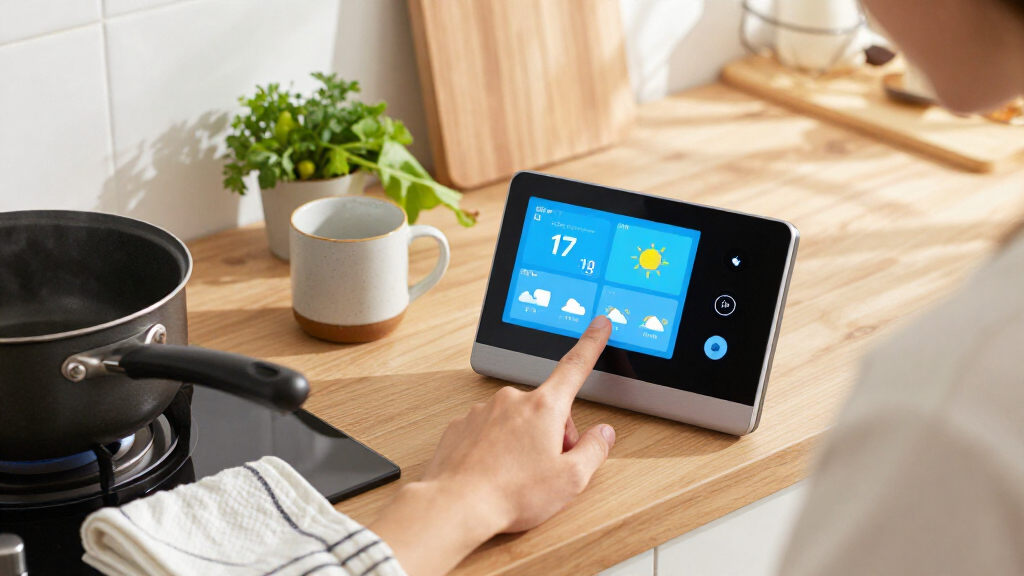

For family routines and smart home control, I’d put the Amazon Echo Show 11 first: its larger Full HD screen and spatial audio make it a well-rounded shared display. The Echo Show 15 is a stronger fit for a kitchen or household command center, while the Echo Hub puts device control ahead of entertainment. The main choice is between a screen built for video and voice assistance, a dedicated control panel, or a compact bedside display—and your preferred Alexa or Google ecosystem matters too. Read on for how all 11 options compare and which one best fits your home.

Get home appliances delivered free with Prime
- Fast, free delivery on millions of items
- Prime Video, Amazon Music and more included
- Member-only deals all year
Complete the kit


Key Takeaways
- Echo Show 11 ranks first for balancing a family-friendly screen, Alexa features, and everyday smart home use.
- Echo Show 15 favors shared spaces with its 15.6-inch screen and Fire TV, but takes up more room than the smaller Echo models.
- Echo Hub is the control-first Alexa pick; choose it for managing connected devices rather than for TV and general entertainment.
- Echo Show 5 and Echo Spot serve smaller spaces, but their compact formats are less suited to household-wide viewing and control.
- Shelly, amazon.com/dp/B0D848YHDT?tag=homeapexgear-20&ascsubtag=dc-1190129″ target=”_blank” rel=”nofollow sponsored noopener”>SONOFF, and eufy fill narrower roles: dedicated wall control, a focused smart home panel, and a security-centered hub, respectively.
| Amazon Echo Show 11 Smart Display with Full HD Touchscreen and Spatial Audio |  | Best for Balanced Family and Smart Home Use | Display: 10.95-inch Full HD touchscreen, 1920 × 1200 | Dimensions: 10 × 5 × 7.2 inches | Weight: 45.92 oz (1302 g) | VIEW ON AMAZON | See Our Full Breakdown |
| Amazon Echo Spot Smart Alarm Clock with Alexa, Black |  | Best Compact Bedside Smart Display | Display: 2.83-inch touchscreen, 240 × 320 px | Dimensions: 4.5 × 4.1 × 4.4 inches | Weight: 14.3 oz (405 g) | VIEW ON AMAZON | See Our Full Breakdown |
| Google Nest Hub 7″ Smart Display with Google Assistant (1st Gen) – Chalk |  | Best Compact Google Assistant Display | Display: 7-inch touchscreen | Dimensions: 7 × 2.65 × 4.65 inches | Weight: 1.8 pounds | VIEW ON AMAZON | See Our Full Breakdown |
| Amazon Echo Show 5 (Newest Model) with Adjustable Stand and USB-C Charging Port, Cloud Blue |  | Best Small Alexa Display with Adjustable Viewing | Display: 5.5-inch smart display | Color: Cloud Blue | Included accessory: Adjustable stand with USB-C charging port | VIEW ON AMAZON | See Our Full Breakdown |
| Amazon Echo Show 15 (2nd Gen) 15.6-Inch Full HD Smart Display with Fire TV and Alexa |  | Best for Family Organization and Wall Display Use | Display: 15.6-inch Full HD, 1920 × 1080 | Dimensions: 16.1 × 10.1 × 1.4 inches | Weight: 4.96 lb | VIEW ON AMAZON | See Our Full Breakdown |
| Amazon Echo Show 5 Smart Display with Alexa, Cloud Blue |  | Best Compact Alexa Display | Display: 5.5 inches | Camera: 2 MP | Color: Cloud Blue | VIEW ON AMAZON | See Our Full Breakdown |
| Shelly Wall Display XL Silver – 10.1″ Touchscreen Wi‑Fi Smart Home Control Panel with Built‑in 5 A Relay |  | Best Large Wall-Mounted Control Panel | Display: 10.1-inch touchscreen | Mounting: Wall mount | Maximum switching current: 5 A | VIEW ON AMAZON | See Our Full Breakdown |
| SONOFF NSPanel Pro 120 Smart Control Panel |  | Best for Zigbee-Centered Control | Display: 4.7-inch screen | Dimensions: 4.8 x 3 x 1.7 inches | Model: NSPanel120PB | VIEW ON AMAZON | See Our Full Breakdown |
| Amazon Echo Hub 8-inch Smart Home Control Panel |  | Best Dedicated Alexa Smart-Home Hub | Display: 8 inches | Connectivity: Wi-Fi, Bluetooth, Zigbee, Matter, Sidewalk, Thread | Smart-home hub: Built-in | VIEW ON AMAZON | See Our Full Breakdown |
| Google Nest Hub (1st Gen) 7-Inch Smart Display, Charcoal |  | Best for Google Assistant Households | Model: Nest Hub (1st Gen) | Display: 7-inch touchscreen | Resolution: 1024 x 600 | VIEW ON AMAZON | See Our Full Breakdown |
| eufy Security Smart Display E10, 8-Inch Smart Home Hub |  | Best for Eufy Security Monitoring | Screen size: 8 inches | Model: T87A0 | Storage: 64GB eMMC | VIEW ON AMAZON | See Our Full Breakdown |
| smart displays for home family and smart home control | Display | Dimensions |
|---|---|---|
| Amazon Echo Show 11 Smart Disp | 10.95-inch Full HD touchscreen, 1920 × 1200 | 10 × 5 × 7.2 inches |
| Amazon Echo Spot Smart Alarm C | 2.83-inch touchscreen, 240 × 320 px | 4.5 × 4.1 × 4.4 inches |
| Google Nest Hub 7" Smart Displ | 7-inch touchscreen | 7 × 2.65 × 4.65 inches |
| Amazon Echo Show 5 | 5.5-inch smart display | — |
| Amazon Echo Show 15 | 15.6-inch Full HD, 1920 × 1080 | 16.1 × 10.1 × 1.4 inches |
| Amazon Echo Show 5 Smart Displ | 5.5 inches | — |
| Shelly Wall Display XL Silver | 10.1-inch touchscreen | — |
| SONOFF NSPanel Pro 120 Smart C | 4.7-inch screen | 4.8 x 3 x 1.7 inches |
| Amazon Echo Hub 8-inch Smart H | 8 inches | — |
| Google Nest Hub | 7-inch touchscreen | 7 x 2.65 x 4.65 inches |
| eufy Security Smart Display E1 | — | — |
More Details on Our Top Picks
Amazon Echo Show 11 Smart Display with Full HD Touchscreen and Spatial Audio
The Echo Show 11 is a strong fit for households that want one screen for shared routines, video calls, and device control without moving up to the wall-filling size of the Echo Show 15. Its 10.95-inch Full HD display gives family calendars, recipes, and camera feeds more room than the Echo Show 8, while its Zigbee, Matter, and Thread hub can simplify connections to compatible smart-home devices. The 13 MP auto-framing camera also suits calls where people may shift around the room, and spatial audio is a better match for casual music listening than a small bedside display. The tradeoff is its substantial footprint: it needs more counter space than a compact Nest Hub or Echo Show 5. Some Alexa+ features also depend on service availability, so I would choose it for its screen and hub first.
Pros:- 10.95-inch Full HD screen gives shared information and video calls room to breathe
- Built-in Zigbee, Matter, and Thread support reduces the need for a separate compatible hub
- 13 MP camera with auto framing helps keep callers in view
- Spatial audio and a woofer suit music and video playback better than smaller Echo displays
Cons:- Large body takes up considerable counter space
- Some Alexa+ features depend on service availability
Best for: Families who want a shared kitchen or living-room screen for video calls, routines, and compatible smart-home devices
Not ideal for: People with crowded counters or shoppers who want a compact display mainly for bedside alarms
- Display:10.95-inch Full HD touchscreen, 1920 × 1200
- Dimensions:10 × 5 × 7.2 inches
- Weight:45.92 oz (1302 g)
- Camera:13 MP with auto framing
- Audio:1 × 2.8-inch woofer and 2 full-range drivers
- Wi-Fi:Wi-Fi 6E
- Smart home hub:Zigbee, Matter, and Thread Border Router
- Processor:AZ3 Pro with AI Accelerator
Our verdict“Choose the Echo Show 11 if you want a roomy family display with broad smart-home connectivity but do not need the Echo Show 15’s oversized screen.”
Amazon Echo Spot Smart Alarm Clock with Alexa, Black
The Echo Spot is aimed at the bedside rather than family-wide viewing: its 2.83-inch screen makes time, weather, and song information glanceable, while Alexa routines bring alarms and compatible smart-home actions into the morning and evening. Unlike the Echo Show 5, it has no camera, which makes it a more comfortable fit for a bedroom where video calling is not a priority. Its speaker can handle podcasts and music, but the small display is not suited to watching shows, reading recipes, or managing several controls at once. The eero Built-in feature may also extend coverage, but only for households with a compatible eero router and linked accounts. I would pick it for a simple bedside routine, not as a substitute for a larger home control screen.
Pros:- Compact footprint suits nightstands and small desks
- Customizable clock faces can show time, weather, and song titles
- Supports Alexa alarms, routines, and compatible smart-home controls
- No camera, with a microphone-off button and app privacy controls
Cons:- Small 2.83-inch screen limits video and detailed smart-home interactions
- eero Built-in coverage extension requires a compatible eero router and linked accounts
Best for: People who want an Alexa alarm clock with a small glanceable screen and no camera in the bedroom
Not ideal for: Families seeking a shared display for video calls, recipes, or viewing camera feeds
- Display:2.83-inch touchscreen, 240 × 320 px
- Dimensions:4.5 × 4.1 × 4.4 inches
- Weight:14.3 oz (405 g)
- Camera:None
- Wi-Fi:Dual-band 802.11a/b/g/n/ac, 2.4 and 5 GHz
- Speaker:1.73-inch full-range built-in speaker
- Bluetooth:A2DP audio streaming and AVRCP voice control
- eero Built-in:Up to 1,000 sq. ft. additional coverage with a compatible eero router
Our verdict“Choose the Echo Spot for bedside alarms and voice routines; choose the Echo Show 5 if you also want a more useful screen for calls and camera viewing.”
Google Nest Hub 7″ Smart Display with Google Assistant (1st Gen) – Chalk
This first-generation Nest Hub suits buyers who want a small Google Assistant touchscreen for reminders, weather, music, photos, and basic smart-home commands. At seven inches, it is easier to place on a desk or kitchen counter than the Echo Show 11, though that compact size also limits how comfortably it can show detailed controls or video. Its Google Home compatibility makes it a natural choice for households already using Google’s smart-home ecosystem, while the Echo Show 5 offers a smaller Alexa-centered alternative with a camera. One detail buyers should plan for: this is a Korean-spec model, and switching it to English requires setup through the Google Home app. I would choose it for straightforward voice-and-touch use, not for a large shared dashboard or buyers who want setup to be language-ready out of the box.
Pros:- Google Assistant supports hands-free requests and compatible smart-home control
- Touchscreen adds a direct way to manage timers, reminders, and media
- Compact dimensions fit kitchens, bedrooms, and desks
- Useful for viewing photos and checking everyday information
Cons:- Korean-spec version may require language changes through the Google Home app
- Seven-inch screen limits multitasking and detailed viewing
Best for: Google Home households wanting a compact screen for voice assistance, reminders, photos, and everyday device control
Not ideal for: Buyers who need a large multitasking display or want an English-ready setup without changing language settings
- Display:7-inch touchscreen
- Dimensions:7 × 2.65 × 4.65 inches
- Weight:1.8 pounds
- Model number:H1A
- Color:Chalk
- Assistant:Google Assistant
- Language setup:Korean-spec model can be switched to English via the Google Home app
Our verdict“Choose this Nest Hub for compact Google Assistant control if you are comfortable changing the setup language and do not need a larger screen.”
Amazon Echo Show 5 (Newest Model) with Adjustable Stand and USB-C Charging Port, Cloud Blue
This Echo Show 5 package makes sense when a small screen needs to sit at a particular height or angle. The adjustable stand can aim the display toward a bed, desk, or kitchen work area, and its USB-C port adds a charging point for a nearby device. Compared with the camera-free Echo Spot, this model supports video calls and camera viewing; compared with the Echo Show 11, it takes up far less room but gives up screen area for shared information and entertainment. Microphone and camera controls offer a straightforward privacy option for bedrooms or offices. The main caveat is the listing’s like-new condition, which may show signs of prior use. The USB-C port is on the stand, so it is not a port on the display itself. This is a flexible small-room pick, not a family command center.
Pros:- Adjustable stand tilts the display for different seating or standing positions
- Stand includes a USB-C charging port for a nearby device
- Supports compatible smart-home control and video calls
- Microphone and camera controls provide physical privacy options
Cons:- Like-new condition may show signs of prior use
- USB-C charging port is located on the stand, not the display
- Five-and-a-half-inch screen is less useful for shared viewing than the Echo Show 11
Best for: Alexa users who want a compact display for bedside or desk use, with video calling and a stand that adjusts the viewing angle
Not ideal for: Households wanting a large shared dashboard, or buyers who require a brand-new unit rather than like-new condition
- Display:5.5-inch smart display
- Color:Cloud Blue
- Included accessory:Adjustable stand with USB-C charging port
- Smart-home control:Supports compatible smart-home devices
- Camera:Built-in camera
- Privacy controls:Microphone and camera controls
- Condition:Like-new condition
Our verdict“Choose this Echo Show 5 if an adjustable, space-saving Alexa display suits your room and you are comfortable with a like-new unit.”
Amazon Echo Show 15 (2nd Gen) 15.6-Inch Full HD Smart Display with Fire TV and Alexa
The Echo Show 15 is the clearest choice here for households that want a shared visual hub rather than a small countertop assistant. Its 15.6-inch Full HD screen gives customizable widgets room for household information, while built-in Fire TV adds a stronger entertainment role than the Echo Show 11. It can sit in landscape or portrait orientation, and its 13 MP auto-framing camera supports video calls while a physical shutter adds privacy. For compatible devices, Zigbee, Matter, and Thread support broadens its smart-home reach. Those strengths come with a larger footprint and a setup that needs suitable placement; the Echo Show 11 is easier to accommodate if counter space is limited. Some skills and streaming services may also require subscriptions or fees. I would favor the Show 15 when organization and viewing space matter more than compactness.
Pros:- Large 15.6-inch Full HD screen accommodates family information and entertainment
- Customizable widgets support a shared home-organization role
- Fire TV provides access to supported streaming apps
- Zigbee, Matter, and Thread support, plus a 13 MP camera with privacy shutter
Cons:- Large dimensions require more deliberate placement than the Echo Show 11
- Some skills and streaming services may require subscriptions or fees
- Does not support ad-hoc Wi-Fi networks
Best for: Families who want a large shared screen for household widgets, streaming, video calls, and compatible smart-home control
Not ideal for: People with limited wall or counter space, or shoppers who need a compact display for a bedroom or small desk
- Display:15.6-inch Full HD, 1920 × 1080
- Dimensions:16.1 × 10.1 × 1.4 inches
- Weight:4.96 lb
- Camera:13 MP with built-in shutter
- Audio:Two 2-inch woofers and two 0.6-inch tweeters
- Wi-Fi:Wi-Fi 6E; supports 802.11a/b/g/n/ac
- Smart-home connectivity:Zigbee, Matter, and Thread Border Router
- Orientation and included accessories:Landscape or portrait; Alexa Voice Remote, batteries, 30 W power adapter, and 5 ft cord
Our verdict“Choose the Echo Show 15 if your household will use its large screen for organization and entertainment; opt for the Echo Show 11 when a smaller footprint matters more.”
Amazon Echo Show 5 Smart Display with Alexa, Cloud Blue
The 5.5-inch Echo Show 5 fits bedside tables, desks, and small counters where a larger screen would crowd the space. It can show weather, photos, news, and compatible camera feeds, while Alexa handles voice requests, music, smart-home commands, and video calls through its 2 MP camera. Compared with the Amazon Echo Hub, this is a more approachable screen for everyday viewing, but it offers less room for a glanceable control dashboard. Its small display also makes video and camera feeds harder to see from across a room, so it is better for close-up use than shared family viewing. The camera shutter and microphone-off button add direct privacy controls, and recycled fabric yarn and aluminum are a material plus.
Pros:- Compact 5.5-inch screen suits crowded bedside tables and desks
- Alexa supports music, compatible smart-home controls, and video calls
- Built-in camera can handle calls and compatible camera monitoring
- Camera shutter and microphone-off button provide direct privacy controls
Cons:- Small screen is less suitable for viewing shows or camera feeds at a distance
- Some smart-home and content features depend on compatible devices or services
Best for: Alexa households wanting a compact bedside or desk display for quick updates, calls, and nearby smart-home controls
Not ideal for: Families who want a screen visible across a kitchen or living room, or buyers who need a large always-on control dashboard
- Display:5.5 inches
- Camera:2 MP
- Color:Cloud Blue
- Connectivity:Alexa, compatible smart-home devices, and video calling
- Privacy features:Microphone and camera-off button; built-in camera shutter
- Recycled materials:Fabric yarn and aluminum made from 100% recycled materials
- Packaging:100% recyclable
Our verdict“Choose the Echo Show 5 for close-range Alexa help in a small space, not as the household’s main shared display.”
Shelly Wall Display XL Silver – 10.1″ Touchscreen Wi‑Fi Smart Home Control Panel with Built‑in 5 A Relay
The Shelly Wall Display XL is built around fixed, room-level control rather than the portable, voice-first approach of the Echo Show 5. Its 10.1-inch touchscreen gives household members a larger place to operate lights, fans, heaters, and other compatible devices without reaching for an app. Four customizable buttons add quick physical controls, while platform support includes Shelly Smart Control, Home Assistant, Alexa, Google, and HomeKit. The built-in 5 A relay can simplify control of a suitable circuit, but it is not a fit for every appliance; the stated limit means buyers should check the load and installation requirements before choosing it. Wall mounting also makes the panel less flexible than the wall-mount-or-stand Echo Hub, and installation may call for an electrician.
Pros:- Large 10.1-inch wall-mounted touchscreen offers room for shared controls
- Built-in 5 A relay can control a suitable circuit without an external switch
- Four customizable buttons provide quick access to frequent actions
- Works with Shelly, Home Assistant, Alexa, Google, and HomeKit
Cons:- The 5 A relay may not support higher-power appliances
- Wall-box installation may require electrical work or an electrician
Best for: Smart-home owners who want a permanently mounted, shared touchscreen for controlling compatible room devices and already have a suitable electrical wall box
Not ideal for: Renters, people seeking a movable tabletop display, or households whose target appliance exceeds the 5 A relay limit
- Display:10.1-inch touchscreen
- Mounting:Wall mount
- Maximum switching current:5 A
- Maximum switching voltage:230 V AC
- Wattage:1150 watts
- Contact type:Normally open
- Connectivity and platforms:Shelly Smart Control, Home Assistant, Alexa, Google, HomeKit; Bluetooth or Sonos audio control
- Compliance:CE, RoHS EU
Our verdict“Pick the Shelly when you want a substantial, fixed control station and have a compatible circuit and installation setup.”
SONOFF NSPanel Pro 120 Smart Control Panel
The SONOFF NSPanel Pro 120 makes more sense as a compact smart-home command point than as a general family screen. Its 4.7-inch display brings lighting, thermostat, energy information, cameras, and security scenes into one panel, while its Zigbee gateway role can help consolidate compatible devices. It also supports saved web pages and phone alerts when configured sensors are triggered, giving it a security-oriented angle that the Google Nest Hub (1st Gen) does not emphasize in its supplied feature details. The tradeoff is scale: its screen is smaller than the Nest Hub’s 7-inch display and far less suited to shared photos or video. Energy tracking depends on compatible devices, and the listed camera support lacks detail about which camera types work, so buyers should confirm compatibility before building around those features.
Pros:- Combines lighting, thermostat, camera, and security-scene controls
- Zigbee gateway supports compatible devices from a central panel
- Configured sensor alerts can notify a phone when triggered
- Can show live camera feeds and daily energy use for compatible devices
Cons:- The 4.7-inch screen is small for shared viewing or media use
- Energy tracking depends on compatible devices
- Provided details do not identify the supported camera types
Best for: Smart-home owners with compatible Zigbee devices who want a compact wall or room control point for routines, security scenes, and camera viewing
Not ideal for: Households seeking a family-friendly media and photo screen, or buyers who need clearly specified camera compatibility and energy tracking across their devices
- Display:4.7-inch screen
- Dimensions:4.8 x 3 x 1.7 inches
- Model:NSPanel120PB
- Connectivity:Zigbee gateway
- Compatible platforms:Alexa, Google, Apple, Home Assistant
- Controls and features:Lighting, thermostats, energy use, cameras, security scenes, and saved web pages
- Included components:NSPanel120PB x 1
Our verdict“Choose the NSPanel Pro 120 for compact Zigbee and security controls, after confirming that your cameras and energy devices are compatible.”
Amazon Echo Hub 8-inch Smart Home Control Panel
The Echo Hub ranks ahead of smaller Alexa displays for households that want a dedicated control surface rather than a compact bedside screen. Its 8-inch customizable dashboard can organize devices, cameras, routines, security controls, and media, while the built-in hub supports Wi-Fi, Bluetooth, Zigbee, Matter, Sidewalk, and Thread. That broad protocol mix gives it a wider smart-home role than the Echo Show 5, whose smaller screen is better suited to nearby updates and calls. The Echo Hub can be wall mounted or placed on a separately sold tabletop stand, though setup costs can extend beyond the panel: a PoE adapter, cable pass-throughs, and stand are also sold separately. Some features depend on compatible subscriptions, so it is strongest for Alexa-centered homes prepared to check accessory and service needs.
Pros:- Customizable 8-inch dashboard groups smart-home controls in one place
- Built-in hub supports Wi-Fi, Bluetooth, Zigbee, Matter, Sidewalk, and Thread
- Supports camera viewing, routines, security controls, and media
- Can be wall mounted or used with an optional tabletop stand
Cons:- Tabletop stand, PoE adapter, and cable pass-throughs are sold separately
- Some features require Alexa+ or a compatible Ring subscription
Best for: Alexa households with a mix of connected devices that want a central dashboard for cameras, routines, security, and media
Not ideal for: Buyers who need a ready-to-use tabletop package, want a general-purpose media display, or prefer not to depend on optional accessories or subscriptions
- Display:8 inches
- Connectivity:Wi-Fi, Bluetooth, Zigbee, Matter, Sidewalk, Thread
- Smart-home hub:Built-in
- Installation:Wall mount or optional tabletop stand
- Privacy features:Microphone-off button and multiple privacy controls
- Recycled materials:27%
- Packaging:97% wood fiber-based materials from responsibly managed forests or recycled sources
Our verdict“The Echo Hub is a strong fit for Alexa-first homes seeking a central, multi-protocol control panel, provided the extra setup needs suit your space.”
Google Nest Hub (1st Gen) 7-Inch Smart Display, Charcoal
The Google Nest Hub (1st Gen) is the straightforward choice for homes already using Google Assistant and services such as Google Photos, YouTube, or Spotify. Its 7-inch touchscreen balances glanceable updates with photos and supported streaming, making it more comfortable for shared viewing than the 5.5-inch Echo Show 5. Google Assistant handles hands-free requests, while compatibility with devices from more than 50 brands gives it a useful role in a mixed smart home. Compared with the Echo Hub, though, the Nest Hub is framed more as a general smart display than a dedicated multi-protocol control panel; the provided details list Wi-Fi but do not specify a built-in smart-home hub. Its 1024 x 600 resolution is also modest, and buyers should plan for a nearby power outlet because no battery is specified.
Pros:- Google Assistant supports hands-free requests and smart-home commands
- Seven-inch touchscreen suits photos, reminders, and shared glanceable information
- Works with more than 200 devices from 50-plus brands
- Supports Google Photos, Spotify, and YouTube
Cons:- 1024 x 600 resolution is limited for detailed video viewing
- No battery is specified, so placement may depend on access to a power outlet
- Provided specifications list Wi-Fi but do not identify a built-in smart-home hub
Best for: Google Assistant households wanting a medium-size screen for photos, reminders, streaming, and everyday control of compatible devices
Not ideal for: Buyers who need a dedicated multi-protocol hub, a high-resolution media screen, or a display they can place away from a power outlet
- Model:Nest Hub (1st Gen)
- Display:7-inch touchscreen
- Resolution:1024 x 600
- Connectivity:Wi-Fi
- Supported services:Google Photos, Spotify, YouTube
- Smart-home compatibility:More than 200 devices from 50-plus brands
- Dimensions:7 x 2.65 x 4.65 inches
- Color:Charcoal
Our verdict“Choose the Nest Hub for a Google-centered home that values photos and everyday Assistant help over a dedicated control-panel feature set.”
eufy Security Smart Display E10, 8-Inch Smart Home Hub
I’d choose the eufy Security Smart Display E10 when security cameras and door alerts matter more than general-purpose smart display features. It can show up to four live camera feeds at once, then bring up a live view with a voice alert for events such as a doorbell ring, an unlocked door, or camera detection. Local event storage gives household members a way to replay footage, while daily summaries can draw on HomeBase 3 facial and package recognition. That focus sets it apart from the Amazon Echo Show 11, which is a broader family display with a larger screen and spatial audio. The tradeoff is a narrower role: recognition summaries depend on HomeBase 3, and this E10 is most useful in a home already built around eufy security devices.
Pros:- Shows up to four security camera feeds simultaneously
- Voice alerts can bring attention to doorbell, door, and camera events
- 64GB eMMC storage supports local event playback
- Daily summaries can use HomeBase 3 facial and package recognition
Cons:- Facial and package recognition features depend on HomeBase 3
- Its security-first purpose is less suited to general entertainment and family display needs than the Echo Show 11
- The 8-inch screen is smaller than larger household displays such as the Echo Show 15
Best for: Households with eufy cameras or a doorbell that want a dedicated screen for live monitoring, event alerts, and locally stored playback.
Not ideal for: Shoppers seeking a general family display for entertainment, a large shared screen, or security summaries without the required HomeBase 3 setup.
- Screen size:8 inches
- Model:T87A0
- Storage:64GB eMMC
- Simultaneous live camera feeds:Up to four
- Item weight:2.46 pounds
- Color:Black and white
- Power adapter:5V/2A adapter included
- Included accessories:Charging station, Type-C charging cable, and wall mount
Our verdict“Choose the E10 if your household uses eufy security devices and wants camera monitoring on a dedicated display; skip it if you need a broader smart display.”
How We Picked
I ranked these displays by how well they serve the roundup’s two main jobs: helping a household share information and media, and making smart home devices easier to control. I weighed screen size and usability, voice-assistant ecosystem, control-panel focus, suitability for shared or personal spaces, and how much the product’s design limits its role. A screen that can handle several daily tasks ranked ahead of one that serves a narrower purpose, unless that specialized purpose is exactly what makes it useful.
The ranking reflects those tradeoffs rather than treating every display as interchangeable. The Echo Show 11 leads as the most balanced option; the Show 15 follows for families who can use its larger screen, while the Echo Hub sits higher among control-focused picks than entertainment devices. Compact Echo models, older Google Nest Hub listings, and dedicated Shelly, SONOFF, and eufy panels rank according to their fit for particular rooms, ecosystems, and home-control needs. Because two listings are first-generation Nest Hub products and two are Echo Show 5 variants, I treat them as closely related options rather than assuming their names alone signal different capabilities.
Factors to Consider When Choosing 13 Best Smart Displays For Home Family And Smart Home Control
Before choosing a screen, I’d start with the room and the household job it needs to do. A kitchen information center has different demands from a bedside clock or a wall-mounted control panel, and the best fit depends on how your family uses devices day to day.
Match the Assistant to Your Existing Devices
Choose the ecosystem before comparing screen sizes. Alexa-oriented models make the most sense in a home already using Alexa routines and compatible devices, while a Nest Hub belongs more naturally with Google’s services and assistant habits. Specialized panels may have their own compatibility requirements, so check whether your lights, switches, sensors, and other equipment can be controlled through the interface you intend to use. Mixing ecosystems can still work, but it may split routines and controls across apps or voice commands. I would verify support for the devices you own rather than assuming that a smart display can control every connected product.
Think About Long-Term Use, Not Just the First Setup
Smart displays rely on software, connected services, and compatible devices, so a device’s usefulness can change as a household adds equipment or routines. Consider whether the product’s assistant and control interface will still fit if you switch phones, add a different brand of smart devices, or change how family members share schedules. A specialized control panel may be a tidy solution for a stable setup but less flexible if your system changes. A general-purpose display can cover more tasks, though it may not offer the same focused control experience. I’d favor the device that fits the home’s likely habits over a feature list that only sounds useful at setup.
Frequently Asked Questions
Is the Echo Show 11 a better family display than the Echo Show 15?
It depends on whether your household needs a balanced screen or a large shared surface. The Echo Show 11 is the more flexible everyday pick for voice assistance, viewing, and smart home tasks without committing to the Show 15’s larger footprint. The Show 15 makes more sense when family members will regularly use its 15.6-inch display and Fire TV features in a shared room. If counter or wall space is limited, the larger model may be harder to place well. Choose the Show 15 for a household command-center role, and the Show 11 for a broader set of daily uses.
Should I buy an Echo Hub or an Echo Show for smart home control?
Pick the Echo Hub if controlling compatible devices is the display’s primary job and you want a panel centered on that task. An Echo Show is a better match when the same screen will also handle media, voice assistance, and general household use. The distinction matters because a control-focused device is not automatically a better all-purpose screen. Before choosing, check that your devices and routines work with the panel’s ecosystem. If you want one screen to do several jobs, the Echo Show line is the safer fit; if you want a dedicated control point, favor the Hub.
Are the first-generation Google Nest Hub listings suitable for a new smart home setup?
They may suit buyers who already use Google Assistant and want a compact screen for basic household tasks, but these listings are explicitly first-generation models. That makes it sensible to verify current compatibility, software support, and service availability before building a new setup around one. They are not direct substitutes for the larger Echo Show models if your priorities include a more expansive shared display or Alexa-based control. Consider whether your existing devices already work well with Google’s ecosystem. If you are starting from scratch, compare current device support rather than relying on the product name alone.
Can I use a compact Echo Show 5 or Echo Spot as the main family display?
You can, but their smaller formats are better suited to personal spaces, such as a bedside table or a small counter, than to a household command center. A compact screen may be harder for several people to read at once and offers less room for shared information. The Echo Show 5 provides a touchscreen, while the Echo Spot is more clock-oriented, so they do not serve identical roles. If family members need to check calendars, recipes, or controls from across a room, a larger display is likely a better choice. Choose a compact model when placement and personal routines matter more than shared viewing.
When does a dedicated wall panel make more sense than a countertop display?
A wall panel makes sense when several people need a consistent, visible place to control home devices and the installation location is practical for everyday use. The Shelly Wall Display XL and SONOFF NSPanel Pro are more specialized than general-purpose Echo screens, so their fit depends on your existing equipment and control needs. A wall-mounted device can free counter space, but it is less convenient to move if you change the room layout. Check compatibility, mounting, and power requirements before buying, especially for a panel with a relay. If you rent, want portable placement, or plan to use the screen for video, a countertop model may be easier to live with.
Conclusion
For most households seeking one screen for family routines and smart home tasks, I’d choose the Amazon Echo Show 11 as best overall. The Echo Show 15 is my best premium-style fit for families who will use a large shared screen and Fire TV, while the Echo Show 5 is the best value-style compact pick for a smaller room or counter. For beginners already using Alexa, a general-purpose Echo Show is the simplest starting point; for a control-first setup, choose the Echo Hub. Pick the Shelly or SONOFF panel for a dedicated installation that matches your devices, and the eufy Security Smart Display E10 when security-centered hub use is the priority. The right choice comes down to where the screen will live, which ecosystem your home uses, and whether your first priority is shared viewing or direct control.
Halloween Picks
halloween
As an affiliate, we earn on qualifying purchases.