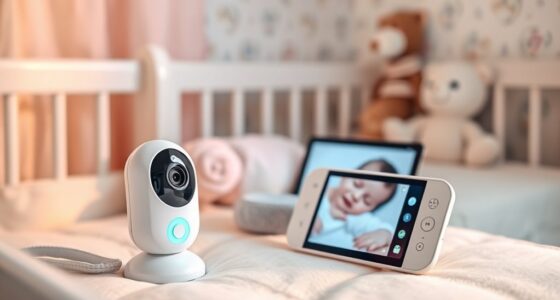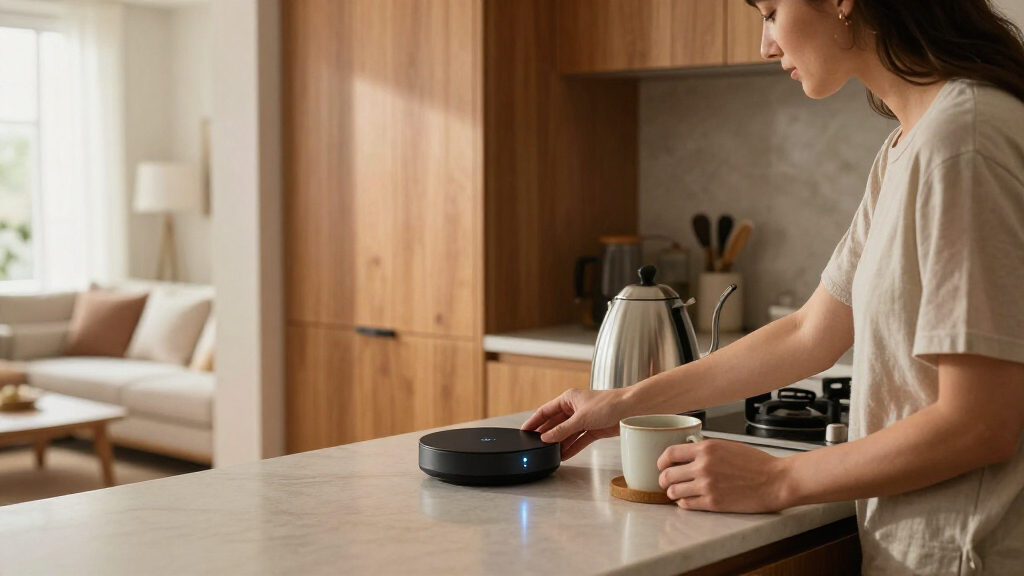

The best smart home hub for most households is the Aqara Smart Hub M3, thanks to its broad protocol support and role as a Matter controller. For a more customizable system, Home Assistant Green offers deep control, while the Amazon Echo Hub makes everyday device management more approachable with a dedicated touchscreen. The main tradeoffs are compatibility, setup effort, and whether you want a screen, local control, or a focused bridge for specific devices. A hub that works well with one ecosystem may not connect every accessory you already own. Read on for the full comparison and advice on choosing the right fit.

Get home appliances delivered free with Prime
- Fast, free delivery on millions of items
- Prime Video, Amazon Music and more included
- Member-only deals all year
Complete the kit


![[Genuine] Waterdrop PF-01A Water Filter Replacement for W...](https://m.media-amazon.com/images/I/41+5tl9EiKL._SX342_SY445_QL70_FMwebp_.jpg)
Key Takeaways
- Aqara Smart Hub M3 earns the best-overall position because it combines multiple connection options with Matter controller features, making it a stronger cross-device choice than a hub built around one accessory family.
- Home Assistant Green is the control-and-customization pick, but its flexibility suits people willing to spend time configuring a system better than buyers seeking a ready-made touchscreen experience.
- The Echo Hub and Echo Show 15 serve different jobs: the Echo Hub centers on smart-amazon.com/dp/B0CXVKSG19?tag=homeapexgear-20&ascsubtag=dc-1165090″ target=”_blank” rel=”nofollow sponsored noopener”>home controls, while the larger Show 15 adds a kitchen display and Fire TV features.
- Several Tapo and Aqara models are focused bridges rather than universal command centers. Their chimes, sensors, or IR control can be useful, but buyers should match the hub to the accessories they own.
- Protocol breadth does not automatically mean easy setup. The Aeotec hub, Lutron Caséta hub, and SONOFF Bridge Max each make more sense when their particular ecosystem or device needs match the home.
| Home Assistant Green Smart Home Hub |  | Best for Local Control and Custom Automations | Operating system: Home Assistant OS | Processor: Quad-core | RAM: 4 GB LPDDR4X | VIEW LATEST PRICE | See Our Full Breakdown |
| Aqara Smart Hub M200 – Matter Controller with Zigbee, Wi‑Fi, IR and PoE |  | Best Multi-Protocol Hub for Aqara Setups | Model: HM-G03E | Smart home roles: Matter controller, Thread border router, Matter bridge | Device capacity: Up to 40 Zigbee and 40 Thread devices | VIEW LATEST PRICE | See Our Full Breakdown |
| Amazon Echo Hub 8-Inch Smart Home Control Panel |  | Best Wall-Mounted Control Panel | Screen size: 8 inches | Connectivity: Wi-Fi, Bluetooth, Zigbee, Matter, Sidewalk, Thread | Mounting: Wall-mounted; compatible with separately sold tabletop stands | VIEW LATEST PRICE | See Our Full Breakdown |
| TP-Link Tapo H110 Matter-Certified Smart IR Hub with Chime |  | Best for Infrared Appliances and Audible Alerts | Connectivity: 2.4 GHz Wi-Fi | Compatibility: Matter; Alexa, Google Assistant, and Apple Home | IR appliance types: 18 | VIEW LATEST PRICE | See Our Full Breakdown |
| SwitchBot Hub 3 Smart Home Hub with IPS Screen and Dial Control |  | Best Compact Hub with Physical Controls | Display: 2.4-inch IPS screen | Connectivity: 2.4 GHz Wi-Fi, Bluetooth, infrared, Matter | Matter device support: Up to 30 devices | VIEW LATEST PRICE | See Our Full Breakdown |
| eufy Security Smart Display E10, 8-Inch Smart Home Hub |  | Best for Security Camera Monitoring | Screen size: 8 inches | Storage: 64GB eMMC | Weight: 2.46 pounds | VIEW LATEST PRICE | See Our Full Breakdown |
| Lutron Caséta Smart Hub for Alexa, Apple HomeKit, Google Assistant, and More | 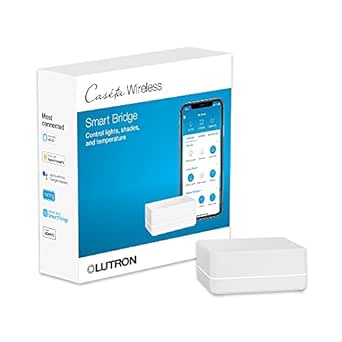 | Best for Caséta Lighting Control | Model: L-BDG2-WH | Supported devices: Up to 75 Caséta devices | Connectivity: Clear Connect; connects to a Wi-Fi router | VIEW LATEST PRICE | See Our Full Breakdown |
| Tapo Smart Hub H200 with Built-in Chime (2.4 GHz Wi‑Fi) | 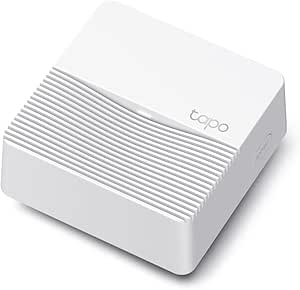 | Best for Tapo Sensors and Doorbells | Model: Tapo H200 | Supported devices: Up to 64 switches, sensors, or buttons and four cameras or doorbells | Local storage: microSD card up to 512GB; card not included | VIEW LATEST PRICE | See Our Full Breakdown |
| Aeotec Smart Home Hub (V3, 2020) |  | Best for Multi-Protocol Automation | Model: V3 Smart Home Hub (2020) | Model number: GP-AEOHUBV3US | Connectivity: Ethernet, Wi-Fi, Z-Wave, Zigbee, and Matter | VIEW LATEST PRICE | See Our Full Breakdown |
| Aqara Hub M1S Gen 2 Smart Home Hub |  | Best for Aqara Device Automations | Connectivity: 2.4GHz Wi-Fi and Zigbee 3.0 | Maximum Aqara devices: Up to 128 with Zigbee repeaters | Compatible platforms: Apple HomeKit, Google Assistant, Alexa, and IFTTT | VIEW LATEST PRICE | See Our Full Breakdown |
| TP-Link Tapo H100 Smart Hub with Built-In Chime |  | Best for Tapo Sensor Setups | Device capacity: Up to 64 Tapo devices | Compatible devices: Tapo smart sensors, switches, and buttons | Connectivity: Wireless; 2.4 GHz Wi-Fi required for setup | VIEW LATEST PRICE | See Our Full Breakdown |
| SONOFF Bridge Max Smart Home Hub (Bridge-M) |  | Best for Local Matter Bridging | Model: Bridge-M | Connectivity: Wi-Fi, Ethernet, Zigbee | Protocols: IEEE 802.11a/b/g/n/ac/ax Wi-Fi; IEEE 802.15.4 Zigbee | VIEW LATEST PRICE | See Our Full Breakdown |
| Echo Show 15 – Full HD 15.6″ Kitchen Hub with Built-in Fire TV and Alexa |  | Best Smart Display Hub | Display: 15.6-inch, 1920 x 1080 Full HD | Dimensions: 16.1 x 10.1 x 1.4 inches | Weight: 4.96 lb | VIEW LATEST PRICE | See Our Full Breakdown |
| Aqara Smart Home Hub M3 |  | Best for Advanced Local Automations | Model: HM-G01E | Connectivity: Zigbee, Thread, Bluetooth, dual-band Wi-Fi (2.4/5 GHz), PoE, USB-C | Device capacity: Up to 127 Aqara Zigbee devices and 127 Thread devices | VIEW LATEST PRICE | See Our Full Breakdown |
| smart home hub | Connectivity | Dimensions | Model | Weight |
|---|---|---|---|---|
| Home Assistant Green Smart Hom | Gigabit Ethernet, USB, Bluetooth | 4.41 × 4.41 × 1.26 inches | — | — |
| Aqara Smart Hub M200 | Matter, Thread, Zigbee, dual-band Wi-Fi, IR | 3.93 × 3.93 × 1.21 inches | HM-G03E | 4.6 ounces |
| Amazon Echo Hub 8-Inch Smart H | Wi-Fi, Bluetooth, Zigbee, Matter, Sidewalk, Thread | — | — | — |
| TP-Link Tapo H110 Matter-Certi | 2.4 GHz Wi-Fi | — | — | — |
| SwitchBot Hub 3 Smart Home Hub | 2.4 GHz Wi-Fi, Bluetooth, infrared, Matter | 3.7 × 1.5 × 4.96 inches | W7202100 | 1.1 pounds |
| eufy Security Smart Display E1 | — | — | T87A0 | 2.46 pounds |
| Lutron Caséta Smart Hub for Al | Clear Connect; connects to a Wi-Fi router | 1.44 x 2.94 x 4.69 inches | L-BDG2-WH | — |
| Tapo Smart Hub H200 with Built | — | 2.81 x 2.81 x 1.23 inches | Tapo H200 | 73g |
| Aeotec Smart Home Hub | Ethernet, Wi-Fi, Z-Wave, Zigbee, and Matter | — | V3 Smart Home Hub (2020) | 1.1 pounds |
| Aqara Hub M1S Gen 2 Smart Home | 2.4GHz Wi-Fi and Zigbee 3.0 | 3.15 x 3.15 x 1.63 inches | — | — |
| TP-Link Tapo H100 Smart Hub wi | Wireless; 2.4 GHz Wi-Fi required for setup | 2.83 x 2.01 x 2.24 inches | — | 0.07 kg |
| SONOFF Bridge Max Smart Home H | Wi-Fi, Ethernet, Zigbee | — | Bridge-M | 2.88 ounces |
| Echo Show 15 | — | 16.1 x 10.1 x 1.4 inches | — | 4.96 lb |
| Aqara Smart Home Hub M3 | Zigbee, Thread, Bluetooth, dual-band Wi-Fi (2.4/5 GHz), PoE, USB-C | — | HM-G01E | — |
More Details on Our Top Picks
Home Assistant Green Smart Home Hub
Home Assistant Green is my pick for buyers who want a flexible hub with home data kept on the device. Home Assistant OS comes preinstalled, so the core platform is ready to set up, and its fanless, compact design runs silently. Compared with the Echo Hub, which emphasizes a visual Alexa control panel and built-in radios, Green is better suited to people who want to build and tailor automations rather than manage everything from a touchscreen.
The tradeoff is that Green needs a wired Ethernet connection, and Zigbee, Z-Wave, or Thread requires separate USB hardware. That makes it less plug-and-play for wireless-device newcomers than the Echo Hub or Aqara Hub M200. Choose Green if local control and customization matter more than having every radio included.
Pros:- Home Assistant OS is preinstalled, giving buyers a ready platform for custom automations
- Local data storage supports a home setup less dependent on cloud services
- Compact, fanless construction operates silently
- Two USB ports allow expansion with compatible Zigbee, Z-Wave, or Thread devices
Cons:- Requires an Ethernet connection rather than Wi-Fi
- Zigbee, Z-Wave, and Thread require separately obtained USB devices
- More setup and configuration work than a screen-led hub such as the Amazon Echo Hub
Best for: Smart home enthusiasts who want locally managed automations and are comfortable adding USB radios as their device mix grows
Not ideal for: Buyers who need a wireless hub with Zigbee, Thread, or Z-Wave built in, or who cannot place a hub near Ethernet
- Operating system:Home Assistant OS
- Processor:Quad-core
- RAM:4 GB LPDDR4X
- Storage:32 GB
- Connectivity:Gigabit Ethernet, USB, Bluetooth
- USB ports:2
- Dimensions:4.41 × 4.41 × 1.26 inches
Our verdict“Choose Home Assistant Green if you want a quiet, locally focused automation hub and accept adding radios and using Ethernet.”
Aqara Smart Hub M200 – Matter Controller with Zigbee, Wi‑Fi, IR and PoE
The Aqara Hub M200 earns its place for buyers building around several current smart home standards. It combines a Matter controller, Thread border router, Matter bridge, and support for up to 40 Zigbee and 40 Thread devices. Its IR blaster also adds a job the Home Assistant Green does not provide on its own: controlling compatible air conditioners with status feedback. Local automations can respond without a cloud connection, while PoE or USB-C power gives more placement options than a hub that depends on a single power method.
This is not the broadest choice for mixed-brand Zigbee homes: the supplied information says third-party Zigbee devices are unsupported. Only one AC device can be exposed to Matter at a time, and the USB power adapter is not included. I’d choose it for an Aqara-centered setup, not as a universal replacement for a more open hub.
Pros:- Combines Matter, Thread, Zigbee, Wi-Fi, and IR functions in one hub
- Supports up to 40 Zigbee and 40 Thread devices
- IR blaster with feedback can control compatible air conditioners
- Local automations and PoE or USB-C power offer flexibility during setup and use
Cons:- Does not support third-party Zigbee devices
- Only one AC device can be exposed to Matter at a time
- USB power adapter is not included
Best for: Aqara users who want Matter, Thread, Zigbee, IR air-conditioner control, and local automations in one compact hub
Not ideal for: Households relying on third-party Zigbee accessories or buyers who need to expose multiple IR-controlled AC units to Matter
- Model:HM-G03E
- Smart home roles:Matter controller, Thread border router, Matter bridge
- Device capacity:Up to 40 Zigbee and 40 Thread devices
- Connectivity:Matter, Thread, Zigbee, dual-band Wi-Fi, IR
- Power options:PoE and USB-C
- Dimensions:3.93 × 3.93 × 1.21 inches
- Weight:4.6 ounces
Our verdict“Pick the Aqara Hub M200 for an Aqara-focused, multi-protocol setup, but skip it if your Zigbee devices come from many brands.”
Amazon Echo Hub 8-Inch Smart Home Control Panel
The Amazon Echo Hub is the clearest choice here for people who want a shared, at-a-glance control point on the wall. Its 8-inch customizable dashboard brings compatible devices, cameras, routines, security systems, and media into one visible interface. Built-in support for Zigbee, Matter, Thread, Bluetooth, and Sidewalk also means it can connect with a varied device mix without the USB add-ons required by Home Assistant Green.
That convenience comes with a different emphasis: this is an Alexa-oriented control panel, not the same kind of locally customizable platform as Green. Wall mounting is supported, but a tabletop stand and PoE accessories are separate purchases. Ring camera summaries also depend on Alexa+ and a compatible Ring subscription. I’d favor the Echo Hub over the SwitchBot Hub 3 when a larger shared screen matters more than physical dial controls or a compact desk-friendly footprint.
Pros:- Large 8-inch customizable dashboard makes device control visible to the household
- Built-in support for Zigbee, Matter, Thread, Wi-Fi, Bluetooth, and Sidewalk
- Can manage compatible cameras, security systems, routines, and media
- Includes a microphone-off button and other privacy controls
Cons:- Tabletop stand and PoE accessories are sold separately
- Wall installation may not suit buyers who want a portable or discreet hub
- Ring camera summaries require Alexa+ and a compatible Ring subscription
Best for: Alexa households that want a wall-mounted shared dashboard for compatible smart devices, cameras, routines, and security
Not ideal for: Buyers seeking a small hub without a screen, a self-contained tabletop setup, or deeper local automation customization
- Screen size:8 inches
- Connectivity:Wi-Fi, Bluetooth, Zigbee, Matter, Sidewalk, Thread
- Mounting:Wall-mounted; compatible with separately sold tabletop stands
- Recycled materials:27%
- Packaging:97% wood fiber-based materials from responsibly managed forests or recycled sources
- Privacy controls:Microphone-off button and multiple privacy controls
Our verdict“Choose the Echo Hub if you want Alexa’s smart home controls on a dedicated wall display with multiple built-in connectivity standards.”
TP-Link Tapo H110 Matter-Certified Smart IR Hub with Chime
The Tapo H110 makes the most sense when the smart home includes appliances that still rely on infrared remotes. It can control compatible IR devices across 18 appliance types and more than 8,000 brands, while its built-in chime adds an audible alert that neither the Home Assistant Green nor the SwitchBot Hub 3 lists as a core feature. Matter support and compatibility with Alexa, Google Assistant, and Apple Home make it easier to fit into an existing platform mix.
Core automations can continue locally during internet outages, but IR still depends on the appliance being within range of the hub. The H110 uses 2.4 GHz Wi-Fi and needs a separate 5V⎓2A power adapter, so it is less self-contained than its compact form may suggest. Choose it for legacy IR control and alerts, not as a high-end protocol hub.
Pros:- Controls compatible infrared appliances from more than 8,000 brands
- Supports Matter and Alexa, Google Assistant, and Apple Home
- Built-in chime and 93 dB alarm add audible alerts
- Core automations can run locally during internet outages
Cons:- Requires a separate 5V⎓2A USB power adapter
- Infrared control requires the appliance to be within the hub’s IR range
- Connectivity is limited to 2.4 GHz Wi-Fi
Best for: Households that want to bring IR-controlled appliances into a Matter-friendly setup and receive audible alerts from Tapo automations
Not ideal for: Buyers whose appliances are outside IR range, who need advanced multi-protocol radio support, or who want the power adapter included
- Connectivity:2.4 GHz Wi-Fi
- Compatibility:Matter; Alexa, Google Assistant, and Apple Home
- IR appliance types:18
- Supported IR brands:More than 8,000
- Built-in alarm volume:93 dB
- Power:5V⎓2A USB power adapter required; sold separately
- App compatibility:iOS 12+ and Android 6.0+
Our verdict“Choose the Tapo H110 if IR appliance control and a built-in alert chime matter more than broad radio support.”
SwitchBot Hub 3 Smart Home Hub with IPS Screen and Dial Control
The SwitchBot Hub 3 stands apart by giving smart home control a small screen and tactile interface rather than a wall-sized dashboard. Its 2.4-inch IPS display shows home status, temperature, and humidity, while a physical dial and scene buttons offer quick control without opening an app. It supports compatible infrared appliances, SwitchBot devices, and up to 30 Matter devices, making it a more hands-on option than the Tapo H110, whose standout strength is IR control paired with an audible chime.
The Hub 3 is a better fit for a SwitchBot-centered setup than for a home built around varied wireless protocols. It needs 2.4 GHz Wi-Fi, does not support RF devices, and some functions rely on separately sold SwitchBot products. Compared with the Echo Hub, its physical controls and smaller footprint are appealing, but its display is not a household-wide dashboard.
Pros:- Physical dial and customizable scene buttons provide direct control
- Screen shows home status, temperature, and humidity
- Controls compatible IR appliances and SwitchBot devices
- Supports Matter devices and works with Alexa, Google Assistant, and Apple Home
Cons:- Requires a 2.4 GHz Wi-Fi network
- Does not support RF devices
- Some features require separately sold SwitchBot devices
Best for: SwitchBot users who want a compact status screen, physical scene controls, and support for compatible IR and Matter devices
Not ideal for: Households that rely on RF devices, need a large shared display, or expect every sensor and automation feature to work without extra SwitchBot devices
- Display:2.4-inch IPS screen
- Connectivity:2.4 GHz Wi-Fi, Bluetooth, infrared, Matter
- Matter device support:Up to 30 devices
- Temperature sensor accuracy:±0.2°C
- Dimensions:3.7 × 1.5 × 4.96 inches
- Weight:1.1 pounds
- Model:W7202100
Our verdict“Pick the SwitchBot Hub 3 if you want tactile controls and a compact status display for a SwitchBot-leaning smart home.”
eufy Security Smart Display E10, 8-Inch Smart Home Hub
The eufy Security Smart Display E10 is a focused pick for households that want a dedicated view of their security system, rather than a hub built to connect many brands of devices. Its 8-inch touchscreen can show four live camera feeds, while hands-free alerts can bring up a view when a doorbell rings, a door unlocks, or a camera detects activity. Local event storage and daily reports make it easier to review what happened without relying solely on live notifications. Compared with the Tapo Smart Hub H200, which coordinates sensors and cameras in a compact hub, the E10 prioritizes at-a-glance video monitoring. The tradeoff is a narrower role: facial and package recognition depend on HomeBase 3, and the supplied details don’t describe broad compatibility with other smart home ecosystems.
Pros:- Displays up to four live camera feeds at once
- Hands-free alerts can show relevant camera views for door, doorbell, and camera events
- Stores event footage locally for playback
- Daily security reports make activity easier to review
Cons:- Facial and package recognition features rely on HomeBase 3
- Its main strengths center on eufy security devices rather than broad smart home device control
Best for: eufy camera and doorbell owners who want a central screen for live feeds, alerts, and recorded security events
Not ideal for: Shoppers seeking a brand-agnostic automation hub or recognition features without an existing HomeBase 3
- Screen size:8 inches
- Storage:64GB eMMC
- Weight:2.46 pounds
- Color:Black and white
- Model:T87A0
- Included components:5V/2A adapter, charging station, Type-C charging cable, and wall mount
Our verdict“Choose the E10 if eufy security cameras are the center of your setup and you want a dedicated screen for monitoring them.”
Lutron Caséta Smart Hub for Alexa, Apple HomeKit, Google Assistant, and More
The Lutron Caséta Smart Hub earns its place by doing a narrower job well: coordinating compatible Caséta lighting and shade devices with schedules, scenes, and geofencing. It can connect up to 75 Caséta devices and links them with Alexa, Apple HomeKit, Google Assistant, Ring, and Sonos. Its Clear Connect radio keeps compatible devices off the crowded Wi-Fi band, which can be useful in homes with many wireless gadgets. Unlike the Aeotec Smart Home Hub, it isn’t presented as a multi-protocol hub for Zigbee, Z-Wave, and Matter equipment; its strength is a focused Caséta system. That means buyers need to commit to compatible Lutron accessories, which are sold separately, and complete router and app setup. I’d choose it for lighting control, not as the sole hub for a mixed-brand smart home.
Pros:- Supports up to 75 compatible Caséta devices
- Works with Alexa, Apple HomeKit, Google Assistant, Ring, Serena shades, and Sonos
- Schedules, scenes, and geofencing support routine-based lighting control
- Clear Connect wireless technology avoids competing with Wi-Fi devices
Cons:- Caséta switches, dimmers, and coordinating accessories are sold separately
- Requires a router connection and setup through the Lutron app
- Its device support is focused on the Caséta ecosystem rather than broad multi-protocol control
Best for: Households building around Caséta dimmers, switches, and shades who want schedules and voice-assistant integration
Not ideal for: Buyers who need one hub for a mix of Zigbee, Z-Wave, Matter, and other brands, or who do not plan to buy Caséta devices
- Model:L-BDG2-WH
- Supported devices:Up to 75 Caséta devices
- Connectivity:Clear Connect; connects to a Wi-Fi router
- Compatible platforms:Amazon Alexa, Apple HomeKit, Google Assistant, Ring, Serena shades, and Sonos
- Operating voltage:120 volts
- Dimensions:1.44 x 2.94 x 4.69 inches
Our verdict“Pick this hub when Caséta lighting is your priority, but choose the Aeotec hub for broader protocol coverage.”
Tapo Smart Hub H200 with Built-in Chime (2.4 GHz Wi‑Fi)
The Tapo Smart Hub H200 suits a home that is growing around Tapo sensors, switches, buttons, cameras, and doorbells. It supports up to 64 switches, sensors, or buttons plus four cameras or doorbells, giving those devices a shared control point instead of leaving each one to operate alone. A built-in chime can also serve as an alarm, while local microSD storage offers a way to keep supported recordings on-site. Its low-power Sub-1G wireless connection is designed to help compatible sensors use less battery. Compared with the security-screen-focused eufy E10, the H200 is a compact ecosystem hub, not a display for watching several feeds. Its limits are ecosystem fit and add-ons: compatible devices must use the right regional frequency band, and the microSD card is not included.
Pros:- Connects up to 64 switches, sensors, or buttons and four cameras or doorbells
- Built-in chime offers customizable ringtones and can act as an alarm
- Supports local microSD storage up to 512GB
- Sub-1G wireless is designed to extend compatible sensor battery life
Cons:- Compatible device frequency bands vary by region
- MicroSD card for local storage is sold separately
- Device support is centered on compatible Tapo products
Best for: Tapo users assembling a sensor-and-camera setup who want a central hub, audible alerts, and optional local storage
Not ideal for: Shoppers with devices outside the Tapo ecosystem or buyers who want a large screen for continuous camera viewing
- Model:Tapo H200
- Supported devices:Up to 64 switches, sensors, or buttons and four cameras or doorbells
- Local storage:microSD card up to 512GB; card not included
- Wireless:Sub-1G for compatible devices; 2.4GHz Wi-Fi
- Maximum range:30 meters
- Dimensions:2.81 x 2.81 x 1.23 inches
- Weight:73g
- Voice control:Amazon Alexa and Google Home
Our verdict“Choose the H200 for a Tapo-centered sensor and camera system, not for broad cross-brand automation or live-feed viewing.”
Aeotec Smart Home Hub (V3, 2020)
The Aeotec Smart Home Hub V3 is the strongest fit here for shoppers who want one controller for devices using different wireless standards. Its support for Matter, Z-Wave Plus, Zigbee, Wi-Fi, and Ethernet gives it broader protocol reach than the Caséta hub, which is built around Lutron devices, or the Tapo H200, which focuses on Tapo products. The SmartThings app adds device management and custom automations, and many automations can run locally, reducing dependence on cloud processing for those routines. Alexa and Google Home support provide familiar voice control. The tradeoff is setup and compatibility homework: broad protocol support does not mean every device will work, and this model is designed for North America. Z-Wave Plus support is specific to the V3 model, so buyers should verify the exact version.
Pros:- Supports Matter, Z-Wave Plus, Zigbee, Wi-Fi, and Ethernet
- SmartThings app provides device management and custom automations
- Many automations can run locally
- Works with Alexa and Google Assistant
Cons:- Designed for use in North America
- Z-Wave Plus support is limited to the V3 model
- Broad protocol support still requires checking compatibility for specific devices
Best for: North American smart home owners combining Zigbee, Z-Wave, and Matter devices who want custom SmartThings automations
Not ideal for: Shoppers outside North America or anyone who wants a simple hub limited to one ecosystem and minimal compatibility checks
- Model:V3 Smart Home Hub (2020)
- Model number:GP-AEOHUBV3US
- Connectivity:Ethernet, Wi-Fi, Z-Wave, Zigbee, and Matter
- Z-Wave frequency:908.42 MHz
- Compatible voice assistants:Amazon Alexa and Google Assistant
- Weight:1.1 pounds
- Warranty:1-year manufacturer warranty
Our verdict“Choose the Aeotec V3 if your priority is combining several supported protocols in a SmartThings setup.”
Aqara Hub M1S Gen 2 Smart Home Hub
The Aqara Hub M1S Gen 2 is a compact choice for homes centered on Aqara Zigbee devices. It supports up to 128 Aqara devices when Zigbee repeaters are used, and its RGB light, illumination sensor, and 2-watt speaker add practical automation options: light-level triggers, status lighting, alarms, and doorbell sounds. Apple HomeKit, Google Assistant, Alexa, and IFTTT support give buyers several ways to connect routines to their wider setup. Compared with the Aeotec Smart Home Hub V3, the M1S is less suitable for a mixed Zigbee, Z-Wave, and Matter network; its value comes from Aqara-specific device control and built-in extras. The limits are clear: it requires 2.4GHz Wi-Fi, lacks Wi-Fi 6 support, and does not support third-party Zigbee devices. Check platform compatibility for individual Aqara products before building around it.
Pros:- Supports up to 128 Aqara devices when Zigbee repeaters are used
- Built-in illumination sensor and RGB light can support responsive automations
- 2-watt speaker can function as an alarm or doorbell
- Compatible with Apple HomeKit, Google Assistant, Alexa, and IFTTT
Cons:- Does not support third-party Zigbee devices
- Requires 2.4GHz Wi-Fi and does not support Wi-Fi 6
- Some Aqara devices may not work with every supported platform
Best for: Aqara households wanting a compact Zigbee hub with built-in lighting, an illumination sensor, and an alarm speaker
Not ideal for: Buyers mixing third-party Zigbee devices or seeking a multi-protocol hub with Z-Wave and Matter support
- Connectivity:2.4GHz Wi-Fi and Zigbee 3.0
- Maximum Aqara devices:Up to 128 with Zigbee repeaters
- Compatible platforms:Apple HomeKit, Google Assistant, Alexa, and IFTTT
- Speaker:2 watts
- Lighting:RGB light with 18 LEDs
- Sensor:Illumination sensor
- Dimensions:3.15 x 3.15 x 1.63 inches
- Power:Corded electric; 5 volts
Our verdict“Pick the M1S Gen 2 for an Aqara-focused setup with useful built-in alert features, but choose Aeotec for broader device protocols.”
TP-Link Tapo H100 Smart Hub with Built-In Chime
The Tapo H100 is a focused choice for households building around Tapo sensors, switches, and buttons rather than trying to unify every smart-home brand. It can connect up to 64 compatible devices over a low-power wireless link, which suits sensor-heavy setups where battery life and simple app-based actions matter. Its built-in chime and 90 dB siren also give contact or motion sensors a way to announce events locally. Compared with the SONOFF Bridge Max, the H100 is narrower in scope: it does not offer the same Matter-platform bridging or Home Assistant MQTT integration. The tradeoff is a simpler Tapo-centered setup, but the hub requires 2.4 GHz Wi-Fi and does not directly connect to Tapo smart plugs or lighting. Choose it for compatible sensors, not as a universal hub.
Pros:- Connects up to 64 compatible Tapo sensors, switches, and buttons
- Low-power wireless connection can help extend battery life of connected devices
- Built-in chime and siren rated up to 90 dB
- Supports app-based smart actions
Cons:- Requires 2.4 GHz Wi-Fi for setup
- Does not directly connect to Tapo smart plugs or smart lighting
Best for: Tapo users adding multiple compatible sensors, switches, or buttons who want app-based actions and an audible alert.
Not ideal for: Households seeking a cross-brand Matter bridge or one hub for Tapo plugs and lights, which the H100 does not directly support.
- Device capacity:Up to 64 Tapo devices
- Compatible devices:Tapo smart sensors, switches, and buttons
- Connectivity:Wireless; 2.4 GHz Wi-Fi required for setup
- Maximum range:30 meters
- Siren volume:Up to 90 dB
- Dimensions:2.83 x 2.01 x 2.24 inches
- Weight:0.07 kg
- System requirements:Android 5.0 or later; iOS 10.0 or later
Our verdict“Pick the H100 if your priority is expanding a Tapo sensor setup with a chime and siren, not bridging a mixed-brand smart home.”
SONOFF Bridge Max Smart Home Hub (Bridge-M)
The SONOFF Bridge Max is the pick here for people who care more about connecting protocols than adding a screen or a single-brand sensor hub. It bridges Zigbee, BTHome, and eWeLink devices to Matter platforms including Alexa, Google Home, and Apple Home, and its local web console can be used without cloud services. Home Assistant users also get an MQTT integration, giving this hub a more hands-on path than the simpler Tapo H100, which is designed around Tapo accessories. A built-in 90 dB alarm and mobile notifications add a security role when compatible sensors are paired. The tradeoff is setup complexity: users who want a polished display-led control point may prefer the Echo Show 15, while alarm functions depend on compatible sensors. Its broad bridge role is most useful to buyers willing to configure their system.
Pros:- Bridges Zigbee, BTHome, and eWeLink devices to Matter platforms
- Local web console can operate without cloud services
- Home Assistant integration through MQTT
- Built-in 90 dB alarm with mobile notifications when paired with sensors
Cons:- Alarm and mobile notifications require compatible sensors
- Local console and MQTT integration may require more setup than a basic consumer hub
Best for: Smart-home enthusiasts combining Zigbee, BTHome, or eWeLink devices with Matter platforms, especially Home Assistant users comfortable with MQTT.
Not ideal for: Beginners seeking a screen-based control panel or buyers who want security notifications without pairing compatible sensors.
- Model:Bridge-M
- Connectivity:Wi-Fi, Ethernet, Zigbee
- Protocols:IEEE 802.11a/b/g/n/ac/ax Wi-Fi; IEEE 802.15.4 Zigbee
- Supported device ecosystems:Zigbee, BTHome, and eWeLink devices; Matter platforms
- Power:5 V
- Weight:2.88 ounces
- Color:White
- Warranty:2 years
Our verdict“Choose the Bridge Max for local, cross-protocol connectivity and Home Assistant integration rather than a simple display or single-brand hub.”
Echo Show 15 – Full HD 15.6″ Kitchen Hub with Built-in Fire TV and Alexa
The Echo Show 15 earns its place as a smart home hub for households that want a large shared screen as much as device control. Its 15.6-inch Full HD display can show family widgets in portrait or landscape, while built-in Fire TV makes the panel useful for streaming as well as routines and home information. For hub duties, it supports Zigbee, Matter, Thread, and Sidewalk, a wider built-in protocol mix than the sensor-focused Tapo H100. The 13 MP auto-framing camera, zoom, and privacy shutter also make it better suited to video calls than a screenless bridge such as the SONOFF Bridge Max. That versatility takes wall or counter space, and Bluetooth speaker pairing has limitations. Pick this when a family command center is the goal; skip it if you only need a compact, dedicated hub.
Pros:- Large 15.6-inch Full HD screen supports portrait or landscape placement
- Built-in Fire TV provides access to streaming apps
- Hub supports Zigbee, Matter, Thread, and Amazon Sidewalk
- 13 MP auto-framing camera includes a privacy shutter
Cons:- Large display and 4.96-pound weight require dedicated wall or counter space
- Bluetooth pairing is limited to certain speaker models
Best for: Families who want a large kitchen or shared-room screen for household organization, streaming, video calls, and smart-home control.
Not ideal for: Buyers who need a small, unobtrusive hub or only want protocol bridging without a large display and entertainment features.
- Display:15.6-inch, 1920 x 1080 Full HD
- Dimensions:16.1 x 10.1 x 1.4 inches
- Weight:4.96 lb
- Camera:13 MP with shutter, auto-framing, and 3.3x zoom
- Audio:Two 2-inch woofers and two 0.6-inch tweeters
- Wi-Fi:Wi-Fi 6E (802.11ax), tri-band dual-antenna MIMO
- Smart home protocols:Zigbee, Matter, Thread, Border Router, Amazon Sidewalk
- Processor:Octa-core SoC with Amazon AZ2 neural network engine
Our verdict“Choose the Echo Show 15 if you want a prominent family display that also controls compatible smart-home devices.”
Aqara Smart Home Hub M3
The Aqara Hub M3 is the strongest fit for buyers building a multi-protocol system around local control, rather than treating a hub as a basic bridge. It supports Aqara Zigbee and Thread devices, offers Matter bridging, and can run local automations. Its 360-degree infrared blaster adds a practical extra: it can control compatible infrared appliances and provide device status feedback, a capability that sets it apart from the SONOFF Bridge Max, whose appeal centers on protocol bridging and MQTT. The M3 also offers PoE and dual-band Wi-Fi, giving installers more placement and wiring choices than the screen-focused Echo Show 15. The tradeoffs are a more involved setup and an absent USB power adapter; Thread devices need repeaters, and some cloud-based notifications still require internet. It suits a deliberate Aqara-centered build better than a plug-and-play starter system.
Pros:- Supports Aqara Zigbee and Thread devices with Matter bridging
- Local automations prioritize control within the home
- 360-degree IR blaster includes learning and device status feedback
- Offers PoE, USB-C, and dual-band Wi-Fi connectivity
Cons:- USB power adapter is not included
- Thread devices need repeaters
- Some cloud-based notifications require an internet connection
Best for: Aqara users and smart-home enthusiasts who want local automations, Matter bridging, infrared control, and flexible wired or wireless networking.
Not ideal for: Buyers seeking a ready-to-run starter hub, or those who need Thread devices to work without repeaters and cloud-dependent notifications without internet.
- Model:HM-G01E
- Connectivity:Zigbee, Thread, Bluetooth, dual-band Wi-Fi (2.4/5 GHz), PoE, USB-C
- Device capacity:Up to 127 Aqara Zigbee devices and 127 Thread devices
- Infrared blaster:360-degree, with status feedback and learning
- Local storage:8GB end-to-end encrypted
- Compatibility:Apple HomeKit, Alexa, SmartThings, Home Assistant
- Matter support:Matter bridging
- Warranty:12 months
Our verdict“Choose the M3 for an Aqara-centered, automation-heavy system that benefits from local control and infrared appliance support.”

How We Picked
I ranked these hubs by how well they solve the central buyer problem: connecting and controlling the smart devices a household actually plans to use. I weighed ecosystem and protocol support, the usefulness of local or cross-platform control, setup demands, day-to-day usability, and whether the hub adds practical value through a screen, chime, IR control, or dedicated accessory support. I also separated general-purpose controllers from focused bridges; a compact bridge can be the right purchase for a narrow use case without being the strongest all-around hub.
The order favors breadth and flexibility first, then ease of use and clear use-case value. That puts the Aqara M3 and Home Assistant Green ahead for different reasons: the M3 aims to simplify mixed-device compatibility, while Home Assistant Green prioritizes customization. Display-led products rank well when visual control is central, but their extra screen does not replace protocol compatibility. More specialized hubs rank lower for general buyers, even when they may be the best match for a specific lighting, sensor, or appliance setup.
Factors to Consider When Choosing Best Smart Home Hubs
Before choosing a hub, I would map the devices and routines you want it to support, then check how much setup you are comfortable managing. A longer feature list is less useful than reliable compatibility with your existing accessories and a control experience your household will actually use.
Match Protocols to the Devices You Own
Start with the radios and standards used by your current devices, not the hub’s headline feature list. Zigbee, Matter, Wi-Fi, infrared, and vendor-specific connections each cover different products, and support for one does not imply support for all. Check the exact accessory model against the hub’s compatibility information before buying, especially for older sensors and switches. A Matter controller can help connect compatible devices across ecosystems, but it will not turn every legacy product into a Matter device. A focused hub may still be the sensible choice when your home mainly uses one brand’s accessories. This check can prevent the common mistake of buying a broadly marketed hub that cannot control the devices you already have.
Choose Between a Hub, a Control Panel, and a Display
These products do not all play the same role: some connect devices behind the scenes, while others put controls on a screen or combine smart-home functions with media. A wall-mounted panel can make lights and routines easy for guests or family members to access without opening an app. A kitchen display may be more useful if you also want video, calendars, or streaming features. Those screens take space and can add another interface to maintain, so they are not automatically better than a small bridge. Decide where you will use the device and who needs to operate it. If voice and phone controls already suit your household, paying for a large display may add little.
Be Honest About Setup and Ongoing Tuning
Smart-home hubs range from guided, app-led setup to systems that reward hands-on configuration. More customizable platforms can support complex routines and unusual device combinations, but they may ask you to spend time learning their tools and troubleshooting integrations. A simpler hub can be a better household choice even if it offers fewer ways to customize automations. Think about who will maintain the system if the original installer is not available. Also check how routines are edited, how device names are shared, and whether household members can access controls easily. Buying for theoretical flexibility often leads to unused features and a setup no one wants to manage.
Check Local Control, Internet Dependence, and Reliability
Some hubs can keep at least parts of a smart home working locally, while others rely more heavily on cloud services. Local operation can reduce dependence on an internet connection and may make routine responses more consistent, but its scope varies by device and feature. Look for clear details on which automations, voice services, and remote controls stop working during an outage. A hub also depends on practical placement: a poor location can weaken wireless connections even when the product supports the right protocol. Avoid assuming that a device’s standard label guarantees every function will work offline. Choose based on the outages and reliability needs your household actually faces.
Plan for Growth Without Buying Redundant Hubs
Adding hubs can expand compatibility, but multiple overlapping controllers may create duplicate device entries, separate apps, and confusing routines. Before adding another box, check whether your current system already supports the next devices you want. If a second hub is needed for a specialized ecosystem, decide which product should own each accessory and where household controls will live. Give extra weight to standards and integrations that fit your likely next purchases, not just the devices on your shopping list today. At the same time, avoid paying for broad support you have no plan to use. A modest bridge can be a better choice than replacing a working setup when your need is limited to one device family.
Frequently Asked Questions
Will one smart home hub connect all the devices I already own?
Not necessarily. Compatibility depends on the hub’s supported standards, the accessory’s exact model, and sometimes the manufacturer’s integration rules. Matter support can improve cross-platform connections for compatible devices, but it does not cover every older Zigbee, Wi-Fi, or brand-specific product. Check the hub maker’s compatibility information and confirm whether the features you need, such as sensor status or automation triggers, are supported. If your devices span several ecosystems, a broader controller may help, though some accessories may still need their original bridge.
Should I choose a hub with a screen or a smaller bridge?
Choose a screen when people in your home will benefit from visible, touch-based controls in a shared location. A dedicated panel can make common actions accessible without relying on a phone, while a larger smart display may also serve media or household tasks. A smaller bridge is usually the better fit when its main job is to connect devices quietly in the background. Screens occupy more space and can add interface and maintenance needs, so compare the daily benefit against that footprint. The best choice depends on who will use the hub and where they will use it.
Is Matter support enough reason to replace my current hub?
Not by itself. Matter can make compatible devices easier to use across supported ecosystems, but replacing a hub may remove functions or connections that your current accessories rely on. First list the devices, automations, and remote-control features that are working now, then check whether the new hub supports each one. You may be able to add a Matter-capable controller alongside an existing bridge instead of replacing it. A full replacement makes more sense when it simplifies your setup without sacrificing essential device features.
Do I need a hub if most of my smart devices use Wi-Fi?
Maybe not, particularly if each device works reliably in one app and you do not need shared automations. A hub becomes more useful when you want one control point, support for non-Wi-Fi accessories, or routines that coordinate products from different brands. It can also provide a dedicated interface, depending on the model. Before buying, check whether your current voice assistant or platform already handles the devices and routines you want. Avoid adding a hub simply because a product is described as smart-home equipment.
When is it worth paying for a more advanced hub?
Paying for a more capable model can make sense when you need broader protocol support, more complex automations, local control, or a central interface for several household members. Those benefits matter less if you only want to connect a small group of devices from one ecosystem. Factor in setup time as well as the hardware: advanced customization is only useful if you are willing to configure and maintain it. Compare the advanced hub with a focused bridge that solves your immediate compatibility problem. A clear plan for future devices is a better reason to spend more than a vague hope that extra features might prove useful.
Conclusion
For most mixed-device households, I would start with the Aqara Smart Hub M3 as the best overall in this lineup. Home Assistant Green is my pick for value-minded tinkerers who want control and can handle a more involved setup, while the Aqara M1S Gen 2 or a Tapo hub can suit beginners whose accessories already fit those ecosystems. For a premium, screen-centered control point, compare the Echo Hub with the larger Echo Show 15: choose the former for smart-home controls and the latter when kitchen display and entertainment features matter too. For specific needs, Lutron Caséta is the focused choice for compatible lighting, and the Tapo H110 suits buyers seeking IR control and a chime. Match the hub to your devices and household habits before prioritizing a longer feature list.
Fall Picks
fall essentials
As an affiliate, we earn on qualifying purchases.