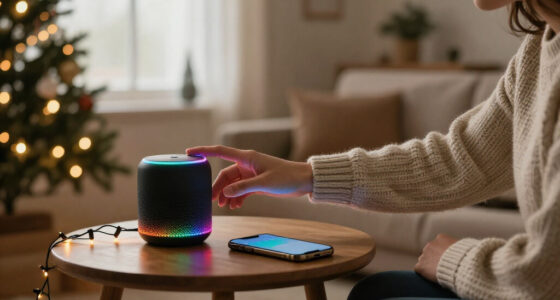
Building a reliable smart home requires balancing ecosystem compatibility with device reliability, and the Amazon Echo Hub stands out as the central nervous system for most households due to its dedicated Matter support and intuitive interface. While the Echo Show 15 offers premium wall-mounted versatility for families, the Aqara G350 delivers superior security features that Alexa-only setups often lack. Buyers face a tradeoff between the seamless integration of Amazon hardware and the broader device support offered by third-party hubs. This guide breaks down which devices deliver the most value for specific use cases, helping you avoid compatibility headaches and fragmented control.
Complete the kit


Get home appliances delivered free with Prime
- Fast, free delivery on millions of items
- Prime Video, Amazon Music and more included
- Member-only deals all year
Key Takeaways
- The Amazon Echo Hub is the single most effective device for unifying disparate smart home brands under one interface.
- Security-focused devices like the Aqara G350 require Matter support to integrate smoothly with non-Amazon ecosystems, unlike older proprietary cameras.
- Display size directly correlates with utility; the Echo Show 11 and Show 15 serve as control centers, while smaller displays are better for bedside monitoring.
- Smart plugs with energy monitoring features, such as those from Govee, offer better long-term value than basic on/off switches by revealing hidden power drains.
- Lighting control via dedicated buttons like the Philips Hue Switch provides faster response times and reliability compared to voice commands alone.
| Amazon Echo Dot Max (Graphite) |  | Best Smart Speaker Hub | Audio drivers: 1 x 0.8-inch tweeter and 1 x 2.5-inch woofer | Audio channels: Two-way mono | Frequency response: 53 Hz–16 kHz | VIEW LATEST PRICE | See Our Full Breakdown |
| Amazon Echo Show 5 Smart Display with Alexa, Charcoal |  | Best Compact Smart Display | Display: 5.5-inch touchscreen | Camera: 2 MP with built-in shutter | Speaker: 1.75-inch full-range speaker | VIEW LATEST PRICE | See Our Full Breakdown |
| Amazon Echo Hub 8-Inch Smart Home Control Panel |  | Best Dedicated Smart Home Controller | Display: 8-inch touchscreen, 1280 x 800 resolution | Connectivity: Dual-band Wi-Fi, Bluetooth, Zigbee, Matter, Thread, and Amazon Sidewalk | Audio: Stereo playback with two top-ported full-range speakers | VIEW LATEST PRICE | See Our Full Breakdown |
| Aqara Indoor Security Camera G350 with 4K UHD Dual-Lens and Matter Hub |  | Best Camera and Local-AI Hub | Video resolution: 4K UHD wide-angle and 2.5K telephoto | Zoom: 9x hybrid zoom | Field of view: 133° wide-angle | VIEW LATEST PRICE | See Our Full Breakdown |
| Amazon Echo Show 11 Smart Display with Full HD Screen and Spatial Audio, Graphite |  | Best Large-Screen Smart Display | Display: 10.95-inch Full HD touchscreen, 1920 x 1200 resolution | Camera: 13 MP with auto framing and 3.3x zoom | Audio: 1 x 2.8-inch woofer and 2 full-range drivers | VIEW LATEST PRICE | See Our Full Breakdown |
| Govee Smart Light Bulbs, A19 Color Changing LED Bulb, 4 Pack |  | Best for Creative Lighting Scenes | Brand: Govee | Model: H6008 | Bulb Shape: A19 | VIEW LATEST PRICE | See Our Full Breakdown |
| EIGHTREE Smart Plug WiFi Outlet, 4-Pack, Works with Alexa & Google Home |  | Best Compact Value Pack | Brand: EIGHTREE | Model: ET01B | Quantity: 4-Pack | VIEW LATEST PRICE | See Our Full Breakdown |
| Echo Dot (5th Gen) Smart Speaker with Alexa – Deep Sea Blue |  | Best Entry-Level Smart Hub | Generation: 5th Gen | Color: Deep Sea Blue | Dimensions: 3.9″ x 3.9″ x 3.5″ | VIEW LATEST PRICE | See Our Full Breakdown |
| Amazon Echo Spot Smart Alarm Clock (Glacier White) | 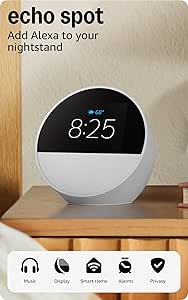 | Best Smart Alarm Clock | Dimensions: 4.5″W x 4.1″D x 4.4″H | Weight: 14.3 oz | Display: 2.83″ touch screen | VIEW LATEST PRICE | See Our Full Breakdown |
| Linkind Matter Smart Plug, 4-Pack | 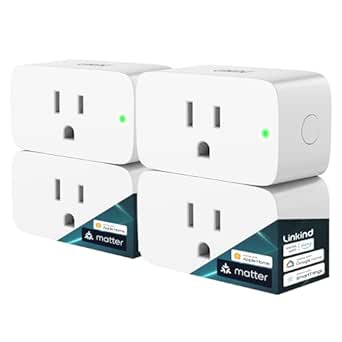 | Best for Local Control Reliability | Brand: Linkind | Model: LC09003256 | Pack Size: 4 | VIEW LATEST PRICE | See Our Full Breakdown |
| Amazon Echo Show 15 (2nd Gen) |  | Best Family Command Center | Display Size: 15.6-inch Full HD (1920 x 1080) | Connectivity: Wi-Fi 6E, Zigbee, Matter, Thread | Camera: 13 MP with physical shutter | VIEW LATEST PRICE | See Our Full Breakdown |
| Sensi Lite Smart Thermostat (ST25) | 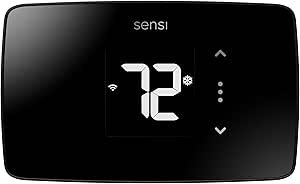 | Best Value for DIY Installation | Model: ST25 | Connectivity: Wi-Fi (2.4GHz), Bluetooth | Compatibility: Alexa, Google Assistant, SmartThings | VIEW LATEST PRICE | See Our Full Breakdown |
| Govee Smart Wi-Fi Plugs (4-Pack) |  | Best Multi-Pack for Budget Automation | Quantity: 4 Plugs | Connectivity: Wi-Fi (2.4GHz), Bluetooth | Voice Assistants: Alexa, Google Assistant | VIEW LATEST PRICE | See Our Full Breakdown |
| Amazon Smart Plug |  | Best for Alexa-Only Households | Compatibility: Alexa Only | Connectivity: Wi-Fi 2.4GHz | Dimensions: 3.2 x 1.5 x 2.2 inches | VIEW LATEST PRICE | See Our Full Breakdown |
| Philips Hue Wireless Smart Light Switch Button |  | Best Premium Scene Controller | Connectivity: Zigbee | Power Source: Battery | Control Type: Touch Button | VIEW LATEST PRICE | See Our Full Breakdown |
| smart home device | Connectivity |
|---|---|
| Amazon Echo Dot Max | — |
| Amazon Echo Show 5 Smart Displ | — |
| Amazon Echo Hub 8-Inch Smart H | Dual-band Wi-Fi, Bluetooth, Zigbee, Matter, Thread, and Amazon Sidewalk |
| Aqara Indoor Security Camera G | 2.4/5 GHz Wi-Fi, Bluetooth, Zigbee, and Thread |
| Amazon Echo Show 11 Smart Disp | — |
| Govee Smart Light Bulbs | Wi-Fi (2.4GHz), Bluetooth |
| EIGHTREE Smart Plug WiFi Outle | 2.4GHz WiFi |
| Echo Dot | — |
| Amazon Echo Spot Smart Alarm C | — |
| Linkind Matter Smart Plug | 2.4 GHz Wi-Fi; IPv6 network |
| Amazon Echo Show 15 | Wi-Fi 6E, Zigbee, Matter, Thread |
| Sensi Lite Smart Thermostat | Wi-Fi (2.4GHz), Bluetooth |
| Govee Smart Wi-Fi Plugs | Wi-Fi (2.4GHz), Bluetooth |
| Amazon Smart Plug | Wi-Fi 2.4GHz |
| Philips Hue Wireless Smart Lig | Zigbee |
More Details on Our Top Picks
Amazon Echo Dot Max (Graphite)
The Echo Dot Max is my pick for buyers who want a speaker to do more than play music: it combines room-filling two-way audio with a hub for Zigbee, Matter, and Thread devices. That gives it a broader role than the Echo Dot (5th Gen), which is a more basic speaker choice, and its presence and temperature sensors can trigger routines without an extra sensor. The eero Built-in Wi-Fi extension is another useful extra, but it only applies with a compatible eero router and linked account. I’d choose the Echo Show 11 instead if a large visual control screen and video calls matter more than a compact speaker. The Dot Max’s main tradeoff is that its mono design and voice-first interface are less suited to buyers who want stereo listening or visual feedback.
Pros:- Zigbee, Matter, and Thread support can reduce the need for a separate smart home hub
- Two-way audio with a 2.5-inch woofer offers more bass than a basic compact Echo speaker
- Presence and temperature sensors enable location- and temperature-based routines
- eero Built-in can extend compatible eero Wi-Fi coverage
Cons:- eero Built-in requires a compatible eero router and account linkage
- Two-way mono audio does not provide stereo separation
- Bluetooth pairing does not support speakers that require a PIN
Best for: Alexa households that want stronger speaker sound, built-in smart home protocol support, and sensor-based routines in one compact device
Not ideal for: Buyers who need a screen for camera feeds or video calls, or who want Wi-Fi extension without a compatible eero router
- Audio drivers:1 x 0.8-inch tweeter and 1 x 2.5-inch woofer
- Audio channels:Two-way mono
- Frequency response:53 Hz–16 kHz
- Smart home hub:Zigbee, Matter, and Thread Border Router
- Wi-Fi:Wi-Fi 6E
- Sensors:Ambient temperature, ambient light, and presence detection
- eero Built-in:Up to 1,000 sq. ft. coverage with compatible setup
- Dimensions and weight:4.27 x 4.27 x 3.9 in; 1.11 lb
- Color:Graphite
Our verdict“Choose the Echo Dot Max if you want a compact Alexa speaker that also anchors a Zigbee, Matter, and Thread setup.”
Amazon Echo Show 5 Smart Display with Alexa, Charcoal
The Echo Show 5 suits buyers who want Alexa’s visual cues without giving a counter much space. Its 5.5-inch touchscreen puts weather, news, video, and compatible camera views within sight, while the built-in camera supports video calls. A physical shutter and a button that disables the camera and microphones give it a more direct privacy setup than a screenless speaker such as the Echo Dot Max. That small footprint is also its limit: the display is far less useful for managing many devices at once than the Echo Hub’s 8-inch dashboard or the Echo Show 11’s larger screen. Its single 1.75-inch speaker is better for casual listening than room-filling audio. I’d pick it for a bedside table or small kitchen, not as the central control panel for a large smart home.
Pros:- Compact touchscreen shows useful information and supports streaming content
- Built-in camera enables video calls and compatible camera viewing
- Physical camera shutter and camera/microphone-off button offer clear privacy controls
- Uses recycled materials in its fabric and aluminum components
Cons:- The 5.5-inch display is cramped for broader device control compared with the Echo Hub or Echo Show 11
- The single 1.75-inch speaker is limited for room-filling listening
- Some skills and services may require subscriptions or other fees
Best for: Buyers who want a compact Alexa screen for a bedside table or small kitchen, with video calling and physical camera privacy
Not ideal for: Households that want a large, customizable smart home dashboard or a more capable speaker for filling a room
- Display:5.5-inch touchscreen
- Camera:2 MP with built-in shutter
- Speaker:1.75-inch full-range speaker
- Wi-Fi:Dual-band 802.11a/b/g/n/ac
- Processor:MediaTek MT8169
- Privacy controls:Camera shutter and microphone/camera-off button
- Dimensions:5.8 x 3.6 x 3.2 in
- Weight:16.1 oz
- Color:Charcoal
Our verdict“Choose the Echo Show 5 for a small Alexa screen with video calling and privacy controls, rather than for whole-home control.”
Amazon Echo Hub 8-Inch Smart Home Control Panel
The Echo Hub is the most control-focused option here: its customizable 8-inch dashboard is built for operating compatible devices, routines, cameras, security systems, and media from one fixed location. Unlike the Echo Show 11, it prioritizes a wall-mounted control surface over a larger entertainment screen and video-calling features. Its support for Zigbee, Matter, Thread, Bluetooth, and Sidewalk can also help consolidate devices that otherwise need separate bridges. The tradeoff is installation and placement: this is not a portable display, and a tabletop stand is sold separately. It needs an internet connection over Wi-Fi or Ethernet, so it is not a self-contained offline controller. I’d choose it over the Echo Show 5 when a shared, always-available household panel matters more than a compact bedside screen.
Pros:- Customizable 8-inch dashboard organizes compatible devices and routines in one place
- Built-in support for Wi-Fi, Bluetooth, Zigbee, Matter, Thread, and Sidewalk
- Wall mount and installation hardware are included
- Mic-off button and other privacy controls are provided
Cons:- Requires an internet connection through Wi-Fi or Ethernet
- Not designed for handheld or portable use
- Tabletop stand, cable pass-throughs, and PoE adapter are sold separately
Best for: Households with several compatible smart devices that want a fixed, shared wall panel for routines, cameras, and controls
Not ideal for: Renters or buyers seeking a portable screen, an included tabletop setup, or controls that work without an internet connection
- Display:8-inch touchscreen, 1280 x 800 resolution
- Connectivity:Dual-band Wi-Fi, Bluetooth, Zigbee, Matter, Thread, and Amazon Sidewalk
- Audio:Stereo playback with two top-ported full-range speakers
- Sensors:Passive infrared proximity and ambient light
- Power:12.5 W adapter included; compatible USB-C PD accessories supported
- Power over Ethernet:Supported with compatible USB-C converter and IEEE 802.3at or 802.3bt
- Installation:Wall mount included; tabletop stand sold separately
- Materials:27% recycled materials
Our verdict“Choose the Echo Hub when a fixed, multi-protocol control panel matters more than a general-purpose smart display.”
Aqara Indoor Security Camera G350 with 4K UHD Dual-Lens and Matter Hub
The Aqara G350 is a distinctive pick for buyers who want indoor monitoring and smart home bridging in one device. Its 4K wide-angle and 2.5K telephoto lenses combine room coverage with zoomed-in detail, while AI tracking can follow people and pets. Local processing for face, pet, and sound detection appeals to privacy-minded buyers, and the retractable lens gives a visible way to cover the camera. Unlike the Echo Hub, this is a camera first, not a large household dashboard; its Matter, Zigbee, and Thread functions are most compelling for buyers who also want surveillance. There are compatibility limits: Matter camera support varies by platform, third-party Zigbee devices are unsupported, and PTZ and tracking setup depend on the Aqara app. It offers broader camera capabilities than the Echo Show 5, but demands more ecosystem-specific setup.
Pros:- Dual lenses provide wide room coverage and zoomed detail, with 9x hybrid zoom
- Local AI processing detects faces, pets, and sounds without cloud uploads
- Matter, Zigbee, and Thread support can bridge compatible devices across ecosystems
- Retractable lens provides a physical visual privacy mode
Cons:- Matter camera support varies by smart home platform
- Integrated hub does not support third-party Zigbee devices
- PTZ and AI tracking configuration require the Aqara Home app
Best for: Smart home owners who want detailed indoor monitoring, local AI detection, and a Matter, Zigbee, and Thread hub in one camera
Not ideal for: Buyers who need broad third-party Zigbee compatibility, platform-independent camera features, or tracking configuration outside the Aqara app
- Video resolution:4K UHD wide-angle and 2.5K telephoto
- Zoom:9x hybrid zoom
- Field of view:133° wide-angle
- Night vision:940 nm invisible infrared LEDs
- Connectivity:2.4/5 GHz Wi-Fi, Bluetooth, Zigbee, and Thread
- Hub protocols:Matter, Zigbee, and Thread
- Storage:MicroSD up to 512 GB, NAS, or cloud
- Frame rate:20 fps
- Mount type:Tabletop or freestanding
Our verdict“Choose the Aqara G350 if camera monitoring and local detection are as important as adding a smart home hub.”
Amazon Echo Show 11 Smart Display with Full HD Screen and Spatial Audio, Graphite
The Echo Show 11 is the strongest fit here for buyers who want a large screen to serve as both a smart home interface and a shared-room display. Its 10.95-inch Full HD touchscreen gives controls, video, and photo slideshows more space than the Echo Show 5, while the built-in Zigbee, Matter, and Thread hub brings broader device support than a display without those radios. The 13 MP auto-framing camera is better suited to video calls than the Echo Show 5’s 2 MP camera, and spatial audio makes it a more entertainment-oriented choice than the control-first Echo Hub. That larger format takes up more space and may be excessive for a bedside table. Buyers who mainly need a fixed device dashboard may prefer the Echo Hub’s dedicated layout; this model makes more sense when screen, sound, calls, and controls all matter.
Pros:- Large Full HD touchscreen gives controls and visual content more room than the Echo Show 5
- Built-in Zigbee, Matter, and Thread support helps connect compatible devices directly
- 13 MP auto-framing camera supports video calls with a wider range of framing options
- Camera and microphone disable controls give users a way to manage privacy
Cons:- Larger footprint is less suited to small bedside tables or crowded counters
- Bluetooth speakers requiring PIN codes are not supported
- Hands-free voice control of connected mobile devices is not supported for Mac OS X
Best for: Households that want a large shared Alexa display for smart home controls, video calls, and media
Not ideal for: Buyers with limited counter space or those who want a dedicated control panel without a larger entertainment display
- Display:10.95-inch Full HD touchscreen, 1920 x 1200 resolution
- Camera:13 MP with auto framing and 3.3x zoom
- Audio:1 x 2.8-inch woofer and 2 full-range drivers
- Wi-Fi:Wi-Fi 6E
- Bluetooth:Version 5.4
- Smart home hub:Zigbee, Matter, and Thread Border Router
- Sensors:Ambient temperature, ambient light, presence detection, and camera
- Dimensions:10 x 5 x 7.2 in
- Weight and color:45.92 oz; Graphite
Our verdict“Choose the Echo Show 11 if you want one large Alexa screen for household controls, video calls, and media.”
Govee Smart Light Bulbs, A19 Color Changing LED Bulb, 4 Pack
This pack stands out for its extensive color customization, offering 16 million colors and 54 preset scenes that go far beyond simple on/off switching. Compared to the Philips Hue Wireless Smart Light Switch Button, which controls existing bulbs, the Govee bulbs replace the bulb itself, giving you direct control over hue and temperature without extra hardware. The Music Sync feature is a major draw for party hosts, though it requires the app to remain open, which can be inconvenient. While they integrate with Matter, the reliance on a 2.4GHz Wi-Fi network might frustrate users with modern mesh systems that prioritize 5GHz bands. These bulbs are ideal for those who want dynamic lighting effects rather than just basic automation.Pros:- Offers 16 million colors and 54 preset scenes for deep customization
- Integrates with Alexa, Google Assistant, and Matter for broad compatibility
- Music Sync feature reacts to sound for dynamic ambiance
- Supports group control and scheduling for automated sunrises/sunsets
Cons:- Requires a 2.4GHz Wi-Fi network; no 5GHz support
- Cannot be used with existing wall switches without bypassing them
- Music Sync requires the Govee Home App to be open with mic permissions
Best for: Users who prioritize aesthetic customization, party lighting, and vibrant color scenes over basic utility.
Not ideal for: Those with 5GHz-only networks or users who dislike keeping background apps active for features like Music Sync.
- Brand:Govee
- Model:H6008
- Bulb Shape:A19
- Base Type:E26
- Brightness:800 Lumens
- Connectivity:Wi-Fi (2.4GHz), Bluetooth
- Compatibility:Amazon Alexa, Google Assistant, Matter
- Operating Life:50,000 Hours
Our verdict“Choose these bulbs if you want expressive, colorful lighting effects that react to music and scenes.”
EIGHTREE Smart Plug WiFi Outlet, 4-Pack, Works with Alexa & Google Home
The EIGHTREE plugs excel in physical footprint, with a round design that fits behind furniture where rectangular plugs often clash. Unlike the Amazon Smart Plug, which is also compact, these require the Smart Life app for initial setup, adding a slight layer of complexity. However, once configured, they offer robust scheduling and voice control via Alexa and Google Assistant. The ETL and FCC certifications provide peace of mind regarding safety standards, which is not always clear with cheaper generic alternatives. While they lack the direct native integration of some competitors, their Bluetooth-assisted setup simplifies the pairing process significantly. This pack is a strong contender for budget-conscious buyers who need multiple plugs without cluttering their outlets.Pros:- Compact round design fits easily into tight spaces and behind furniture
- Bluetooth-assisted setup simplifies the pairing process in the Smart Life app
- ETL and FCC certified for verified safety standards
- Supports scheduling, timers, and voice control via Alexa and Google Home
Cons:- Requires initial connection through the Smart Life app, not direct Alexa pairing
- Rated for 10A, which may limit high-draw appliance usage compared to 15A models
- Only supports 2.4GHz Wi-Fi networks
Best for: Budget-conscious buyers needing multiple smart plugs for tight spaces or behind furniture.
Not ideal for: Users who want direct Alexa pairing without third-party apps or those needing 5GHz Wi-Fi support.
- Brand:EIGHTREE
- Model:ET01B
- Quantity:4-Pack
- Amperage:10 A
- Connectivity:2.4GHz WiFi
- Compatibility:Alexa, Google Home, SmartThings
- Dimensions:4.06″D x 4.06″W x 2.28″H
- Certifications:ETL, FCC
Our verdict“A practical, compact choice for adding smart control to lamps and fans without taking up extra outlet space.”
Echo Dot (5th Gen) Smart Speaker with Alexa – Deep Sea Blue
The Echo Dot 5th Gen serves as an accessible entry point into the Alexa ecosystem, offering solid audio for small rooms and robust smart home control. Unlike the Amazon Echo Show 5, it lacks a screen, making it less suitable for video calls or visual dashboards, but it is significantly more discreet for bedrooms. Its eero Built-in Wi-Fi extender is a standout feature, effectively boosting network coverage by up to 1,000 square feet, though this requires an eero router. The device supports Matter and Bluetooth Low Energy Mesh, ensuring compatibility with the latest smart home standards. While the mono audio limits stereo separation, it provides clear vocals and sufficient bass for podcasts and casual listening, making it a versatile hub for voice-controlled automation.Pros:- Includes eero Built-in to extend Wi-Fi coverage by up to 1,000 sq. ft.
- Supports Matter, Bluetooth Low Energy Mesh, and Wi-Fi for broad compatibility
- Compact design fits well in bedrooms, offices, and kitchen counters
- Physical mic-off button offers enhanced privacy control
Cons:- Mono audio output limits stereo separation compared to larger speakers
- eero Built-in feature requires a compatible eero router and account
- Lacks a screen for visual feedback or video calls
Best for: New smart home users or those needing a voice assistant and Wi-Fi extender for small to medium rooms.
Not ideal for: Audiophiles seeking stereo sound or users who need a visual interface for video calls and dashboards.
- Generation:5th Gen
- Color:Deep Sea Blue
- Dimensions:3.9″ x 3.9″ x 3.5″
- Loudspeaker Driver:1.6″ full range driver
- Playback Channels:Mono
- Smart Home Protocols:WiFi, Bluetooth Low Energy Mesh, Matter
- eero Built-in Coverage:Up to 1,000 sq. ft.
- Weight:10.7 oz
Our verdict“The ideal starting point for voice-controlled automation and network extension in small spaces.”
Amazon Echo Spot Smart Alarm Clock (Glacier White)
The Echo Spot bridges the gap between a traditional alarm clock and a smart assistant, featuring a 2.83-inch touch screen that displays time, weather, and smart home status. Compared to the Amazon Echo Hub 8-Inch Smart Home Control Panel, the Spot is far more portable and suitable for bedside use, though it lacks the extensive wall-mounted control options. The rich audio quality makes it excellent for morning podcasts or music, while the eero Built-in Wi-Fi extender adds network coverage where needed. The absence of a camera is a deliberate privacy choice that appeals to security-conscious users. While it requires an eero router for full Wi-Fi extension benefits, its compact form factor and vibrant display make it a compelling upgrade for nightstands.Pros:- Compact design with a vibrant touch screen ideal for nightstands
- Rich audio quality with clear vocals for music and podcasts
- Built-in eero mesh Wi-Fi extender adds up to 1,000 sq. ft. of coverage
- Strong privacy features including a physical mic off button and no camera
Cons:- eero Wi-Fi extension requires a compatible eero router and account
- Hands-free voice control is not supported for Mac OS X devices
- Small screen size limits visibility from across the room compared to larger displays
Best for: Users who want a visual alarm clock with smart home status and good audio for bedside or kitchen use.
Not ideal for: Those seeking a large dashboard for home automation or users without an eero router who want the extender features.
- Dimensions:4.5″W x 4.1″D x 4.4″H
- Weight:14.3 oz
- Display:2.83″ touch screen
- Color:Glacier White
- Audio:1.73″ full-range speaker
- Materials:36% recycled materials
- Privacy:Mic off button, in-app controls
- Wi-Fi Extension:eero Built-in (up to 1,000 sq. ft.)
Our verdict“A sleek, screen-equipped assistant perfect for bedside automation and morning routines.”
Linkind Matter Smart Plug, 4-Pack
These plugs distinguish themselves with local network control, allowing devices to function via schedules even if the internet goes down. This is a significant advantage over the Govee Smart Wi-Fi Plugs, which may rely more heavily on cloud connectivity for certain automations. The Linkind plugs support 15A/1800W capacity, making them suitable for heavier loads like space heaters or microwaves, whereas many competitors cap at 10A. However, the requirement for a Matter-certified hub for platforms like Apple Home and Alexa adds an extra cost and setup step for users without one. If you already own a compatible hub, these plugs offer a robust, future-proof solution with built-in short-circuit and overload protection for enhanced safety.Pros:- Supports local network control during internet outages for reliability
- Offers 15A/1800W capacity suitable for higher-power appliances
- Works with Apple Home, Alexa, Google Home, and SmartThings via Matter
- Includes short-circuit and overload protection for safety
Cons:- Requires a Matter-certified hub for most major platforms
- Supports only 2.4 GHz Wi-Fi networks
- Setup is more complex if you do not already have a compatible hub
Best for: Users with existing Matter hubs who need reliable local control and higher amperage capacity.
Not ideal for: Beginners without a Matter hub or those using only the AiDot app, as the hub requirement adds complexity.
- Brand:Linkind
- Model:LC09003256
- Pack Size:4
- Connectivity:2.4 GHz Wi-Fi; IPv6 network
- Smart Home Compatibility:Apple Home, Alexa, Google Home, SmartThings
- Maximum Power:1800 W
- Amperage:15 A
- Safety Features:Short-circuit and overload protection
Our verdict“A robust choice for power users who prioritize local automation reliability and high-wattage support.”
Amazon Echo Show 15 (2nd Gen)
The Echo Show 15 redefines the smart home dashboard by offering a massive 15.6-inch canvas that functions as both a media hub and a central control panel. Unlike the Echo Show 11, which prioritizes audio fidelity, the Show 15 excels in visual utility, allowing multiple family members to manage calendars and to-do lists simultaneously in portrait or landscape mode. Its built-in Fire TV capability means you can stream content without additional hardware, a significant advantage over smaller displays that rely on casting. However, this versatility comes with a bulky footprint that may overwhelm smaller rooms. The inclusion of a Thread Border Router and Zigbee hub makes it a powerful brain for Matter devices, though its size and need for wall mounting or a dedicated surface limit its flexibility compared to portable options.
Pros:- Massive 15.6-inch Full HD display supports both portrait and landscape orientations for flexible information layout.
- Integrated Fire TV eliminates the need for a separate streaming stick for most users.
- Built-in Zigbee, Matter, and Thread hub simplifies the management of compatible smart home devices.
- Physical privacy controls, including a camera shutter, provide peace of mind in shared spaces.
Cons:- Large physical footprint (16.1 x 10.1 inches) requires significant wall or counter space.
- Requires a constant Wi-Fi connection and may incur additional subscription fees for specific streaming apps.
Best for: Households needing a central wall-mounted dashboard for family coordination, media streaming, and smart home control.
Not ideal for: Renters or those with limited wall space who cannot install a large, heavy display permanently.
- Display Size:15.6-inch Full HD (1920 x 1080)
- Connectivity:Wi-Fi 6E, Zigbee, Matter, Thread
- Camera:13 MP with physical shutter
- Audio:Two 2-inch woofers, two 0.6-inch tweeters
- Dimensions:16.1 x 10.1 x 1.4 inches
- Weight:4.96 lb
- Included Accessories:Alexa Voice Remote, wall mount kit
Our verdict“This is the definitive choice for families who want a single, large interface to manage their digital and physical home life.”
Sensi Lite Smart Thermostat (ST25)
The Sensi Lite targets homeowners who want smart temperature control without the complexity of high-end competitors. It stands out for its C-wire free design, which simplifies installation in older homes that lack the common wire required by many other smart thermostats. While the Amazon Echo Hub 8-Inch offers a broader smart home interface, the Sensi Lite focuses strictly on HVAC efficiency, promising up to 23% energy savings through geofencing and scheduling. The lack of a large touchscreen keeps the price low and the interface simple, appealing to users who prefer managing settings via the mobile app rather than a wall display. However, its reliance on 2.4GHz Wi-Fi and basic LCD screen means it lacks the premium feel and advanced visual feedback found in more expensive models.
Pros:- Designed to work without a C-wire in most standard residential systems, easing DIY installation.
- ENERGY STAR certified with features like geofencing and usage reports to help reduce utility bills.
- Strong privacy focus with a commitment to not selling user data to third parties.
- Compatible with Alexa, Google Assistant, and SmartThings for flexible voice control.
Cons:- Requires a 2.4GHz Wi-Fi connection, which may be problematic in homes with only 5GHz networks active.
- Basic LCD display offers limited on-device information compared to touchscreen competitors.
Best for: Homeowners with older HVAC systems lacking a C-wire who want a straightforward, app-controlled upgrade.
Not ideal for: Users seeking a touchscreen interface or integration with complex multi-room HVAC zoning systems.
- Model:ST25
- Connectivity:Wi-Fi (2.4GHz), Bluetooth
- Compatibility:Alexa, Google Assistant, SmartThings
- Power:2 AAA batteries or 24V C-wire
- Display:LCD
- Certification:ENERGY STAR
- Warranty:3 Years
Our verdict“A practical, privacy-focused thermostat that delivers smart savings without requiring professional installation or complex wiring.”
Govee Smart Wi-Fi Plugs (4-Pack)
The Govee Smart Wi-Fi Plugs offer an accessible entry point into home automation, particularly for those who want to control multiple lights or appliances at once. Compared to the Amazon Smart Plug, which is sold individually and locks you into the Alexa ecosystem, the Govee 4-pack supports both Alexa and Google Assistant, offering greater flexibility for mixed-assistant households. The inclusion of Bluetooth alongside Wi-Fi simplifies initial setup, allowing users to configure plugs via phone before connecting to the network. However, these plugs are strictly limited to 2.4GHz Wi-Fi, which can be a hurdle for modern routers that prioritize 5GHz bands. The compact design ensures they don’t block adjacent outlets, a common complaint with bulkier smart plugs, making them ideal for crowded power strips.
Pros:- Supports both Amazon Alexa and Google Assistant, offering cross-platform compatibility.
- Compact form factor prevents blocking of adjacent outlets in power strips.
- Bluetooth pairing capability streamlines the initial Wi-Fi configuration process.
- No hub required, allowing direct connection to your home network.
Cons:- Exclusively supports 2.4GHz Wi-Fi networks, ignoring 5GHz bands.
- Inconsistent amperage ratings in documentation (10A vs 11A) may cause confusion for high-load appliances.
Best for: Users looking to automate multiple devices affordably who use both Alexa and Google Assistant.
Not ideal for: Homes with only 5GHz Wi-Fi networks enabled or users needing high-amp load monitoring.
- Quantity:4 Plugs
- Connectivity:Wi-Fi (2.4GHz), Bluetooth
- Voice Assistants:Alexa, Google Assistant
- Voltage:120V
- Certification:ETL, FCC
- Hub Required:No
- Model:H5083
Our verdict“A versatile, multi-pack solution for beginners who want to automate several devices without being tied to a single voice assistant.”
Amazon Smart Plug
The Amazon Smart Plug is the most streamlined option for users already immersed in the Alexa ecosystem. Unlike the Govee Smart Wi-Fi Plugs, which support multiple assistants, this plug is exclusively designed for Alexa, resulting in a simpler, more stable integration with Amazon’s routines and features. Its tiny footprint is a major advantage, leaving the second outlet in a double-stack completely accessible, a feature not all competitors achieve. The plug also features automatic reconnection after power outages, ensuring reliability. However, this exclusivity is a significant limitation; if you ever decide to switch to Google Home or Apple HomeKit, this device becomes obsolete. It also lacks energy monitoring features, offering only basic on/off and scheduling functionality.
Pros:- Extremely compact design leaves adjacent outlets free for other devices.
- Seamless integration with Alexa Routines and voice commands requires no additional hub.
- Automatically reconnects to Wi-Fi and Alexa services after outages.
- Includes a physical on/off switch for manual control when needed.
Cons:- Works only with Alexa, offering no compatibility with Google Assistant or HomeKit.
- Supports only 2.4GHz Wi-Fi networks, limiting compatibility with modern 5GHz-only setups.
Best for: Dedicated Amazon Alexa users who want reliable, compact smart control without complex setup.
Not ideal for: Users with mixed voice assistant households or those who might switch ecosystems in the future.
- Compatibility:Alexa Only
- Connectivity:Wi-Fi 2.4GHz
- Dimensions:3.2 x 1.5 x 2.2 inches
- Weight:3.1 oz
- Max Current:15 A
- Use Case:Indoor Only
- Warranty:1-Year Limited
Our verdict“The simplest, most reliable smart plug for Alexa users who prioritize space-saving design and ease of use.”
Philips Hue Wireless Smart Light Switch Button
The Philips Hue Smart Button serves a distinct purpose from the Echo Dot Max or other smart displays: it provides tangible, physical control for lighting scenes without requiring a voice command or phone. Its battery-powered, adhesive-mountable design allows it to be placed anywhere, solving the common issue of inaccessible wall switches in modern apartments. While the Linkind Matter Smart Plug controls power, the Hue Button controls mood, cycling through preset scenes with a simple touch. However, this device is not a standalone solution; it strictly requires a Philips Hue Bridge to function, adding to the overall cost of entry. This makes it less appealing for users who do not already own the Hue ecosystem, as the button itself is useless without the proprietary hub infrastructure.
Pros:- Wireless and battery-powered, allowing flexible placement via adhesive or magnetic mounting.
- Simplifies complex lighting scenes into a single-touch operation for quick ambiance changes.
- Integrates deeply with the Hue app for custom automation and time-based triggers.
- Sleek, minimalist design that blends into any home decor.
Cons:- Requires a Philips Hue Bridge to operate, creating a barrier to entry for new users.
- Single-button interface limits direct control over individual bulbs without app configuration.
Best for: Existing Philips Hue users who want wireless, portable control for lighting scenes in hard-to-reach areas.
Not ideal for: New smart home users who do not own a Philips Hue Bridge, as the device is incompatible with other systems.
- Connectivity:Zigbee
- Power Source:Battery
- Control Type:Touch Button
- Mounting:Adhesive, Magnetic
- Requirement:Philips Hue Bridge
- Color:White
- Operating Temp:70°F to 104°F
Our verdict“An elegant accessory for Hue enthusiasts who want to eliminate voice commands and app fiddling for daily lighting adjustments.”

How We Picked
My selection process prioritized devices that demonstrate strong interoperability through standards like Matter and Thread, rather than those locked into a single manufacturer’s cloud. I evaluated each product based on its ability to reduce friction in daily routines, focusing on setup complexity, latency in command execution, and the clarity of its control interface. Devices that required multiple apps to manage a single room were penalized, while those that offered granular control without sacrificing simplicity were ranked higher.
I also assessed the physical build quality and placement flexibility, recognizing that smart home devices often become permanent fixtures in living spaces. The ranking reflects a balance between entry-level accessibility for newcomers and advanced automation potential for power users, ensuring that the list serves both those starting with a single speaker and those building a fully integrated network.
Factors to Consider When Choosing Best Smart Home Devices
Choosing smart home devices is less about buying the newest gadget and more about selecting components that work together seamlessly. The following factors explain the hidden costs and compatibility traps that often frustrate new buyers.
Ecosystem Lock-In vs. Open Standards
Most buyers underestimate how difficult it is to switch ecosystems once they have accumulated 10 or more devices. While Amazon Alexa and Google Home offer convenience, they often lock you into their specific hardware and cloud services. Devices supporting Matter and Thread provide a future-proof layer, allowing you to mix brands like Aqara and Philips Hue without being forced to choose a single app. If you value flexibility, prioritize devices with these open standards over proprietary alternatives, even if the proprietary options offer slightly better initial integration.
The Hidden Cost of Voice Control
Voice commands are often marketed as the primary way to interact with smart homes, but they can be slow and unreliable in noisy environments or when multiple people are speaking. Physical interfaces, such as the Philips Hue Switch or smart displays like the Echo Hub, offer faster, more precise control for daily tasks. Consider how many times you will adjust lights or thermostats manually versus verbally; if you prefer silent adjustments, invest in dedicated hardware buttons and touch screens rather than relying solely on speakers.
Network Bandwidth and Hub Requirements
Every smart device adds traffic to your home Wi-Fi network, and cheap devices often use inefficient protocols that cause lag or dropouts. Devices that require a dedicated hub, such as certain Zigbee or Z-Wave sensors, can reduce Wi-Fi congestion but add upfront costs. Assess your router’s capacity before adding dozens of Wi-Fi-based plugs and bulbs. If your network struggles, choosing devices that offload processing to a local hub rather than the cloud can maintain responsiveness even when your internet connection fluctuates.
Placement and Power Source Constraints
Many smart devices, particularly security cameras and displays, require constant power, which limits where you can place them. Battery-operated options offer placement flexibility but demand regular maintenance and charging. Before purchasing, map out available outlets in the intended locations. For areas without power, prioritize battery-efficient models or devices that support PoE (Power over Ethernet) if you are willing to run cables, as this eliminates the need for frequent battery replacements and ensures constant uptime.
Data Privacy and Local Processing
Cloud-dependent devices send data to external servers for processing, which raises privacy concerns and introduces latency. Devices capable of local processing execute automations directly on your home network, meaning they continue to function during internet outages and keep sensitive data within your home. When comparing security cameras and locks, check if the manufacturer offers a local storage option or a local API. This feature is often reserved for premium models but significantly enhances both speed and privacy.
Frequently Asked Questions
Do I need an Amazon Echo device to use other smart home products?
No, you do not need an Amazon Echo to use most smart home devices, especially those that support the Matter standard. However, having an Echo device often simplifies the initial setup process and provides a convenient voice interface for controlling various brands. If you prefer not to use Alexa, you can still control Matter-compatible devices through Google Home, Apple HomeKit, or the manufacturer’s proprietary app, though you may lose some cross-brand automation features that a central hub like the Echo Hub provides.
Is it better to buy smart bulbs or smart switches?
Smart switches are generally better for permanent lighting fixtures because they allow existing traditional bulbs to remain smart and work with physical wall switches, preventing guests from accidentally turning off the smart bulb. Smart bulbs are ideal for lamps or fixtures where you want color-changing capabilities without rewiring. The tradeoff is that smart bulbs can be expensive to replace and may lose connectivity if the wall switch is turned off, whereas smart switches maintain network connection regardless of the light state.
How many smart devices can a typical home Wi-Fi router handle?
A standard ISP-provided router can typically handle 10-15 smart devices before performance degrades, causing lag or disconnections. If you plan to install 20 or more devices, you should invest in a mesh Wi-Fi system or a router with dedicated IoT bands. Overloading a basic router leads to unreliable automation, where lights take seconds to respond or cameras fail to stream. Upgrading your network infrastructure is often a more critical step than buying more devices.
Do smart home devices work without an internet connection?
Most smart home devices require an internet connection for remote access and cloud-based automations, but many modern devices with local processing capabilities can perform basic functions offline. For example, a smart bulb controlled via a local Zigbee hub will still turn on when you press a physical button even if your internet is down. However, voice commands via cloud-based assistants and remote monitoring via cameras usually fail without an active internet connection, so local hubs are recommended for critical security and lighting systems.
Are smart plugs worth it compared to smart bulbs?
Smart plugs are worth it for controlling non-smart appliances like fans, coffee makers, or traditional lamps without replacing the fixture. They are more cost-effective than smart bulbs if you want to automate multiple lights in a single lamp or control a single outlet with multiple devices. However, they lack the granular dimming and color control of smart bulbs. If your goal is ambiance and color, smart bulbs are superior; if your goal is energy monitoring and automating existing appliances, smart plugs are the better choice.
Conclusion
Building a smart home is a journey of incremental improvements, and the right starting point depends on your specific priorities. For most users, the Amazon Echo Hub is the best overall choice because it acts as a reliable bridge between different brands, simplifying the complexity of a mixed-device environment. If you are on a strict budget, the Amazon Echo Dot Max offers the best value, providing essential voice control and smart home command capabilities without the premium price of a display.
For beginners unsure of where to start, the Echo Show 5 provides a tangible interface that makes managing schedules and checking feeds intuitive, reducing the intimidation factor of text-based apps. Security-conscious buyers should prioritize the Aqara Indoor Security Camera G350 for its advanced detection features and Matter compatibility, ensuring it integrates well with future expansions. Finally, for those seeking a premium, all-in-one solution, the Echo Show 15 delivers unmatched versatility as both a wall-mounted control center and an entertainment hub, justifying its higher cost through daily utility.