
TL;DR
Google is rolling out Google Home updates that make Gemini Live more responsive for Early Access users and add an interactive storytelling feature. The release also adds camera controls and familiar-face notifications for select cameras, alongside app and device fixes.
Google is rolling out updates to its Google Home app and Gemini for Home, including a more responsive Gemini Live for Early Access users and a new feature that lets people shape stories through conversation. The release also adds controls and notifications for select outdoor cameras and addresses a range of reported software issues.

Get home appliances delivered free with Prime
- Fast, free delivery on millions of items
- Prime Video, Amazon Music and more included
- Member-only deals all year
The Live changes are intended to help Gemini keep track of a conversation while users manage household devices. Google says users can adjust a timer or control lights without breaking the conversational flow. For example, after asking Gemini to turn lights off, a user can ask it to turn them back on without repeating the room or other details. The update is also meant to improve responses to audio commands, including avoiding the incorrect reply “nothing is playing” when someone asks to pause playback.
Interactive storytelling is another addition to Live. Users can influence a story as it is being told, including by giving a main character a special ability. Google describes the feature as allowing more variation in voice and rhythm. The changes are aimed at making Live more useful both for smart-home requests and for open-ended conversation, though the announcement does not provide measured response-time figures.
On the camera side, people viewing live footage from the Nest Cam Outdoor (wired, 2nd generation), onn Outdoor Camera Plug-In and onn Floodlight Camera Hardwired can activate or silence a 30-second alarm. Google Home Premium subscribers can also receive Familiar Face notifications on the two listed onn cameras. Google says U.S. Premium customers setting up a new camera can turn on its premium features together and then opt out of individual features.
Gemini Live gets faster and Google Home adds more
Google is updating voice interactions, camera features and app reliability. The changes are rolling out in stages, with some features limited to Early Access users or select cameras.
More natural conversations
Gemini Live is intended to keep context during household tasks and open-ended chats.
Follow-up requests
Adjust lights or timers without repeating earlier details.
Shape stories by talking
Listeners can influence a story as it unfolds, such as giving its main character a special ability.
Camera features depend on the model
Controls and notifications apply to specific cameras, not every Google Home device.
| Camera | 30-second alarm | Familiar Face alerts |
|---|---|---|
| Nest Cam Outdoor (wired, 2nd generation) | Yes | Not listed |
| onn Outdoor Camera Plug-In | Yes | Premium |
| onn Floodlight Camera Hardwired | Yes | Premium |
A wider Home app refresh
The release also covers device controls and fixes across platforms.
App changes include thermostat schedule copying and fixes for camera previews, video playback and iOS controls.
Early Access households will receive the Live changes gradually over a couple of weeks.
Alarm controls require a listed camera; Familiar Face notifications on the listed onn cameras require Google Home Premium.
Faster Voice Control, More Camera Options
For people who use Google Home hands-free, the practical promise is fewer repeated commands. If Gemini can retain the subject of a recent request, users may be able to make follow-up adjustments in a more natural exchange. That matters most for routine tasks—such as changing lights, timers or audio—where a conversational assistant is useful only if it can respond reliably to context.
The camera changes extend the update beyond voice interaction. A short alarm that can be activated from a live view gives owners of supported cameras another way to respond while watching a feed. Familiar Face notifications, meanwhile, add a camera alert option for eligible Premium customers. These features are limited to named devices and, in some cases, a paid subscription, so they do not apply across every Google Home camera.
The update also addresses smaller frustrations across the Home experience, including playback and controls. Taken together, the changes show Google updating several parts of the smart-home system at once. But the announcement offers no performance benchmarks or detail on how consistently Gemini now handles follow-up requests, so the improvement is best understood as a stated product change rather than a quantified result.
Products Worth Considering
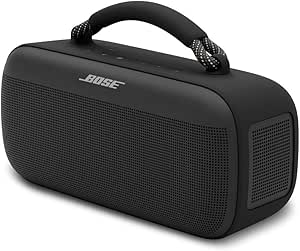
Bose SoundLink Max Portable Bluetooth Speaker, IP67 Waterproof, Black

Philips Hue Bridge Pro Starter Kit with 4 A19 E26 Color Smart Bulbs

Sony BRAVIA 6 77-Inch OLED 4K HDR Smart Google TV with Gemini (K-77A60)
As an affiliate, we earn on qualifying purchases.
A Broad Google Home Release
The update covers both Gemini for Home, Google’s assistant experience for home devices, and the Google Home app. It is not a single feature release: the notes include conversational changes, camera functions, thermostat scheduling and maintenance fixes across platforms and devices.
Google says users can copy a thermostat schedule for one day onto other days. Other fixes include restoring camera-notification previews on Android 17, reducing video playback problems, addressing landscape controls that interfered with the Pixel camera cutout and simplifying the iOS color picker. The release also includes reliability improvements for Google Home speakers, stereo setups, Google TV and music sharing.
Some of the changes are available through the Home app, while Gemini Live is rolling out separately to Early Access households. The staged rollout means the new Live behavior may not appear for every eligible user at the same time.
““nothing is playing””
— Google, in its Google Home update notes
Rollout Timing and Measured Gains
Google has not supplied a numerical measure of how much faster Gemini Live is, nor details on the testing behind the responsiveness improvement. It is also unclear how well the assistant will retain context across different devices, household members or more complicated requests.
The company says the Live update will take a couple of weeks to reach all Early Access households, but has not provided a specific completion date. The announcement does not say when the features might become available beyond Early Access. Camera eligibility is also specific: the alarm control and Familiar Face notifications do not cover every camera model, and Familiar Face alerts require Google Home Premium for the listed onn devices.
Early Access Rollout Continues
Google Home users can check the app and device settings for features as the update arrives. Early Access households should expect the Gemini Live changes to appear gradually over the next couple of weeks, rather than all at once. Google has not announced a wider release date.
For camera owners, availability depends on having a supported model and, for Familiar Face notifications on the listed onn cameras, a Premium subscription. Google may provide further rollout details or release notes as distribution continues; for now, the stated timeline and device list are the main guides to who can use the new features.
Source: rss
Key Questions
What is changing in Gemini Live on Google Home?
Google says Gemini Live is becoming more responsive for Early Access users. It is also adding interactive storytelling, in which users can influence elements of a story while it is being told.
When will the Gemini Live update reach users?
Google says the rollout to all Early Access households may take a couple of weeks. It has not given a specific end date or a timeline for wider availability.
Which cameras get the new alarm controls?
The 30-second alarm control is listed for the Nest Cam Outdoor (wired, 2nd generation), onn Outdoor Camera Plug-In and onn Floodlight Camera Hardwired when viewing live footage.
Do all supported cameras get Familiar Face notifications?
No. Google says Google Home Premium customers can get Familiar Face notifications on the onn Outdoor Camera Plug-In and onn Floodlight Camera Hardwired. The announcement does not list the Nest Cam model for this feature.
Source: digitaltrends.com