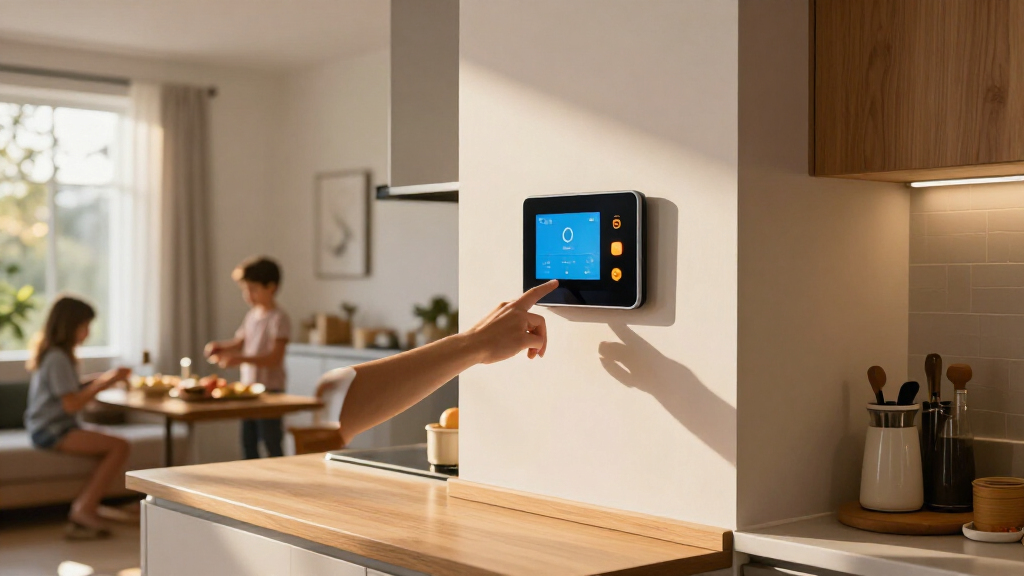

The best smart home wall displays make everyday controls easy to reach, but they differ in how much they can do beyond showing controls. I’d choose the Amazon Echo Hub as the best overall for Alexa households seeking a purpose-built control panel, while the Shelly Wall Display XL stands out for its larger touchscreen and the Echo Show 15 for a kitchen-friendly mix of media and smart-home features. The main tradeoff is between a focused, simpler control experience and a more flexible screen that may need extra setup or serve other jobs. Compatibility, mounting, and power can matter as much as screen size. Read on for how each pick fits a different household and what to check before buying.

Get home appliances delivered free with Prime
- Fast, free delivery on millions of items
- Prime Video, Amazon Music and more included
- Member-only deals all year
Complete the kit



Key Takeaways
- The Echo Hub is the clearest all-around pick for households already using Alexa devices; the lineup’s other panels make more sense when you want a larger display, a different smart-home setup, or a calendar-first screen.
- Screen size changes the job of the device. The Echo Show 15 is designed to share media and household information as well as controls, while the Echo Hub is more focused on smart-home access.
- Shelly’s two panels serve different priorities. The 10.1-inch Wall Display XL favors a larger interface, while the smaller Wall Display pairs control with a BLU H&T sensor.
- The Android PoE and MQTT panel offers flexibility at the cost of setup. It may suit a technically confident buyer with a defined integration plan better than someone seeking a ready-to-use appliance.
- The TIKVITO is the calendar-and-photo specialist, not a universal control panel. Choose it for shared schedules and images rather than assuming it will match dedicated smart-home panels.
| Amazon Echo Hub Smart Home Control Panel |  | Best Overall for Smart Home Control | Display size: 8 inches | Connectivity: Wi-Fi, Bluetooth, Zigbee, Matter, Sidewalk, Thread | Installation: Wall mounted; compatible with separately sold tabletop stands | VIEW LATEST PRICE | See Our Full Breakdown |
| Shelly Wall Display XL Black 10.1-Inch Touchscreen Smart Home Control Panel |  | Best for Shelly Homes and Direct Appliance Control | Display: 10.1-inch touchscreen | Connectivity: Wi-Fi and Bluetooth | Relay: Built-in, 5 A | VIEW LATEST PRICE | See Our Full Breakdown |
| Amazon Echo Show 15 (2nd Gen) 15.6-Inch Full HD Smart Display with Fire TV and Alexa |  | Best Large-Screen Wall Display | Display: 15.6-inch Full HD (1920 × 1080) | Dimensions: 16.1 × 10.1 × 1.4 inches | Weight: 4.96 lb | VIEW LATEST PRICE | See Our Full Breakdown |
| Shelly Wall Display with BLU H&T Sensor, Black |  | Best Compact Panel for Climate-Aware Control | Display: 4-inch touchscreen | Connectivity: Wi-Fi and Bluetooth | Dimensions: 85 × 85 × 30 mm | VIEW LATEST PRICE | See Our Full Breakdown |
| 10.1-Inch Wall-Mounted Android Smart Home Panel with PoE and MQTT |  | Best for Open-Platform Automation | Display: 10.1 inches | Operating system: Android 14 | Processor: RK3576, 8-core | VIEW LATEST PRICE | See Our Full Breakdown |
| TIKVITO 10.1-Inch Wi-Fi Digital Wall Calendar and Photo Frame |  | Best for Shared Family Planning | Brand: TIKVITO | Model: S101 | Screen size: 10.1 inches | VIEW LATEST PRICE | See Our Full Breakdown |
| smart home wall display | Connectivity | Display |
|---|---|---|
| Amazon Echo Hub Smart Home Con | Wi-Fi, Bluetooth, Zigbee, Matter, Sidewalk, Thread | — |
| Shelly Wall Display XL Black 1 | Wi-Fi and Bluetooth | 10.1-inch touchscreen |
| Amazon Echo Show 15 | — | 15.6-inch Full HD (1920 × 1080) |
| Shelly Wall Display with BLU H | Wi-Fi and Bluetooth | 4-inch touchscreen |
| 10.1-Inch Wall-Mounted Android | Ethernet, USB, Bluetooth, Wi-Fi (802.11ax) | 10.1 inches |
| TIKVITO 10.1-Inch Wi-Fi Digita | Wi-Fi | — |
More Details on Our Top Picks
Amazon Echo Hub Smart Home Control Panel
The Echo Hub is the strongest fit when the main job of a wall display is controlling a mixed smart home, rather than watching video or organizing a family calendar. Its built-in support for Zigbee, Matter, and Thread, alongside Wi-Fi and Bluetooth, can reduce the need for separate hubs and gives it broader device reach than the Shelly Wall Display with BLU H&T Sensor. The customizable 8-inch dashboard brings compatible devices, cameras, routines, and media into one place, while a microphone-off button offers a straightforward privacy control. The tradeoff is a smaller screen than the Echo Show 15 and the Android panel, so it is better suited to quick control than rich media or dense dashboards. Wall power and cable-hiding accessories are sold separately, and some Ring camera summaries require Alexa+ and a compatible subscription.
Pros:- Built-in support for Wi-Fi, Bluetooth, Zigbee, Matter, Sidewalk, and Thread
- Customizable dashboard covers devices, cameras, routines, and media
- Microphone-off button provides a direct privacy control
- Can be wall mounted or used with a separately sold tabletop stand
Cons:- Wall power and cable-hiding accessories are sold separately
- Its 8-inch display is smaller than the Echo Show 15 and 10.1-inch panels
- Ring camera summaries require Alexa+ and a compatible Ring subscription
Best for: Alexa households with compatible devices across several smart-home protocols who want a dedicated wall-mounted control point.
Not ideal for: Buyers who want a large screen for video, family dashboards, or extensive visual controls, or who need an all-in-one package with wall power accessories.
- Display size:8 inches
- Connectivity:Wi-Fi, Bluetooth, Zigbee, Matter, Sidewalk, Thread
- Installation:Wall mounted; compatible with separately sold tabletop stands
- Privacy feature:Microphone-off button
- Recycled materials:27%
- Control features:Customizable dashboard for compatible devices, cameras, routines, and media
Our verdict“Choose the Echo Hub for broad protocol support and at-a-glance Alexa control; choose the Echo Show 15 instead if screen size and entertainment matter more.”
Shelly Wall Display XL Black 10.1-Inch Touchscreen Smart Home Control Panel
The Shelly Wall Display XL suits buyers who want a large control surface that can also switch a connected load directly. Its 10.1-inch touchscreen is roomier than the 4-inch Shelly Wall Display with BLU H&T Sensor, and four customizable buttons offer physical shortcuts alongside touch controls. The built-in 5 A relay can make a wall panel do more than send commands to other devices, while support for Shelly, Home Assistant, Alexa, Google, HomeKit, and Sonos gives it a wider stated platform mix than a Shelly-only controller. That flexibility comes with a wiring condition: installation requires a neutral wire, which may rule it out in some homes or call for an electrician. It is also more installation-focused than the Echo Hub, which has broader built-in protocol support without the same direct relay emphasis.
Pros:- Large 10.1-inch touchscreen with four customizable buttons
- Built-in 5 A relay can control a connected appliance
- Compatibility listed for Shelly, Home Assistant, Alexa, Google, HomeKit, and Sonos
- Bluetooth and Sonos speaker support adds music-control options
Cons:- Requires a neutral wire for installation
- Wall-box installation is less flexible than a plug-powered display
- Warranty information is inconsistent in the supplied product data
Best for: Shelly users and Home Assistant households with a neutral wire who want a large wall touchscreen, programmable buttons, and direct relay control.
Not ideal for: Renters or homeowners without a neutral wire at the intended switch location, and buyers seeking a simple plug-in display.
- Display:10.1-inch touchscreen
- Connectivity:Wi-Fi and Bluetooth
- Relay:Built-in, 5 A
- Buttons:4 customizable
- Mounting:Wall mount; standard electrical wall box
- Power requirement:Neutral wire required
- Compatibility:Shelly Smart Control app, Home Assistant, Alexa, Google, HomeKit, Sonos
- Item weight:920 g
Our verdict“Pick the Shelly XL if your wiring and ecosystem fit its relay-based approach; the Echo Hub is a better match for broader built-in protocol coverage without that installation requirement.”
Amazon Echo Show 15 (2nd Gen) 15.6-Inch Full HD Smart Display with Fire TV and Alexa
The Echo Show 15 (2nd Gen) is the pick for households that want a wall display to pull double duty as a family dashboard, smart-home controller, and entertainment screen. Its 15.6-inch Full HD display gives widgets and controls far more room than the Echo Hub, while built-in Fire TV makes streaming a practical part of the setup rather than an afterthought. Zigbee, Matter, and Thread support add useful smart-home connectivity, and the 13 MP camera has a shutter plus mic-and-camera controls for privacy. The size is also the compromise: at 16.1 inches wide and nearly five pounds, it needs more wall space and a suitable power route than the compact Hub. It is less focused as a dedicated control panel than the Shelly XL, but far stronger for mixed household use.
Pros:- Large 15.6-inch Full HD screen accommodates widgets and controls
- Built-in Fire TV supports streaming apps
- Zigbee, Matter, and Thread support expand smart-home connectivity
- 13 MP camera includes a shutter and mic/camera-off control
Cons:- Large footprint and 4.96 lb weight call for a suitable mounting location
- Wall mounting may be needed for the intended kitchen display setup
- Some skills and streaming services may require subscriptions or fees
Best for: Families who want a prominent kitchen or shared-room screen for schedules, widgets, streaming, video calls, and Alexa-compatible smart-home controls.
Not ideal for: Buyers with limited wall space, those seeking a discreet control panel, or households that only need quick device switching.
- Display:15.6-inch Full HD (1920 × 1080)
- Dimensions:16.1 × 10.1 × 1.4 inches
- Weight:4.96 lb
- Camera:13 MP with shutter
- Audio:Two 2-inch woofers and two 0.6-inch tweeters
- Wi-Fi:Wi-Fi 6E; tri-band, dual-antenna MIMO
- Smart home connectivity:Zigbee, Matter, Thread Border Router
- Orientation:Landscape or portrait
- Included accessories:Alexa Voice Remote (2024) with batteries, 30 W power adapter, and 5 ft cord
Our verdict“Choose the Echo Show 15 when a wall display should also serve as a large entertainment and household screen; choose the Echo Hub for a smaller, control-first setup.”
Shelly Wall Display with BLU H&T Sensor, Black
This Shelly bundle is a compact, switch-style control panel for buyers who want room conditions tied to their smart-home routines. The 4-inch touchscreen is much smaller than the Shelly Wall Display XL, but the included BLU H&T sensor adds temperature and humidity readings that can support thermostat functions. A built-in 5 A relay can control lighting or an appliance, and Wi-Fi, Bluetooth, and Home Assistant support make it more capable than its size suggests. Compared with the Echo Hub, it is less suited to browsing a broad device dashboard; its appeal is focused control at a wall switch location. The small screen can feel cramped for users who want to see many controls at once. The product information also includes unrelated controller details, leaving some bundle contents unclear beyond the listed display and sensor.
Pros:- Includes a Bluetooth temperature and humidity sensor
- Sensor readings support thermostat functions
- Built-in 5 A relay can control lighting or appliances
- Supports Shelly Smart Control and Home Assistant
Cons:- The 4-inch touchscreen may feel cramped for multi-device control
- Bundle details beyond the display and sensor are unclear in the supplied product information
Best for: Shelly and Home Assistant users who want a compact wall control point with local temperature and humidity sensing for room-based automation.
Not ideal for: People who want a large dashboard, lots of on-screen controls, or clear confirmation of every included accessory before buying.
- Display:4-inch touchscreen
- Connectivity:Wi-Fi and Bluetooth
- Dimensions:85 × 85 × 30 mm
- Maximum switching voltage:230 V AC
- Wattage:1150 W
- Included components:Shelly Wall Display Black and BLU H&T Black
- Compatibility:Shelly Smart Control app and Home Assistant
- Item weight:180 g
Our verdict“Choose this Shelly bundle for compact, sensor-led room control; choose the Shelly Wall Display XL if screen space and customizable buttons matter more.”
10.1-Inch Wall-Mounted Android Smart Home Panel with PoE and MQTT
This Android panel is the most flexible software-oriented option here for buyers who want to build a wall interface around their preferred automation apps. Android 14, Google Play, and kiosk mode make it possible to run compatible dashboards, while MQTT support and built-in temperature and humidity sensors give it a clear home-automation focus. Ethernet joins Wi-Fi and Bluetooth, offering a wired network option that the Echo Hub and Echo Show 15 specs do not list. Its 10.1-inch display is closer in size to the Shelly Wall Display XL, but this panel emphasizes app choice rather than Shelly’s built-in 5 A relay and physical buttons. Product details conflict on whether it has a 5 MP front camera, so buyers should verify that point. It also has no built-in battery and depends on fixed power.
Pros:- Android 14, Google Play, and kiosk mode support app-based dashboards
- MQTT support and built-in temperature and humidity sensors suit automation setups
- Ethernet, Wi-Fi, and Bluetooth provide several connection options
- Integrated LED ambient lighting adds a configurable room feature
Cons:- No built-in battery means it needs continuous power
- Product information conflicts on whether a 5 MP front camera is included
- Unlike the Shelly Wall Display XL, the listed specifications do not include a built-in appliance relay
Best for: Home Assistant or MQTT enthusiasts who want a fixed Android dashboard, wired Ethernet, and the freedom to install compatible apps.
Not ideal for: Buyers who want a simple, clearly documented appliance-ready panel, battery-powered flexibility, or dependable camera specifications.
- Display:10.1 inches
- Operating system:Android 14
- Processor:RK3576, 8-core
- Memory:4 GB RAM
- Storage:64 GB
- Connectivity:Ethernet, USB, Bluetooth, Wi-Fi (802.11ax)
- Smart-home features:MQTT support, temperature and humidity sensors, integrated LED lights
- Modes:Kiosk mode
- Power and camera information:Description says no built-in battery or camera; product information lists a 5 MP front-facing camera
Our verdict“Pick this panel for an app-driven MQTT dashboard with Ethernet; choose the Shelly XL if you prefer a documented built-in relay and physical control buttons.”
TIKVITO 10.1-Inch Wi-Fi Digital Wall Calendar and Photo Frame
The TIKVITO is a family organizer first and a smart home control panel second. Its Google, iCloud, and Outlook calendar sync, plus chore tracking, meal planning, and shared lists, can put household coordination on one wall-mounted screen. That makes it a better fit for keeping everyone’s routines visible than the Amazon Echo Hub, which is positioned around controlling smart devices. Photo slideshows, weather, and reminders give the TIKVITO useful everyday display functions, though the product details do not specify screen resolution or power requirements. Its 10.1-inch screen is also much smaller than the Echo Show 15, so it takes up less wall space but offers less room for a glanceable, multi-panel view. Choose it for shared planning; skip it if smart-device control or detailed display specifications are priorities.
Pros:- Syncs calendars from Google, iCloud, and Outlook
- Combines shared tasks, chore tracking, meal planning, and grocery lists
- Adds photo slideshows, local weather, and reminders
- Wall-mountable design weighs 1.4 pounds
Cons:- Screen resolution is not specified
- Power or battery details are not provided
- Warranty wording is described as unclear
Best for: Families who want a wall-mounted shared calendar with chore, meal, and grocery planning across multiple calendar services.
Not ideal for: Buyers seeking a smart home control panel, a large screen for viewing several widgets, or clearly stated resolution and power specifications.
- Brand:TIKVITO
- Model:S101
- Screen size:10.1 inches
- Connectivity:Wi-Fi
- Calendar sync:Google, iCloud, and Outlook
- Mounting:Wall-mountable
- Weight:1.4 pounds
- Warranty:1 year
Our verdict“Choose the TIKVITO if shared household scheduling matters more than smart-device control or a large, high-spec display.”

How We Picked
I ranked these displays by how well they serve as visible, accessible home-control points, not by screen size alone. I weighed the clarity of each product’s intended role, its fit with common smart-home ecosystems, how much setup or integration work a buyer may face, and whether its extra features add practical household value. Mounting and power options also matter: a wall panel is only useful when it can be placed where people naturally need it.
The Echo Hub ranks first because its purpose-built control focus gives it the strongest fit for the core task in an Alexa home. The Shelly XL and Echo Show 15 follow for buyers who value a larger interface or a broader screen experience, though each makes a different compromise. The Shelly panel with sensor, Android PoE/MQTT panel, and TIKVITO sit lower for this specific roundup because their appeal is narrower: sensor pairing, customizable integration, or household display use can be compelling, but they are less direct choices for a general-purpose smart-home wall controller.
| smart home wall display | Connectivity |
|---|---|
| Amazon Echo Hub Smart Home Con | Wi-Fi, Bluetooth, Zigbee, Matter, Sidewalk, Thread |
| Shelly Wall Display XL Black 1 | Wi-Fi and Bluetooth |
| Amazon Echo Show 15 | — |
| Shelly Wall Display with BLU H | Wi-Fi and Bluetooth |
| 10.1-Inch Wall-Mounted Android | Ethernet, USB, Bluetooth, Wi-Fi (802.11ax) |
| TIKVITO 10.1-Inch Wi-Fi Digita | Wi-Fi |
Factors to Consider When Choosing Best Smart Home Wall Displays
Before choosing a panel, decide what people in your home should be able to do from the wall and how much setup you are willing to take on. These factors can prevent a common mismatch: buying a large or attractive screen that does not work smoothly with the devices and routines you already use.
Start With Your Smart-Home Ecosystem
Make a list of the devices and services you expect to control, then check that the display supports the ones that matter most. A panel can have an appealing interface yet leave gaps if your lighting, sensors, locks, or routines depend on another platform. Avoid assuming that a general-purpose screen can control every connected device just because it runs a familiar assistant or operating system. If your home spans several ecosystems, prioritize the controls you use daily over theoretical compatibility with everything. A focused panel that handles your core routines reliably may be more useful than a flexible screen that needs workarounds. Check whether the display’s functions depend on a hub, account, or network service you do not already have.
Choose Between a Control Panel and a Shared Household Screen
These devices often combine two different jobs: controlling the home and sharing information such as calendars, photos, or video. Decide which task deserves the wall space before comparing screen dimensions. A larger display can make schedules and media easier to see across a room, but it may be unnecessary if the screen is mainly for taps on lights and scenes. Conversely, a compact control-focused panel may feel limiting in a busy kitchen where several people need to read it at a distance. Think about who will use it and whether they need quick access without opening an app or speaking a command. A good match makes the primary task obvious rather than burying it among secondary features.
Plan the Mounting Location and Power Before Buying
Pick the wall location first, then check the screen’s dimensions, orientation, mounting approach, and power requirements against that spot. A panel placed near an entry can help with lights and status checks, while a kitchen location may favor a bigger screen for household information. Do not treat cable routing as an afterthought: visible power cords can make a permanent display awkward, and some installation methods call for more planning than others. Wired network options such as PoE can appeal where suitable cabling already exists, but may add installation work if it does not. Check for glare, viewing angle, nearby outlets, and whether the screen can be reached comfortably by everyone who will use it. A smaller display in the right place can outperform a larger one mounted where it is hard to see or tap.
Be Realistic About Setup and Maintenance
Not every wall display is a plug-and-play appliance. Some buyers will be comfortable configuring integrations, dashboards, or network settings; others will want a straightforward path from installation to daily use. Match the device’s flexibility to your willingness to maintain it, since custom setups can require occasional adjustment when services or devices change. Before purchase, look for clear information about software support, update practices, and the steps needed to restore or reconfigure the screen. Avoid choosing a highly customizable panel solely because it can do more on paper. If other household members need dependable controls, a simpler interface may be the stronger long-term choice.
Pay for Useful Screen Features, Not Just More Screen
A larger screen is worth prioritizing when people need to read shared information, browse media, or interact from farther away. For basic home controls, a bigger panel may take more wall space without improving the tasks that matter. Extra capabilities such as a built-in sensor, a calendar view, or media playback can add value when they replace another device or solve a real household need. They add less when they duplicate a phone, smart speaker, or existing wall control. Compare the everyday use you expect with the installation and attention each extra feature requires. The best choice is the one whose added functions will actually be used, not simply the one with the longest feature list.
Frequently Asked Questions
Can one wall display control smart devices from different ecosystems?
Sometimes, but support depends on the display, the device brands, and the services or integrations involved. Check compatibility for the specific lights, locks, sensors, and routines you plan to use rather than relying on a broad claim of smart-home support. Some devices may appear in a dashboard but lack access to every control or status detail. A mixed-system home benefits from testing the most important daily tasks before committing to a single wall interface. If seamless operation matters more than customization, favor a panel built around the ecosystem your household uses most.
Is a smart display a good replacement for wall switches?
A display can provide convenient access to scenes and connected devices, but it may not be a direct substitute for physical switches. Touchscreens need power and network access, and a screen-based control can be less immediate for guests or household members who expect a familiar switch. Keep essential lighting controls usable if the display is offline or being updated. Check how the panel handles local control and whether it works with your existing wiring and devices. Many homes get a better result by treating a display as an added control point rather than removing every conventional switch.
Should I choose a touchscreen with PoE?
PoE can simplify power and network delivery when compatible cabling is already available near the mounting location. It can also make the setup more involved if you need new cable runs or networking equipment. Decide whether the benefits of a wired connection and a cleaner installation justify that effort in your home. Confirm what the panel requires for power and network access, since those details vary by model. If you do not have a suitable wired connection, compare the practical installation needs before choosing based on PoE alone.
Is a wall display better than using a tablet?
A dedicated wall display can be easier to keep in a fixed, shared location and may be designed around continuous household access. A tablet offers portability and can serve other purposes, but it may need a mount, charging plan, and app configuration to work well as a permanent control point. Consider whether the screen will be used by multiple people or mainly by one person who already carries a phone. Also check how the device behaves when idle, how it receives updates, and whether its power setup suits constant placement. The better option depends on whether permanence and quick access outweigh portability and flexibility.
What should I prioritize if I mainly want a family calendar on the wall?
Start with how the calendar gets information and whether everyone in the household can view or update it easily. Check which calendar services are supported, how clearly events display from the room, and whether the screen remains useful when no one is interacting with it. A media-oriented smart display may offer broader entertainment and voice features, while a calendar-and-photo device may keep shared information front and center. Do not assume that a product marketed as a wall calendar also provides the same depth of smart-home controls as a dedicated panel. Choose based on the daily screen content your family needs to see, then treat home automation as a separate compatibility check.
Conclusion
For most Alexa households, I’d pick the Amazon Echo Hub as the best overall because it stays closest to the core job of a smart-home wall control panel. The best value in capability depends on what you will use: choose the Shelly Wall Display with BLU H&T Sensor when paired sensing is useful, or the TIKVITO when a shared calendar and photo display is the priority. For a best premium, larger-screen experience, the Echo Show 15 suits households that want media and shared information alongside Alexa access; the Shelly Wall Display XL is a stronger fit when the goal is a larger dedicated control interface. I’d point beginners toward the Echo Hub for a more focused Alexa-centered role, and technically confident buyers toward the Android PoE and MQTT panel when customization and integration control matter more than simple setup. Match the panel to your ecosystem, installation plan, and main daily task rather than choosing by screen size alone.
NFL season / tailgating Picks
team gear
As an affiliate, we earn on qualifying purchases.