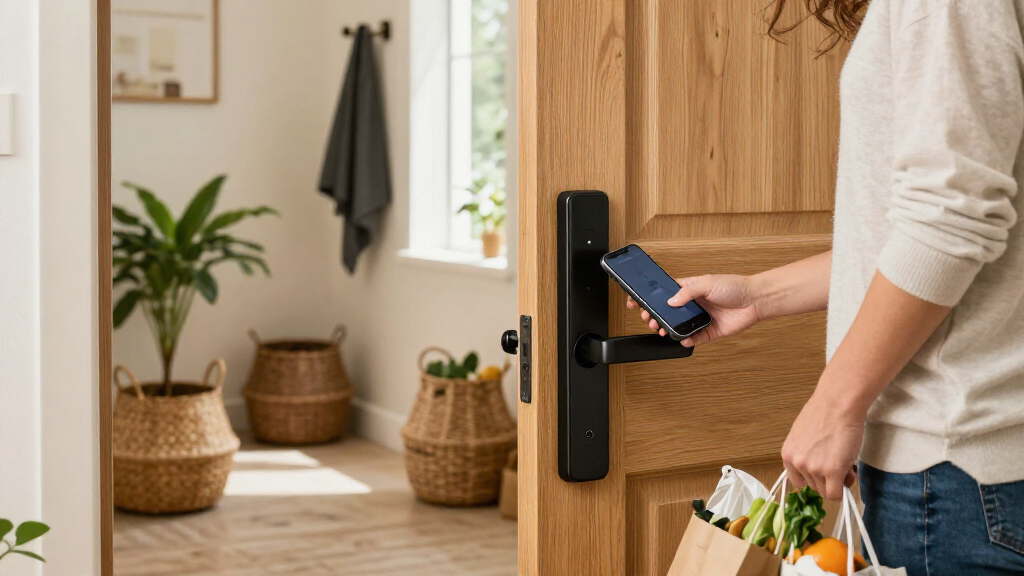

Finding the best smart door locks requires balancing seamless connectivity with robust physical security. My top pick is the Schlage Encode Smart WiFi Deadbolt for its proven reliability and direct Wi-Fi integration, while the eufy Security FamiLock S3 Max stands out for users prioritizing video surveillance and palm recognition. Buyers often face a difficult tradeoff between battery life and feature richness, as models with video or complex biometrics drain power faster than simple keypad designs. This guide breaks down these compromises to help you select a lock that fits your specific household routine and ecosystem. Read on to see which model aligns with your security priorities.

Get home appliances delivered free with Prime
- Fast, free delivery on millions of items
- Prime Video, Amazon Music and more included
- Member-only deals all year
Complete the kit


Key Takeaways
- Biometric reliability varies widely; palm vein recognition in premium models like the eufy FamiLock S3 Max offers better hygiene and speed than fingerprint sensors on budget units.
- Matter support is becoming a differentiator, with the ULTRALOQ Bolt SE providing better future-proofing for mixed-ecosystem homes compared to proprietary Wi-Fi-only locks.
- Direct Wi-Fi locks eliminate the need for bridges but consume more power, making the Schlage Encode a stronger choice for those avoiding hub maintenance despite frequent battery swaps.
- The Philips lineup dominates the mid-range with varied form factors, but many require a gateway for remote features, adding hidden complexity for beginners.
- Video-integrated locks serve as a dual-purpose security tool but often lag in local response time compared to dedicated deadbolts without camera components.
| Philips 4000 Series Wi-Fi Smart Door Lock with Fingerprint and Lever Handles |  | Best Lever-Handle Set | Model: DDL240X-1HW-L | Unlock methods: Fingerprint, PIN code, key, app | Connectivity: Built-in 2.4 GHz Wi-Fi; no hub required | VIEW LATEST PRICE | See Our Full Breakdown |
| eufy Security FamiLock S3 Max Video Smart Lock with Palm Vein Recognition |  | Best for Built-In Video and Palm Vein Access | Model: E85V0JY1 | Unlock method: Palm vein recognition | Recognition speed: 0.6 seconds | VIEW LATEST PRICE | See Our Full Breakdown |
| ULTRALOQ Bolt SE Wi-Fi Smart Deadbolt with Matter | 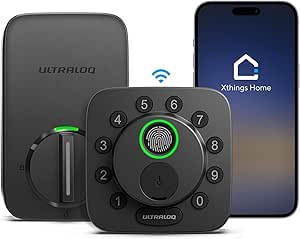 | Best for Weather-Exposed Doors | Model: Bolt SE | Lock type: Smart deadbolt | Access methods: Fingerprint, passcode, smartphone app, web portal, eKey/code sharing, voice control, mechanical key | VIEW LATEST PRICE | See Our Full Breakdown |
| eufy Security Smart Lock C220 with Fingerprint Keyless Entry |  | Best for Multiple Ways to Unlock | Model: T8506 | Unlock methods: Fingerprint, app, keypad, physical key, Apple Watch, Alexa or Google Assistant | Connectivity: Built-in Wi-Fi | VIEW LATEST PRICE | See Our Full Breakdown |
| Philips Wi-Fi Smart Lock and Handle Set |  | Best for Customizable Access Codes | Model: DDL242X-15HW-H-MB | Unlock methods: App, Alexa or Google Assistant voice commands, keypad password, physical key | Connectivity: Built-in 2.4 GHz Wi-Fi; no hub required | VIEW LATEST PRICE | See Our Full Breakdown |
| Philips 4200 Series Wi-Fi Smart Deadbolt with Keypad, Fingerprint Reader, and Handle Set |  | Best Hub-Free Wi-Fi Connectivity | Brand: Philips | Model: DDL242X-1HW-L | Connectivity: 2.4 GHz Wi-Fi; no hub required | VIEW LATEST PRICE | See Our Full Breakdown |
| Tapo DL110 Smart Wi-Fi Fingerprint Deadbolt |  | Best Battery Efficiency | Brand: Tapo | Model: DL110 | Lock type: Smart deadbolt | VIEW LATEST PRICE | See Our Full Breakdown |
| WYZE Palm Lock Smart Door Lock with Palm Vein Recognition |  | Best Contactless Hygiene Feature | Brand: WYZE | Model: WPLCK1 | Unlock methods: Palm vein recognition, keypad codes, voice control, mechanical key | VIEW LATEST PRICE | See Our Full Breakdown |
| LOCKSTAR Smart Door Lock with Fingerprint and Wi-Fi |  | Best Multi-Method Access | Brand: LOCKSTAR | Model: LS-SDL | Access methods: App, fingerprint, keypad code, card fob, traditional key | VIEW LATEST PRICE | See Our Full Breakdown |
| Philips Wi-Fi Smart Keypad Deadbolt Lock Set with Handles |  | Best User Code Management | Brand: Philips | Model: DDL240X-1HW-H2 | Unlocking methods: App, fingerprint, PIN code, key, voice commands | VIEW LATEST PRICE | See Our Full Breakdown |
| Philips Wi-Fi Smart Deadbolt with Handles and Gateway |  | Best for Legacy Wi-Fi Networks | Connectivity: Wi-Fi via dedicated gateway | Unlock Methods: App, fingerprint, PIN, key, voice | Fingerprint Speed: 0.3 seconds | VIEW LATEST PRICE | See Our Full Breakdown |
| Philips Wi-Fi Smart Deadbolt Lock Set with Fingerprint Keypad and Handle |  | Best Integrated Handle Set | Connectivity: Direct 2.4 GHz Wi-Fi | Unlock Methods: Fingerprint, app, passcode, key, voice | Weather Resistance: IP53 | VIEW LATEST PRICE | See Our Full Breakdown |
| Schlage Encode Smart WiFi Deadbolt with Century Trim, Matte Black |  | Best Premium Design & Reliability | Connectivity: Built-in Wi-Fi | Finish: Matte Black | Warranty: Lifetime mechanical, 3-year electronics | VIEW LATEST PRICE | See Our Full Breakdown |
| Philips Wi-Fi Smart Deadbolt Lock with Fingerprint and Keyless Entry |  | Best Value Direct-Connect Lock | Connectivity: Direct 2.4 GHz Wi-Fi | Unlock Methods: App, fingerprint, passcode, key, voice | Passcode Capacity: Up to 100 | VIEW LATEST PRICE | See Our Full Breakdown |
| Philips Wi-Fi Smart Door Lock with Fingerprint Recognition |  | Best for Battery-Conscious Buyers | Connectivity: Direct Wi-Fi | Included Components: Lock, 8 AA batteries, parts | Unlock Methods: App, fingerprint, PIN, voice, key | VIEW LATEST PRICE | See Our Full Breakdown |
| smart door lock | Model | Connectivity | Unlock methods |
|---|---|---|---|
| Philips 4000 Series Wi-Fi Smar | DDL240X-1HW-L | Built-in 2.4 GHz Wi-Fi; no hub required | Fingerprint, PIN code, key, app |
| eufy Security FamiLock S3 Max | E85V0JY1 | — | — |
| ULTRALOQ Bolt SE Wi-Fi Smart D | Bolt SE | 2.4 GHz Wi-Fi; Matter over Thread | — |
| eufy Security Smart Lock C220 | T8506 | Built-in Wi-Fi | Fingerprint, app, keypad, physical key, Apple Watch, Alexa or Google Assistant |
| Philips Wi-Fi Smart Lock and H | DDL242X-15HW-H-MB | Built-in 2.4 GHz Wi-Fi; no hub required | App, Alexa or Google Assistant voice commands, keypad password, physical key |
| Philips 4200 Series Wi-Fi Smar | DDL242X-1HW-L | 2.4 GHz Wi-Fi; no hub required | — |
| Tapo DL110 Smart Wi-Fi Fingerp | DL110 | — | — |
| WYZE Palm Lock Smart Door Lock | WPLCK1 | — | Palm vein recognition, keypad codes, voice control, mechanical key |
| LOCKSTAR Smart Door Lock with | LS-SDL | — | — |
| Philips Wi-Fi Smart Keypad Dea | DDL240X-1HW-H2 | — | — |
| Philips Wi-Fi Smart Deadbolt w | — | Wi-Fi via dedicated gateway | App, fingerprint, PIN, key, voice |
| Philips Wi-Fi Smart Deadbolt L | — | Direct 2.4 GHz Wi-Fi | Fingerprint, app, passcode, key, voice |
| Schlage Encode Smart WiFi Dead | — | Built-in Wi-Fi | — |
| Philips Wi-Fi Smart Deadbolt L | — | Direct 2.4 GHz Wi-Fi | App, fingerprint, passcode, key, voice |
| Philips Wi-Fi Smart Door Lock | — | Direct Wi-Fi | App, fingerprint, PIN, voice, key |
More Details on Our Top Picks
Philips 4000 Series Wi-Fi Smart Door Lock with Fingerprint and Lever Handles
The Philips 4000 Series is a strong fit for buyers replacing both their lock and handles, rather than adding a deadbolt-only device. Its four entry methods—fingerprint, PIN, key, and app—give household members options, while built-in Wi-Fi supports remote control and alerts without an extra hub. Compared with the eufy Smart Lock C220, it includes a pair of lever handles but offers fewer ways to unlock; the C220 adds Apple Watch access and voice unlocking among its options. One limitation affects the auto-lock feature: there is no door sensor, so the lock cannot confirm the door is shut before engaging. Timed and recurring PIN sharing also requires a separately sold gateway, making this less self-contained for scheduled guest access.
Pros:- Offers fingerprint, PIN, key, and app entry
- Built-in Wi-Fi enables remote control and alerts without a hub
- Includes two lever handles for a coordinated replacement
- Supports Alexa and Google Assistant
Cons:- No door sensor, so auto-lock only works when the door is fully closed
- Timed and recurring PIN sharing requires a separately sold Philips Wi-Fi Gateway
- Supports only 2.4 GHz Wi-Fi
Best for: Homeowners replacing a compatible lock and lever handles who want fingerprint entry and remote access without a hub.
Not ideal for: Households that need the lock to verify the door is closed before auto-locking or want scheduled PIN sharing without buying an additional gateway.
- Model:DDL240X-1HW-L
- Unlock methods:Fingerprint, PIN code, key, app
- Connectivity:Built-in 2.4 GHz Wi-Fi; no hub required
- Fingerprint capacity:Up to 50 fingerprints
- PIN capacity:100 user PINs and unlimited one-time PINs
- Door thickness:1-3/8 to 1-3/4 inches
- Voice assistants:Alexa and Google Assistant
- Included components:Smart lock, 2 lever handles, 8 AA batteries, mounting hardware, user manual
Our verdict“Choose this Philips set if you need new lever handles as well as a connected lock, and can live without door-state sensing.”
eufy Security FamiLock S3 Max Video Smart Lock with Palm Vein Recognition
The eufy FamiLock S3 Max is the standout choice here for buyers who want a doorbell camera and smart lock in one installation. Its palm vein recognition offers a key-free way in, while the 2K camera, wide viewing angle, and interior screen help people inside check the entrance without reaching for a phone. That makes it a more feature-rich entry system than the eufy Smart Lock C220, which focuses on access methods rather than video. The tradeoff is a more specialized setup: camera streams are not supported through Matter, and the lock does not work with HomeBase 2. Local storage and broad smart-home compatibility are appealing, but buyers should not assume every video function will operate through their preferred Matter platform.
Pros:- Combines palm vein unlocking, a 2K camera, and an interior video screen
- Stores video data locally on 16GB of built-in storage
- Supports Matter and several major smart-home platforms
- Includes a rechargeable battery and AAA backup batteries
Cons:- Camera streams are not supported through Matter
- Not compatible with HomeBase 2
- The added camera and screen make it a more involved choice than a lock-only model such as the eufy C220
Best for: Households seeking a combined smart lock and video doorbell, especially those who want palm vein entry and an indoor screen.
Not ideal for: People already using HomeBase 2 or buyers who expect camera streaming to be available through Matter.
- Model:E85V0JY1
- Unlock method:Palm vein recognition
- Recognition speed:0.6 seconds
- Camera:2K HD, f/1.8 lens, 150° field of view
- Storage:16GB built-in
- Battery:Rechargeable; up to 4 months of battery life
- Backup power:4 AAA batteries; up to 1 additional month of essential functionality
- Smart-home compatibility:Matter, Apple Home, Google Home, Alexa, SmartThings, eufy ecosystem, HomeBase 3
- Warranty:36 months for mechanical parts; 18 months for electronic parts
Our verdict“Pick the FamiLock S3 Max if video at the door and hands-free palm vein entry matter more than a simple, lock-only setup.”
ULTRALOQ Bolt SE Wi-Fi Smart Deadbolt with Matter
For an exterior door exposed to rain and changing conditions, the ULTRALOQ Bolt SE brings a useful mix of IP65 weather resistance, fingerprint access, passcodes, and built-in Wi-Fi. Remote control works without a hub, while its stated battery life of up to 18 months may suit buyers who want fewer battery changes than the eufy Smart Lock C220, which is rated for up to eight months. Matter is supported over Thread, but that part requires a compatible hub; it is not the same as using the built-in Wi-Fi alone. The lock also lacks a door sensor, so auto-lock cannot check whether the door is fully closed. Its 2.4 GHz-only Wi-Fi and hub-dependent Matter features make it less flexible for some smart-home setups.
Pros:- IP65 weather-resistant design suits exposed exterior doors
- Built-in Wi-Fi supports remote access without a hub
- Supports fingerprint, passcode, app, web portal, eKey sharing, voice control, and mechanical keys
- Includes auto-lock, low-battery alerts, and up to 18 months of stated battery life
Cons:- Matter over Thread features require a compatible hub
- Wi-Fi is limited to 2.4 GHz
- No door sensor to confirm the door is closed before auto-locking
Best for: Homeowners who need a weather-resistant deadbolt with fingerprint entry, remote access, and a long stated battery-life estimate.
Not ideal for: Buyers who want Matter features without a compatible Thread hub, need 5 GHz Wi-Fi, or want door-state sensing.
- Model:Bolt SE
- Lock type:Smart deadbolt
- Access methods:Fingerprint, passcode, smartphone app, web portal, eKey/code sharing, voice control, mechanical key
- Capacities:Up to 50 fingerprints and 50 passcodes
- Connectivity:2.4 GHz Wi-Fi; Matter over Thread
- Matter requirement:Compatible Matter over Thread hub required for Matter features
- Battery life:Up to 18 months
- Weather resistance:IP65
- Warranty:Lifetime mechanical; 18-month electronic
Our verdict“Choose the Bolt SE for a weather-resistant, feature-rich deadbolt, provided its hub-dependent Matter support and lack of a door sensor fit your setup.”
eufy Security Smart Lock C220 with Fingerprint Keyless Entry
The eufy Smart Lock C220 earns its place for households with different preferences at the door: it supports six unlocking methods, including fingerprint, keypad, physical key, app, Apple Watch, and voice assistant. Built-in Wi-Fi lets owners manage the lock remotely without a bridge, while its fit with most standard deadbolts makes it a more straightforward retrofit than a full handle-set replacement like the Philips 4000 Series. The tradeoff is battery upkeep: the C220 uses eight AA batteries, and its stated life of up to eight months varies with use. Its BHMA Grade 3 certification, IP53 water resistance, and broad operating-temperature range add practical reassurance, but buyers seeking video at the door will need a separate camera rather than the integrated approach of the eufy FamiLock S3 Max.
Pros:- Provides six entry methods, including fingerprint, Apple Watch, and voice assistant
- Built-in Wi-Fi enables remote app control without a bridge
- Fits most standard deadbolts and installs without drilling
- BHMA Grade 3 certified, IP53 rated, and specified for a wide operating-temperature range
Cons:- Requires eight AA batteries, with battery life varying by use
- Does not include a video camera or doorbell
- Its deadbolt-focused design does not replace handles like the Philips 4000 Series set
Best for: Households that want several convenient entry options and remote control while keeping their existing compatible deadbolt setup.
Not ideal for: Buyers who want an integrated video doorbell, need a door-handle set included, or prefer a lock with fewer AA batteries to manage.
- Model:T8506
- Unlock methods:Fingerprint, app, keypad, physical key, Apple Watch, Alexa or Google Assistant
- Connectivity:Built-in Wi-Fi
- Battery:8 AA batteries
- Battery life:Up to 8 months
- Installation:Fits most standard deadbolts; approximately 15 minutes; no drilling
- Security certification:BHMA Grade 3
- Water resistance:IP53
- Operating temperature:-22°F to 158°F (-30°C to 70°C)
Our verdict“Choose the C220 if your priority is flexible keyless entry on a compatible existing deadbolt, not an all-in-one video or handle replacement.”
Philips Wi-Fi Smart Lock and Handle Set
The Philips Wi-Fi Smart Lock and Handle Set suits buyers who want a coordinated lock-and-handle replacement with straightforward remote management. It pairs built-in Wi-Fi with app, keypad, physical-key, and voice-assistant entry, and its app supports up to 100 passwords, activity history, alerts, and adjustable auto-lock timing. Compared with the Philips 4000 Series, it offers a longer adjustable auto-lock interval and supports doors up to two inches thick, but it does not list fingerprint entry. That makes the 4000 Series a better fit for households prioritizing biometric access. This model also arrives without its required eight AA alkaline batteries, and its Wi-Fi is limited to 2.4 GHz. Check the door dimensions and router placement before choosing it.
Pros:- Supports up to 100 customizable password codes
- Built-in Wi-Fi enables remote access without a hub
- App provides activity alerts, access history, and adjustable auto-lock timing
- Fits doors 1-3/8 to 2 inches thick and includes a handle
Cons:- Eight AA alkaline batteries are required but not included
- Supports 2.4 GHz Wi-Fi only
- Does not list fingerprint entry, unlike the Philips 4000 Series
Best for: Households replacing a lock and handle who need many customizable keypad codes, activity history, and adjustable auto-lock timing.
Not ideal for: Buyers who want fingerprint access, included batteries, or reliable connectivity from a distant router or a 5 GHz-only network.
- Model:DDL242X-15HW-H-MB
- Unlock methods:App, Alexa or Google Assistant voice commands, keypad password, physical key
- Connectivity:Built-in 2.4 GHz Wi-Fi; no hub required
- Password capacity:Up to 100 codes
- Auto-lock interval:10–180 seconds
- Door thickness:1-3/8 to 2 inches (35 to 50 mm)
- Cross bore:1-1/2 or 2-1/8 inches (38 or 54 mm)
- Batteries:8 AA (LR6) alkaline batteries; not included
- Warranty:24 months
Our verdict“Pick this Philips set if keypad-code management and door fit matter more to you than fingerprint entry or included batteries.”
Philips 4200 Series Wi-Fi Smart Deadbolt with Keypad, Fingerprint Reader, and Handle Set
This model stands out for its direct 2.4 GHz Wi-Fi connection, eliminating the need for a separate hub that other models might require. Compared to the Philips Wi-Fi Smart Deadbolt Lock Set with Handles, this version prioritizes a clean setup by integrating connectivity directly into the deadbolt. The inclusion of a matching handle set offers a cohesive aesthetic, which is a significant advantage for users replacing an entire entryway assembly. However, the 0.3-second fingerprint scan is fast, but the system requires manual activation for auto-locking, a setting users must not overlook. While it works seamlessly with Alexa and Google Assistant, the dependency on strong Wi-Fi signal within 33 feet means placement matters more than with Bluetooth-heavy alternatives.
Pros:- Connects directly to 2.4 GHz Wi-Fi without a hub
- Includes a matching handle set for a unified look
- Fast 0.3-second fingerprint recognition
Cons:- Auto-lock is off by default and must be manually enabled
- Batteries are not included in the package
- Requires proximity to router for reliable Wi-Fi
Best for: Homeowners replacing both the lock and handles who want simple Wi-Fi setup without extra hubs.
Not ideal for: Users with weak Wi-Fi signals near the front door or those who prefer automatic security defaults.
- Brand:Philips
- Model:DDL242X-1HW-L
- Connectivity:2.4 GHz Wi-Fi; no hub required
- Access methods:Keypad PIN, fingerprint, app, Alexa, Google Assistant
- Fingerprint unlock time:0.3 seconds
- Battery life:Up to 6 months
- Door thickness compatibility:1⅜–1¾ inches (38–50 mm)
Our verdict“This lock is the best choice for those wanting a complete, hub-free hardware package with a modern aesthetic.”
Tapo DL110 Smart Wi-Fi Fingerprint Deadbolt
The Tapo DL110 distinguishes itself with a rechargeable USB-C battery rated for up to one year in Wi-Fi mode, significantly outlasting many alkaline-powered competitors. Unlike the Philips 4200 Series, which requires battery replacements every six months, this model offers a more sustainable power solution. It supports up to 100 fingerprints, making it ideal for larger households or rentals with frequent turnover. The lock also integrates with Samsung SmartThings, broadening its ecosystem compatibility beyond Alexa and Google. While the fingerprint recognition is slightly slower at 0.42 seconds, the trade-off for extended battery life and USB-C convenience makes this a compelling option for users who dislike frequent maintenance tasks.
Pros:- Rechargeable battery lasts up to one year in Wi-Fi mode
- Supports up to 100 stored fingerprints
- Compatible with Samsung SmartThings, Alexa, and Google Home
Cons:- Fingerprint recognition takes 0.42 seconds, slower than some rivals
- Actual battery life varies significantly with usage patterns
Best for: Users who prioritize long battery life and prefer USB-C charging over alkaline replacements.
Not ideal for: Those who want the fastest possible unlock times or have extremely high-traffic doors.
- Brand:Tapo
- Model:DL110
- Lock type:Smart deadbolt
- Fingerprint capacity:Up to 100 fingerprints
- Battery life:Up to 1 year in Wi-Fi mode
- Battery type:Removable, rechargeable battery pack
- Charging port:USB-C
Our verdict“Choose this lock if you want minimal maintenance and high fingerprint capacity for a busy household.”
WYZE Palm Lock Smart Door Lock with Palm Vein Recognition
This lock introduces palm vein recognition, a contactless technology that offers a hygienic and secure alternative to fingerprint scanners. Compared to the Tapo DL110, which relies on physical touch, the WYZE Palm Lock allows users to unlock simply by hovering their hand, reducing smudges and wear on the sensor. It is IP53 weather-resistant and BHMA Grade 3 certified, providing robust durability for exterior doors. The dual-battery system with USB-C emergency charging adds a layer of reliability, ensuring you are never locked out due to a dead battery. While it lacks the multi-ecosystem breadth of some competitors, its focus on contactless security and physical durability makes it a strong contender for health-conscious or high-security environments.
Pros:- Contactless palm vein recognition for hygienic access
- IP53 weather resistance and BHMA Grade 3 certification
- Dual-battery system with USB-C emergency charging
Cons:- Smart features depend on stable Wi-Fi connectivity
- Requires regular battery maintenance for smart functions
Best for: Users seeking contactless entry for hygiene reasons or those needing weather-resistant durability.
Not ideal for: People who prefer traditional fingerprint scanners or have limited door thickness compatibility.
- Brand:WYZE
- Model:WPLCK1
- Unlock methods:Palm vein recognition, keypad codes, voice control, mechanical key
- Weather resistance:IP53
- Certification:BHMA Grade 3
- Emergency charging:USB-C
- Guest codes:Up to 50 unique or one-time codes
Our verdict“This is the ideal choice for those who value contactless technology and rugged, certified durability.”
LOCKSTAR Smart Door Lock with Fingerprint and Wi-Fi
The LOCKSTAR Smart Door Lock offers an unusually wide array of entry options, including card fobs alongside fingerprints, keypad, app, and traditional keys. This versatility sets it apart from the WYZE Palm Lock, which focuses more on biometric and keypad entries. The inclusion of a dedicated Wi-Fi gateway ensures stable remote management, though it adds another device to your network. The lock is constructed from zinc alloy, providing a sturdy feel, but its compatibility is strictly limited to wooden doors between 1.5 and 1.9 inches thick. This specific constraint means potential buyers must measure their doors carefully, as metal or steel doors are not supported, limiting its application in commercial or modern steel-entry homes.
Pros:- Supports card fobs in addition to biometrics and codes
- Includes a dedicated Wi-Fi gateway for remote access
- Comes with installation tools for DIY setup
Cons:- Strictly compatible with wooden doors only
- Requires drilling if the door lacks an existing lock hole
Best for: Users who want diverse access methods, including card fobs, and have standard wooden doors.
Not ideal for: Homeowners with metal, steel, or non-standard door thicknesses.
- Brand:LOCKSTAR
- Model:LS-SDL
- Access methods:App, fingerprint, keypad code, card fob, traditional key
- Material:Zinc alloy
- Door compatibility:1.5–1.9-inch wooden doors
- Included components:Wi-Fi gateway, screwdriver, drill piece
- Weight:16 ounces
Our verdict“Buy this if you need card fob access and have a compatible wooden door, but skip it if you have steel entryways.”
Philips Wi-Fi Smart Keypad Deadbolt Lock Set with Handles
This Philips model excels in user code management, supporting up to 100 user codes and unlimited one-time PINs. Compared to the Philips 4200 Series, which is similar in hardware, this version emphasizes flexible access control for rentals or large families. The set includes four batteries, offering immediate out-of-the-box functionality, unlike models that require separate purchases. It features an adjustable auto-lock timer from 30 to 180 seconds, giving users granular control over security defaults. While it requires the Philips app for remote features, the ability to generate temporary codes for guests or service providers without compromising permanent access codes makes it a highly practical choice for dynamic household environments.
Pros:- Supports up to 100 user codes and unlimited one-time PINs
- Includes four batteries for immediate use
- Adjustable auto-lock timer from 30 to 180 seconds
Cons:- Remote features are locked behind the Philips app ecosystem
- Door compatibility must be verified before purchase
Best for: Airbnb hosts or large families who need to generate frequent temporary access codes.
Not ideal for: Users with non-standard door thicknesses who haven’t verified compatibility.
- Brand:Philips
- Model:DDL240X-1HW-H2
- Unlocking methods:App, fingerprint, PIN code, key, voice commands
- User codes:Up to 100
- One-time PIN codes:Unlimited
- Auto-lock timer:30–180 seconds
- Included components:Door lock, handle set, 4 batteries
Our verdict“This lock is the best pick for hosts and large households needing flexible, temporary access management.”
Philips Wi-Fi Smart Deadbolt with Handles and Gateway
This model stands out for its dedicated gateway, which bridges the lock to your home network. While most competitors like the Schlage Encode rely on direct Wi-Fi connections, this Philips unit requires the included hub to function remotely. This design choice can actually be a benefit for users with congested 2.4 GHz bands or older routers, as the gateway handles the communication protocol more reliably than a direct connection might. The package includes handles and batteries, reducing upfront setup friction. However, the reliance on an extra device means more points of failure and a bulkier installation footprint. It supports five unlock methods, but voice control is strictly tied to the gateway’s integration, unlike standalone units that pair directly with assistants.
Pros:- Dedicated gateway reduces strain on home Wi-Fi bandwidth
- Includes handles and batteries for a complete starter kit
- High fingerprint accuracy with 0.3-second response time
Cons:- Requires an additional gateway device for remote access
- Only supports 2.4 GHz Wi-Fi frequencies
- Voice control depends entirely on the gateway connection
Best for: Homeowners with older or crowded Wi-Fi networks who need a stable, dedicated connection for their smart lock.
Not ideal for: Minimalists who want a clean install without extra hubs or those with modern routers that handle many devices easily.
- Connectivity:Wi-Fi via dedicated gateway
- Unlock Methods:App, fingerprint, PIN, key, voice
- Fingerprint Speed:0.3 seconds
- Door Thickness:1-3/8 to 2 inches
- Backset:2-3/8 or 2-3/4 inches
- Included Components:Lock, gateway, handle, 4 batteries
Our verdict“Choose this if your router struggles with direct IoT connections and you prefer a hub-based system for stability.”
Philips Wi-Fi Smart Deadbolt Lock Set with Fingerprint Keypad and Handle
Compared to the Philips DDL240X-1HW which is just the lock, this DDL242X model includes a matching exterior handle and interior lever, offering a cohesive aesthetic for front doors. It connects directly to 2.4 GHz Wi-Fi, eliminating the need for the gateway found in the DDL240X-1HBG-H. This direct connection simplifies setup but places the burden on your router’s capacity. The IP53 weather resistance is a practical upgrade for exposed entryways, protecting the keypad from rain and dust better than many indoor-only competitors. However, it does not include batteries, requiring an additional purchase. The auto-lock timer is highly adjustable, ranging from 10 to 180 seconds, which is faster than the 30-second minimum on the DDL240X series, catering to users who want immediate security after closing the door.
Pros:- Includes matching handle and lever for a unified look
- Direct Wi-Fi connectivity removes the need for a gateway
- IP53 rating offers better weather protection
Cons:- Batteries are not included in the box
- Limited to 2.4 GHz Wi-Fi networks
- No door sensor included for open-door alerts
Best for: Users replacing an entire door handle set who want a direct Wi-Fi connection without extra hubs.
Not ideal for: Those who already have compatible handles or want a lock-only solution to save money.
- Connectivity:Direct 2.4 GHz Wi-Fi
- Unlock Methods:Fingerprint, app, passcode, key, voice
- Weather Resistance:IP53
- Auto-Lock Timer:10–180 seconds
- Included Components:Handle, lever, lock, 2 keys
- Door Thickness:1-3/8 to 2 inches
Our verdict“This is the ideal choice for a complete door hardware upgrade with direct smart connectivity.”
Schlage Encode Smart WiFi Deadbolt with Century Trim, Matte Black
The Schlage Encode distinguishes itself with a premium Century trim and a fingerprint-resistant touchscreen that feels more substantial than the plastic keypads on the Philips DDL242X-1HW. It offers built-in Wi-Fi without a hub, similar to the Philips direct-connect models, but backs it with a limited lifetime mechanical warranty that rivals rarely match. The inclusion of a customizable alarm and auto-lock adds a layer of security monitoring that basic locks lack. However, the price point is higher, and it requires four AA batteries (though they are included, unlike some Philips models). While it supports Alexa and Google Home, it lacks the native Matter support found in newer competitors like the ULTRALOQ Bolt SE, potentially limiting future ecosystem flexibility.
Pros:- Premium Century trim with matte black finish
- Limited lifetime mechanical and finish warranty
- Built-in alarm and auto-lock features
Cons:- Higher cost compared to value-focused alternatives
- No native Matter support for broader compatibility
- Relies on 2.4 GHz Wi-Fi for remote features
Best for: Buyers prioritizing build quality, brand reputation, and a sleek matte black aesthetic for their front door.
Not ideal for: Budget-conscious shoppers or those who require Matter protocol support for a unified smart home standard.
- Connectivity:Built-in Wi-Fi
- Finish:Matte Black
- Warranty:Lifetime mechanical, 3-year electronics
- Access Codes:Up to 100
- Power:4 AA batteries (included)
- Voice Assistants:Alexa, Google Home
Our verdict“Select this for superior build quality and peace of mind backed by a strong warranty.”
Philips Wi-Fi Smart Deadbolt Lock with Fingerprint and Keyless Entry
This standalone deadbolt offers the core features of the Philips DDL242X-1HW—direct Wi-Fi, fingerprint, and passcode access—without the cost of handles or a gateway. It is a pragmatic choice for users who already have door hardware they like or plan to buy separately. The Away Mode and real-time access alerts provide essential monitoring capabilities comparable to the more expensive Schlage Encode. However, the lack of included batteries and the strict 2.4 GHz Wi-Fi requirement are notable friction points. Unlike the gateway-based models, this lock depends entirely on your router’s proximity and signal strength, which can lead to connectivity issues in homes with thick walls or distant routers.
Pros:- Direct Wi-Fi connection without extra hubs
- Includes Away Mode and access history features
- Supports up to 100 custom passcodes
Cons:- Batteries are sold separately
- No door sensor for open-door alerts
- 2.4 GHz Wi-Fi limit may require router adjustment
Best for: DIY enthusiasts who have existing handles and want a reliable, hub-free smart lock at a competitive price.
Not ideal for: Users who need a complete hardware set or have Wi-Fi dead zones near their front door.
- Connectivity:Direct 2.4 GHz Wi-Fi
- Unlock Methods:App, fingerprint, passcode, key, voice
- Passcode Capacity:Up to 100
- Auto-Lock Delay:10–180 seconds
- Door Thickness:1-3/8 to 2 inches
- Power:AA alkaline (not included)
Our verdict“A solid, no-nonsense option for upgrading security without replacing door handles.”
Philips Wi-Fi Smart Door Lock with Fingerprint Recognition
This model is unique in the lineup for including eight AA batteries out of the box, a significant value-add compared to the Philips DDL242X-1HW which provides none. It uses direct Wi-Fi, avoiding the gateway complexity of the DDL240X-1HBG-H, making setup straightforward for most users. The auto-lock timer starts at 30 seconds, which is slower than the 10-second minimum on the DDL242X, potentially leaving a brief window of vulnerability if you forget to engage it. While it supports five unlock methods, the lack of a door sensor means it cannot alert you if the door is left ajar, a feature found in some premium competitors. It is a strong contender for those who want immediate readiness upon unboxing.
Pros:- Includes 8 AA batteries for immediate use
- Direct Wi-Fi connectivity without a hub
- Five versatile unlock methods including fingerprint
Cons:- Auto-lock timer starts at 30 seconds
- No door sensor for open-door notifications
- Voice control relies on external assistants
Best for: Buyers who want a ready-to-install lock with included power sources and direct Wi-Fi simplicity.
Not ideal for: Users who need immediate auto-locking (under 30 seconds) or door-open alerts.
- Connectivity:Direct Wi-Fi
- Included Components:Lock, 8 AA batteries, parts
- Unlock Methods:App, fingerprint, PIN, voice, key
- Auto-Lock Timer:30–180 seconds
- Warranty:24 months
- Fingerprint Speed:0.3 seconds
Our verdict“Ideal for those who prioritize convenience and want batteries included in the package.”
How We Picked
I evaluated these smart locks based on connectivity stability, biometric accuracy, and ecosystem compatibility. A lock that frequently disconnects or requires manual re-pairing fails its primary function, so I prioritized models with consistent Wi-Fi or Matter performance. Build quality was another critical factor, as smart locks are exposed to weather and daily wear; metal construction and IP-rated durability separated premium picks from plastic-heavy alternatives. I also assessed ease of installation, noting which models required additional hubs or complex wiring versus those that functioned as direct replacements for standard deadbolts.
The ranking logic favors versatility and reliability over raw feature count. A lock with fewer features that works flawlessly ranks higher than one with extensive capabilities that suffers from connectivity drops or battery inefficiency. I weighed the practicality of biometric options, recognizing that fingerprint sensors can fail with wet or damaged fingers, whereas palm recognition and keypad entry offer more consistent daily usability for diverse households.
Factors to Consider When Choosing Best Smart Door Locks
Choosing a smart lock involves more than picking the most expensive model. This guide clarifies the technical and practical factors that determine long-term satisfaction.Connectivity Protocols and Hub Requirements
Most smart locks communicate via Wi-Fi, Bluetooth, Zigbee, or the newer Matter standard. Wi-Fi locks connect directly to your router, offering remote access without extra hardware, but they drain batteries faster and may struggle with thick walls. Bluetooth locks are energy-efficient but limited to local control unless paired with a bridge. Matter-compatible locks like the ULTRALOQ Bolt SE offer the most flexibility, working across Apple Home, Google Home, and Amazon Alexa without vendor lock-in. Beginners often underestimate the hassle of managing separate apps for each device; choosing a protocol that matches your existing smart home ecosystem prevents fragmentation. If you do not have a smart home hub, a direct Wi-Fi model is usually the path of least resistance.
Biometric Accuracy and Environmental Factors
Fingerprint sensors are common but can fail when fingers are wet, oily, or scarred. Premium models increasingly use palm vein recognition, which is more hygienic and works reliably regardless of surface conditions. When evaluating biometric options, consider who lives in the home; elderly residents or children may struggle with precise fingerprint placement. Keypad entry remains the most universally accessible method but is vulnerable to shoulder-surfing if not shielded. The best approach is a multi-method lock that allows fallback options. If you live in a rainy climate, prioritize locks with IP65 ratings or higher to prevent sensor corrosion. Avoid relying solely on one biometric method if household members have varying manual dexterity.
Battery Life and Power Management
Smart locks typically run on AA or rechargeable lithium-ion batteries. Models with video cameras or continuous Wi-Fi transmission consume significantly more power, requiring charging every few weeks rather than months. Look for locks with low-battery alerts that notify your phone before the device dies, preventing lockouts. Some high-end locks include mechanical keys as a backup, while others rely entirely on digital codes or USB-C emergency charging. The tradeoff is clear: richer features mean more frequent maintenance. If you dislike monthly upkeep, choose a model optimized for low-power standby modes, even if it means sacrificing video capabilities. Always verify if the lock supports standard rechargeable batteries to reduce long-term costs.
Physical Security and Build Quality
Not all smart locks are equally resistant to physical attacks. Look for ANSI Grade 1 or 2 certification, which indicates durability against drilling, kicking, and prying. Plastic housings, common in budget models, can crack under impact or extreme temperatures, whereas metal construction provides better security. The deadbolt throw length also matters; a full 1-inch throw is more resistant to prying than shorter bolts. Some locks integrate with existing deadbolts, while others replace the entire mechanism. Replacing the entire unit usually offers better security than adding a smart layer to an old, weak lock. Check if the lock has a reinforced strike plate or anti-tamper alarms, as these features deter opportunistic break-ins more effectively than software encryption alone.
Installation Complexity and Door Compatibility
Smart locks generally fit standard door thicknesses (1.375 to 1.75 inches) and bore holes. However, non-standard doors, such as those with integrated handles or unusual spacing, may require adapters or professional installation. Keyless entry models often require removing the old deadbolt, which is straightforward for most homeowners, while handle-set replacements involve more steps. Consider whether you need a lock that retains your existing key functionality; some smart locks disable physical keys entirely, which can be problematic during power failures or app glitches. Measure your door’s backset (distance from the edge to the center of the hole) before buying to avoid returns. If you rent, check with your landlord about drilling requirements, as some smart locks need new holes while others use existing hardware.
Frequently Asked Questions
Are smart locks safe if my Wi-Fi goes down?
Yes, most smart locks continue to function locally even without internet connectivity. You can still unlock the door using a keypad, fingerprint, or Bluetooth connection via your phone. However, you will lose remote access features, such as granting temporary codes to guests or receiving real-time notifications on your phone. The lock itself remains secure and operational because the authentication happens on the device, not in the cloud. For critical situations, ensure your chosen model supports offline functionality and does not require a constant cloud connection to verify valid codes.
Do I need a separate bridge or hub for a smart lock?
It depends on the connectivity protocol. Wi-Fi locks connect directly to your router, eliminating the need for extra hardware. Bluetooth locks usually require a hub or bridge to enable remote access, as Bluetooth has a short range. Zigbee and Z-Wave locks always require a compatible hub. Matter-compatible locks can work over Wi-Fi or Thread, often using your existing smart home speaker or router as a border router. Check the product specifications carefully; many ‘smart’ locks advertise remote control but silently require a hub that is not included in the box, adding to the total cost.
How do smart locks handle power outages or dead batteries?
Most smart locks provide multiple backup options. Many include physical keyholes for traditional entry. Others offer USB-C ports on the exterior that allow you to connect a portable power bank for temporary power to enter a code or scan a fingerprint. Some models store codes locally, so they work even if the battery is critically low, though biometrics may fail. Always read the manual to understand the emergency entry method for your specific model. Never rely on a single method; keeping a physical key in a secure outdoor location or giving a spare to a neighbor is a prudent safety measure.
Can I integrate smart locks with video doorbells?
Yes, many smart locks integrate with video doorbells through smart home platforms like HomeKit, Alexa, or Google Home. You can create automations, such as unlocking the door when a recognized face is detected at the doorbell, though this raises security concerns and should be used cautiously. More commonly, users link the devices to receive notifications when both the doorbell is pressed and the lock is engaged or disengaged. Compatibility varies by brand; for example, some locks work seamlessly with specific doorbell ecosystems but not others. Verify that both devices support the same platform before purchasing to avoid integration headaches.
Are fingerprint sensors reliable for families with children?
Fingerprint sensors can be inconsistent for young children because their fingerprints are not fully developed, and for adults with worn fingerprints or wet hands. This can lead to frustration and repeated failed attempts. Models with palm vein recognition or large keypads are often better suited for families. If you choose a fingerprint model, ensure it supports multiple enrollment slots and has a keypad backup. Some premium locks allow you to register ‘guest’ profiles with limited access, which can be managed via an app, offering a more flexible alternative to rigid biometric enrollment for temporary visitors.
Conclusion
Choosing the right smart lock depends on your tolerance for maintenance and your existing smart home setup. The Schlage Encode remains the best overall choice for most buyers due to its direct Wi-Fi connectivity and robust build, requiring no extra hubs. For those seeking advanced biometrics and video integration, the eufy Security FamiLock S3 Max is the best premium option, though it demands more power management. If you are new to smart locks, the Philips 4000 Series offers a user-friendly entry point, provided you are willing to manage its gateway requirements. For budget-conscious buyers prioritizing Matter compatibility, the ULTRALOQ Bolt SE stands out as the best value, offering future-proof connectivity without proprietary locks. Evaluate your door’s physical constraints and your ecosystem preferences to make the final decision.