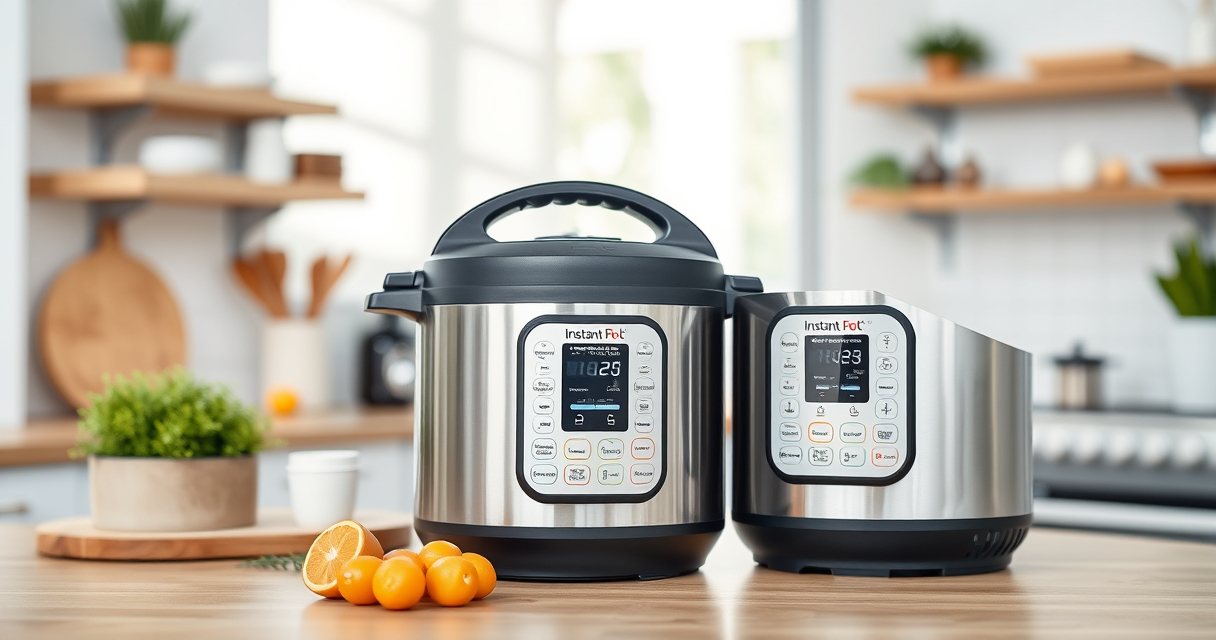

If your Instant Pot 4QT RIO Mini 7-in-1 Multi-Cooker keeps displaying a burn error, it can be frustrating. This issue often occurs when food sticks to the bottom or the cooker detects overheating. Fortunately, with some simple troubleshooting steps, you can resolve this problem and get back to cooking your favorite meals without hassle.
In this guide, we’ll walk you through the essential steps to identify the cause of the burn error and how to fix it safely, ensuring your Instant Pot operates smoothly and efficiently every time.
Key Takeaways
| Understand the Burn Error | It signals food sticking or overheating, preventing proper pressure buildup. |
| Check the Inner Pot | Ensure it’s properly positioned and clean to prevent sticking. |
| Add Enough Liquid | Insufficient liquid can cause burning; add at least 1 cup of water or broth. |
| Avoid Thick Sauces or Thickening Agents | These can stick to the bottom and trigger the error. |
| Reset and Test | After cleaning and adjusting, reset the cooker and try cooking again. |
Amazon Product B0F9B923NC
As an affiliate, we earn on qualifying purchases.
Step 1: Turn Off and Unplug the Instant Pot
- Press the ‘Cancel’ button to stop any ongoing cooking cycle.
- Unplug the device and allow it to cool for a few minutes before handling.
Amazon Product B07CMW3B95
As an affiliate, we earn on qualifying purchases.
Step 2: Check and Clean the Inner Pot
- Remove the inner pot and inspect for stuck food or residue.
- Wash thoroughly with warm, soapy water and dry completely.
- Ensure the bottom of the pot is smooth and free from food particles.
Step 3: Ensure Proper Liquid Levels
Make sure there is at least 1 to 1.5 cups of liquid in the inner pot, especially when cooking rice, grains, or thick sauces. The liquid helps prevent burning and allows pressure to build properly.
Step 4: Adjust Your Recipe and Cooking Method
- Avoid overly thick sauces or ingredients that can stick to the bottom.
- If using ingredients prone to sticking, consider layering or using a steamer basket.
- Refrain from adding ingredients directly onto the bottom without sufficient liquid.
Step 5: Reset and Test the Cooker
- Place the cleaned inner pot back into the cooker.
- Seal the lid properly, ensuring the sealing ring is in place (see recommended product below).
- Set the cooker to the desired program and start cooking.
- Monitor for any error messages and ensure the pressure builds correctly.
The Products in This Guide

Instant Pot 4QT RIO Mini 7-in-1 Multi-Cooker
- ✔ Model: B0F9B923NC
- ✔ Power: 1000W
- ✔ Warranty: 1 Year

AOZITA Steamer Basket
- ✔ Compatibility: 6 & 8 qt models
- ✔ Capacity: Two tiers
- ✔ Material: Stainless Steel
Instant Pot 4QT RIO Mini 7-in-1 Multi-Cooker
The Instant Pot 4QT RIO Mini is perfect for small households or limited kitchen space. Its 7-in-1 functionality simplifies meal prep, and its design minimizes common issues like burn errors when used correctly.
Pros:
- Compact size fits small kitchens
- Multiple cooking functions
- Easy to clean
- Saves time with fast cooking
Cons:
- Limited capacity for large families
- Requires careful liquid management
- Potential for burn error if not used properly
Best for: Small families, students, singles, quick meals
Not ideal for: Cooking large quantities or heavy-duty recipes
Bottom line: Ideal for small kitchens seeking versatile, space-saving cooking.
AOZITA Steamer Basket
The AOZITA Steamer Basket adds extra functionality, making it easy to steam vegetables, eggs, and more. Its two-tier design maximizes cooking space and efficiency, perfect for small appliances like the RIO Mini.
Pros:
- Two-tier stackable design
- Stainless steel construction
- Compatible with 6 & 8 qt models
- Easy to clean
Cons:
- Requires additional space in the cooker
- May need careful handling when hot
- Not suitable for very large quantities
Best for: Steaming vegetables, eggs, or seafood simultaneously
Not ideal for: Cooking large meals in a single layer
Bottom line: A versatile accessory to expand your Instant Pot’s capabilities.
Frequently Asked Questions
Why does my Instant Pot show a burn error?
It typically indicates food sticking to the bottom or insufficient liquid, causing overheating or pressure issues.
How can I prevent the burn error in future cooking?
Always add enough liquid, avoid thick sauces directly on the bottom, and ensure the inner pot is clean and properly seated.
Can I still cook if I get a burn error?
Yes, but you should first troubleshoot by cleaning and adjusting ingredients. Restart the cooking process after fixing the issue.
Is it safe to continue cooking after fixing the burn error?
Absolutely. Once you’ve addressed the cause, ensure the lid is sealed properly and follow safety instructions before resuming.
Getting Your Instant Pot Back to Perfect Cooking
By following these troubleshooting steps, you can effectively resolve the burn error and continue enjoying your Instant Pot’s versatility. Regular maintenance, proper liquid levels, and mindful ingredient placement will help prevent future issues, ensuring safe and efficient cooking every time.
Affiliate disclosure: As an Amazon Associate we earn from qualifying purchases. Prices and availability are accurate as of the time of publishing.