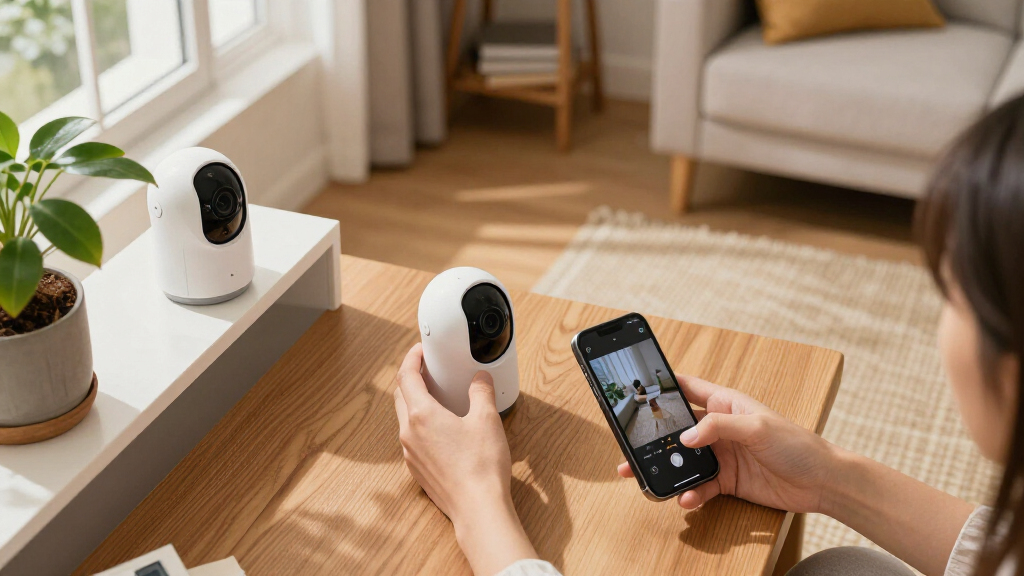

Choosing smart home security cameras is less about picking a universally better camera and more about deciding how much installation work you will accept in exchange for reliability. Wired systems connect to power, and some also use Ethernet or coaxial cables for data; wireless cameras usually send video over Wi-Fi and run on batteries or plug-in power. That difference shapes where each camera can go, whether it records continuously, how much maintenance it needs, and what happens when the internet or power fails.

Get home appliances delivered free with Prime
- Fast, free delivery on millions of items
- Prime Video, Amazon Music and more included
- Member-only deals all year

Blink Outdoor 4 Wireless Smart Security Camera System (5 Cameras)
- ✔ Camera count: 5
- ✔ Camera resolution: 1080p HD
- ✔ Field of view: 143° diagonal
Blink Outdoor 4 Wireless Smart Security Camera System, 3 Cameras, 2-Year Battery Life
- ✔ Camera count: 3
- ✔ Video resolution: 1080p HD
- ✔ Battery life: Up to 2 years
Blink Outdoor 4 Wireless Smart Security Camera System (2 Cameras, Sync Module Core)
- ✔ Camera count: 2
- ✔ Video resolution: 1080p HD
- ✔ Battery life: Up to 2 years
Wired cameras suit homeowners who can install cabling and want stable power, dependable coverage, or round-the-clock recording. Wireless cameras suit renters, people who want a quick setup, and households that may move cameras often. The tradeoff is straightforward: choose wired for a more permanent security system, or wireless for convenience and placement freedom. The right choice also depends on storage costs, Wi-Fi quality, privacy expectations, and whether you need indoor, outdoor, or doorbell coverage.
At a Glance
| Criteria | Wired smart security cameras | Wireless smart security cameras | Winner |
|---|---|---|---|
| Installation and placement | Requires routing cables or using existing wiring; placement is less flexible. | Quick setup with flexible placement; generally needs a nearby Wi-Fi signal. | B |
| Power and maintenance | Usually powered continuously; little routine battery maintenance. | Battery models need recharging or battery swaps; plug-in models need an outlet. | A |
| Connection reliability | Power-over-Ethernet and wired data links are stable; Wi-Fi-connected wired cameras still rely on Wi-Fi. | Convenient, but performance depends on Wi-Fi strength, interference, and internet service for cloud features. | A |
| Recording and storage | Often supports continuous recording and local NVR or DVR storage, depending on system. | Often uses cloud plans or event-based local storage; continuous recording is less common on battery models. | A |
| Smart features and alerts | Features depend on the model; stable power can support continuous detection and recording. | Frequently offers accessible app-based alerts and setup; some detection and storage features require a plan. | Depends |
| Privacy and outage resilience | Local recording can reduce cloud reliance; power cuts still affect cameras without backup power. | Cloud dependence can raise privacy and outage concerns; local storage and battery backup vary by model. | A |
| Long-term value | Higher installation effort or upfront cost can pay off for permanent, multi-camera coverage. | Lower setup costs and easy redeployment, but subscriptions and battery upkeep can add ongoing expense. | Depends |
Blink Outdoor 4 Wireless Smart Security Camera System (5 Cameras)
When the main question is how many exterior spots we can monitor with one bundle, this five-camera Outdoor 4 system leads the lineup. Five cameras make it possible to plan coverage around several doors, paths, or sides of a home rather than choosing just the two most obvious locations. Each camera offers 1080p HD live view, infrared night vision, and two-way audio, so the advantage over the smaller kits is coverage quantity—not a claimed jump in image quality.The tradeoff is that more cameras make for a larger installation to position and maintain. The system is wireless and uses two AA lithium batteries per camera, with a stated battery life of up to two years; that can reduce routine battery attention, but the batteries are non-rechargeable. Its 143-degree diagonal field of view gives us a useful reference for planning each camera’s view, though placement still matters if we want to avoid blind spots. Enhanced motion detection is included, while person alerts require an optional subscription.Compared with the three-camera bundle, this kit makes more sense when we have several distinct monitoring zones and want to reduce the chance of leaving one uncovered. The three-camera option is the more restrained choice for a typical home with a few priority views. The two-camera system is simpler still, but offers less flexibility across a larger property. One shared limitation matters whichever bundle we choose: Sync Module Core has no local storage included, and cloud storage beyond the free trial requires a subscription. We should choose this larger kit for its coverage potential only if we are also comfortable with those storage arrangements and managing five devices.
Pros:
- Includes five cameras for covering more locations than either smaller bundle
- 1080p live view, infrared night vision, and two-way audio
- Advertised battery life of up to two years per camera
- Alexa compatibility and enhanced motion detection
Cons:
- Sync Module Core does not include local storage
- Person alerts require an optional subscription, and cloud storage after the trial is subscription-based
- Five non-rechargeable-battery cameras involve more devices to place and maintain
Best for: Households that want to monitor several exterior locations, such as multiple entrances and walkways, using one wireless camera bundle.
Not ideal for: Buyers who only need one or two views, want rechargeable batteries, or require local recording without purchasing optional accessories.
Bottom line: We recommend the five-camera kit when broad exterior coverage matters more than keeping the installation small, provided its storage tradeoffs work for us.
“We recommend the five-camera kit when broad exterior coverage matters more than keeping the installation small, provided its storage tradeoffs work for us.”
Blink Outdoor 4 Wireless Smart Security Camera System, 3 Cameras, 2-Year Battery Life
The three-camera Outdoor 4 bundle is our middle-ground pick: it adds a third viewpoint over the two-camera kit without committing us to the five-camera system. That balance can suit a home where the front entrance, back entrance, and one additional area are the main priorities. Like its siblings, it provides 1080p live view, infrared night vision, and two-way audio, so the reason to choose it is the number of cameras rather than a different feature set.For many buyers, one additional camera can be more useful than a small change in technical specifications: it creates another option for addressing a blind spot or monitoring a separate approach. But three cameras still require us to think through placement, Wi-Fi reach, and battery upkeep at each location. The listing states up to two years of battery life and includes six AA lithium batteries, mounting kits, and a Sync Module Core. It does not provide the same detailed field-of-view and connectivity figures as the five-camera listing, so we should not assume those specifications differ—or are identical—beyond the shared Outdoor 4 features described.Compared with the five-camera system, this option is easier to justify when we have a few priority zones rather than a perimeter-wide plan. Against the two-camera kit, it offers more coverage flexibility, but its value depends on actually using that third camera. Storage remains the important caveat: local storage is not included with the Core module, additional storage options are sold separately, and person detection requires an optional subscription. This is our balanced recommendation when a pair feels restrictive but a five-camera installation would be excessive.
Pros:
- Three cameras provide a practical middle step between the two- and five-camera kits
- 1080p live view with infrared night vision and two-way audio
- Stated battery life of up to two years
- Includes mounting kits, batteries, and Sync Module Core for setup
Cons:
- Local storage is not included with Sync Module Core
- Person detection requires an optional subscription
- The listing provides fewer detailed technical specifications than the five-camera bundle
Best for: People who want three distinct outdoor views—for example, two entrances plus a yard or side approach—without choosing the largest bundle.
Not ideal for: Buyers who can cover their needs with two cameras, need five or more viewpoints, or expect included local recording and subscription-free person detection.
Bottom line: We’d choose this bundle when three useful viewpoints are enough to cover the home’s priorities without taking on five cameras.
“We’d choose this bundle when three useful viewpoints are enough to cover the home’s priorities without taking on five cameras.”
Blink Outdoor 4 Wireless Smart Security Camera System (2 Cameras, Sync Module Core)
For a front door and one other high-priority location, the two-camera Outdoor 4 system is the most focused option here. It avoids paying attention to unused camera positions and keeps the initial setup smaller than either larger bundle. We still get the core smart-camera features shared across this lineup: 1080p video, infrared night vision, two-way audio, and Alexa voice control. The listing also states up to two years of battery life, making the kit a fit for people who want wireless placement without frequent battery changes.Its simplicity is a benefit only if two views are enough. Compared with the three-camera bundle, we give up an extra angle that could cover a side path, garage approach, or another entrance. The five-camera bundle is a better match for broad coverage, while this kit makes most sense when we have already identified two locations that matter. It includes the Sync Module Core, but that should not be mistaken for included local recording: local storage requires optional accessories, and person detection is tied to a subscription plan.The two-camera listing confirms cloud storage with a free 30-day trial and optional local storage through accessories. Buyers should factor that into their decision before treating this as a complete recording solution. It also lists Wi-Fi connectivity and Alexa compatibility, but supplies fewer network details than the five-camera product listing. We rank it below the larger bundles for coverage, not because its stated core camera features are lesser. Choose it when a compact system is the goal; skip it if we would soon need to add cameras or want person alerts and local footage without extra costs or components.
Pros:
- Two cameras keep the installation focused on priority locations
- 1080p HD video, infrared night vision, and two-way audio
- Advertised battery life of up to two years
- Alexa compatible and designed for setup through the Blink app
Cons:
- Less coverage flexibility than the three- and five-camera bundles
- Person detection requires a subscription plan
- Local storage needs optional accessories rather than the included Sync Module Core
Best for: Apartment dwellers or homeowners who want to monitor two specific locations, such as a main entrance and back door.
Not ideal for: Anyone planning to cover several sides of a house, or buyers who want local storage and person detection without optional accessories or a subscription.
Bottom line: We recommend the two-camera kit when two well-chosen views are enough and a smaller installation matters more than expanding coverage.
“We recommend the two-camera kit when two well-chosen views are enough and a smaller installation matters more than expanding coverage.”
As an Amazon Associate we earn from qualifying purchases.
Key Differences
The biggest practical divide is permanence versus flexibility. A wired camera can stay powered and, in a system with a recorder, capture activity continuously without relying on a battery or paying for every clip in the cloud. That makes it a stronger foundation for monitoring entrances, driveways, and other areas where missing a short event matters. But cables shape where cameras can go, and installation may require drilling, existing wiring, or professional help. Wireless cameras avoid much of that commitment. They are easier to mount, reposition, and take along when moving, though a battery-powered camera may record only when it detects motion and may need frequent charging in a busy location.
Neither label guarantees a particular connection or storage setup. Some wired cameras still use Wi-Fi, while some wireless models offer local storage. Buyers should check each camera’s power method, recording modes, storage terms, and behavior during an internet outage rather than assuming the category settles those questions. A strong Wi-Fi signal and a sensible storage plan can make wireless security convenient; weak coverage or a desire for continuous footage tilts the decision toward wired equipment, especially Ethernet-connected systems.
Detailed Comparison
Installation and placement (Wireless smart security cameras wins — major)
Wireless cameras win on setup: many can be mounted with basic tools and paired through an app, then moved when household needs change. Wired cameras require a cable route and can be awkward to install in finished walls or detached buildings. The gap is major for renters and DIY users, but smaller in a new build or a home with existing camera cabling. Wireless placement is not unlimited, either: the camera still needs adequate Wi-Fi and, for plug-in models, access to an outlet.
Power and maintenance (Wired smart security cameras wins — moderate)
Wired cameras win because continuous power avoids regular battery charging and the risk of a camera going offline when its charge runs low. The advantage is moderate rather than universal: an outdoor outlet or damaged cable can create its own problem, and power outages can still stop a system without backup. Battery-powered wireless models are simpler to mount, but activity levels, temperature, and settings affect battery life, so upkeep can be more frequent than buyers expect.
Connection reliability (Wired smart security cameras wins — moderate)
Wired systems have the advantage when the cameras use Ethernet or a dedicated recorder connection; they avoid many Wi-Fi range and interference problems. This is a moderate-to-major edge in large homes, busy networks, or areas with weak signal. A wired camera that sends video over Wi-Fi does not receive the same benefit, and a wireless camera can work well when the router is nearby and the network is stable. Check the actual connection type, not just the product label.
Recording and storage (Wired smart security cameras wins — major)
Wired cameras usually win for continuous coverage, particularly when paired with an NVR or DVR that stores footage locally. That can preserve a longer timeline and avoid a recurring cloud fee, though recorder capacity, setup, and security still matter. Many battery wireless cameras prioritize motion-triggered clips to conserve power, and cloud history may require a subscription. Some wireless models support local recording, so this is a moderate gap rather than a rule. If you need a full record of what happened between alerts, confirm continuous recording support before buying.
Smart features and alerts (minor difference)
There is no category-wide winner. Wireless cameras often make app setup, notifications, and camera repositioning straightforward, which is useful for changing routines or checking a temporary location. Wired systems can support equally capable motion zones, person detection, and integrations, and continuous power may help keep monitoring available. Features vary by brand and may be restricted by subscriptions or hub requirements. Compare detection accuracy claims, notification controls, smart-home compatibility, and fees on the specific models you are considering.
Privacy and outage resilience (Wired smart security cameras wins — moderate)
Wired cameras paired with local storage often have an advantage for keeping footage inside the home and retaining recordings if internet service drops. The advantage is moderate and depends on design: remote viewing may still need internet, a recorder can be stolen or damaged, and neither wiring nor local storage protects against every power failure. Wireless cloud cameras can make remote access simple, but footage passes through an online service and access may depend on the provider and connectivity. Look for encryption, account protections, local storage options, and backup power support.
Long-term value (moderate difference)
Value depends on installation and ongoing costs. Wired can cost more upfront, especially if cabling or a recorder must be installed, but a local-storage system may avoid monthly fees and battery upkeep. Wireless can be less expensive and faster to set up, but a subscription, replacement batteries, or extra equipment can raise its lifetime cost. For one or two cameras in a rental, wireless is often the better value. For permanent multi-camera coverage, wired can justify its initial expense. The difference is moderate and hinges on ownership plans and storage needs.
Wired smart security cameras: Pros and Cons
Pros:
- Continuous power means no routine battery charging.
- Ethernet-connected systems can provide stable video links.
- Local recorder options may support continuous recording without a cloud plan.
- Well suited to permanent coverage across several fixed locations.
Cons:
- Cable routing makes installation harder and placement less flexible.
- Professional installation or extra equipment can raise upfront cost.
- A power cut can interrupt recording without backup power.
- Some wired cameras still depend on Wi-Fi, so the label alone does not guarantee a stable data connection.
Wireless smart security cameras: Pros and Cons
Pros:
- Easier installation, with less need to route cable through walls.
- Flexible placement makes repositioning or taking cameras when moving simpler.
- Battery models can work where outlets are unavailable.
- Often a practical lower-commitment choice for renters and small setups.
Cons:
- Battery models need recharging or battery replacement.
- Wi-Fi coverage and interference can affect performance.
- Some models rely on subscriptions for cloud history or advanced features.
- Motion-triggered recording may miss context that continuous footage would capture.
Who Should Choose What
Choose Wired smart security cameras if:
- You own the home, want fixed camera positions, and can run cables or already have suitable wiring.
- You need continuous recording for entrances, a driveway, or other areas where event-only clips are not enough.
- You prefer local recording and want to limit ongoing cloud storage costs.
- Your Wi-Fi is unreliable or the cameras will be far from the router, and you can use a wired data connection.
Choose Wireless smart security cameras if:
- You rent, plan to move, or do not want to drill and route cable through walls.
- You need a camera in a location that has Wi-Fi but no convenient power outlet.
- You expect to reposition cameras as routines, rooms, or security needs change.
- You want a small system with quick setup and are comfortable managing battery life or subscription costs.
Skip both if: Skip consumer smart cameras if you need professionally monitored alarm response, guaranteed operation through power and internet outages, or a system designed to meet strict commercial security requirements; compare professionally installed systems with backup power, cellular connectivity, and clear monitoring terms.
Value for Money
Paying more for wired cameras is worth it when the extra cost buys a capability you will use: continuous power, stable Ethernet connections, a local recorder, or dependable coverage across several permanent locations. Those advantages can make the initial installation expense sensible over years of use, particularly if they replace a recurring cloud-storage plan. They are less compelling for a single indoor camera or a renter who may need to remove the equipment soon.
Wireless is often the better value for a modest setup because avoiding cable installation has real practical value. But compare the full cost, not just the camera price: subscriptions, batteries, hubs, and optional solar panels can add up. A wireless model with local storage and a rechargeable battery may be economical, while a cloud-dependent model may cost more over time. Choose the least expensive system that meets your recording and reliability needs; do not pay extra for continuous recording if motion clips are enough, or choose a cheap battery camera if you need uninterrupted footage.
Final Verdict
For most people who need permanent, dependable coverage and can handle installation, wired smart security cameras are the stronger security choice: they reduce battery upkeep and make continuous local recording more practical. Choose them for a home you own, multiple fixed cameras, weak Wi-Fi locations, or footage that must show what happened before and after a motion alert.
Choose wireless cameras if easy installation and flexible placement matter more than uninterrupted recording. They are the clear fit for renters, small systems, and locations without convenient cabling. The biggest deciding factor is whether you need continuous, dependable coverage or convenient, changeable coverage. Do not pay extra for a wired system unless its recording, power, or connection advantages solve a real problem in your home.
Frequently Asked Questions
Are wired security cameras more reliable than wireless cameras?
Usually, when the wired camera uses Ethernet or a dedicated recorder connection and has steady power. A wired camera that relies on Wi-Fi can still lose connection, while a well-placed wireless camera can perform reliably. Router distance, interference, and power backup matter as much as the broad category.
Do wireless security cameras need a subscription?
Not always. Some provide local storage or basic live viewing without a monthly plan, while others charge for longer cloud history, richer alerts, or added features. Check exactly what is available without payment before buying, and include any subscription in the lifetime cost.
Can wireless security cameras record continuously?
Some plug-in wireless models can, but many battery-powered models use motion-triggered recording to preserve battery life. Confirm the camera’s supported recording modes and storage method; Wi-Fi connectivity alone does not tell you whether continuous recording is available.
Which type is better for renters?
Wireless is usually the better fit because installation is simpler and cameras can be removed or repositioned with less disruption. A plug-in model may be preferable where an outlet is available, since it avoids battery maintenance. Check lease rules before drilling or mounting outdoor equipment.