TL;DR

Get home appliances delivered free with Prime
- Fast, free delivery on millions of items
- Prime Video, Amazon Music and more included
- Member-only deals all year
The TP-Link Tapo C210 is a roughly $30 indoor pan-and-tilt camera that supports local RTSP and ONVIF streaming, letting owners connect it to compatible recorders without relying on cloud storage. It still needs the Tapo app for initial setup, and its three recording options cannot all run at once. That makes it a budget alternative to subscription-dependent cameras for technically comfortable users, not a universal replacement.
The TP-Link Tapo C210, which the source report says sells for about $30, supports local RTSP and ONVIF streaming, allowing owners to send its video to compatible home recorders rather than depend solely on a vendor’s cloud service. That makes it a potential alternative for people who want camera footage stored locally and want to avoid recurring fees, though setup and recording trade-offs mean it is not a plug-and-play answer for every household.
The C210 is an indoor pan-and-tilt camera. According to the report, it supports RTSP and ONVIF Profile S, standards that can connect the camera to network video recorders (NVRs), network-attached storage systems and compatible software such as VLC, Home Assistant, Frigate or Agent DVR. Those integrations can give users more control over where footage is recorded and how motion events fit into a home system.
Using those local features requires some setup. The camera must first be onboarded through the Tapo app and updated. Owners then create credentials for local streaming and enter the camera’s stream address into compatible software. The report says users can block the camera’s internet access through a router firewall after setup while preserving local network streaming. In that configuration, the Tapo app’s online functions will no longer work.
There is also a recording limitation: the report says the C210 supports only two of three options at a time—Tapo Care cloud backup, microSD recording or local NVR/RTSP streaming. Enabling cloud backup alongside microSD recording disables local NVR/RTSP recording until one of the other options is turned off. Owners who isolate the camera from the internet also need to reconnect it when checking for firmware updates, according to the report.
Local Storage Without a Monthly Plan
The C210 illustrates a practical distinction in the consumer camera market: a device can be inexpensive and still offer local video access, rather than making cloud storage the only route to reviewing recordings. For buyers who already run an NVR, NAS or home-automation server, RTSP and ONVIF support may reduce dependence on a paid camera service and keep footage on equipment they control.
Local recording can also reduce reliance on an internet connection for viewing within the home. The source report says the C210 can continue streaming locally after its external internet access is blocked. That does not mean every feature works offline: the app’s online functions stop, and software updates require internet access. Buyers should weigh that maintenance and setup against the privacy and subscription preferences that motivate a local system.
The trade-off is significant for households choosing between a simple subscription service and a more configurable setup. Cloud products may offer a unified app experience, while a locally managed camera can require network configuration, separate recording hardware and attention to storage and updates. The C210’s price and protocol support make it an option to investigate, but they do not by themselves establish that it is more secure or suitable for every user.
Products Worth Considering
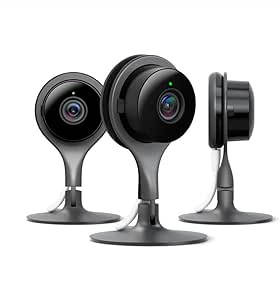
Google Nest Cam Indoor Security Camera, 3-Pack
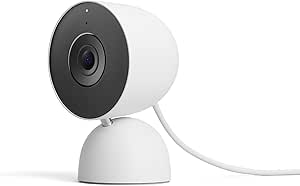
Google Nest Cam Indoor (Wired, 3rd Gen) – Security Camera – Snow

Ring Alarm 14-Piece Wireless Security System Kit
As an affiliate, we earn on qualifying purchases.
How the C210 Handles Local Video
Many consumer security cameras pair their hardware with a vendor-managed app and cloud service. Depending on the product and plan, video history, event review or other features may require a subscription. The source material criticizes that model as costly and privacy-sensitive, but those judgments are the author’s assessment; the material does not provide comparative testing of the C210 against Ring, Arlo or Google Nest.
RTSP carries a video stream, while ONVIF provides a standard for connecting compatible security devices and recording systems. Support for those protocols can make a camera usable with third-party software, but it does not remove the need to secure accounts, configure the network and maintain the recording system. The report’s suggested workflow begins in the Tapo app and shifts to local software only after onboarding.
In its example, the report gives a stream-address format of rtsp://username:password@camera-address:554/stream1 for HD and stream2 for SD. The exact address and credentials depend on the camera’s local settings and network. A firewall rule can then block external access while allowing devices on the home network to reach the stream.
“The Tapo C210 supports RTSP and ONVIF Profile S.”
— XDA Developers report
Limits, Security and Compatibility
The source material does not provide independent tests of video quality, reliability or security, nor does it establish how long the camera will receive firmware updates. It also does not compare the full cost of a local setup—including a recorder, storage and maintenance—with subscription plans from competing brands. The stated retail price is approximate and may vary by seller or date.
Local streaming is not, by itself, proof that a system is private or secure. The report describes blocking internet access as a way to keep streams local, but does not give an independent security audit or confirm the exact behavior of every firmware version. Compatibility can also depend on the chosen NVR or software and its configuration. Readers should check current product documentation and test their own setup rather than assume every integration will work identically.
The recording-mode constraint is clear in the source report, but it leaves a practical question for buyers: which two modes best fit their needs? A user prioritizing local continuous or event recording may have to forgo Tapo Care cloud backup, while someone choosing cloud and microSD recording would lose local NVR/RTSP recording. The source does not detail every configuration or service-plan condition.
Check Setup Before Choosing
Anyone considering the C210 should confirm that their preferred recorder or home-automation software supports its local stream, then decide which two recording methods they need. They should also check current pricing, firmware and Tapo service terms before purchase. The source report describes an available setup path, but does not announce a new product release, software change or company policy update.
For owners planning to block internet access, the practical next steps are to complete app onboarding, update firmware, create separate local-stream credentials and verify the feed on the intended NVR or software. They can then apply a router firewall rule and confirm that local viewing continues. Future firmware checks may require temporarily reconnecting the camera, and app-based online functions will not be available while internet access is blocked.
Key Questions
Can the Tapo C210 record without a cloud subscription?
Yes, according to the source report. It supports microSD recording and local RTSP/ONVIF streaming to compatible equipment. The camera can also use Tapo Care cloud backup, but it cannot use all three recording methods simultaneously.
Does the Tapo C210 work without internet?
The report says local streaming can continue after the camera’s external internet access is blocked, once setup is complete. The Tapo app’s online functions will stop working, and internet access may be needed to check for firmware updates.
What equipment can connect to its local stream?
The report lists compatible NVRs, NAS setups and software, including VLC, Home Assistant, Frigate and Agent DVR. Compatibility can depend on the specific configuration, so users should verify support with their chosen system.
Can it use cloud backup, a microSD card and RTSP recording together?
No. The source report says the C210 supports only two of those three methods at once. Using Tapo Care cloud backup with microSD recording disables local NVR/RTSP recording until one option is switched off.
Is the C210 a better choice than a cloud-based camera?
It may suit buyers who want local recording, open-protocol support and fewer subscription dependencies. It may be less convenient for people who prefer a fully app-managed service. The source material does not provide independent comparative testing, so the best choice depends on the buyer’s setup and priorities.
Source: XDA Developers