
Upgrading your WiFi is the best way to fix smart-home problems instead of buying new gadgets. A modern router or mesh system provides stronger, more stable signals, reduces interference, and handles multiple devices better. This boosts your smart devices’ responsiveness and reliability. Poor connections cause lag and dropouts, but an upgrade improves overall performance and future-proofs your setup. Keep going to discover how a simple upgrade can make your smart home run seamlessly.
Key Takeaways
- Upgrading to a modern, high-capacity router improves signal stability and reduces disconnections across multiple smart home devices.
- Implementing a mesh WiFi system ensures seamless coverage, eliminating dead zones and maintaining reliable device connections.
- Switching to dual-band or tri-band routers minimizes interference from other wireless devices and neighboring networks.
- Upgrading enhances network capacity, handling numerous devices efficiently without needing to replace individual gadgets.
- A better WiFi setup future-proofs your smart home, supporting newer standards and preventing ongoing connectivity issues.

If your smart home devices keep disconnecting or lagging, upgrading your WiFi can make a significant difference. Many issues stem from weak or unstable signals, which are often caused by wireless interference or poor signal stability. When your WiFi isn’t reliable, your smart devices struggle to communicate effectively, leading to frustrating delays, dropped connections, and unresponsive gadgets. Before investing in new gadgets, it’s wise to address the root problem: your network’s capacity to handle multiple devices and maintain a steady connection.
Wireless interference is a common culprit that disrupts signal stability. It occurs when other electronic devices, such as cordless phones, microwave ovens, or neighboring WiFi networks, operate on the same frequency as your router. This overlap creates noise that hampers your WiFi signal, reducing its strength and reliability. Upgrading your WiFi can help mitigate interference by switching to less congested channels or adopting dual-band or tri-band routers that operate on both 2.4 GHz and 5 GHz frequencies. These newer routers are better equipped to handle multiple devices simultaneously and avoid interference, ensuring your smart home remains responsive and stable.
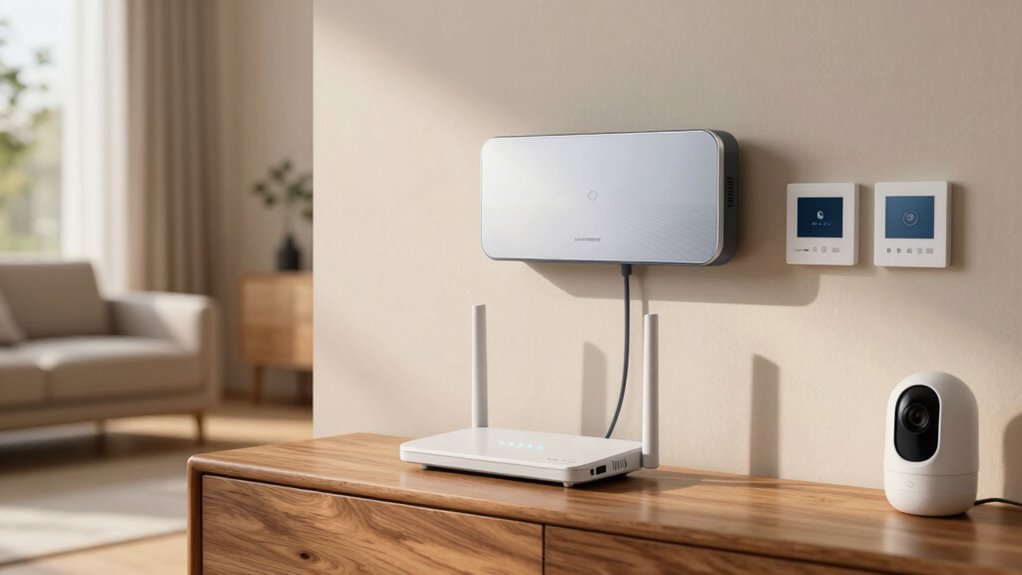
A significant upgrade involves choosing a modern router with better signal stability features. Older routers often lack the capacity to distribute a strong, consistent signal across your entire home, especially if you have a large space or thick walls. A high-quality, upgraded router with advanced beamforming technology directs WiFi signals directly to connected devices, enhancing overall stability. Additionally, mesh WiFi systems are a popular choice for smart homes, as they create a seamless network that blankets your entire space with strong, consistent coverage. This setup minimizes dead zones and ensures your devices stay connected, no matter where they are. Upgrading your network infrastructure can also improve overall performance, particularly when it’s built with the latest wireless standards in mind. Ensuring your router is compatible with wireless standards can further improve connectivity and future-proof your network. Moreover, considering a wireless standard upgrade can help support the latest smart home devices that require higher bandwidths and more reliable connections. A robust network is essential to keep all your smart gadgets functioning smoothly without interruptions.
Ultimately, the key to solving most smart-home connectivity problems isn’t just about adding more gadgets but ensuring your network can support them reliably. Upgrading your WiFi to a more advanced system addresses wireless interference and boosts signal stability, making your smart home run smoother. You’ll notice fewer disconnects, faster response times, and a more seamless experience. Instead of constantly troubleshooting or replacing devices, investing in a better WiFi setup often provides the most effective, long-term solution. It’s a straightforward upgrade that can transform your smart home from frustrating to fully functional, all by strengthening your network’s backbone.
As an affiliate, we earn on qualifying purchases.
Frequently Asked Questions
How Does Wifi Upgrade Improve Smart-Home Device Security?
A WiFi upgrade improves your smart-home device security by enabling stronger network encryption, which makes it harder for hackers to access your devices. It also guarantees firmware updates are smoother and more frequent, fixing vulnerabilities and adding security patches. With an upgraded WiFi system, your devices stay protected against emerging threats, giving you peace of mind knowing your smart home is more secure and less susceptible to cyberattacks.
Can a Wifi Upgrade Reduce Energy Consumption?
Think of your WiFi as the heartbeat of your smart home; a stronger signal keeps everything running smoothly and efficiently. Upgrading your WiFi can boost energy efficiency by ensuring devices communicate effectively, reducing unnecessary power use. This leads to power savings, as smart devices operate only when needed and avoid overworking due to weak connections. So, a WiFi upgrade doesn’t just improve connectivity—it helps your home run more sustainably.
Will Upgrading Wifi Affect Existing Smart-Home Device Warranties?
Upgrading your WiFi typically won’t affect your smart-home device warranties if you guarantee device compatibility and keep firmware updates current. You should verify that new routers support your existing devices’ standards. Firmware updates may be necessary to maintain compatibility. As long as you don’t tamper with the devices themselves, your warranties usually stay intact. Always check your device warranties and consult manufacturers if you’re unsure about compatibility or updates.
How Long Does a Typical Wifi Upgrade Process Take?
A typical WiFi upgrade usually takes about 30 minutes to a couple of hours, depending on your setup. Think of it as clearing a traffic jam—improving network congestion and signal strength speeds things up. The process involves installing new equipment, configuring your network, and testing connections. If you’re tech-savvy, you might finish faster; if not, give yourself extra time to make sure everything’s running smoothly.
Does a Wifi Upgrade Require Professional Installation?
A WiFi upgrade doesn’t always require professional installation; you can often handle DIY installation if you’re comfortable with basic setup steps. Just make certain compatibility considerations are met, like checking if your new router works with your internet service provider and existing devices. Follow the manufacturer’s instructions carefully, and you’ll likely avoid extra costs. However, if your home’s wiring or network setup is complex, consulting a professional might be the best choice.
As an affiliate, we earn on qualifying purchases.
Conclusion
Upgrading your WiFi might seem like just another tech fix, but it’s the quiet hero behind a smoother, smarter home. While new gadgets dazzle with features, a stronger WiFi keeps them all working seamlessly. Think of it as the foundation of your smart home—often overlooked, yet essential. So, instead of chasing every new device, invest in your WiFi first. It’s the upgrade that truly solves more problems, making your smart home smarter and more reliable.
As an affiliate, we earn on qualifying purchases.
As an affiliate, we earn on qualifying purchases.