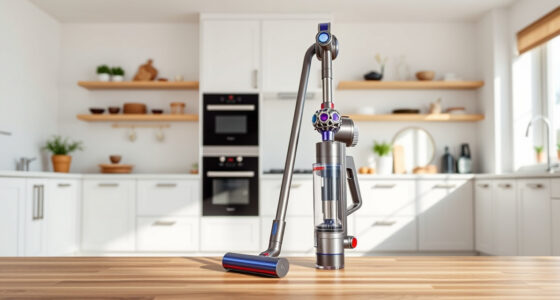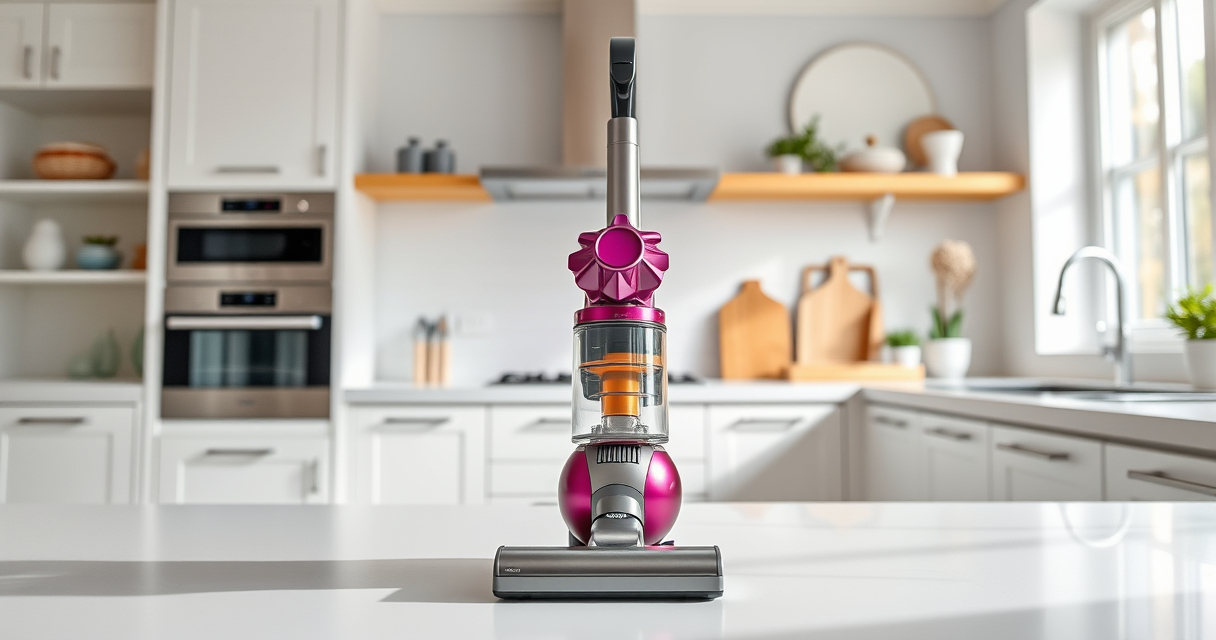
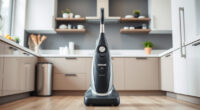
If your Dyson V15 Detect™ Origin Cordless Vacuum isn’t holding a charge like it used to, it can be frustrating. A rapidly dying battery reduces cleaning efficiency and can be a sign of underlying issues. This guide offers clear, safe steps to troubleshoot and improve your vacuum’s battery life, helping you restore optimal performance.
Always ensure safety when working with electronic devices and follow manufacturer recommendations for maintenance and replacement parts.
Key Takeaways
| Battery health | A degraded or old battery is often the main cause of quick power loss. |
| Filter maintenance | Dirty filters can cause the vacuum to overwork and drain the battery faster. |
| Proper cleaning habits | Regularly cleaning filters and components extends battery life. |
| Replacement parts | Using genuine filters and accessories keeps the vacuum functioning optimally. |
Amazon Product B0GTC14BFW
As an affiliate, we earn on qualifying purchases.
Check and Replace the Battery if Needed
- Ensure your Dyson V15 is turned off and unplugged from any charger.
- Inspect the battery for signs of damage or swelling.
- If the battery is removable, carefully remove it following the user manual instructions.
- Replace the old battery with a new, genuine Dyson replacement battery if it appears worn out or no longer holds charge.
Amazon Product B099RHWXJK
As an affiliate, we earn on qualifying purchases.
Clean or Replace the Filters
- Remove the pre-filters and clean them thoroughly with water. Let them dry completely before reinstalling.
- If using replacement filters, opt for high-quality options like the 3Pack Pre Filters Replacement or V10 Filters for best results.
- Replace filters every 2-3 months to maintain optimal airflow and battery efficiency.
Inspect and Clean the Vacuum Components
- Check for blockages or debris in the cleaner heads and wand connections.
- Remove and clean the cleaner heads, ensuring no hair or dust is obstructing airflow.
- Clear any clogs in the hose or wand to reduce strain on the motor and battery.
Optimize Usage and Charging Habits
- Avoid letting the battery completely discharge regularly; recharge when it reaches about 20-30% remaining.
- Use the vacuum on appropriate power modes (Eco, Auto, Max) to conserve battery life.
- Store the vacuum in a cool, dry place to prevent battery degradation.
Additional Tips and Warnings
- Do not use non-genuine batteries or chargers, as they can damage the vacuum or pose safety risks.
- Regularly update your Dyson firmware if updates are available.
- If troubleshooting doesn’t improve battery life, consider professional servicing or contacting Dyson support.
The Products in This Guide

Dyson V15 Detect™ Origin Cordless Vacuum
- ✔ Weight: 6.8 lbs
- ✔ Charge Time: 3.5 hours
- ✔ Warranty: 2 years

LANMU Crevice Tool Vacuum Attachments Compatible
- ✔ Material: Plastic
- ✔ Compatibility: Multiple Dyson models
- ✔ Color: Black
Dyson V15 Detect™ Origin Cordless Vacuum
The Dyson V15 Detect™ Origin offers powerful performance and advanced features, making it a top choice for whole-home cleaning. Its LCD screen shows real-time data, including debris picked up and battery status, helping you monitor performance during cleaning.
Proper maintenance and occasional battery replacement can keep it running at peak efficiency for years.
Pros:
- Powerful suction
- Intelligent debris detection
- Long 60-minute run time
- Multiple cleaning heads
Cons:
- Battery replacement can be costly
- Filters need regular cleaning
- Heavier than some handheld vacuums
Best for: Deep cleaning homes with pets and heavy debris
Not ideal for: For users who prefer lightweight or budget options
Bottom line: A highly capable cordless vacuum with smart features, best maintained with regular filter and battery care.
LANMU Crevice Tool Vacuum Attachments Compatible
The LANMU Crevice Tool Vacuum Attachments expand your Dyson’s reach, making it easier to clean tight corners, sofa cushions, and car interiors. Its slim, flexible design ensures thorough cleaning without fuss.
This attachment complements regular maintenance by helping clear out debris from difficult spots, reducing strain on the vacuum’s motor and battery.
Pros:
- Narrow, flexible nozzle
- Easy to attach and use
- Great for car and home cleaning
- Made for Dyson models including V15
Cons:
- May not fit older Dyson models
- Requires careful handling to avoid damage
Best for: Cleaning small, hard-to-reach areas
Not ideal for: For those needing larger, wide-area tools
Bottom line: A versatile tool that makes cleaning corners and tight spots much easier.
Frequently Asked Questions
How do I know if my battery needs replacing?
If your vacuum runs for significantly less than the advertised 60 minutes or won’t hold a charge, it may be time for a new battery. Swelling or physical damage are also signs of a failing battery.
Can I clean the filters myself?
Yes, remove the filters and rinse them under water. Make sure they are completely dry before reinstalling to ensure optimal performance.
What should I do if my vacuum still loses power after cleaning filters?
Check the battery health and connections. If the issue persists, consider replacing the battery or contacting Dyson support for professional assistance.
Are there any safety precautions when replacing the battery?
Always turn off and unplug the vacuum before removing or installing the battery. Use only genuine Dyson replacement batteries to ensure safety and compatibility.
Keep Your Dyson Running Like New
Regular maintenance, including cleaning filters and replacing the battery when needed, can significantly extend the life of your Dyson cordless vacuum. Following these troubleshooting steps will help ensure your vacuum maintains optimal power and efficiency, making your cleaning routines easier and more effective.
Remember to use genuine replacement parts and handle components with care to keep your Dyson performing at its best for years to come.
Affiliate disclosure: As an Amazon Associate we earn from qualifying purchases. Prices and availability are accurate as of the time of publishing.