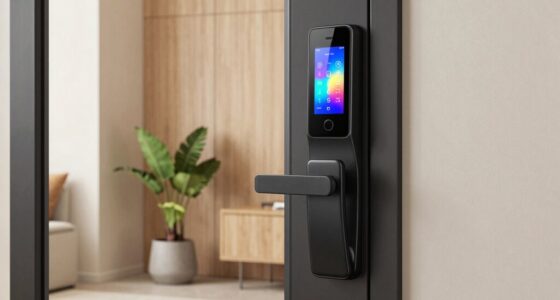
Smart home study gadgets turn an ordinary desk into a workspace that adjusts to you, automating lighting, monitoring air quality, and putting voice control within reach. The Amazon Echo Spot earns my best overall pick for combining a glanceable clock display, Alexa routines, and smart home control in one compact device, while the GHome Smart Power Strip stands out for best value with six independent outlets plus USB-C fast charging, and the Karidi LED Desk Lamp wins for eye-care lighting with built-in power. The main tradeoff in this category is between ecosystem lock-in (Alexa-first devices) and cross-platform flexibility (Matter-compatible plugs that work with Apple Home, Google, and Alexa). Budget matters too: a four-pack of basic smart plugs costs less than one display device, but does far less on its own. Keep reading for the full breakdown of all eleven picks, including who each one suits and who should skip it.

Get home appliances delivered free with Prime
- Fast, free delivery on millions of items
- Prime Video, Amazon Music and more included
- Member-only deals all year
Complete the kit



Key Takeaways
- The Echo Spot and Echo Dot split the smart display decision: the Spot adds a screen for at-a-glance study timers and air readings, while the Dot delivers 90% of the functionality for roughly half the price.
- Matter compatibility was the biggest differentiator among smart plugs — the amazon.com/dp/B0BFC8DR7C?tag=homeapexgear-20&ascsubtag=dc-692325″ target=”_blank” rel=”nofollow sponsored noopener”>amazon.com/dp/B09B93ZDG4?tag=homeapexgear-20&ascsubtag=dc-692325″ target=”_blank” rel=”nofollow sponsored noopener”>amazon.com/dp/B0C36WXGP1?tag=homeapexgear-20&ascsubtag=dc-692325″ target=”_blank” rel=”nofollow sponsored noopener”>Linkind and Fugetek models work across Apple Home, Alexa, and Google, while the Govee and GHome basic plugs lock you into Alexa and Google only.
- Energy monitoring separates the GHome power strip from every plug on this list: if you want to see what your desk setup actually costs to run, the strip is the only option that shows it.
- Two air quality monitors made the cut for different reasons — the Amazon model integrates into Alexa routines automatically, while the GoveeLife wired unit offers a dedicated always-on LED display that doesn’t depend on an app.
- The Karidi lamp is the only pick that solves two problems at once, pairing an eye-caring task light with three AC outlets and four USB ports, which can eliminate a separate power strip from your desk entirely.
| Govee Smart Plug, WiFi Outlet Compatible with Alexa & Google Assistant, 4 pcs |  | Best Value for Multi-Outlet Setups | Connection: WiFi and Bluetooth | Compatibility: Alexa, Google Assistant | Max Current: 10A | VIEW LATEST PRICE | See Our Full Breakdown |
| GHome Smart Power Strip with Energy Monitoring, 6 WiFi Outlets & 30W USB-C Fast Charging |  | Best All-in-One Desk Power Hub | Number of Outlets: 6 WiFi outlets | USB Ports: 2 USB-A, 1 USB-C | WiFi Compatibility: 2.4GHz WiFi only | VIEW LATEST PRICE | See Our Full Breakdown |
| Linkind Matter Smart Plug, Compatible with Apple Home, Alexa, Siri, Google Home |  | Best for Future-Proof Ecosystems | Connector Type: Plug in | Amperage: 15A | Power Capacity: 1800W | VIEW LATEST PRICE | See Our Full Breakdown |
| Fugetek Matter Smart USB Plug/Switch, Compatible with Alexa, Siri, Google, Apple HomeKit, Matter over WiFi |  | Best Niche Pick for USB Devices | Output Power: 10W | Connectivity: WiFi (2.4GHz) | Compatibility: Alexa, Siri, Google, SmartThings, Aqara, Apple HomeKit, Matter | VIEW LATEST PRICE | See Our Full Breakdown |
| GoveeLife Smart Air Quality Monitor with PM2.5, LED Display, Wired |  | Best for Study-Environment Monitoring | PM2.5 Accuracy: ±15 µg/m³ | Temperature Accuracy: ±0.54°F | Humidity Accuracy: ±3%RH | VIEW LATEST PRICE | See Our Full Breakdown |
| Amazon Echo Dot (4th Gen) – Deep Sea Blue |  | Best Overall | Color: Deep Sea Blue | Voice Assistant: Alexa built-in | Smart Home Compatibility: Yes | VIEW LATEST PRICE | See Our Full Breakdown |
| Amazon Echo Spot (Newest Model), Ocean Blue |  | Best Desk Display | Dimensions: 4.5″W x 4.1″D x 4.4″H | Weight: 14.3 oz | Display: 2.83-inch touch screen (240x320px) | VIEW LATEST PRICE | See Our Full Breakdown |
| Amazon Smart Air Quality Monitor |  | Best for Air Quality Awareness | Dimensions: 65 x 65 x 45mm | Weight: 120 grams | Sensors: VOC (0-500 pts), PM2.5 (0-500 µg/m³), CO (0-70 ppm), temp, humidity | VIEW LATEST PRICE | See Our Full Breakdown |
| Govee WiFi Thermometer Hygrometer H5103 |  | Best Budget Climate Tracker | Temperature Range: 32°F to 122°F | Temperature Accuracy: ±0.3°C | Humidity Range: 3% to 97% RH | VIEW LATEST PRICE | See Our Full Breakdown |
| GHome WiFi Smart Plug – Compatible with Alexa and Google Assistant |  | Best Starter Automation Pick | Connectivity: WiFi 2.4GHz, Bluetooth | Voice Assistants: Alexa, Google Assistant | Apps: GHome, Smart Life, Tuya | VIEW LATEST PRICE | See Our Full Breakdown |
| Karidi LED Desk Lamp with Power Strip, 3 AC Outlets & 4 USB Ports (2 USB-C), Eye-Caring Task Light, 5 Color Modes, Dimmable |  | Best All-in-One Desk Station | Power Source: Corded Electric | Lighting Method: LED, flicker-free, eye-caring | Color Modes: 5 color temperature modes, dimmable | VIEW LATEST PRICE | See Our Full Breakdown |
More Details on Our Top Picks
Govee Smart Plug, WiFi Outlet Compatible with Alexa & Google Assistant, 4 pcs
For a study desk with a lamp, fan, printer, and desk heater, four plugs for one price is hard to beat. This Govee set covers the basics well: voice control through Alexa and Google Assistant, scheduling, and group control so every study gadget turns off with one command. Compared with the Linkind Matter Smart Plug, the Govee units lack Matter support and can’t join Apple Home, which limits their usefulness in mixed-ecosystem households. Setup is more app-dependent too — you’ll pair each plug through the Govee Home app before anything works. What this set does offer is sheer coverage: it’s the cheapest way per outlet to automate an entire workspace, and the compact housing won’t block neighboring outlets. It makes the most sense for students or remote workers in Alexa or Google households who want broad automation on a budget.
Pros:- Four plugs in one package at a low per-outlet price
- Scheduling and group control for one-command shutdown
- Compact housing leaves the second outlet free
- ETL and FCC certified for safe everyday use
Cons:- No 5GHz WiFi support, which can complicate setup on mesh networks
- Requires per-plug pairing through the Govee app
- Lacks Matter, so it locks you into Govee’s ecosystem
Best for: Students and remote workers in Alexa or Google households who need to automate four or more devices at once without spending much
Not ideal for: Apple Home or SmartThings users — without Matter support, these plugs won’t integrate with those ecosystems
- Connection:WiFi and Bluetooth
- Compatibility:Alexa, Google Assistant
- Max Current:10A
- Max Power:1200W
- Voltage:120V
- Number of Units:4
Our verdict“Buy this set if you want to automate a whole study space in one purchase and live comfortably in the Alexa or Google ecosystem.”
GHome Smart Power Strip with Energy Monitoring, 6 WiFi Outlets & 30W USB-C Fast Charging
Rather than scattering individual plugs like the Govee 4-pack, this power strip consolidates everything: six individually controllable outlets, two USB-A ports, and a 30W USB-C port that fast-charges a laptop while you work. Its standout feature is energy monitoring, which shows exactly how much power your study setup draws — useful if you’re trying to figure out whether that old printer or desk heater is quietly inflating your electric bill. The 7.2-foot cord and flat plug reach behind desks where wall outlets sit awkwardly. The tradeoff is concentration risk: if the strip fails or loses WiFi, every device on it goes dark at once, and the 2.4GHz-only connection can be fiddly on modern mesh routers. Ecosystem support is also narrower than the Linkind Matter plug. Still, for a single-desk setup, one strip beats six separate smart plugs on both cost and cable management.
Pros:- Six independently controlled outlets replace six separate smart plugs
- 30W USB-C port charges laptops directly at the desk
- Energy monitoring reveals hidden power drains
- 7.2 ft cord with flat plug fits tight desk arrangements
Cons:- Single point of failure — one strip outage kills power to everything
- 2.4GHz WiFi only, with no dual-band support
- Limited ecosystem compatibility compared with Matter-certified rivals
Best for: Anyone building a single-desk study station who wants per-device control, laptop fast charging, and insight into energy use from one hub
Not ideal for: Households with 5GHz-only networks or those who need Matter/HomeKit integration across multiple rooms
- Number of Outlets:6 WiFi outlets
- USB Ports:2 USB-A, 1 USB-C
- WiFi Compatibility:2.4GHz WiFi only
- Extension Cord Length:7.2 ft
- Control:Voice and app control
- Energy Monitoring:Yes
- Power Delivery:30W USB-C
Our verdict“This is the pick if you’d rather manage your entire desk from one strip than juggle half a dozen individual smart plugs.”
Linkind Matter Smart Plug, Compatible with Apple Home, Alexa, Siri, Google Home
If your study gadgets need to work across Apple Home, Alexa, Google Home, and Siri — now and after your next ecosystem switch — this is the plug to buy. Matter certification means it talks to every major platform through one standard, something the Govee 4-pack simply can’t do. It also supports offline LAN communication, so scheduled routines keep firing even when your internet drops, a reliability advantage over cloud-dependent alternatives. With a 15A / 1800W rating, it handles heavier loads like space heaters that would trip the Govee’s 10A limit. The catch: you’ll need a Matter-certified hub or controller — an Apple HomePod, Echo device, or similar — for full multi-platform support, which adds cost if you don’t already own one. And at single-plug pricing, automating a whole desk costs far more than the Govee set. This pick makes the most sense for Apple-centric buyers or households with mixed voice assistants.
Pros:- Matter support means compatibility with every major smart home platform
- Offline LAN control keeps schedules running during internet outages
- 15A / 1800W rating handles high-power devices like heaters
- Setup works natively without a separate vendor app
Cons:- Requires a Matter-certified hub for full platform features
- Single-plug price makes multi-outlet setups expensive
- 2.4GHz WiFi only
Best for: Apple Home users and mixed-assistant households who want one plug that works everywhere and survives ecosystem changes
Not ideal for: Buyers without any Matter hub or controller, since full multi-platform support depends on one
- Connector Type:Plug in
- Amperage:15A
- Power Capacity:1800W
- Plug Type:Type A
- Material:Copper
- Supported WiFi:2.4GHz
- Certification:FCC
Our verdict“Worth the premium if cross-platform compatibility and reliability matter more to you than automating many outlets cheaply.”
Fugetek Matter Smart USB Plug/Switch, Compatible with Alexa, Siri, Google, Apple HomeKit, Matter over WiFi
This one solves a narrow problem the standard plugs don’t: making a USB-powered desk lamp or small fan smart without a separate adapter. Where the Govee or Linkind plugs switch wall AC outlets, the Fugetek sits inline on a USB cable and toggles 10W of USB power via voice or automation. Like the Linkind, it carries Matter certification, so it plays nicely with Apple HomeKit, SmartThings, Aqara, and every major assistant — and unlike most competitors, it needs no third-party app for setup. The limitation is hard physics: 10W won’t run a heater, monitor, or even some brighter lamps, so this can’t be your only smart plug. Some users also report the pairing process gets confusing when moving between different home apps. At 0.6 ounces, though, it’s invisible on a cable run, and it fills a genuine gap for people whose study gear runs on USB.
Pros:- Matter support across Alexa, Siri, Google, Apple HomeKit, and SmartThings
- No third-party app needed for setup
- Ultra-light inline design disappears on a cable
- Timers and automation work for USB lamps and fans
Cons:- 10W output ceiling excludes most power-hungry devices
- Pairing can be finicky when switching between home apps
- Depends entirely on a stable WiFi connection
Best for: Owners of USB-powered desk lamps, small fans, or LED strips who want voice and automation control without bulky adapters
Not ideal for: Anyone hoping to switch AC appliances — the 10W USB ceiling rules out heaters, monitors, and most high-wattage gear
- Output Power:10W
- Connectivity:WiFi (2.4GHz)
- Compatibility:Alexa, Siri, Google, SmartThings, Aqara, Apple HomeKit, Matter
- Dimensions:2.6 x 1 x 0.5 inches
- Weight:0.634 ounces
- Color:Black
- Warranty:1 year
Our verdict“A smart add-on rather than a smart-plug replacement — buy it specifically for USB-powered study gear and nothing else.”
GoveeLife Smart Air Quality Monitor with PM2.5, LED Display, Wired
Stale air makes focus collapse, and this monitor makes an invisible problem visible. The GoveeLife tracks PM2.5, temperature, and humidity with strong accuracy (±0.54°F on temperature) and a fast refresh rate, so you know when to crack a window before the afternoon slump hits. Its real advantage over a basic thermometer like the Govee H5103 is PM2.5 particle detection plus deep integration with other Govee devices — pair it with a smart purifier or humidifier and it can trigger automation when air quality dips. Remote monitoring and data export via WiFi and Bluetooth let you review trends over a study term. The tradeoffs are real: it’s tethered to a Type-C cable with no battery, so it lives on the desk rather than traveling, and full features need a WiFi connection. Compared with the Amazon Smart Air Quality Monitor, Govee’s version wins on ecosystem automation but loses on portability.
Pros:- High-accuracy PM2.5, temperature, and humidity readings with fast refresh
- Triggers automation on other Govee devices when air quality drops
- Remote monitoring and data export for long-term tracking
- Switchable LED display doubles as a desk clock
Cons:- Wired Type-C power with no battery anchors it to one spot
- Full feature set requires a constant WiFi connection
- Automation value depends on owning other Govee devices
Best for: Students and home-office workers in Govee smart homes who want air-quality-triggered automation and long-term trend data
Not ideal for: Anyone wanting a portable, battery-powered monitor they can move between rooms or take on the go
- PM2.5 Accuracy:±15 µg/m³
- Temperature Accuracy:±0.54°F
- Humidity Accuracy:±3%RH
- Display:LED with switchable modes
- Connectivity:2.4G Wi-Fi, Bluetooth
- Power:Type-C cable (no battery)
Our verdict“The right buy if you take study-air seriously and already run Govee gear — skip it if you need something portable.”
Amazon Echo Dot (4th Gen) – Deep Sea Blue
The Echo Dot (4th Gen) earns the top spot because it solves two study-room problems at once: it’s a voice-controlled hub for timers, focus music, and smart lighting, and it doubles as a built-in eero mesh Wi-Fi extender that firms up the connection your desk depends on. Compared with the Echo Spot, you give up the screen but pay less and get the same Alexa brain — a fair trade if a display isn’t on your list. It also beats the GHome Smart Plug as an entry point, since the plug needs something like this to be voice-controlled at all. The tradeoffs are real: it only orchestrates compatible smart home devices, and the Wi-Fi extender feature works best alongside other eero gear rather than as a standalone fix for a dead-zone network.
Pros:- Alexa voice control acts as the command center for an entire smart study setup
- Built-in eero extender improves Wi-Fi coverage in the room where you need it most
- Vibrant speaker handles background music and audible timers well for its size
- Physical mic-off button and layered privacy controls
Cons:- Only controls Alexa-compatible smart home devices
- Wi-Fi extender benefits are limited without a compatible eero network
- Initial setup can feel involved for smart-home newcomers
Best for: Students and remote workers who want one affordable device to run timers, music, and smart lighting while boosting their study-room Wi-Fi
Not ideal for: Households with mixed-brand smart devices or router systems that aren’t eero-based, since the extender feature and device control will feel limited
- Color:Deep Sea Blue
- Voice Assistant:Alexa built-in
- Smart Home Compatibility:Yes
- Wi-Fi Extender:eero built-in
- Speaker:Vibrant sounding speaker
- Privacy Features:Mic off button, multiple privacy layers
Our verdict“If you’re building a smart study space from scratch and want the most capability per dollar, start here.”
Amazon Echo Spot (Newest Model), Ocean Blue
Where the Echo Dot is voice-only, the Echo Spot adds a 2.83-inch touch screen that turns a bedside or desk corner into a glanceable dashboard — weather, timers, calendar, and smart home controls without saying a word. That screen is the whole reason to pay more, and for a study routine built on Pomodoro timers and morning schedules, it justifies itself. It also carries the same built-in eero extender covering up to 1,000 sq. ft., matching the Dot’s networking perk. Compared with the Amazon Smart Air Quality Monitor, the Spot won’t track air conditions, but it displays far more kinds of information. The compromises: no camera means no video calls, and the extender feature needs a compatible eero router to actually function, so don’t buy it purely as a network fix.
Pros:- Compact touch screen shows timers, weather, and smart home status at a glance
- 1.73-inch full-range speaker delivers clear vocals and decent bass for music
- eero built-in supports up to 1,000 sq. ft. of added Wi-Fi coverage
- No camera and a mic-off button make privacy straightforward
Cons:- No camera rules out video calls or use as a security device
- Wi-Fi extender mode requires a compatible eero router
- Costs noticeably more than the Echo Dot for what is essentially a screen upgrade
Best for: Anyone whose desk or nightstand routine depends on visible timers, weather, and at-a-glance smart home controls
Not ideal for: Buyers hoping to replace a video-calling device or fix a large weak-Wi-Fi area without an existing eero router
- Dimensions:4.5″W x 4.1″D x 4.4″H
- Weight:14.3 oz
- Display:2.83-inch touch screen (240x320px)
- Speaker:1.73-inch full-range
- Wi-Fi:Dual-band 802.11a/b/g/n/ac (2.4 and 5 GHz)
- eero Built-in:Up to 1,000 sq. ft. coverage
- Materials:36% recycled materials
Our verdict“The pick for people who’d rather glance at a screen than talk to a speaker during study sessions.”
Amazon Smart Air Quality Monitor
This monitor stands out by measuring five factors at once — temperature, humidity, PM2.5, VOCs, and carbon monoxide — where the Govee H5103 stops at temperature and humidity. For a study space, that difference matters: if afternoon sluggishness lines up with a VOC spike from a new desk or paint, this is the device that connects the dots, and its Alexa-triggered routines can automatically turn on a purifier or humidifier. Its accuracy tolerances (±20% on PM2.5, ±30% on CO) put it in the informed-indicator category rather than lab-grade measurement, which is a fair expectation at this price. Note that it’s indoor-only and its detection ranges top out at levels a serious CO concern would exceed — treat it as awareness, not a safety alarm. Compared with the GoveeLife Smart Air Quality Monitor, its edge is native Alexa integration rather than a built-in display.
Pros:- Tracks VOCs, PM2.5, CO, temperature, and humidity in one compact unit
- Color-coded indicators plus Alexa notifications flag problems in real time
- Triggers Alexa routines, so a purifier can respond automatically to poor readings
- Built largely from post-consumer recycled plastic
Cons:- No screen — you need the Alexa app to see detailed readings
- Accuracy tolerances are broad enough that readings are directional, not precise
- Requires Wi-Fi and an Alexa setup for anything beyond the basic light indicator
Best for: Alexa households who want automatic air-quality notifications and purifier/humidifier automation in a home office or study
Not ideal for: Anyone who needs an on-device readout, lab-grade accuracy, or a substitute for a certified CO alarm
- Dimensions:65 x 65 x 45mm
- Weight:120 grams
- Sensors:VOC (0-500 pts), PM2.5 (0-500 µg/m³), CO (0-70 ppm), temp, humidity
- Connectivity:2.4GHz Wi-Fi, BLE 4.2
- Power:100-240V AC, 5V 1A (5W)
- Operating Range:0°C to 40°C, 0-80% humidity
- Warranty:One year limited
Our verdict“The right choice if your study-air complaints are vague (stuffiness, headaches) and you want data plus automation instead of another display.”
Govee WiFi Thermometer Hygrometer H5103
The Govee H5103 is the value play in this lineup: it does two things — temperature and humidity — with Swiss-made sensor accuracy of ±0.3°C and an e-ink display that stays readable without any app fiddling. That always-on screen is where it beats the pricier Amazon Smart Air Quality Monitor, which has no display at all; you get instant readings without unlocking your phone. Its Wi-Fi + Bluetooth connectivity enables remote checks and push alerts when your study room drifts out of a set range — handy if humidity is quietly warping books or making afternoons uncomfortable. The compromises are straightforward: it needs a 2.4GHz network to go smart, batteries last roughly six months, and it measures nothing about air quality beyond those two metrics. As a pure climate gauge for the price, though, little else here competes.
Pros:- ±0.3°C Swiss-made sensor accuracy that rivals devices costing far more
- E-ink display reads clearly at a glance, even in bright light, with no app needed
- Remote monitoring and smart alerts through the Govee Home app over Wi-Fi or Bluetooth
- Runs about six months on replaceable alkaline batteries, no outlet required
Cons:- Only works with 2.4GHz Wi-Fi, not 5GHz networks
- Measures just temperature and humidity — no air quality data
- Batteries need replacing roughly twice a year
Best for: Budget-conscious buyers who want accurate, always-visible temperature and humidity readings in a study or home library with alerts on their phone
Not ideal for: Anyone wanting air-particle, VOC, or CO readings, or households running only 5GHz Wi-Fi networks
- Temperature Range:32°F to 122°F
- Temperature Accuracy:±0.3°C
- Humidity Range:3% to 97% RH
- Connectivity:Wi-Fi 2.4GHz and Bluetooth
- Display:Electronic ink
- Dimensions:2.86″W x 2.89″H
- Weight:5.29 ounces
Our verdict“The cheapest credible way to keep your study room’s climate in check, as long as temperature and humidity are all you need.”
GHome WiFi Smart Plug – Compatible with Alexa and Google Assistant
A smart plug is the cheapest experiment in automation you can run, and the GHome WiFi Smart Plug makes the list for doing the basics without friction: remote control from anywhere, scheduling and timers, and voice commands through both Alexa and Google Assistant. Pair it with a desk lamp or fan and you’ve built a study routine — lamp on at 9 a.m., fan off at night — without touching wiring. Compared with the Govee 4-pack smart plugs, this single unit suits a first-timer testing the waters rather than outfitting a whole room; compared with the GHome Smart Power Strip, you lose energy monitoring and USB ports but spend far less. The catches are typical of budget plugs: it’s 2.4GHz-only, and voice control requires going through app setup first — it won’t pair directly with Alexa out of the box.
Pros:- Quick, stable setup on 2.4GHz Wi-Fi with a well-documented pairing process
- Works with both Alexa and Google Assistant, plus three companion apps
- Scheduling, timers, and group control support energy-saving routines
- Device sharing lets family members control the plug from their own phones
Cons:- Single outlet only — automating a whole desk setup gets expensive fast
- 2.4GHz-only, so it can struggle on networks that favor 5GHz bands
- No energy monitoring, unlike the GHome power strip alternative
Best for: Smart-home beginners who want to automate one lamp, fan, or charger on a schedule for under the cost of lunch
Not ideal for: Anyone wanting to automate multiple devices at once or track energy usage — a multi-pack or the power strip serves that better
- Connectivity:WiFi 2.4GHz, Bluetooth
- Voice Assistants:Alexa, Google Assistant
- Apps:GHome, Smart Life, Tuya
- Features:Remote control, scheduling, timers, group control, sharing
- Energy Monitoring:No
Our verdict“The lowest-risk way to find out whether smart automation actually helps your study habits before committing to a full setup.”
Karidi LED Desk Lamp with Power Strip, 3 AC Outlets & 4 USB Ports (2 USB-C), Eye-Caring Task Light, 5 Color Modes, Dimmable
Most picks in this roundup do one smart job well — the GHome Smart Power Strip handles charging, the GoveeLife Air Quality Monitor tracks your environment. The Karidi lamp takes a different approach by folding lighting, power, and USB charging into a single footprint, which matters most on a desk where outlets are scarce. Compared with the GHome strip, you give up app control and energy monitoring, but you gain flicker-free, dimmable light with five color modes — a fair trade if your priority is a tidy study setup rather than smart automation. Surge protection up to 1875W means a laptop charger and monitor can share the base safely. The 180° rotatable head and sturdy metal base help with aiming light over textbooks. At 16 ounces it is stable, though the footprint still crowds a very narrow desk. This pick makes the most sense for students consolidating clutter into one device.
Pros:- Combines lamp, 3 AC outlets, and 4 USB ports (2 USB-C) in one device, freeing wall outlets
- Adjustable color temperature across 5 modes and dimmable brightness suit reading, writing, and screen work
- Surge protection rated to 1875W safely supports laptop chargers and monitors
- Sturdy metal base and 180° rotatable head keep the light stable and well-aimed
Cons:- No smart home integration — no app, Alexa, or Google support unlike most other picks here
- Corded-only design anchors your desk layout to one position
- Combined lamp-plus-power base is bulkier than a plain lamp on very small desks
Best for: Dorm residents and home-study students who want task lighting, AC outlets, and USB-C charging in a single desk device
Not ideal for: Buyers who want app-based scheduling and voice control — unlike the GHome or Govee smart plugs, nothing here connects to Alexa or Google
- Power Source:Corded Electric
- Lighting Method:LED, flicker-free, eye-caring
- Color Modes:5 color temperature modes, dimmable
- Outlets:3 AC outlets
- USB Ports:4 USB ports (2 USB-C)
- Surge Protection:Up to 1875W
- Adjustability:180° rotatable head
- Base Material:Metal, Plastic
- Weight:16 ounces
Our verdict“Buy this if you want to replace a lamp, a power strip, and a USB charger with one desk-friendly unit — skip it if smart control is non-negotiable.”
How We Picked
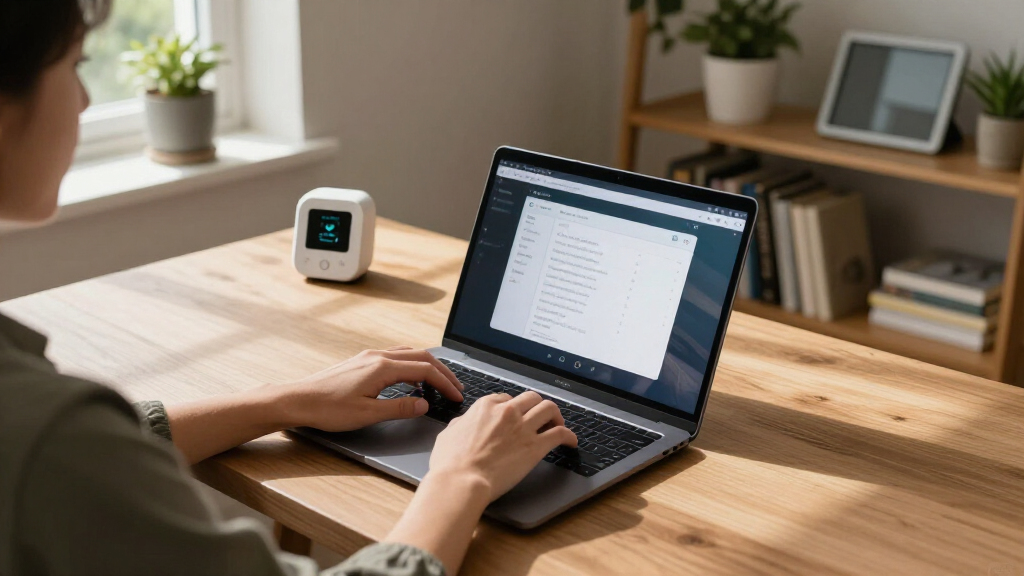
I evaluated each gadget against four criteria that matter most in a study environment: ecosystem compatibility, desk practicality, automation value, and price-to-function ratio. Ecosystem compatibility carried the most weight — a smart plug that only works with one assistant becomes a liability the moment you switch phones or add a second hub, so Matter-compatible devices ranked ahead of single-platform alternatives at similar prices. Desk practicality covered footprint, cable management, and whether the device genuinely earns its spot beside a laptop.
Automation value measured how much study-relevant behavior each device enables: routines like “focus mode” lighting, air quality alerts, or voice-controlled desk power. Finally, I compared price-per-function — a $25 plug that does one thing had to beat a $30 strip that does six. That logic explains the ranking: multi-function devices with cross-platform support sit at the top, while capable but narrower single-platform plugs fill the value tier.
Factors to Consider When Choosing Smart Home Study Gadgets
Before clicking buy on any of these gadgets, it helps to understand how the pieces fit together. The biggest mistake buyers make is purchasing smart devices one at a time without a plan, ending up with a mix of apps, hubs, and incompatible protocols. These are the factors I would weigh first.
Pick Your Ecosystem Before Your Gadgets
The single most consequential decision is which smart home platform anchors your study space: Amazon Alexa, Google Home, or Apple Home. Devices like the Echo Dot and Echo Spot are Alexa-first by design, and they work best when everything else in the room speaks Alexa too. Third-party plugs and monitors vary widely — the Govee and GHome basic plugs skip Apple Home entirely, while the Linkind and Fugetek Matter devices work everywhere. My advice is to choose based on the phone and speaker you already own, because switching ecosystems later usually means replacing hardware, not just re-pairing it. If your household mixes iPhone and Android users, Matter-compatible devices are the safest long-term bet.
Plugs vs. Power Strips: Count Your Outlets First
A four-pack of smart plugs sounds like better value until you realize a study desk typically has one wall outlet feeding six or more devices. Individual plugs make sense for lamps and fans you want to control independently in different rooms, but a smart power strip wins when a single desk needs multiple controllable outlets plus USB charging in one place. The strip also cuts cable clutter, which matters more in a study space than most buyers expect. One common mistake: daisy-chaining cheap smart plugs into a dumb power strip, which creates a mess of apps and switches. Map your desk’s actual power needs before deciding between the two formats.
Why Air Quality Belongs in a Study Setup
Air quality is the most overlooked study-performance factor on this list. CO2 and PM2.5 levels rise in closed bedrooms during long study sessions, and drowsiness or headaches often trace back to stale air rather than fatigue. A monitor doesn’t fix the problem by itself, but paired with a smart plug and a fan or purifier, it can trigger automated responses when readings worsen. Buyers choosing between monitors should think about display preference: an always-on screen lets you glance at readings mid-essay, while app-only models suit people who prefer notifications over ambient data. Either way, this category delivers benefits you feel rather than see, which is exactly why it gets skipped.
The Hidden Costs of Cheap Smart Devices
The cheapest smart plug on any marketplace is rarely the bargain it appears to be. Budget devices from unknown brands frequently rely on unsecured cloud connections, abandoned apps, and Wi-Fi chips that drop off the network weekly. Established names like Govee, Linkind, and Amazon cost a few dollars more but maintain firmware updates and functioning apps years after purchase — the difference between a gadget that lasts and one that becomes a dumb plug with an orphaned app. Cloud dependency deserves attention too: some devices stop working entirely if the manufacturer’s servers shut down, while Matter devices can run more locally. Paying an extra $5–10 for a supported brand is one of the better insurance policies in consumer tech.
Don’t Buy a Hub Until You Need One
Many buyers assume a smart study setup requires an Echo or smart display on day one, but that is only true if you want voice control or routines. Plugs, monitors, and lamps in this roundup all function through their own apps without any hub at all, which means a student on a tight budget can start with a single smart plug and expand later. The smarter upgrade path is app control first, then add an Echo Dot when voice commands or scheduled study routines become appealing, then graduate to a screen device like the Echo Spot if visual timers and air readings justify it. Buying the hub first often results in an underused speaker controlling nothing. Order of purchase matters as much as what you purchase.
Lighting Is a Health Purchase, Not a Decor One
Eye strain from poor task lighting compounds over hours of reading, and a proper desk lamp pays for itself in comfort long before it impresses anyone visually. The features that matter are adjustable color temperature for switching between daytime focus and evening warm light, flicker-free dimming, and enough brightness range to handle both paper textbooks and screens. A lamp with integrated outlets, like the Karidi pick, also reduces the number of devices fighting for wall power. Buyers commonly overspend on RGB mood lighting while underspending on the actual task light they read under every night. Prioritize the light you work in over the light that looks good in photos.
Frequently Asked Questions
Do I need an Echo device for smart plugs to work?
No, and this is one of the most common misconceptions in the category. Every smart plug in this roundup functions through its own manufacturer app without any voice assistant at all — you can turn devices on and off, set schedules, and monitor energy from your phone directly. An Echo Dot or Echo Spot becomes useful when you want hands-free control while studying, or when you want a single routine to trigger multiple devices at once, like dimming the lamp and switching off the fan at a set bedtime. Students sharing a room with mixed phone ecosystems should note that Alexa works with both iPhone and Android, so an Echo hub is actually more flexible than it first appears. Start with plugs alone and add a hub only when voice control feels like a genuine need rather than a novelty.
Is Matter compatibility worth paying extra for?
For most buyers, yes, and the premium is usually small — often just a few dollars per plug. Matter is the shared standard backed by Apple, Google, Amazon, and Samsung, which means a Matter-certified plug like the Linkind or Fugetek keeps working even if you switch from Android to iPhone or replace your Echo with a Google Nest. Non-Matter plugs aren’t obsolete, but they tie you to whatever platforms their manufacturer supports, and budget brands drop support unpredictably. The one exception is a household permanently committed to Alexa: if every person and device in your home is Amazon-based, a cheaper Alexa-only plug delivers identical day-to-day performance. Everyone else should treat Matter as cheap future-proofing.
Can an air quality monitor actually improve my studying?
Indirectly but measurably, yes — the mechanism is ventilation. Closed study rooms accumulate CO2 from breathing, and once concentrations climb, most people experience reduced concentration, mild headaches, and drowsiness that gets misread as laziness or burnout. A monitor like the Amazon Smart Air Quality Monitor makes the invisible visible and, more usefully, can trigger Alexa routines that turn on a fan or send a phone alert when air quality drops. The realistic expectation is behavioral: the device prompts you to open a window or take a break, and those small habit changes compound across semesters. It won’t sharpen focus on its own, but it removes an environmental factor that quietly degrades it.
Echo Spot or Echo Dot — which is better for a study desk?
The answer depends on whether you look at your desk or listen to it. The Echo Spot’s screen adds real study utility: visible countdown timers for pomodoro sessions, clock faces, weather at a glance, and air quality readings if you own a compatible monitor. The Echo Dot delivers the same Alexa brain, the same smart home control, and comparable audio for roughly half the price — it just communicates by voice only. For a desk where you sit facing the device for hours, the Spot’s glanceable display earns its premium. For a bedside table or a setup where a monitor already dominates the desk, the Dot is the smarter allocation of money. Both double as Mesh Wi-Fi extenders on compatible networks, so neither is a wrong choice.
Are smart power strips safe to leave plugged in permanently?
Yes, provided you buy from an established brand and respect the strip’s power rating, which all three smart strips and plugs in this roundup meet. The safety concerns that apply to cheap generic strips — thin wiring, missing overload protection, no certification marks — don’t apply to name-brand smart strips, which are actually safer than dumb strips because you can cut power remotely or on a schedule. The real caution involves what you plug in: high-draw appliances like space heaters shouldn’t share a strip with sensitive electronics, and anything with a battery, like a laptop charger, is best on a surge-protected outlet. Energy-monitoring models like the GHome strip add a safety bonus by revealing unusual power draw before it becomes a hazard. Treat the wattage rating printed on the strip as a hard limit, not a suggestion.
Conclusion
The right pick here depends less on specs and more on what your study space is missing. For best overall, the Amazon Echo Spot justifies its price by combining a smart hub, visual timer, and ambient display in one desk-friendly device. The best value award goes to the GHome Smart Power Strip, which delivers six controllable outlets, USB-C charging, and energy monitoring for less than most single smart displays. Best for beginners is the Govee Smart Plug 4-pack — cheap, reliable, and the lowest-risk way to discover whether smart home automation fits your routine at all. For best premium, the Echo Spot again leads, with the Karidi LED Desk Lamp as the premium choice for buyers who prioritize lighting and ergonomics over voice control. Specific needs round out the list: Apple Home users should buy the Linkind or Fugetek Matter plugs, health-focused studiers need the Amazon Smart Air Quality Monitor or the always-on GoveeLife display, and anyone with a bright-screen-adjacent reading setup benefits from the Govee H5103 e-ink thermometer for silent, glanceable room data. Start with the gap your desk actually has, and the choice becomes obvious.
Cold & flu season Picks
humidifiers
As an affiliate, we earn on qualifying purchases.