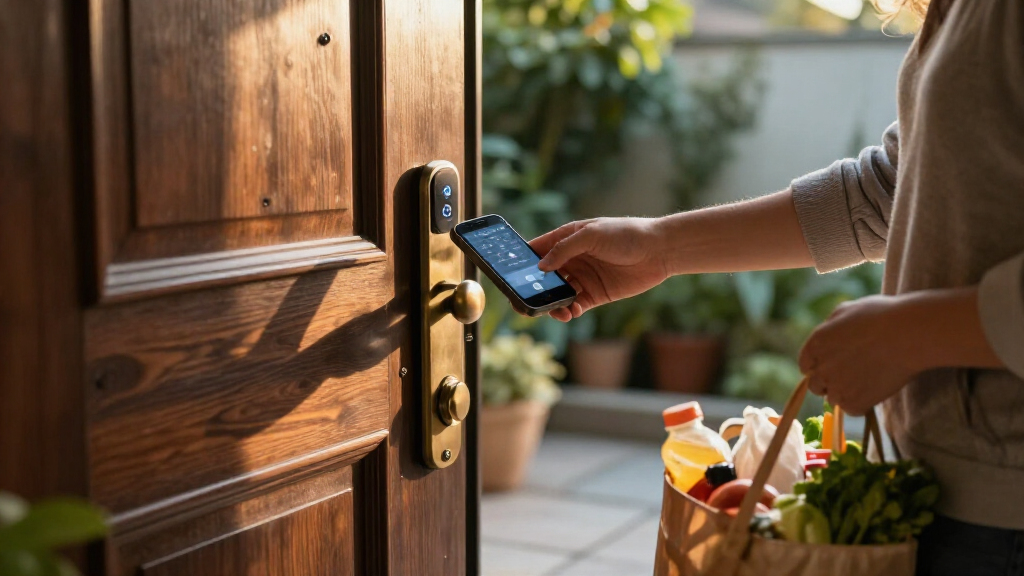
The best smart locks with digital keys pair convenient keyless entry with access methods that fit your household. I name the Schlage Encode Smart WiFi Deadbolt my best overall for its built-in Wi-Fi and established deadbolt design, while the Lockly Visage Zeno stands out for facial recognition and fingerprint access, and the Yale Assure Lock 2 is a strong choice for keypad-first control. The main tradeoffs are whether you want remote access without an added hub, biometric entry, or a simpler keypad—and whether your door needs a deadbolt or a knob-and-handle set. I also weigh installation fit, backup access, and the practical limits of app-dependent features. Read on for the full comparison and advice on choosing the right digital key setup.

Get home appliances delivered free with Prime
- Fast, free delivery on millions of items
- Prime Video, Amazon Music and more included
- Member-only deals all year
Complete the kit


Key Takeaways
Built-in Wi-Fi separates the most convenient remote-access picks: the Schlage Encode, Yale Assure Lock 2 Wi-Fi, and several Philips and Veise models advertise Wi-Fi, while other keypad or fingerprint locks may rely more heavily on local access or an app connection.
Biometrics are not the same as a digital key: fingerprint models such as the Lockly Visage Zeno, Philips fingerprint deadbolts, and Veise options add fast local entry, but buyers who need to issue and revoke access remotely should check the exact app and connectivity features.
Deadbolts make up the strongest set of front-door choices: many of these picks replace a standard deadbolt, while the Yamiry knob locks and the Philips 4200 handle set address different door hardware and should not be treated as direct substitutes.
Some options bundle more than the lock: the Philips 4200 and Philips Wi-Fi deadbolt-and-handle set can suit buyers replacing a full entry set, while standalone deadbolts leave handle selection and matching to the homeowner.
Simplicity and feature breadth pull in different directions: Yale Code and TEEHO focus on keypad entry, while facial recognition, fingerprint readers, app control, and Wi-Fi add convenience but also create more setup and compatibility questions.
| Yamiry YR01 Fingerprint Smart Deadbolt Lock with Keypad |  | Best for Flexible Entry Options | Brand and model: Yamiry YR01 | Unlock methods: Fingerprint, Bluetooth app, passcode, key fob, mechanical key, Alexa voice control | Remote control: Requires separately sold Wi-Fi gateway | VIEW LATEST PRICE | See Our Full Breakdown |
| Philips Wi-Fi Smart Deadbolt Lock with Fingerprint, Passcode, App, Key, and Voice Control |  | Best for Built-In Remote Access | Brand and model: Philips DDL242X-1HW | Unlock methods: App, passcode, fingerprint, physical key, Alexa, Google Assistant | Wi-Fi: Built-in 2.4 GHz; no hub required | VIEW LATEST PRICE | See Our Full Breakdown |
| Philips 4200 Series Wi-Fi Keypad Deadbolt with Handle |  | Best Complete Handle Set | Brand and model: Philips 4200 Series DDL242X-1HW-L | Connectivity: 2.4 GHz Wi-Fi; no hub required | Access methods: App, fingerprint, keypad PIN, voice assistant | VIEW LATEST PRICE | See Our Full Breakdown |
| Sifely S Fingerprint Smart Lock with Handle |  | Best for Local Access Modes | Brand and model: Sifely S | Unlock methods: Fingerprint, keypad PIN, Bluetooth app, RFID key fob, mechanical key | Connectivity: Local Bluetooth; optional Wi-Fi Gateway for remote internet access | VIEW LATEST PRICE | See Our Full Breakdown |
| Veise VE017 Fingerprint Smart Door Lock with App Control, Matte Black |  | Best for Local Credential Privacy | Model and finish: VE017, matte black | Unlock methods: Fingerprint, app, authorized access, fob card, code, code sharing, mechanical key | Fingerprint recognition: Under 0.2 seconds; claimed 99.99% accuracy | VIEW LATEST PRICE | See Our Full Breakdown |
| Philips Wi-Fi Smart Deadbolt Lock and Handle Set |  | Best for Shared Access | Unlock methods: Mobile app, voice commands, keypad password, physical key | Connectivity: Built-in 2.4 GHz Wi-Fi; no hub required | Password capacity: Up to 100 custom passwords | VIEW LATEST PRICE | See Our Full Breakdown |
| Schlage Encode Smart WiFi Deadbolt with Century Trim, Matte Black |  | Best for Straightforward Remote Access | Connectivity: Built-in Wi-Fi | Access codes: Up to 100 | Voice assistants: Alexa and Google Home | VIEW LATEST PRICE | See Our Full Breakdown |
| Lockly Visage Zeno Smart Deadbolt with Facial Recognition and Fingerprint Access |  | Best for Hands-Free Biometrics | Unlock methods: Facial recognition, fingerprint, app, keypad, physical key, Apple Watch, Alexa, and Google Assistant | Fingerprint capacity: Up to 99 fingerprints | Fingerprint recognition time: 0.2 seconds | VIEW LATEST PRICE | See Our Full Breakdown |
| Yale Code Keypad Deadbolt, Black Suede |  | Best for App-Free Keypad Entry | Entry codes: Up to 20 | Keypad: Backlit | Auto-lock: Yes | VIEW LATEST PRICE | See Our Full Breakdown |
| Yale Assure Lock 2 Wi-Fi Smart Deadbolt with Keypad |  | Best for Flexible Scheduled Keys | Connectivity: 2.4 or 5 GHz Wi-Fi; no hub required | Entry methods: Keypad, smartphone, Apple Watch, auto-unlock, and backup key | Access codes: Unlimited; can be scheduled or set to expire | VIEW LATEST PRICE | See Our Full Breakdown |
| Veise VE027 Wi-Fi Smart Lock with Fingerprint Keyless Entry, Matte Black |  | Best for Hub-Free Remote Access | Connectivity: 2.4 GHz Wi-Fi | Entry methods: App, fingerprint, PIN, voice, authorized admin, IC card, physical key | Fingerprint capacity: 20+ | VIEW LATEST PRICE | See Our Full Breakdown |
| Yamiry Fingerprint Smart Door Knob Lock with Keypad and App Control |  | Best Fingerprint Knob for Gateway-Ready Homes | Model: YR05 | Material and finish: Aluminum, matte black | Connectivity: Bluetooth; Wi-Fi gateway sold separately | VIEW LATEST PRICE | See Our Full Breakdown |
| Yamiry Keyless Entry Smart Door Knob with Keypad | 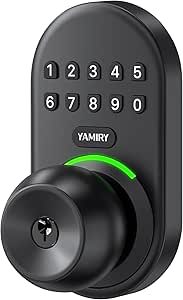 | Best Simple Keypad Knob | Model: YR04 | Material and color: Aluminum alloy, matte black | Entry methods: Passcode and physical key | VIEW LATEST PRICE | See Our Full Breakdown |
| Veise VE06-L Smart Deadbolt Lock with Two Lever Handles, Matte Black |  | Best for Shared Access and a Complete Handle Set | Material and finish: Zinc alloy, matte black | Entry methods: App, passcode, web portal, IC card, e-key, physical key | Code capacity: 250+ codes | VIEW LATEST PRICE | See Our Full Breakdown |
| TEEHO TE001 Keyless Entry Deadbolt with Keypad, Matte Black |  | Best for Guest Codes Without App Complexity | Model: TE001 | Access codes: Up to 20 user codes and one temporary one-time code | Auto-lock delay: 10–99 seconds; off by default | VIEW LATEST PRICE | See Our Full Breakdown |
| smart locks with digital key | Connectivity |
|---|---|
| Yamiry YR01 Fingerprint Smart | — |
| Philips Wi-Fi Smart Deadbolt L | — |
| Philips 4200 Series Wi-Fi Keyp | 2.4 GHz Wi-Fi; no hub required |
| Sifely S Fingerprint Smart Loc | Local Bluetooth; optional Wi-Fi Gateway for remote internet access |
| Veise VE017 Fingerprint Smart | — |
| Philips Wi-Fi Smart Deadbolt L | Built-in 2.4 GHz Wi-Fi; no hub required |
| Schlage Encode Smart WiFi Dead | Built-in Wi-Fi |
| Lockly Visage Zeno Smart Deadb | Built-in Wi-Fi |
| Yale Code Keypad Deadbolt | — |
| Yale Assure Lock 2 Wi-Fi Smart | 2.4 or 5 GHz Wi-Fi; no hub required |
| Veise VE027 Wi-Fi Smart Lock w | 2.4 GHz Wi-Fi |
| Yamiry Fingerprint Smart Door | Bluetooth; Wi-Fi gateway sold separately |
| Yamiry Keyless Entry Smart Doo | — |
| Veise VE06-L Smart Deadbolt Lo | — |
| TEEHO TE001 Keyless Entry Dead | — |
More Details on Our Top Picks
Yamiry YR01 Fingerprint Smart Deadbolt Lock with Keypad
The Yamiry YR01 suits households that want several ways to share access without relying on a single digital key. Fingerprint entry handles everyday arrivals, while the app can create temporary and one-time passcodes and record unlocks. Two key fobs and two mechanical keys provide alternatives if someone cannot use a phone or fingerprint. Unlike the Philips DDL242X-1HW, the YR01 does not include built-in Wi-Fi for remote access; app and Alexa control beyond Bluetooth require a separate gateway. Its appeal is instead the screwdriver-only installation and reversible handle, which may simplify fitting it to a compatible door. I would shortlist it for access flexibility, but check door compatibility and gateway needs before choosing.
Pros:- Combines fingerprint, app, passcode, fob, mechanical key, and Alexa access.
- App supports temporary and one-time passcodes and unlock records.
- Designed for screwdriver installation without additional drilling.
- Reversible handle accommodates left- or right-handed doors.
Cons:- Remote control and Alexa access require a separately sold Wi-Fi gateway.
- Compatibility is described for most standard American wooden doors, so buyers with other door types should verify fit.
Best for: Households with multiple users who want fingerprint, fob, code, and key options plus temporary guest access.
Not ideal for: Buyers who need remote app control or Alexa access out of the box, since those features require a separately sold Wi-Fi gateway.
- Brand and model:Yamiry YR01
- Unlock methods:Fingerprint, Bluetooth app, passcode, key fob, mechanical key, Alexa voice control
- Remote control:Requires separately sold Wi-Fi gateway
- Installation:DIY installation with screwdriver; no additional drilling required
- Door compatibility:Most standard American wooden doors
- Handle:Reversible for left- or right-handed doors
- Included access items:Two key fobs and two mechanical keys
- Recommended use:Indoor and exterior doors
Our verdict“Choose the YR01 if you value varied entry methods and guest codes more than built-in remote connectivity.”
Philips Wi-Fi Smart Deadbolt Lock with Fingerprint, Passcode, App, Key, and Voice Control
The Philips DDL242X-1HW is the clearest choice here for buyers who want to manage a digital key away from home without adding a hub. Its built-in 2.4 GHz Wi-Fi supports remote access, alerts, and access history, while scheduled codes and capacity for up to 100 passcodes make it practical for busy households or recurring visitors. Fingerprint and physical-key entry also give users alternatives when a phone or network is inconvenient. That connectivity separates it from the Yamiry YR01 and Sifely S, both of which need an optional gateway for remote features. The tradeoff is a more specific setup: it only supports 2.4 GHz Wi-Fi, needs separately purchased AA batteries, and does not include a door sensor.
Pros:- Built-in 2.4 GHz Wi-Fi enables remote access without a separate hub.
- Supports up to 100 custom passcodes, including scheduled and one-time codes.
- Offers fingerprint, app, passcode, physical-key, Alexa, and Google Assistant access.
- Includes alerts, access history, auto-lock settings, and Away Mode.
Cons:- Works with 2.4 GHz Wi-Fi only.
- AA alkaline batteries are required and not included.
- A door sensor is not included.
Best for: Homeowners who want remote access, a large pool of scheduled guest codes, and voice-assistant support without buying a separate hub.
Not ideal for: Buyers whose network relies on 5 GHz Wi-Fi or who want a door sensor included with the lock.
- Brand and model:Philips DDL242X-1HW
- Unlock methods:App, passcode, fingerprint, physical key, Alexa, Google Assistant
- Wi-Fi:Built-in 2.4 GHz; no hub required
- Passcode capacity:Up to 100 custom passcodes
- Auto-lock delay:10–180 seconds
- Door thickness compatibility:1⅜–2 inches (38–50 mm)
- Battery type:AA alkaline (LR6); not included
- Door sensor:Not included
Our verdict“Pick this Philips model if hub-free remote management and high passcode capacity matter more than included batteries or a door sensor.”
Philips 4200 Series Wi-Fi Keypad Deadbolt with Handle
The Philips 4200 Series pairs a keypad deadbolt with matching levers, making it the most complete door-hardware option in this group. It offers fingerprint, PIN, app, and voice-assistant access, plus direct 2.4 GHz Wi-Fi for app control without an extra hub. That makes it more convenient for remote management than the Sifely S or Veise VE017, whose internet and voice features depend on separately sold gateways. The included handle set is useful when replacing both the lock and levers, though it adds less value if you only need a deadbolt. Check the narrower stated door-thickness range, and note that auto-lock is off by default; buyers must enable it in the app. Batteries are also not included.
Pros:- Includes two matching door levers and installation hardware.
- Connects directly to 2.4 GHz Wi-Fi without a hub.
- Supports app, fingerprint, keypad PIN, Alexa, and Google Assistant access.
- Fingerprint unlock is specified at 0.3 seconds.
Cons:- Batteries are not included.
- Auto-lock is off by default and must be enabled in the app.
- Wi-Fi performance is specified as best within 33 feet of the router with minimal obstacles.
Best for: People replacing a deadbolt and matching door levers who want fingerprint and PIN entry with hub-free Wi-Fi app control.
Not ideal for: Buyers keeping their existing handles, needing batteries in the box, or whose doors fall outside the stated thickness range.
- Brand and model:Philips 4200 Series DDL242X-1HW-L
- Connectivity:2.4 GHz Wi-Fi; no hub required
- Access methods:App, fingerprint, keypad PIN, voice assistant
- Fingerprint unlock time:0.3 seconds
- Auto-lock setting:0–180 seconds; off by default
- Battery life:Up to 6 months
- Battery type:1.5V alkaline batteries; not included
- Compatible door thickness:1⅜–1¾ inches (38–50 mm)
- Included hardware:Two door levers, latch assembly, mounting screws and installation hardware
Our verdict“Choose the 4200 Series when you want a coordinated lock-and-handle replacement with built-in Wi-Fi, not just a deadbolt upgrade.”
Sifely S Fingerprint Smart Lock with Handle
The Sifely S makes sense for buyers who want several ways to enter and useful code scheduling, but do not need remote access built in. Fingerprint, keypad, Bluetooth app, RFID fob, and mechanical-key entry give it a broader set of local options than a keypad-only lock. It also adds Passage Mode and Privacy Mode, which can suit households that sometimes want free entry or restricted access. Compared with the Philips DDL242X-1HW, however, it cannot connect to the internet on its own; remote control and voice features require an optional Wi-Fi Gateway. Its zinc alloy reversible handle is flexible across compatible door handing, but the listed thickness, bore, and backset dimensions make fit-checking especially important. Four AA batteries are required and not included.
Pros:- Offers fingerprint, keypad, Bluetooth app, RFID fob, and mechanical-key entry.
- Supports timed, one-time, recurring, and permanent access codes.
- Reversible zinc alloy handle fits compatible left- or right-handed doors.
- Includes auto-lock, Passage Mode, and Privacy Mode.
Cons:- Remote internet control and supported voice features require a separately sold Wi-Fi Gateway.
- Four AA batteries are required and not included.
- Door must match the listed thickness, bore, and backset dimensions.
Best for: Households seeking fingerprint, fob, and scheduled-code entry with local Bluetooth control and multiple lock modes.
Not ideal for: Buyers who expect built-in remote access, voice control without extra hardware, or a fit that does not match the specified door dimensions.
- Brand and model:Sifely S
- Unlock methods:Fingerprint, keypad PIN, Bluetooth app, RFID key fob, mechanical key
- Connectivity:Local Bluetooth; optional Wi-Fi Gateway for remote internet access
- Material:Zinc alloy
- Door thickness:1⅜–2¼ inches
- Bore size:2⅛ inches
- Backset:2⅜ or 2¾ inches
- Power:Four AA batteries; not included
- Emergency power:Micro-USB port
Our verdict“Choose the Sifely S for varied local entry and access modes, but pick the built-in-Wi-Fi Philips deadbolt if remote control is a priority.”
Veise VE017 Fingerprint Smart Door Lock with App Control, Matte Black
The Veise VE017 stands out for buyers who want a mix of digital keys and locally stored access data. It supports fingerprint, app, keypad codes, fob cards, and mechanical keys, while the KK Home app manages permissions, recurring or temporary codes, and entry logs. Its local AES-128 credential storage gives privacy-minded buyers a specific differentiator over the Philips DDL242X-1HW, which instead prioritizes hub-free remote access through built-in Wi-Fi. The VE017’s IP55 water resistance and emergency USB-C port add practical resilience, but remote access, lock-status monitoring, and Alexa or Google voice control require the separately sold G1 Gateway. That means it is better suited to flexible entry at the door than to buyers expecting a connected lock experience straight from the box.
Pros:- Supports fingerprint, app, keypad, fob card, code sharing, and mechanical-key entry.
- Manages user permissions, temporary and recurring codes, and entry logs.
- Stores access data locally with AES-128 encryption.
- Includes IP55 water resistance and an emergency USB-C port.
Cons:- Four AA alkaline batteries are required and not included.
- Remote access, lock-status monitoring, and voice control require the separately sold G1 Gateway.
Best for: Privacy-conscious households that want local credential storage, multiple entry methods, guest permissions, and an emergency USB-C power option.
Not ideal for: Buyers who want remote access, lock-status monitoring, or voice-assistant control without purchasing a separate gateway.
- Model and finish:VE017, matte black
- Unlock methods:Fingerprint, app, authorized access, fob card, code, code sharing, mechanical key
- Fingerprint recognition:Under 0.2 seconds; claimed 99.99% accuracy
- Auto-lock setting:0–180 seconds
- Data storage:Local AES-128 encryption
- Battery:Four AA/LR6 alkaline batteries; not included
- Claimed battery life:About 12 months; varies with use
- Emergency power port:USB-C
- Water resistance and material:IP55; zinc alloy
Our verdict“Pick the VE017 for locally stored credentials and flexible entry, or choose the Philips DDL242X-1HW if built-in remote access matters more.”
Philips Wi-Fi Smart Deadbolt Lock and Handle Set
I’d choose the Philips Wi-Fi Smart Deadbolt Lock and Handle Set for a household that needs to issue digital keys to many people without relying on a separate hub. Its capacity for 100 custom passwords, including one-time and time-based codes, suits recurring guests, service providers, or a busy family better than the Yale Code Keypad Deadbolt, which holds up to 20 codes and has no app connectivity. Built-in Wi-Fi adds remote control, while the included handle makes this a more complete door-hardware set than a standalone deadbolt. The tradeoff is a relatively involved battery requirement: it takes eight AA batteries, not included, and its Wi-Fi is limited to 2.4 GHz. I’d also check that the router is within the recommended range before counting on remote access.
Pros:- Creates up to 100 permanent, one-time, or time-based passwords.
- Built-in Wi-Fi supports remote control without an extra hub.
- Offers app, voice, keypad, and physical-key entry.
- Includes both a deadbolt and a long handle.
Cons:- Eight AA alkaline batteries are required and are not included.
- Wi-Fi works on 2.4 GHz only, and the router should be within 65 feet for better remote control.
Best for: Households, short-term hosts, or property managers who need many scheduled or temporary keypad codes and remote access.
Not ideal for: Buyers who want a simple keypad lock without network setup, or who need 5 GHz Wi-Fi and prefer not to supply eight batteries.
- Unlock methods:Mobile app, voice commands, keypad password, physical key
- Connectivity:Built-in 2.4 GHz Wi-Fi; no hub required
- Password capacity:Up to 100 custom passwords
- Password modes:Permanent, one-time, and time-based
- Auto-lock delay:10–180 seconds
- Door thickness:1-3/8 to 2 inches (35 to 50 mm)
- Power:Eight AA (LR6) alkaline batteries; not included
- Warranty:24 months
Our verdict“Pick this Philips set if you need high-capacity, time-limited digital keys and want the handle included, but skip it if you want simpler power needs or broader Wi-Fi support.”
Schlage Encode Smart WiFi Deadbolt with Century Trim, Matte Black
The Schlage Encode is a strong fit for buyers who want digital access codes and remote monitoring in a familiar deadbolt format, without adding a hub. The Schlage Home app supports up to 100 codes, lock history, and customizable notifications, giving owners more visibility than the offline Yale Code Keypad Deadbolt. Its touchscreen, customizable alarm, and auto-lock add practical layers beyond code entry, while a physical key remains available as backup. Compared with the Philips Wi-Fi Smart Deadbolt Lock and Handle Set, Schlage’s appeal is its included batteries and screwdriver-only installation, not a bundled handle or broader password modes. The key limitation is compatibility: remote and voice functions rely on a secure Wi-Fi connection and compatible app or assistant, and the stated door-thickness range is narrower than some alternatives.
Pros:- Built-in Wi-Fi enables remote control and monitoring without an extra hub.
- Stores up to 100 access codes and provides lock history and customizable notifications.
- Includes a customizable alarm, auto-lock, and fingerprint-resistant touchscreen.
- Installs with a screwdriver and includes four AA batteries and a physical backup key.
Cons:- Remote app and voice features depend on a secure Wi-Fi connection and compatible devices.
- Fits doors 1-3/8 to 1-3/4 inches thick, which excludes some thicker doors.
Best for: Homeowners who want app-based remote monitoring, a large set of guest codes, and a standard deadbolt installation without hardwiring.
Not ideal for: People who need a matching handle set, highly flexible door-thickness compatibility, or app-free access management.
- Connectivity:Built-in Wi-Fi
- Access codes:Up to 100
- Voice assistants:Alexa and Google Home
- Door thickness:1-3/8 to 1-3/4 inches
- Backset:2-3/8 or 2-3/4 inches
- Power:Four included AA batteries
- Backup key:One physical key included
- Warranty:Limited lifetime mechanical and finish warranty; limited three-year electronics warranty
Our verdict“Choose the Schlage Encode for a well-equipped, remotely managed deadbolt with many guest codes, but check your door dimensions and Wi-Fi setup first.”
Lockly Visage Zeno Smart Deadbolt with Facial Recognition and Fingerprint Access
The Lockly Visage Zeno takes digital keys beyond keypad codes: it combines facial recognition and fingerprint access with Apple Home Key, app control, voice assistants, and a physical key. That makes it the most hands-free-oriented option here, unlike the Schlage Encode, which centers on touchscreen codes and remote monitoring. Up to 99 fingerprints can serve household members, while facial data is encrypted and stored on the device according to the product details. Its wide stated door-thickness range also gives it more flexibility than the Yale Assure Lock 2 Wi-Fi Smart Deadbolt. The tradeoff is greater dependence on sensors and connected features: buyers should be comfortable relying on biometric access and Wi-Fi for some functions. Its rechargeable batteries also differ from the replaceable AA setup used by several alternatives.
Pros:- Combines facial recognition, fingerprint, keypad, app, physical key, and Apple Watch access.
- Supports Apple Home Key, Alexa, and Google Assistant.
- Built-in Wi-Fi enables remote control and access management without a bridge.
- Fits doors 1-3/8 to 3-1/8 inches thick and is designed for DIY installation.
Cons:- Facial recognition and remote app functions depend on sensors, Wi-Fi, or compatible devices.
- Uses two 10,000 mAh rechargeable batteries rather than standard replaceable AA batteries.
Best for: Households that want biometric entry, Apple Home Key support, and multiple ways to unlock without reaching for a phone or keypad.
Not ideal for: Buyers who prefer a simple code-and-key lock, do not want biometric sensors, or need a product with a stated access-code capacity.
- Unlock methods:Facial recognition, fingerprint, app, keypad, physical key, Apple Watch, Alexa, and Google Assistant
- Fingerprint capacity:Up to 99 fingerprints
- Fingerprint recognition time:0.2 seconds
- Connectivity:Built-in Wi-Fi
- Smart home compatibility:Apple Home Key, Alexa, and Google Assistant
- Door thickness:1-3/8 to 3-1/8 inches
- Battery:Two 10,000 mAh rechargeable batteries
- Installation time:Approximately 15 minutes
Our verdict“Choose the Lockly Visage Zeno if hands-free biometric access and Apple Home Key matter more than keeping entry to a conventional keypad-and-key setup.”
Yale Code Keypad Deadbolt, Black Suede
I’d recommend the Yale Code Keypad Deadbolt to buyers who want to share entry codes but do not want an app, Wi-Fi, or hub in the access system. Its backlit keypad and automatic locking keep everyday entry straightforward, and a physical key provides a fallback. That simplicity is also its main limitation: unlike the Schlage Encode or Yale Assure Lock 2 Wi-Fi, it cannot provide remote unlocking, activity alerts, or app-managed digital keys. Its capacity of up to 20 codes is enough for a smaller household or a few regular visitors, but falls well short of the 100-code options in this roundup. I’d treat it as a dependable keypad-first choice rather than a connected smart lock, and check the door’s thickness, backset, and borehole before buying.
Pros:- Stores up to 20 unique entry codes without requiring an app or network.
- Auto-lock helps secure the deadbolt after entry.
- Backlit keypad supports code entry in low light.
- Includes a physical backup key.
Cons:- No app, Wi-Fi, or hub connectivity, so access cannot be managed remotely.
- Code capacity is lower than the 100-code Schlage Encode and Philips Wi-Fi deadbolt.
- Requires compatible door thickness, backset, and borehole dimensions.
Best for: Renters or homeowners who want several keypad codes and automatic locking but prefer not to connect a lock to Wi-Fi or an app.
Not ideal for: Hosts and property managers who need remote access, temporary scheduled codes, activity records, or more than 20 entry codes.
- Entry codes:Up to 20
- Keypad:Backlit
- Auto-lock:Yes
- Backup key:Included
- BHMA grade:Grade 3
- Door thickness:1-3/8 to 1-3/4 inches
- Backset:2-3/8 to 2-3/4 inches
- Operating temperature:-22°F to 140°F
Our verdict“Pick the Yale Code if you want uncomplicated local keypad access, but choose a connected model if you need remote or time-limited digital keys.”
Yale Assure Lock 2 Wi-Fi Smart Deadbolt with Keypad
The Yale Assure Lock 2 Wi-Fi is the strongest fit here for buyers who need to issue digital keys that can be scheduled or set to expire. Its unlimited access codes are a clear step up from the 20-code Yale Code Keypad Deadbolt, while direct 2.4 or 5 GHz Wi-Fi allows remote control without a hub. Keypad, smartphone, Apple Watch, auto-unlock, and backup-key entry give household members more than one way in. DoorSense and Auto-Lock add a useful check that the door is closed before relying on automatic locking. Compared with the Schlage Encode, it offers broader Wi-Fi band support and unlimited codes, but its fit requirements are more specific, including door thickness, bore size, and minimum spacing from the knob. App control is limited to the US and Canada.
Pros:- Connects directly to 2.4 or 5 GHz Wi-Fi without a hub or bridge.
- Supports unlimited access codes that can be scheduled or set to expire.
- Offers keypad, smartphone, Apple Watch, auto-unlock, and backup-key entry.
- DoorSense and Auto-Lock help confirm and secure a closed door.
Cons:- Remote app control is limited to the US and Canada.
- Requires specific door thickness, borehole size, and deadbolt-to-knob spacing.
Best for: Families, hosts, and property managers who need many scheduled or expiring access codes plus remote control and alerts.
Not ideal for: Buyers outside the US or Canada, or anyone whose door does not meet the listed thickness, borehole, and spacing requirements.
- Connectivity:2.4 or 5 GHz Wi-Fi; no hub required
- Entry methods:Keypad, smartphone, Apple Watch, auto-unlock, and backup key
- Access codes:Unlimited; can be scheduled or set to expire
- Door compatibility:1-3/4 to 2-1/4 inches thick; 2-1/8-inch bore hole; 4-inch minimum center-to-center spacing
- Certification:BHMA Grade 2
- Operating temperature:-22°F to 140°F
- Warranty:Lifetime limited warranty on finish and mechanical parts; one year on electronics
- Included components:Smart lock, Wi-Fi smart module, deadbolt, latch plates, mounting hardware, DoorSense, installation manual, and one key
Our verdict“Choose the Yale Assure Lock 2 if flexible, high-capacity digital keys and dual-band Wi-Fi are priorities and your door meets its fit requirements.”
Veise VE027 Wi-Fi Smart Lock with Fingerprint Keyless Entry, Matte Black
The Veise VE027 is the clearest fit here if a digital key needs to work beyond Bluetooth range without adding a separate hub. Its built-in 2.4 GHz Wi-Fi supports remote locking, access management, activity logs, and alerts, while fingerprint, PIN, card, app, voice, and physical-key entry give household members alternatives. Compared with the Yamiry YR05, which needs an optional gateway for remote control, the VE027 is more ready for remote use out of the box. The tradeoff is its ANSI Grade 3 rating and battery demand: it takes eight batteries, not included, and cannot join a 5 GHz Wi-Fi network. Its IP65 rating also gives it stronger stated weather protection than the IP54 Yamiry options. I’d choose it for flexible access and remote oversight, not for minimal upkeep.
Pros:- Built-in 2.4 GHz Wi-Fi enables remote locking and access management without a separate hub.
- Offers fingerprint, PIN, app, voice, IC card, and physical-key entry.
- Activity logs and alerts help owners track access when away.
- IP65 weatherproof rating and encrypted local data storage.
Cons:- Requires eight batteries, which are not included.
- Works with 2.4 GHz Wi-Fi only.
- ANSI Grade 3 rating may not suit buyers prioritizing a higher stated security grade.
Best for: Households that want fingerprint and PIN entry plus remote access management without buying a separate gateway.
Not ideal for: Buyers who use only 5 GHz Wi-Fi or want a lock with a smaller battery requirement.
- Connectivity:2.4 GHz Wi-Fi
- Entry methods:App, fingerprint, PIN, voice, authorized admin, IC card, physical key
- Fingerprint capacity:20+
- PIN capacity:100+
- Security grade:ANSI Grade 3
- Power:8 batteries, not included; Type-C backup power port
- Door compatibility:1-3/8 to 1-3/4 in thick; 1-1/2 or 2-1/8 in hole diameter
Our verdict“Choose the VE027 if hub-free remote access and several digital-key options matter more than battery simplicity.”
Yamiry Fingerprint Smart Door Knob Lock with Keypad and App Control
The Yamiry YR05 combines fingerprint entry with password, key fob, physical key, and Bluetooth app control in a door-knob format. That variety makes it a practical choice for a home where people want different ways to enter without relying on a single PIN. Its 50-user capacity covers fingerprints, passwords, and fobs, though the listing does not separate the allocation among those methods. Unlike the Veise VE027, it does not connect directly to Wi-Fi: remote control requires a separately sold gateway, and Bluetooth alone has limited range. That makes the YR05 a better fit for nearby app control or buyers willing to add the gateway than for anyone who wants remote access from day one. Its standard-door installation and included fobs help keep everyday setup straightforward, but the extra gateway is a real part of the decision.
Pros:- Five entry options include fingerprint, password, key fob, physical key, and app control.
- Capacity for 50 passwords, fingerprints, and key fobs.
- Auto-lock and app, manual-button, and key-based locking options.
- Designed for most standard American doors and includes two key fobs.
Cons:- Remote control requires a separately sold Wi-Fi gateway.
- Bluetooth app control is range-limited without that gateway.
- Physical keys can be duplicated if lost.
Best for: Households seeking fingerprint access in a door knob and willing to add a Wi-Fi gateway for remote control.
Not ideal for: Buyers who need remote access immediately, want built-in Wi-Fi, or prefer a deadbolt format.
- Model:YR05
- Material and finish:Aluminum, matte black
- Connectivity:Bluetooth; Wi-Fi gateway sold separately
- Entry methods:App, password, key fob, fingerprint, physical key
- Capacity:50 passwords, fingerprints, and key fobs
- Lock methods:Auto-lock, app lock, manual button
- Dimensions:5.62 × 2.69 × 3 in
- Included components:Front and back plates, hardware assembly, latch, user guide, two physical keys, two key fobs
Our verdict“Pick the YR05 for a fingerprint-enabled knob with varied local entry methods, provided you accept gateway-dependent remote access.”
Yamiry Keyless Entry Smart Door Knob with Keypad
The Yamiry YR04 is the straightforward choice for buyers who want keypad entry and guest codes, not an app-centered smart lock. It stores up to 20 user codes and supports a one-time guest code, so access can be shared without handing over a permanent household PIN. The backlit keypad helps with nighttime entry, while the auto-lock can be set from 5 to 99 seconds or disabled. Compared with the Yamiry YR05, this model gives up fingerprint, fob, and app entry in exchange for a simpler keypad-and-key setup. It also lacks listed Wi-Fi connectivity, so it does not provide remote digital-key management. Its IP54 rating and two physical keys add practical backup, but buyers specifically seeking phone-based access should choose a connected model instead.
Pros:- Stores up to 20 user codes and supports a one-time guest code.
- Backlit keypad helps with entry in low light.
- Auto-lock adjusts from 5 to 99 seconds and can be disabled.
- Includes two physical keys and has an IP54 weather-resistance rating.
Cons:- No Wi-Fi connectivity is listed, so access cannot be managed remotely through a phone.
- Entry is limited to passcode or physical key.
- Physical keys can be duplicated if lost.
Best for: Homeowners who want a basic keypad knob with separate household codes and a one-time guest code, but do not need app access.
Not ideal for: Buyers who need remote code management, fingerprint entry, or smartphone-based digital keys.
- Model:YR04
- Material and color:Aluminum alloy, matte black
- Entry methods:Passcode and physical key
- User codes:Up to 20
- Code length:4–8 digits
- Auto-lock:5–99 seconds; can be disabled
- Weather resistance:IP54
- Dimensions and weight:5.62 × 2.7 × 3 in; 1.18 kg
Our verdict“Choose the YR04 for dependable keypad-and-key access, not for a connected digital-key system.”
Veise VE06-L Smart Deadbolt Lock with Two Lever Handles, Matte Black
The Veise VE06-L stands out for homes that need many distinct digital credentials and want the deadbolt and two lever handles in one set. Its capacity for 250+ codes and 1,000+ IC cards, alongside scheduled, recurring, one-time, and permanent access options, suits shared households or properties with frequent visitors. Compared with the Veise VE027, it offers a broader stated card and code capacity, but remote access and voice control depend on a separately sold G2 gateway. That extra hardware is the key tradeoff for buyers drawn to its app, web portal, e-key, and passcode options. Privacy, silent, and passage modes add useful flexibility, while the IP54 rating is below the VE027’s IP65. I’d favor this set when credential volume and included handles matter more than out-of-box remote control.
Pros:- Supports 250+ codes and 1,000+ IC cards.
- Allows scheduled, recurring, one-time, and permanent access codes.
- Includes two lever handles and offers privacy, silent, and passage modes.
- Provides app, web portal, passcode, IC card, e-key, and physical-key entry.
Cons:- Remote access and voice control require a separately sold G2 gateway.
- IP54 weather resistance is lower than the VE027’s stated IP65 rating.
- Fits only compatible door thicknesses and hole diameters.
Best for: Large households or hosts who need high code and card capacity, varied guest-access schedules, and a matching lever set.
Not ideal for: Buyers who want remote access without extra hardware or whose door falls outside the listed thickness and hole-size ranges.
- Material and finish:Zinc alloy, matte black
- Entry methods:App, passcode, web portal, IC card, e-key, physical key
- Code capacity:250+ codes
- IC card capacity:1,000+ cards
- Auto-lock timer:5–900 seconds
- Weather resistance:IP54
- Certification:BHMA/ANSI Grade 3
- Door compatibility:1-3/8 to 2 in thick; 1-1/2 or 2-1/8 in hole diameter
- Gateway:G2 gateway sold separately for remote access and voice control
Our verdict“Choose the VE06-L when shared access capacity and a complete handle set outweigh the need for hub-free remote control.”
TEEHO TE001 Keyless Entry Deadbolt with Keypad, Matte Black
The TEEHO TE001 is a keypad deadbolt for buyers who want to share a temporary code without managing accounts, apps, or connectivity. It stores up to 20 family codes and a one-time guest code that deletes itself after use, making short visits easier to handle than a shared permanent PIN. One-touch locking and adjustable auto-lock add convenience, while the anti-peeping feature lets users enter extra digits around their code. Compared with the Yamiry YR04, the TE001 is a deadbolt rather than a knob and adds one-touch locking and anti-peeping protection; neither model lists Wi-Fi or phone-based keys. Its main fit constraint is the 2-1/8-inch door hole: it will not fit 38 mm holes. Auto-lock is off by default, and the four AA batteries are not included, so setup takes a little attention.
Pros:- Supports up to 20 family codes and a one-time guest code that deletes after use.
- One-touch locking and adjustable auto-lock provide simple locking options.
- Anti-peeping code feature helps obscure the actual PIN.
- IP54 weather resistance and two backup keys.
Cons:- No app, Wi-Fi, or other phone-based digital-key access is listed.
- Fits 2-1/8-inch holes only and is incompatible with 38 mm holes.
- Four AA batteries are not included, and auto-lock is off by default.
Best for: Households that want a keypad deadbolt with a self-deleting guest code and do not need smartphone access.
Not ideal for: Buyers who require app-based digital keys, have a 38 mm door hole, or expect auto-lock to be enabled by default.
- Model:TE001
- Access codes:Up to 20 user codes and one temporary one-time code
- Auto-lock delay:10–99 seconds; off by default
- Power:Four AA batteries, not included
- Battery life and alert:Up to 365 days; red light below 15% battery
- Material and weather resistance:Aluminum alloy; IP54
- Door-hole compatibility:2-1/8 in (54 mm); not compatible with 38 mm holes
- Included components:Two SC1 backup keys, latch, strike plate, keypad deadbolt, installation and programming instructions
- Warranty:2 years
Our verdict“Pick the TE001 for simple guest-code sharing at a keypad, but choose a connected lock if you need digital keys on your phone.”
How We Picked
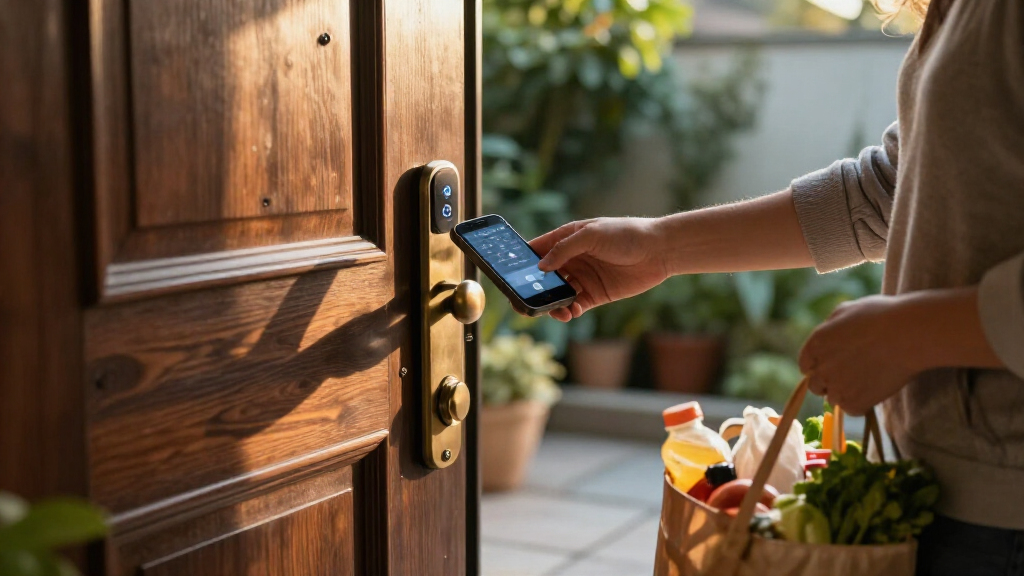
I ranked these locks around the promise of digital-key access: how people can enter without a traditional key, how readily owners can manage access through an app or keypad, and whether the product description identifies useful options such as fingerprint recognition, Wi-Fi, or voice control. I also considered the hardware format, because a deadbolt, a knob lock, and a complete handle set solve different installation needs. Backup entry methods and the clarity of the stated feature set matter too; a lock with many access modes can be less suitable than a simpler model if those features do not match a buyer’s routine.
The order favors useful access flexibility and clear everyday fit over the sheer number of advertised features. The Schlage Encode leads as a balanced Wi-Fi deadbolt, while Lockly Visage Zeno earns a distinct place for biometric variety and Yale Assure Lock 2 for straightforward keypad-focused use with Wi-Fi. Locks with fingerprint or app functions rank well when those features add a clear benefit, but basic keypad models remain worthwhile for buyers who do not need remote management. I do not treat every listed feature as a guarantee of compatibility: door measurements, app requirements, smart-home support, and included hardware should be checked before purchase.
Factors to Consider When Choosing Best Smart Locks With Digital Keys
Choosing a smart lock is less about collecting access methods and more about matching them to how your household enters, shares access, and handles a lockout. These factors help distinguish a convenient digital-key system from a lock whose extra features you may not use.
Decide What You Mean by a Digital Key
“Digital key” can mean a keypad code, an app-managed credential, a fingerprint, or access through a connected smart-home system. Those methods do not all offer the same control: a keypad can provide simple entry, while remote app management may let an owner change access when away from home. Fingerprint access is convenient for people who want hands-free entry, but it does not by itself provide remote guest management. Before choosing, list who needs access and whether codes or credentials must be added, limited, or removed regularly. Check the product’s exact app functions rather than assuming that “smart” means every type of digital access is available.
Check Wi-Fi, Hubs, and Remote Access
Remote control depends on how the lock connects, not just whether it has an app. Some models advertise built-in Wi-Fi, while other smart locks may need a separate bridge, hub, or compatible ecosystem for off-site functions. A lock that works by keypad or fingerprint at the door may still lack remote status checks or guest-code management when you are away. Confirm what works locally during an internet outage and what stops working if the app or network is unavailable. If remote access is a priority, verify whether the required connection hardware is included and whether your home network and phone are supported.
Match the Lock to Your Door Hardware
A deadbolt, a door knob, and a handle set are not interchangeable installation choices. Measure your door thickness, backset, bore hole, and existing hardware before ordering, and check whether the lock is intended for the door’s handing and configuration. A complete handle set can make sense during a broader hardware replacement, but it may be unnecessary if you only need to upgrade a deadbolt. Knob-style smart locks also serve a different role from a deadbolt, so consider the full entry setup rather than judging by the keypad alone. When a listing is unclear about fit or included pieces, consult its installation specifications before removing existing hardware.
Choose Access Methods for the People Who Will Use Them
Think through everyday users, visitors, and anyone who may struggle with a phone or small buttons. A keypad can work well for family members who do not want to manage an app, while fingerprint entry may speed up access for residents who use the same door frequently. Facial recognition adds another way to enter, but it may not suit every household’s privacy preferences or approach to setup. Consider whether temporary visitors need their own codes and how easily those codes can be changed after a visit. Extra entry methods are useful only when they remain dependable and understandable for everyone who needs the door.
Plan for Power Loss and Lockouts
Electronic access adds convenience, but batteries and backup entry deserve attention before installation. Check what happens when batteries run low, whether the lock gives advance warnings, and what backup method is available if the keypad or app cannot be used. A physical key can be reassuring, while other designs may rely on an external emergency power procedure or another credential. Keep replacement batteries on hand and decide who in the household will know the backup steps. Do not assume two locks with similar app features handle a dead battery or lost phone in the same way.
Pay for Features You Will Actually Use
More access methods can add convenience, but they can also mean more setup, more settings, and more points to troubleshoot. A household that mainly wants to stop carrying keys may be happier with a reliable keypad than with facial recognition and multiple app integrations. Remote access and user management matter more for people who regularly let in guests, service providers, or family members from a distance. If smart-home voice control matters, verify compatibility with the specific platform and setup you use rather than relying on a broad feature label. The best fit is the lock whose most useful functions are easy to operate, not the one with the longest feature list.
Frequently Asked Questions
Do I need Wi-Fi for a smart lock to work with a keypad or fingerprint?
Not necessarily: keypad and fingerprint entry can work directly at the lock on models that offer those methods. Wi-Fi is generally relevant when you want remote app functions, such as managing access while away, rather than simply entering at the door. The exact capabilities vary by model, so check which functions require Wi-Fi, an additional hub, or a specific app connection. Also plan for what you will do if your internet goes down; local entry and remote control are separate needs.
Is a fingerprint lock a better choice than a keypad lock?
It depends on who uses the door and how access is shared. A fingerprint reader can make frequent entry quick for household members, while a keypad is easier to share with visitors who do not want to enroll a biometric credential. Fingerprint access does not automatically provide remote code management, and a keypad does not offer the same hands-free entry. Some locks combine both, but added methods can mean additional setup, so choose based on routine rather than feature count.
Can I replace only my deadbolt, or do I need a complete handle set?
Many homes can use a smart deadbolt as a direct upgrade while keeping the existing knob or handle, provided the door and hardware dimensions match. A complete handle set is more relevant if you are replacing the full entry assembly or want the exterior hardware to match. The Philips 4200 and the Philips deadbolt-and-handle set address bundled hardware needs, while standalone deadbolts offer a narrower replacement. Check the listing’s included components and fit requirements before buying; product names alone may not show whether a handle is part of the package.
What should I check before buying a Wi-Fi smart lock for remote guest access?
Confirm that the lock supports the exact remote actions you need, such as creating or changing guest codes when you are away. Verify whether Wi-Fi is built in or whether a separate hub or bridge is required, and check compatibility with your network and phone. Ask how access works if the internet is unavailable, since local keypad entry may remain available even when remote management does not. If different visitors need separate permissions, check whether the app supports that workflow rather than assuming all connected locks handle users the same way.
Should I choose a simpler keypad lock or a model with app and biometric features?
A simpler keypad model can be a sensible choice when the main goal is keyless entry and household users prefer not to depend on an app. App control becomes more valuable when you need remote management, and biometrics can help residents who want quick access without entering a code. Each added feature also brings setup and compatibility questions, so consider who will maintain the lock and troubleshoot it. For a household with varied needs, prioritize a dependable backup method and familiar access options over features that only one person will use.
Conclusion
For the broadest balance of connected convenience and deadbolt-style entry, I recommend the Schlage Encode as best overall. Buyers who want a less complex keypad-first choice should start with the Yale Code or TEEHO TE001 as practical value-focused options, while the Yale Assure Lock 2 Wi-Fi is my best fit for beginners who want keypad access with connected features. For a premium-style biometric feature set, the Lockly Visage Zeno stands apart with facial recognition and fingerprint access. Choose the Philips 4200 or Philips handle bundle if replacing more of the entry hardware matters, and look to a fingerprint-focused Veise or Philips model when quick biometric entry is your main need. Before deciding, confirm door fit, connectivity requirements, and backup access; those details matter more than adding a feature you will rarely use.