
TL;DR
Smart home security cameras combine video, motion detection, network access, and cloud or local storage so you can check on your home and review activity. Choose by location, power, night performance, alert accuracy, and recording costs; a higher resolution alone cannot make up for poor placement or weak Wi-Fi. Cameras can document events, but they can miss activity and do not guarantee prevention or identification.
A camera can send you a crisp alert of a raccoon raiding the bins at 2 a.m. and still miss the delivery person at your front door. Smart home security cameras are useful when they capture the right view, send alerts you can act on, and save recordings somewhere you can actually access.

Get home appliances delivered free with Prime
- Fast, free delivery on millions of items
- Prime Video, Amazon Music and more included
- Member-only deals all year
This guide walks you through the choices that shape day-to-day performance: indoor or outdoor use, image quality, power, Wi-Fi, detection, storage, and privacy. You’ll also see how to compare likely costs and place cameras so they watch useful approaches without pointing into a neighbor’s windows.
Think of a camera like a porch light: the device helps, but where you put it and how you maintain it matter. These key facts can help you choose a setup that fits your home and your comfort with cloud services or local recording.
Match indoor or outdoor ratings to the actual mounting conditions; indoor models are not automatically weatherproof.
Compare field of view, lighting, and camera angle alongside resolution, especially when you need useful detail at a distance.
Check clip retention, continuous recording support, and paid features before choosing cloud or local storage.
Test Wi-Fi and alerts at the installation spot, then adjust motion zones after observing ordinary activity.
Use unique passwords, multifactor authentication, current firmware, and careful camera framing to protect account access and privacy.
What smart home security cameras can—and can’t—do
Smart home security cameras capture video, detect selected activity, and connect through a network so you can view footage or receive alerts. Many combine video capture with cloud services or local storage, giving you a way to check on your home and review events later. The exact features depend on the model and its service plan.
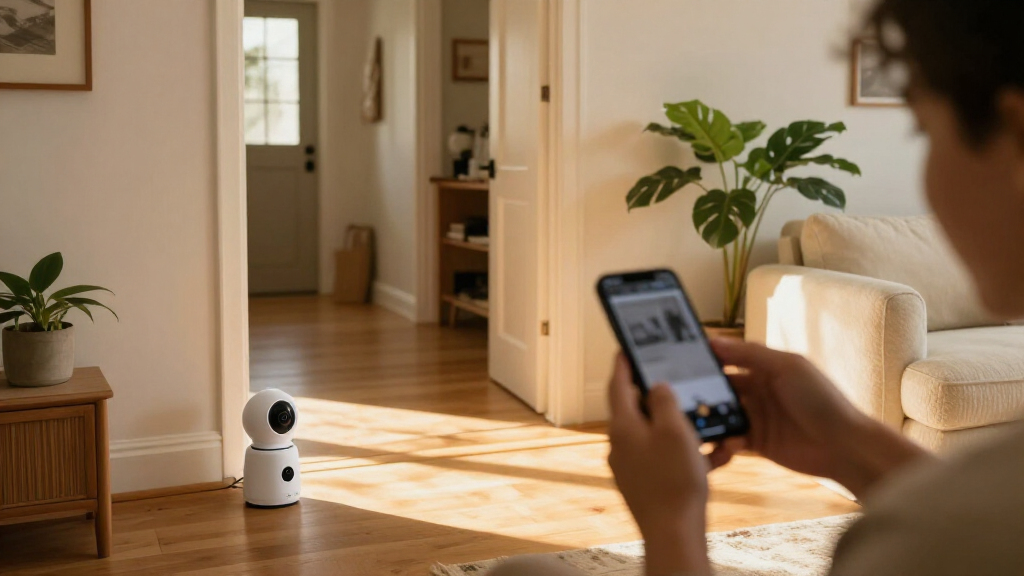
For example, if a delivery arrives while you’re at work, a door camera might send a motion alert and let you review the clip on your phone. That can answer whether a parcel reached the porch. It cannot guarantee that the camera recorded the entire delivery, that a face is identifiable, or that an alert arrives immediately if the Wi-Fi drops.
People often buy cameras expecting them to prevent every break-in. A camera can deter some activity and document what it sees, but it is not a lock, alarm response service, or promise of identification. A camera facing a side gate may record someone entering while missing what happens behind a shed, much like a flashlight that lights one patch of a dark yard.
Use cameras as one part of a home security plan. Keep doors and windows secured, test notifications, and choose a recording option you can use when an event matters. That practical expectation helps you judge a device by coverage and dependable access, rather than a long feature list.
Products Worth Considering

Ring Wired Doorbell Pro (3rd Gen) and Floodlight Cam Pro (2nd Gen) Bundle

Bose Smart Ultra Dolby Atmos Soundbar with Voice Control, HDMI eARC, Black

Ring Wired Doorbell Plus (2nd Gen) & Chime Plus Bundle – Nickel Silver
As an affiliate, we earn on qualifying purchases.
Match each camera to the spot you need to watch
Pick a camera for the conditions at its mounting spot: indoor models belong in sheltered spaces, while outdoor models need housings rated for rain and temperature changes. Outdoor units may also offer stronger night vision or built-in lights. A camera sold for a living room may look similar to a weatherproof model, but it is not automatically safe to mount outside.
Suppose you want to cover a front path and a dim garage. An outdoor camera above the porch can watch the approach, while a second camera inside the garage can show whether someone opened the door. Putting one wide-angle camera too high may capture a broad sweep of pavement but leave faces as tiny shapes near the edge.
Resolution affects detail, but it works alongside lens quality, lighting, compression, and angle. A wide field of view shows more area, yet distant details can be harder to make out. If you need to identify activity near a gate, aim for that gate instead of stretching the view across the entire yard.
At night, infrared LEDs often produce black-and-white footage. Other cameras use visible light or spotlights to capture color, which can help you distinguish a dark jacket from a blue one but may shine into a bedroom window or annoy a neighbor. Test the view after dark and check for glare from glass, pale walls, or nearby reflective surfaces.
Compare storage and power before you choose a model
Cloud storage, local storage, and power choices affect what happens after an alert. Cloud plans may make remote playback simple, while a microSD card or network video recorder can keep footage locally. Some cameras offer both. Check how long clips remain available, whether continuous recording works, and which functions stop if you do not pay a subscription.
A renter who wants to keep an eye on a hallway might prefer a plug-in camera with a memory card, if the model supports the playback features they need without a paid plan. Someone mounting a camera over a detached garage may value a battery because there is no outlet nearby. The tradeoff: frequent motion events and live viewing can drain a battery faster, especially in cold weather or with a weak signal.
Storage needs vary with resolution, compression, event frequency, and whether the camera records only motion or all day. A busy sidewalk may create many clips in one afternoon; a quiet backyard may produce very few. Before buying, look for the recording duration and subscription terms in the current product details, since services and features can change.
Use this quick comparison to narrow your options. A camera that saves money at checkout may cost more over a year if essential playback or detection requires a recurring plan.
| Choice | What it suits | Tradeoff to check |
|---|---|---|
| Cloud plan | Remote access and off-site clip storage | Ongoing fees, retention limits, and internet dependence |
| microSD card | Simple local recording on a supported camera | Card capacity, replacement, and access during outages |
| Network video recorder | Several cameras with centralized local footage | Upfront setup, space, and device compatibility |
| Battery power | Locations without a convenient outlet | Charging frequency and activity-related drain |
Make alerts useful instead of letting them nag you
Motion alerts tell you that a camera detected movement; they do not always tell you what moved. Some models can classify people, pets, vehicles, or packages, which can cut down on alerts from swaying branches. Their accuracy still depends on placement, lighting, software, and what crosses the frame.
Imagine your camera faces a leafy maple and the driveway. A windy evening may produce a string of alerts as branches flicker across the view, while a person walking close to the edge goes unnoticed. Re-aiming the camera toward the driveway and setting a smaller detection zone may help more than choosing the most advanced label in the app.
Try a simple setup process when you install or reposition a camera:
- Mount it to cover an approach or entrance, not a broad area with little useful detail.
- Check the live view in daylight and darkness, looking for glare, shadows, and blind spots.
- Walk through the scene yourself and see whether the app sends an alert promptly.
- Adjust motion zones and sensitivity after a few days of ordinary activity.
- Review missed events and false alarms, then change the angle or settings one at a time.
Detection can be especially handy for a package camera: you may want a ping when a box lands, not every time a car passes. Yet trees, pets, delivery timing, or an unusual camera angle can confuse a classifier. Treat labels as helpful hints, then check the recorded clip before deciding what happened.
Protect privacy while keeping the views you need
Privacy depends on what the camera records, who can access it, and where its footage goes. Cameras may collect video, audio, account details, and usage data. A camera in a shared living area may help you check on a pet, but it can also record guests or household members during private moments.
One practical arrangement is to point an outdoor camera toward your own front path, then leave a neighbor’s window out of frame. Inside, put a camera in a common area only if everyone who lives there understands when it runs. Consider disabling audio when you do not need it, since audio recording can face stricter local rules than video.
Use a unique account password and turn on multifactor authentication if the manufacturer offers it. Keep the camera firmware and phone app updated, use a well-secured Wi-Fi network, and review which people can see shared footage. If an old installer or house guest still has access, remove that account rather than assuming the link expired.
Before mounting a camera, frame the view you need and check who else could appear in it. That small step can protect household privacy and reduce disputes with neighbors.
On-device processing for person or vehicle detection has become more common. It can reduce reliance on cloud analysis, but it does not tell you by itself where recordings are stored or what data leaves the device. Check the manufacturer’s current settings and policy before deciding that local processing makes a camera private.
Check Wi-Fi and smart-home support before installation
Wi-Fi, power, and platform support decide whether a camera remains useful after setup. Many cameras need internet access for remote viewing and alerts. Some can record locally when the internet is out, but you may lose remote access until the connection returns.
For instance, a camera at the back door may show a strong signal during setup, then drop offline after you close the door and move two rooms away. Test the connection at the intended mounting point before drilling or attaching a bracket. If the camera uses a battery, remember that weak signal and frequent activity can also affect how often you charge it.
Some cameras connect to voice assistants, smart displays, or home-automation platforms, but compatibility differs by model and region. Standards such as Matter aim to make smart devices work together more easily, yet camera support and cross-platform features remain product-specific. Confirm the exact model, supported platform, and region in current specifications instead of relying on a brand name alone.
Check what happens during a power or internet outage. A battery camera may continue recording if it has local storage, while a mains-powered model may stop altogether unless your equipment has backup power. Remote alerts still need a working network and service, so a clip saved locally may be available only when connectivity returns or when you access the storage directly.
Frequently Asked Questions
Do smart home security cameras need Wi-Fi?
Many use Wi-Fi for remote viewing, app alerts, and cloud services. Some models can save footage locally during an internet outage, but remote access may stop until the connection returns.
Can I record without paying a subscription?
Sometimes. Cameras with supported microSD cards or a network video recorder may offer local recording without a cloud plan. Check whether playback, smart detection, or longer retention still requires payment on the exact model.
Will a camera recognize people, pets, or packages accurately?
Detection features can reduce irrelevant alerts, but they can miss events or label them incorrectly. Placement, lighting, and busy backgrounds all matter; a camera facing moving tree branches may send more false alerts than one aimed at a clear entry path.
Can I use an indoor camera outside?
Only if the manufacturer rates that model for outdoor conditions. Indoor cameras generally are not built for rain, temperature swings, or prolonged exposure, even if they look sturdy.
What should I do to make a camera account safer?
Choose a unique password, turn on multifactor authentication when available, and install firmware updates. Review shared accounts and remove anyone who no longer needs access to your footage.
Do smart cameras record audio?
Some models include microphones, while others let you disable audio. Local rules can treat audio recording differently from video, so check requirements before recording conversations or placing a camera in shared spaces.
Conclusion
Choose a camera by starting with the view you need, then check how it performs at night, what happens when the connection drops, and how recordings are stored. A sharp image is useful only when the camera points at the right place and you can retrieve the footage when you need it.
Before you mount it, stand where the camera will go and look at the frame on your phone. Keep the doorway clear, the neighbor’s window out of view, and the path to your front step in focus.